
1. Einleitung
This manual provides essential information for the safe and efficient use of your CANDY Smart Inverter Washer Dryer, model CSWS496TWMRRE/FR. Please read these instructions carefully before installing, operating, or performing maintenance on the appliance. Keep this manual for future reference.
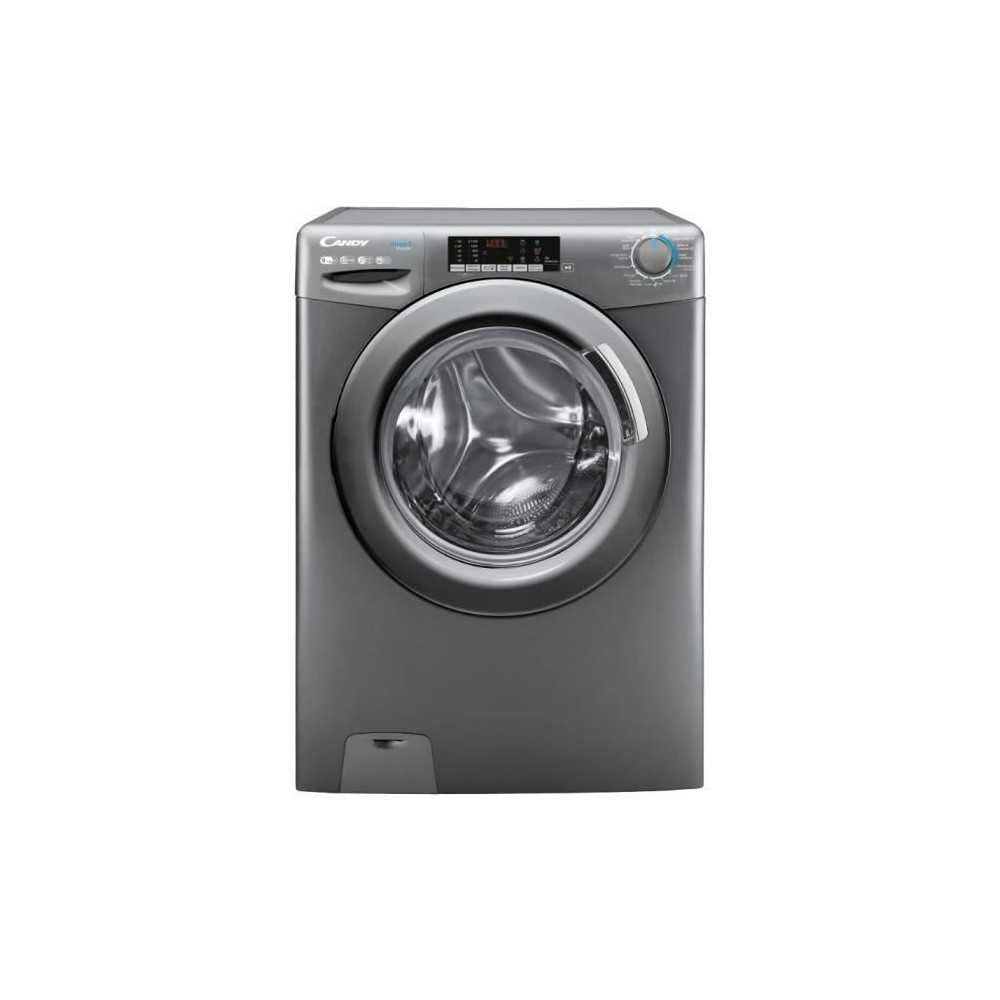
Bild 1.1: Vorderseite view of the CANDY Smart Inverter Washer Dryer.
2. Sicherheitshinweise
Beachten Sie beim Gebrauch von Elektrogeräten stets die grundlegenden Sicherheitsvorkehrungen, um das Risiko von Bränden, Stromschlägen und Verletzungen zu verringern. Dieses Gerät ist ausschließlich für den Hausgebrauch bestimmt.
- Stellen Sie sicher, dass das Gerät ordnungsgemäß geerdet ist.
- Kinder dürfen nicht mit dem Gerät spielen oder es bedienen.
- Berühren Sie das Gerät nicht mit nassen Händen.
- Vor der Reinigung oder Durchführung von Wartungsarbeiten ziehen Sie den Netzstecker des Geräts.
- Textilien, die mit brennbaren oder explosiven Stoffen gereinigt, gewaschen, eingeweicht oder befleckt wurden, dürfen nicht gewaschen oder getrocknet werden.
- Keep the area around the exhaust opening free from the accumulation of lint, dust, and dirt.
3. Produktüberschreitungview
3.1. Komponenten
- Bedienfeld: Features a program selector dial, digital display, and touch buttons for various functions.
- Waschmittelschublade: Befindet sich oben links und dient zum Einfüllen von Waschmittel und Weichspüler.
- Trommel: Stainless steel interior for washing and drying clothes.
- Tür: Front-loading door with a secure latch.
- Filter: Located at the bottom front, for collecting lint and foreign objects.
3.2. Systemsteuerung

Abbildung 3.1: Detailansicht view des Bedienfelds.
The control panel allows you to select wash and dry programs, adjust settings, and monitor the cycle status. Key elements include:
- Programmwahlschalter: Used to choose from 15 available wash and dry programs.
- Digitaler Bildschirm: Zeigt die verbleibende Zeit, Fehlercodes und ausgewählte Optionen an.
- Temperaturauswahl: Regelt die Waschwassertemperatur.
- Auswahl der Schleuderdrehzahl: Modifies the spin cycle speed up to 1400 rpm.
- Verzögerung beim Start: Sets a delayed start time for the cycle (1-24 hours).
- Options Buttons: Activates special functions like Steam, Mix Power System, and quick cycles.
3.3. Waschmittelschublade
The detergent drawer has compartments for pre-wash detergent, main wash detergent, and fabric softener. Refer to the markings on the drawer for correct placement.
3.4. Drum Interior

Image 3.2: Interior of the washer dryer drum.
The stainless steel drum is designed for effective washing and drying. Ensure no foreign objects are left inside before starting a cycle.
4. Installation
4.1. Auspacken
- Remove all packaging materials, including the polystyrene base and any inserts in the drum.
- Remove the transport bolts from the rear of the appliance. Keep these bolts for future transport.
4.2. Positionierung
- Stellen Sie das Gerät auf einen festen, ebenen Boden.
- Adjust the feet to ensure the machine is stable and level.
- Ensure there is adequate space around the appliance for ventilation.

Abbildung 4.1: Beispielample of washer dryer placement in a domestic environment.
4.3. Wasser- und Stromanschlüsse
- Schließen Sie den Wasserzulaufschlauch an einen Kaltwasserhahn an.
- Platzieren Sie den Ablaufschlauch in einem Standrohr oder Spülbecken und achten Sie darauf, dass er fest sitzt, um ein Verrutschen während des Betriebs zu verhindern.
- Stecken Sie das Netzkabel in eine geerdete Steckdose (230 Volt).
5. Bedienungsanleitung
5.1. Vor dem ersten Gebrauch
Run a short wash cycle without laundry and detergent to clean the drum and remove any manufacturing residues.
5.2. Wäsche einlegen
- Open the door and load laundry into the drum, ensuring not to overload (max 9 kg for wash, 6 kg for dry).
- Schließen Sie die Tür fest.
5.3. Zugabe von Waschmittel und Weichspüler
Pull out the detergent drawer and add appropriate amounts of detergent and fabric softener to their respective compartments. Close the drawer.
5.4. Programmauswahl
- Turn the program selector dial to choose the desired wash or dry program. The appliance offers 15 programs, including 7 quick cycles.
- Auf dem Digitaldisplay werden die Standardeinstellungen für das ausgewählte Programm angezeigt.
5.5. Adjusting Settings and Special Functions
- Temperatur: Press the temperature button to adjust the wash temperature (e.g., 20°, 30°, 40°, 60°, 90°).
- Schleuderdrehzahl: Press the spin speed button to select the desired spin speed (e.g., 400, 800, 1000, 1400 rpm).
- Verzögerung beim Start: Press the delay start button repeatedly to set a delay from 1 to 24 hours.
- Dampffunktion: Activates the steam option to reduce wrinkles and refresh clothes.
- Mischleistungssystem: Ensures thorough cleaning by pre-mixing water and detergent.
- Schnelle Zyklen: Select one of the 7 rapid cycles, including a full load program in 59 minutes.
5.6. Starten des Zyklus
Drücken Sie die Start/Pause-Taste, um das ausgewählte Programm zu starten. Die verbleibende Zeit wird im Display angezeigt.
5.7. Ende des Zyklus
At the end of the cycle, the appliance will signal with an audible alert and/or a message on the display. Open the door and remove the laundry.
6. Wartung
6.1. Reinigung der Waschmittelschublade
Regularly clean the detergent drawer to prevent residue buildup. Remove the drawer, rinse it under running water, and clean any stubborn deposits with a brush. Reinsert the drawer.
6.2. Reinigung der Trommel
Use the dedicated 'Drum Cleaning' program (if available) or run an empty hot wash cycle with a descaling agent or white vinegar to maintain drum hygiene.
6.3. Reinigung des Filters
Periodically clean the drain pump filter to ensure proper drainage. Place a shallow container under the filter cover, unscrew the filter, remove any lint or debris, and then securely replace it.
6.4. Außenreinigung
Wischen Sie die Außenflächen des Geräts mit einem weichen, fusselfreien Tuch ab.amp Tuch. Keine Scheuer- oder Lösungsmittel verwenden.
7. Fehlerbehebung
If you encounter issues with your appliance, consult the table below for common problems and solutions. If the problem persists, contact customer support.
| Problem | Mögliche Ursache | Lösung |
|---|---|---|
| Gerät startet nicht | Power cord unplugged; door not closed; program not selected; Start/Pause button not pressed. | Stromanschluss prüfen; sicherstellen, dass die Tür verriegelt ist; Programm auswählen; Start/Pause drücken. |
| Keine Wasseraufnahme | Water tap closed; water inlet hose kinked; water filter blocked. | Open water tap; straighten hose; clean water inlet filter. |
| Wasser läuft nicht ab | Drain hose kinked or blocked; drain pump filter blocked. | Straighten or clear drain hose; clean drain pump filter. |
| Übermäßige Vibration | Gerät steht nicht waagerecht; Transportsicherungen nicht entfernt; ungleichmäßige Beladung. | Adjust leveling feet; remove transport bolts; redistribute laundry. |
| Die Wäsche trocknet nicht richtig | Overloaded; incorrect drying program; lint filter blocked. | Reduce load; select appropriate drying program; clean lint filter. |
8. Spezifikationen
| Besonderheit | Spezifikation |
|---|---|
| Modellname | C SWS496TWMRRE/FR |
| Marke | SÜSSIGKEITEN |
| Produktabmessungen (T x B x H) | 54 cm (Breite) x 60 cm (Länge) x 86 cm (Höhe) |
| Waschkapazität | 9 Kilogramm |
| Trockenkapazität | 6 Kilogramm |
| Maximale Schleudergeschwindigkeit | 1400 U/min |
| Anzahl der Programme | 15 |
| Energy Class (Wash) | A |
| Geräuschpegel | 76 dB |
| Bandtage | 230 Volt |
| Material (Trommel) | Edelstahl |
| Gewicht | 65 Kilogramm |
| Installationstyp | Freistehende |
| Steuerungstyp | Berühren |
9. Garantie und Support
9.1. Garantieinformationen
This CANDY appliance comes with a 2 Jahr Herstellergarantie. Please retain your proof of purchase for warranty claims. The warranty covers defects in materials and workmanship under normal domestic use.
9.2. Kundendienst
For technical assistance, spare parts, or to schedule a service appointment, please contact CANDY customer support. Refer to the contact information provided in the separate warranty card or on the official CANDY webWebsite.
The user manual is included with the product for detailed instructions and further support.