
Micool DY20PLUS
Micool DY20PLUS Bluetooth-Headset V5.4 – Benutzerhandbuch
Model: DY20PLUS | Brand: Micool
Einführung
Thank you for choosing the Micool DY20PLUS Bluetooth Headset V5.4. This manual provides comprehensive instructions to help you set up, operate, and maintain your new headset. Please read this manual carefully before use to ensure optimal performance and longevity of your device.
Packungsinhalt
- Micool DY20PLUS Bluetooth Headset
- USB-C-Ladekabel
- Bedienungsanleitung
- Multiple Sized Ear Tips (L, M, S)
Produkt überview
Familiarize yourself with the components of your Micool DY20PLUS Bluetooth Headset.
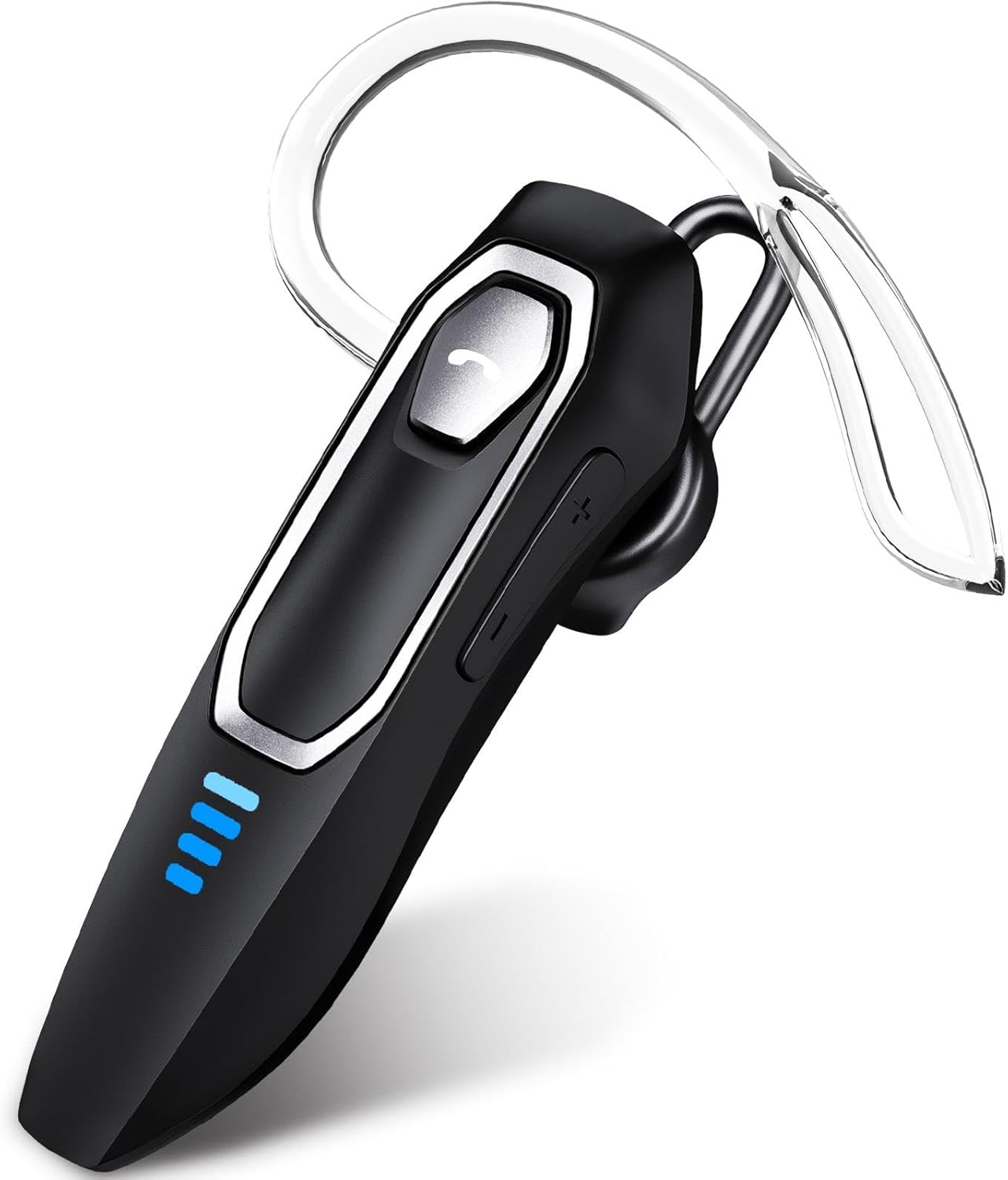
Image 1: Micool DY20PLUS Bluetooth Headset. This image displays the main headset unit, highlighting the call button, volume controls, and LED power indicators.

Image 2: Headset Controls Diagram. This diagram illustrates the Multi-Function Button (MFB) for power, play/pause, and Bluetooth pairing, along with volume controls and mute function.
Aufladen des Headsets
Laden Sie das Headset vor dem ersten Gebrauch vollständig auf.
- Schließen Sie das mitgelieferte USB-C-Ladekabel an den Ladeanschluss des Headsets an.
- Verbinden Sie das andere Ende des Kabels mit einer USB-Stromquelle (z. B. Computer, Wandadapter).
- The LED indicators will show charging status. A full charge typically takes 1.5-2 hours.
- Once fully charged, the LED indicators will change or turn off (refer to LED Power Display section for details).
The headset offers up to 36 hours of talk time and 45 hours of music playback on a single charge.
Aufstellen
Ein-/Ausschalten
- Einschalten: Press and hold the Multi-Function Button (MFB) for approximately 3 seconds until the LED indicator flashes.
- Ausschalten: Halten Sie den Multifunktionsknopf etwa 3 Sekunden lang gedrückt, bis die LED-Anzeige erlischt.
Bluetooth-Kopplung
- Stellen Sie sicher, dass das Headset ausgeschaltet ist.
- Press and hold the MFB for approximately 3 seconds until the LED indicator flashes red and blue alternately, indicating pairing mode.
- Aktivieren Sie auf Ihrem Gerät (Smartphone, Tablet, Computer) Bluetooth und suchen Sie nach verfügbaren Geräten.
- Select "DY20PLUS" from the list of found devices.
- Sobald die Verbindung hergestellt ist, blinkt die LED-Anzeige am Headset langsam blau.
Mehrpunktverbindung: The DY20PLUS headset can connect to two devices simultaneously. After pairing with the first device, disable Bluetooth on that device. Then, put the headset back into pairing mode and connect to the second device. Re-enable Bluetooth on the first device, and the headset should automatically connect to both.
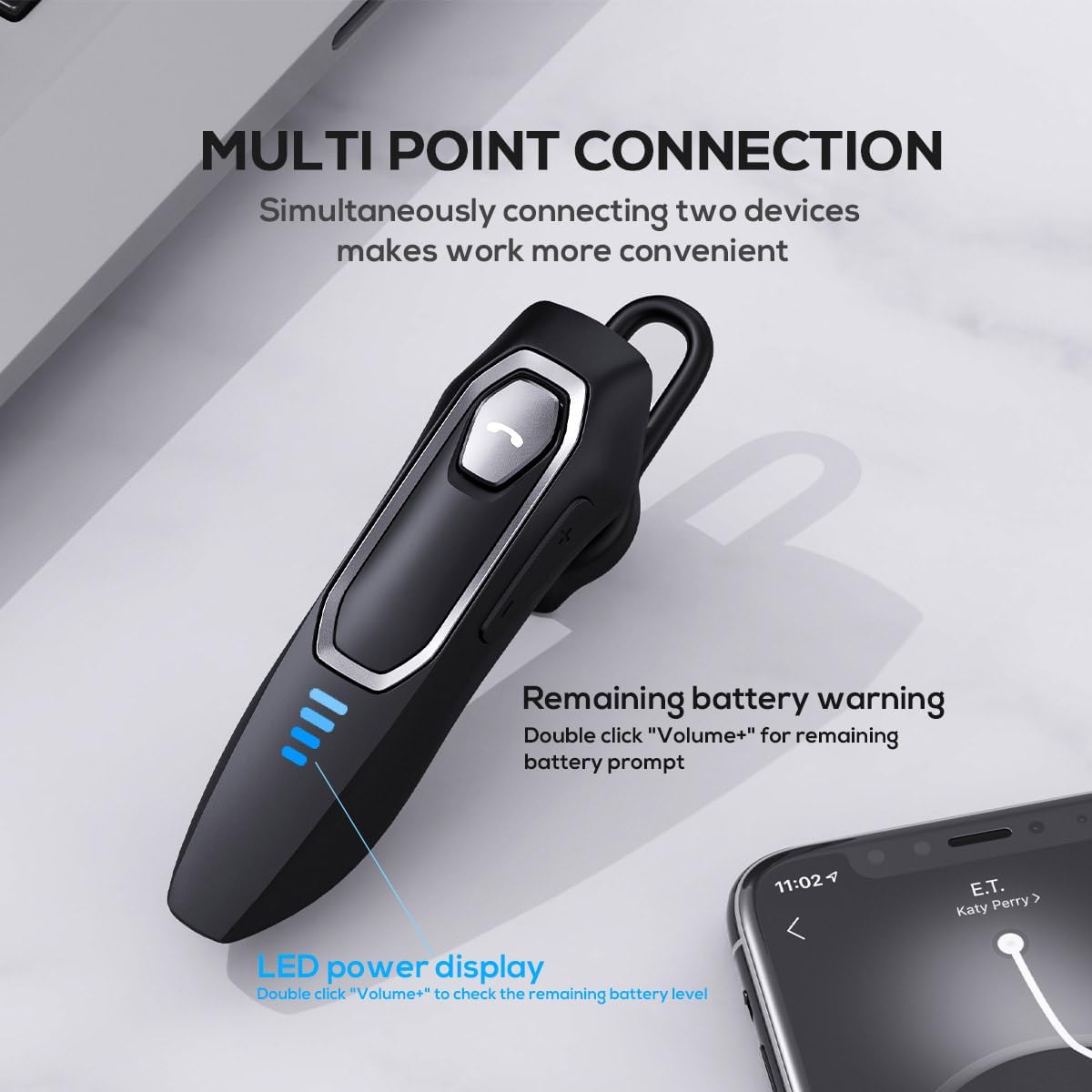
Image 3: Multi-Point Connection and LED Display. This image illustrates the headset's ability to connect to two devices simultaneously and the LED power display.
Bedienungsanleitung
Anruf-Management
- Anruf annehmen/beenden: Drücken Sie einmal die MFB.
- Anruf ablehnen: Drücken und halten Sie den Multifunktionsknopf etwa 2 Sekunden lang.
- Mikrofon stummschalten/Stummschaltung aufheben: During a call, press and hold the volume down button (marked with a microphone icon) for approximately 2 seconds.
- Letzten ausgehenden Anruf erneut wählen: Triple-tap the MFB.
Musikwiedergabe
- Abspielen/Pause: Drücken Sie einmal die MFB.
- Nächster Titel: Press and hold the Volume + button for approximately 2 seconds.
- Vorheriges Lied: Press and hold the Volume - button for approximately 2 seconds.
- Lautstärke erhöhen/verringern: Press the Volume + or Volume - button briefly.
Sprachassistent
- Sprachassistent aktivieren (Siri, Google Assistant usw.): Doppeltippen Sie auf den Multifunktionsbutton.
LED-Leistungsanzeige
The headset features an LED power display with four levels, each representing 25% of the battery charge.
- To check the remaining power, double-click the Volume + button.
Komfort und Passform
The Micool DY20PLUS is designed for comfortable, all-day wear.
- The ergonomic design ensures a secure fit without causing ear fatigue.
- Interchangeable ear tips (L, M, S) are included to help you find the best fit for your ear canal, optimizing bass and overall sound quality.
- The headset can be worn on either the left or right ear.

Image 4: Ear Tips and Durability. This image shows the included ear tips in different sizes (L, M, S) and highlights the enhanced durability features of the headset.
Wartung
- Reinigung: Reinigen Sie das Headset mit einem weichen, trockenen Tuch. Verwenden Sie keine scharfen Chemikalien oder Scheuermittel.
- Lagerung: Bewahren Sie das Headset bei Nichtgebrauch an einem kühlen, trockenen Ort, fern von direkter Sonneneinstrahlung und extremen Temperaturen auf.
- Batteriepflege: Um die Akkulaufzeit zu verlängern, vermeiden Sie häufiges vollständiges Entladen des Headsets. Laden Sie es regelmäßig auf, auch wenn Sie es nicht ständig benutzen.
- Wasserbeständigkeit: The headset is water-resistant, but not waterproof. Avoid submerging it in water or exposing it to heavy rain.
Fehlerbehebung
| Problem | Mögliche Lösung |
|---|---|
| Das Headset lässt sich nicht einschalten. | Stellen Sie sicher, dass das Headset aufgeladen ist. Verbinden Sie es mit dem USB-C-Kabel mit einer Stromquelle. |
| Kopplung mit dem Gerät nicht möglich. |
|
| Kein Ton oder schlechte Tonqualität. |
|
| Das Mikrofon funktioniert während Anrufen nicht. |
|
| Sprachassistent lässt sich nicht aktivieren. | Ensure the headset is connected and double-tap the MFB firmly. Check your device settings for voice assistant activation. |
Technische Daten
| Besonderheit | Detail |
|---|---|
| Modellname | DY20PLUS |
| Konnektivitätstechnologie | Kabellos (Bluetooth) |
| Bluetooth-Version | 5.4 |
| Bluetooth-Reichweite | Bis zu 50 Meter (164 Fuß) |
| Akkulaufzeit (Sprechzeit) | Bis zu 36 Stunden |
| Akkulaufzeit (Musikwiedergabe) | Bis zu 45 Stunden |
| Ladezeit | 1.5 - 2 Stunden |
| Ladeanschluss | USB-C |
| Geräuschunterdrückung | Dual Microphones with Noise Reduction Algorithm |
| Besondere Merkmale | Voice Assistant, Multipoint Pairing, LED Power Display, Mute Function, Fast Charging |
| Gewicht | Ungefähr 12 g (0.42 oz) |
| Wasserbeständigkeit | Wasserfest |
| Kompatible Geräte | Smartphones, Tablets, Smart Speaker |
Garantie und Support
For warranty information or technical support, please refer to the documentation included with your purchase or contact Micool customer service through their official channels.
Ask a question about this manual
Ask about setup, troubleshooting, compatibility, parts, safety, or missing instructions. Manuals+ will review the question and use this page’s manual context to help answer it.