
ENGLAON X7MCK1
ENGLAON X-Serie Kabelloses 7"-Monitor-Rückfahrkamera-Kit – Benutzerhandbuch
Model: X7MCK1
Einführung
Thank you for choosing the ENGLAON X Series Wireless Reversing Camera & Monitor System. This system is designed to enhance your driving safety by providing clear, real-time video feedback for caravans, motorhomes, and RVs. With its advanced wireless transmission and robust design, it ensures reliable performance in various conditions, making parking and reversing safer and more convenient.
Wichtige Sicherheitsinformationen
- Ensure the power supply is within the specified range of DC 12V-32V. Incorrect voltagDies könnte zu einer Beschädigung des Geräts führen.
- Für optimale Leistung und Sicherheit wird eine fachgerechte Installation empfohlen.
- Versuchen Sie nicht, das Gerät zu zerlegen oder zu verändern. Dadurch erlischt die Garantie und es können Schäden entstehen.
- Keep the monitor and camera lenses clean for clear visibility. Use a soft, dry cloth.
- Stellen Sie sicher, dass alle Kabel sicher angeschlossen und von beweglichen Teilen oder Wärmequellen ferngehalten werden.
- This system is an aid for reversing and parking; always check your surroundings visually before maneuvering.
Packungsinhalt
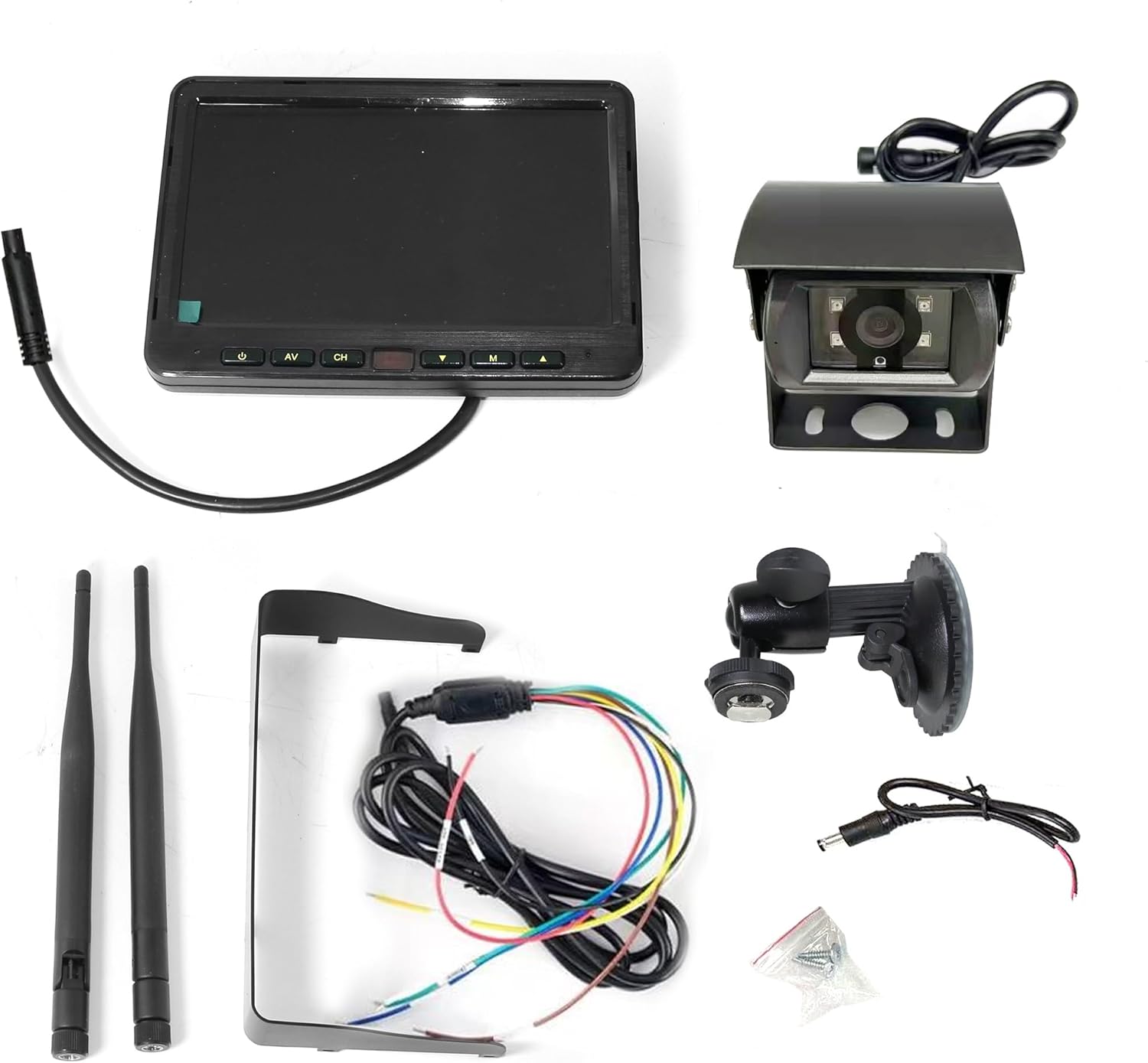
Image: All components included in the ENGLAON X Series Wireless Camera Kit, neatly laid out. This includes the 7-inch monitor, the wireless camera, two antennas, a monitor stand, power cables, and mounting screws.
Bitte überprüfen Sie, ob alle folgenden Artikel in Ihrem Paket enthalten sind:
- 7-Zoll-Funkmonitor
- Drahtlose Rückfahrkamera
- Monitor Stand (with suction cup mount)
- Stromkabel für Monitor
- Stromkabel für Kamera
- 2 x Antennen
- Befestigungsschrauben
Produkt überview
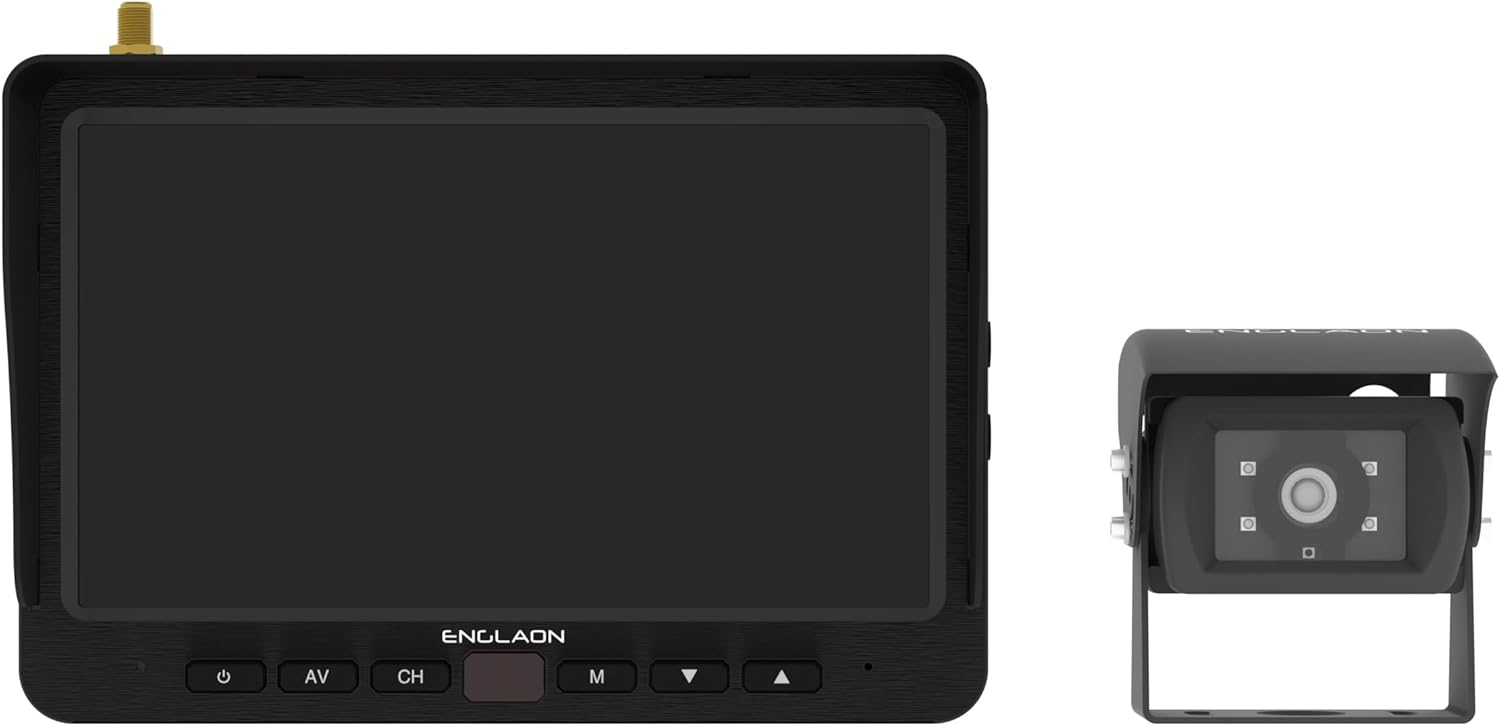
Image: The ENGLAON 7-inch wireless monitor is shown on the left, featuring control buttons below the screen. The wireless camera is on the right, showcasing dank seiner kompakten Bauweise und Linse.
7-Zoll-Funkmonitor
- Anzeige: 7-inch LCD with 1024 × 600 RGB resolution.
- Helligkeit: 450cd/m² for clear visibility in various lighting conditions.
- Kontrastverhältnis: 500:1.
- Viewing-Winkel: U: 50° / D: 70°, R/L: 70°.
- Steuerung: Power, AV input, Channel selection, Menu, Up/Down navigation.
- Konnektivität: Unterstützt bis zu 4 Kameras (zusätzliche Kameras separat erhältlich).
- Aufnahme: SD card slot for video recording (up to 128GB, SD card not included).
Drahtlose Rückfahrkamera
- Fachgebiet View (FOV): 120° wide-angle for comprehensive coverage.
- Haltbarkeit: Waterproof, dustproof, and shockproof design for harsh environments.
- Nachtsicht: Equipped with 4 high-intensity LED lights for enhanced low-light visibility.
- Drahtlose Übertragung: Advanced RF transmit chip for stable connection.
Setup und Installation
1. Stromanschluss
- Connect the monitor's power cable to a DC 12V-32V power source in your vehicle. Ensure proper polarity.
- Connect the camera's power cable to a suitable DC 12V-32V power source, typically linked to your vehicle's reverse lights for automatic activation, or a constant power source if continuous monitoring is desired.
2. Monitormontage
- Attach the monitor stand to the back of the monitor.
- Wählen Sie einen geeigneten Platz auf Ihrem Armaturenbrett oder Ihrer Windschutzscheibe, der Ihre Sicht nicht behindert. view oder die Airbags beeinträchtigen.
- Secure the monitor using the suction cup mount, ensuring it is firmly attached. Adjust the angle for optimal viewing.
3. Kamerainstallation
- Mount the camera securely at the rear of your vehicle, typically above the license plate or on the bumper, ensuring a clear, unobstructed view.
- Ensure the camera is positioned to capture the desired field of view, wodurch tote Winkel minimiert werden.
- Connect the camera's antenna to the camera unit.
- Connect the monitor's antenna to the monitor unit.

Image: The ENGLAON 7-inch wireless monitor and the wireless camera are shown with their antennas extended, illustrating their readiness for wireless operation after installation.
Betrieb Ihres Systems
Ein-/Ausschalten
Press the power button on the monitor to turn the system on or off. The monitor will automatically display the camera feed when powered on and receiving a signal.
Kanalauswahl
If you have multiple cameras connected (up to 4 supported), use the 'CH' button on the monitor to cycle through the camera channels. The monitor can display one camera at a time or multiple views simultaneously if configured.
Videoaufzeichnung (optional)
Insert a compatible SD card (up to 128GB, not included) into the monitor's SD card slot. The system supports video recording, allowing you to capture and store footage. Refer to the on-screen menu for recording settings and playback options.
Wartung und Pflege
- Reinigung: Use a soft, lint-free cloth to clean the monitor screen and camera lens. Do not use abrasive cleaners or solvents.
- Verbindungen: Überprüfen Sie regelmäßig alle Kabelverbindungen, um sicherzustellen, dass sie fest sitzen und frei von Korrosion sind.
- Kameraobjektiv: Ensure the camera lens is free from dirt, mud, or ice, especially before driving, to maintain clear visibility.
- Antennen: Ensure antennas are securely attached and not damaged to maintain optimal wireless signal strength.
Fehlerbehebung
| Problem | Mögliche Ursache | Lösung |
|---|---|---|
| Kein Bild auf dem Monitor | Monitor not powered on; Camera not powered; Loose connections; Out of range; Interference. | Ensure monitor and camera are powered. Check all cable connections. Move closer to the camera or reduce obstacles. Check for strong interference sources. |
| Bildflackern oder -verzerrung | Schwaches Signal; Störungen; Beschädigte Antenne. | Ensure antennas are securely connected. Reduce distance between camera and monitor. Avoid strong electromagnetic interference. Check for antenna damage. |
| Nachtsicht funktioniert nicht | LEDs obstructed; Power issue to camera. | Clean camera lens and ensure LEDs are clear. Verify camera is receiving adequate power. |
| Monitor not responding to buttons | Vorübergehender Softwarefehler; Stromproblem. | Power off and restart the monitor. Check power connection. |
Technische Spezifikationen
| Besonderheit | Spezifikation |
|---|---|
| Marke | ENGLAON |
| Modell | X7MCK1 |
| Bildschirmgröße | 7 Zoll |
| Bildschirmauflösung | 1024 × 600 RGB |
| Bandtage | 12-32 Volt |
| Sichtfeld der Kamera | 120° Weitwinkel |
| Wireless Transmission Range (Open Space) | Bis zu 500 Meter |
| Wireless Transmission Range (Real-world) | Bis zu 120 Meter |
| Latenz | 120 ms geringe Latenz |
| SD-Kartenunterstützung | Bis zu 128 GB (SD-Karte nicht im Lieferumfang enthalten) |
| Camera Durability | Wasserdicht, staubdicht, stoßfest |
| Technische Daten | 35L x 20B x 10H Zentimeter |
Garantie und Kundendienst
This ENGLAON product comes with a standard manufacturer's warranty. For detailed warranty information, please refer to the warranty card included in your package or visit the official ENGLAON website. If you encounter any issues or require technical assistance, please contact ENGLAON customer support through their official channels. Please have your model number (X7MCK1) and purchase details ready when contacting support.
Ask a question about this manual
Ask about setup, troubleshooting, compatibility, parts, safety, or missing instructions. Manuals+ will review the question and use this page’s manual context to help answer it.