
Einführung
The 1MORE P20 USB-C Wired Earphones are designed to provide a high-quality audio experience with powerful sound, clear call quality, and ergonomic comfort. This manual provides essential information for setting up, operating, maintaining, and troubleshooting your earphones.

Image: The 1MORE P20 USB-C Wired Earphones, showcasing their sleek black design and the Hi-Res Audio certification.
Aufstellen
1. Auswahl und Anpassung der Ohrstöpsel
For optimal sound quality and comfort, select the ear tips that best fit your ears. The earphones come with various sizes of silicone ear tips. Gently insert the earphones into your ear canals at a 45° angle until they feel secure and comfortable. A proper seal is crucial for effective acoustic isolation and bass response.
2. Verbindung mit Ihrem Gerät herstellen
The 1MORE P20 earphones feature a USB-C connector for direct plug-and-play compatibility. Simply plug the USB-C connector into the USB-C port of your smartphone, tablet, iPad, or other compatible digital device. No additional drivers or software are typically required.
Bedienungsanleitung
1. Audiowiedergabe
Once connected, your device should automatically recognize the earphones. Begin playing audio from your preferred application. The earphones support Hi-Res Stereo Audio for a detailed and immersive listening experience.
2. Lautstärkeregelung
The in-line remote control allows you to adjust the volume. Use the '+' button to increase volume and the '-' button to decrease volume. Short press the center button to play/pause music or answer/end calls.
3. Anrufverwaltung
The earphones are equipped with an advanced MEMS microphone and AI ENC noise suppression technology for clear voice capture during calls. To answer an incoming call, short press the center button. To end a call, short press the center button again. To reject a call, long press the center button.
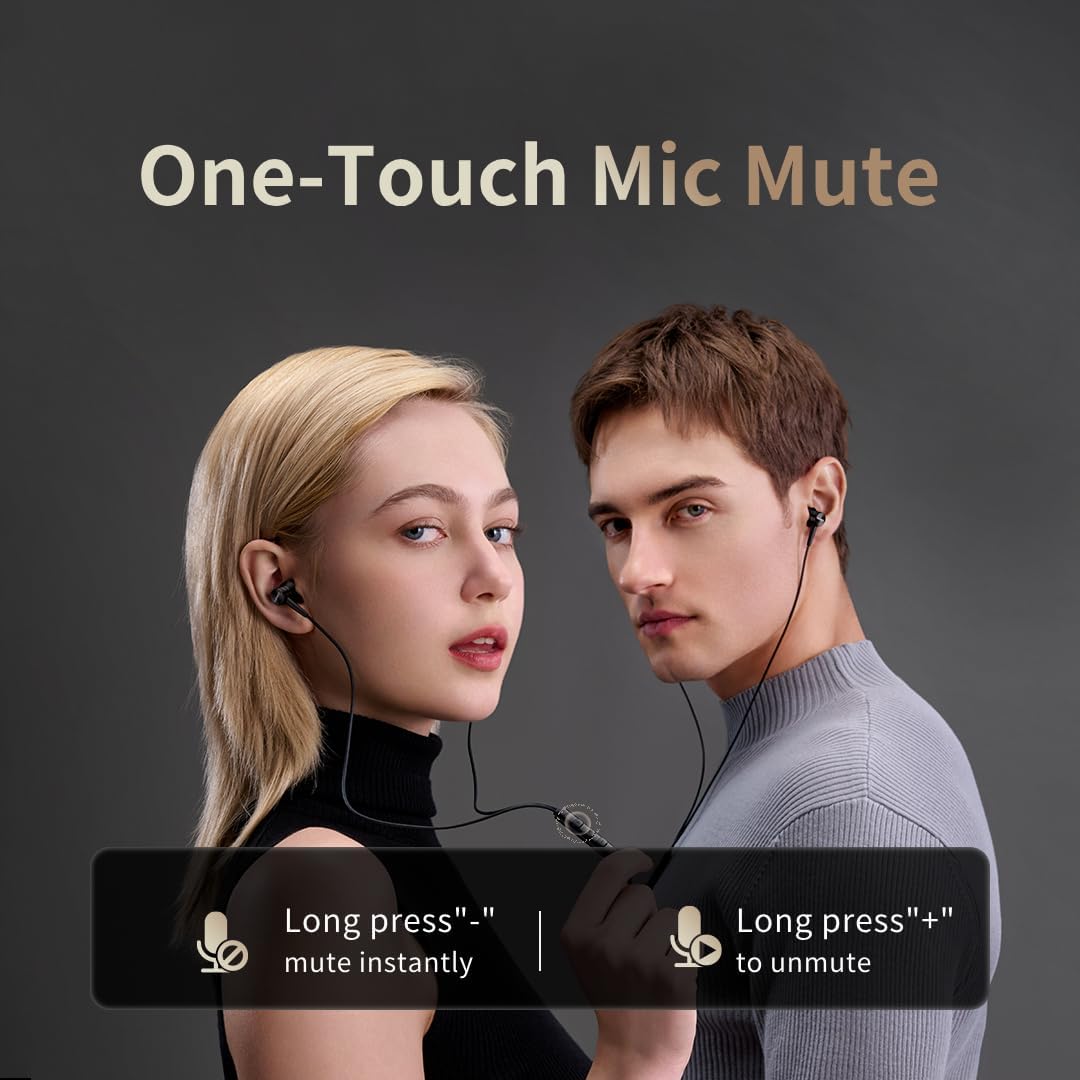
Image: Illustration of the one-touch microphone mute function. Long press '-' to mute instantly, long press '+' to unmute.
4. Mikrofon-Stummschaltfunktion
To instantly mute the microphone during a call, long press the '-' button on the in-line remote. To unmute, long press the '+' button.
Wartung
1. Reinigung
- Reinigen Sie die Ohrspitzen regelmäßig mit einem weichen, trockenen Tuch, um Ohrenschmalz und Ablagerungen zu entfernen.
- Wipe the earphone bodies and cable with a slightly damp Tuch, dann gründlich trocknen.
- Verwenden Sie zur Reinigung keine aggressiven Chemikalien oder Scheuermittel.
2. Speicherung
When not in use, store the earphones in a clean, dry place, preferably in a protective pouch, to prevent tangling and damage to the cable or drivers.
Fehlerbehebung
- Kein Ton:
- Stellen Sie sicher, dass der USB-C-Anschluss vollständig in Ihr Gerät eingesteckt ist.
- Check the volume level on both your device and the earphone remote.
- Testen Sie die Kopfhörer mit einem anderen Gerät, um gerätespezifische Probleme auszuschließen.
- Schlechte Tonqualität:
- Ensure ear tips provide a proper seal in your ear canal. Try different sized ear tips.
- Entfernen Sie jeglichen Schmutz von den Ohrhörerdüsen.
- Prüfen Sie, ob die Audioquellenqualität hoch ist.
- Mikrofon funktioniert nicht:
- Ensure the microphone is not muted (check the mute function using the in-line remote).
- Verify microphone settings on your connected device.
- Ensure the USB-C connection is secure.
Technische Daten

Bild: Eine explodierte view illustrating the 10mm Diamond-Like Carbon (DLC) dynamic driver, responsible for the powerful and compact sound.
| Besonderheit | Spezifikation |
|---|---|
| Modellname | P20 Black EU |
| Konnektivitätstechnologie | Verdrahtet |
| Kopfhöreranschluss | USB-C |
| Platzierung des Ohrs | In-Ear |
| Formfaktor | In-Ear |
| Impedanz | 32 Ohm |
| Frequenzbereich | 20 Hz – 40,000 Hz |
| Audiotreibertyp | Dynamic (10mm DLC Diaphragm) |
| Lärmschutz | Active Noise Suppression (AI ENC for microphone) |
| Kontrollmethode | Druckknopf |
| Kompatible Geräte | Phone, Tablet, iPad |
| Wasserbeständigkeit | Nicht wasserfest |
| Innenmaterial | Aluminium |

Image: A woman enjoying music with the 1MORE P20 earphones, highlighting the Hi-Res Audio capability and immersive sound.
Garantie und Support
For warranty information or technical support, please refer to the official 1MORE webBesuchen Sie die Website oder kontaktieren Sie direkt den Kundenservice. Bewahren Sie Ihren Kaufbeleg für Garantieansprüche auf.