
1. Einleitung
This manual provides essential information for the safe and efficient operation, maintenance, and troubleshooting of your OMTech 60W CO2 Laser Engraver, Model SH-G570. Please read this manual thoroughly before operating the machine to ensure proper usage and to prevent injury or damage.
2. Produktüberschreitungview
The OMTech 60W CO2 Laser Engraver is a versatile machine designed for precision cutting and engraving across a wide range of materials. It features a 28"x20" working area, autofocus, air assist, and 4-way pass-through capabilities, making it suitable for various creative and industrial applications.
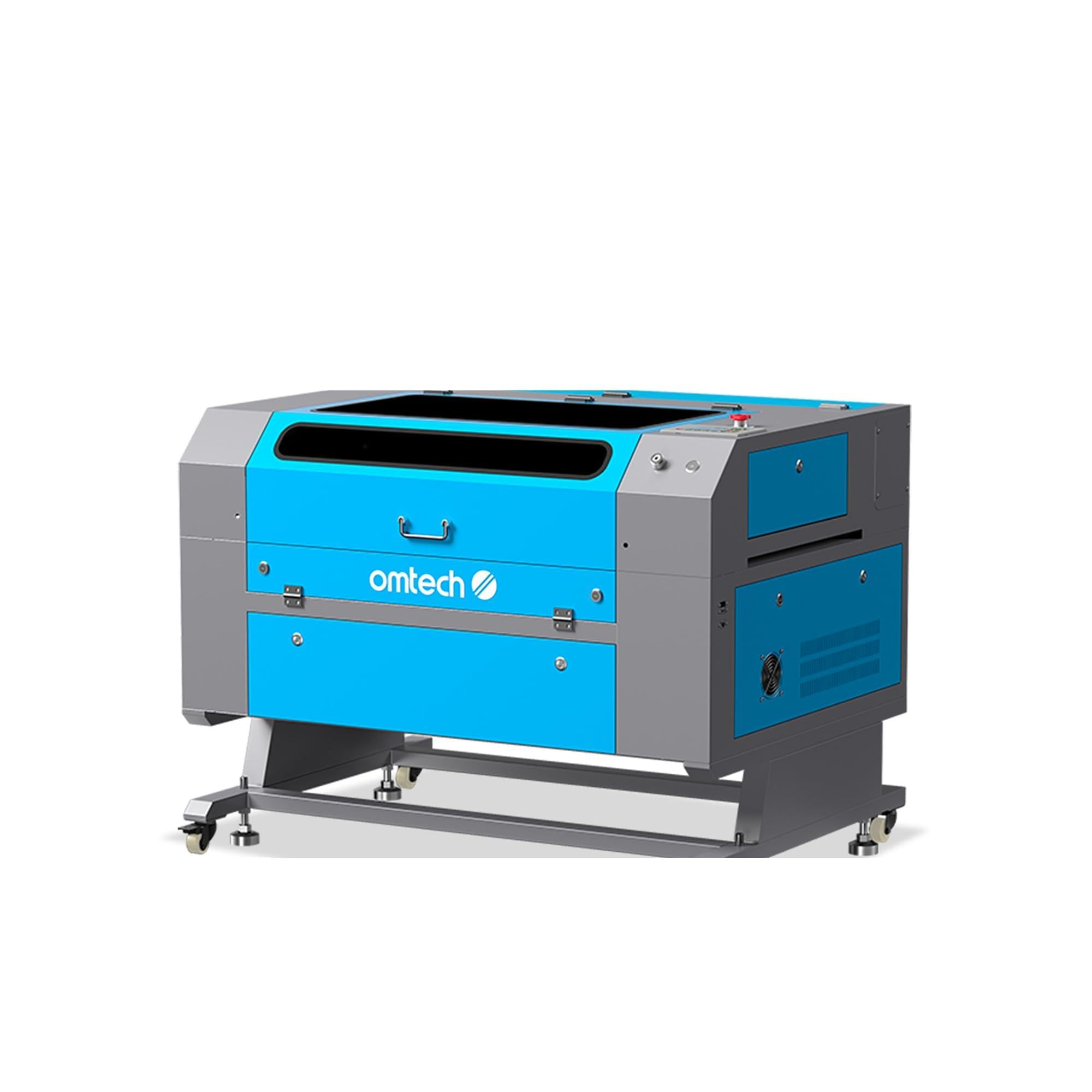
Figure 2.1: OMTech 60W CO2 Laser Engraver, Model SH-G570.
Hauptmerkmale:
- 60W CO2 Laser Tube: Provides sufficient power for engraving and cutting various materials.
- 28"x20" Working Area: Accommodates a wide range of project sizes.
- Autofokusfunktion: Simplifies setup by automatically adjusting the laser focal distance.
- Luftunterstützung: Helps to clear debris and reduce scorching during operation, resulting in cleaner cuts and engravings.
- 4-Wege-Durchgangsdurchgang: Allows for processing of oversized materials.
- Software-Kompatibilität: Supports LightBurn, RDWorks, CorelDRAW, and AutoCAD.

Abbildung 2.2: Überview of the laser engraver's main features including laser power, working area, engraving speed, autofocus, and software compatibility.

Figure 2.3: The built-in autofocus and air assist system ensures precise focusing and efficient debris removal for optimal results.

Figure 2.4: The machine offers wide compatibility with popular software like RDWorks, LightBurn, CorelDRAW, and AutoCAD.
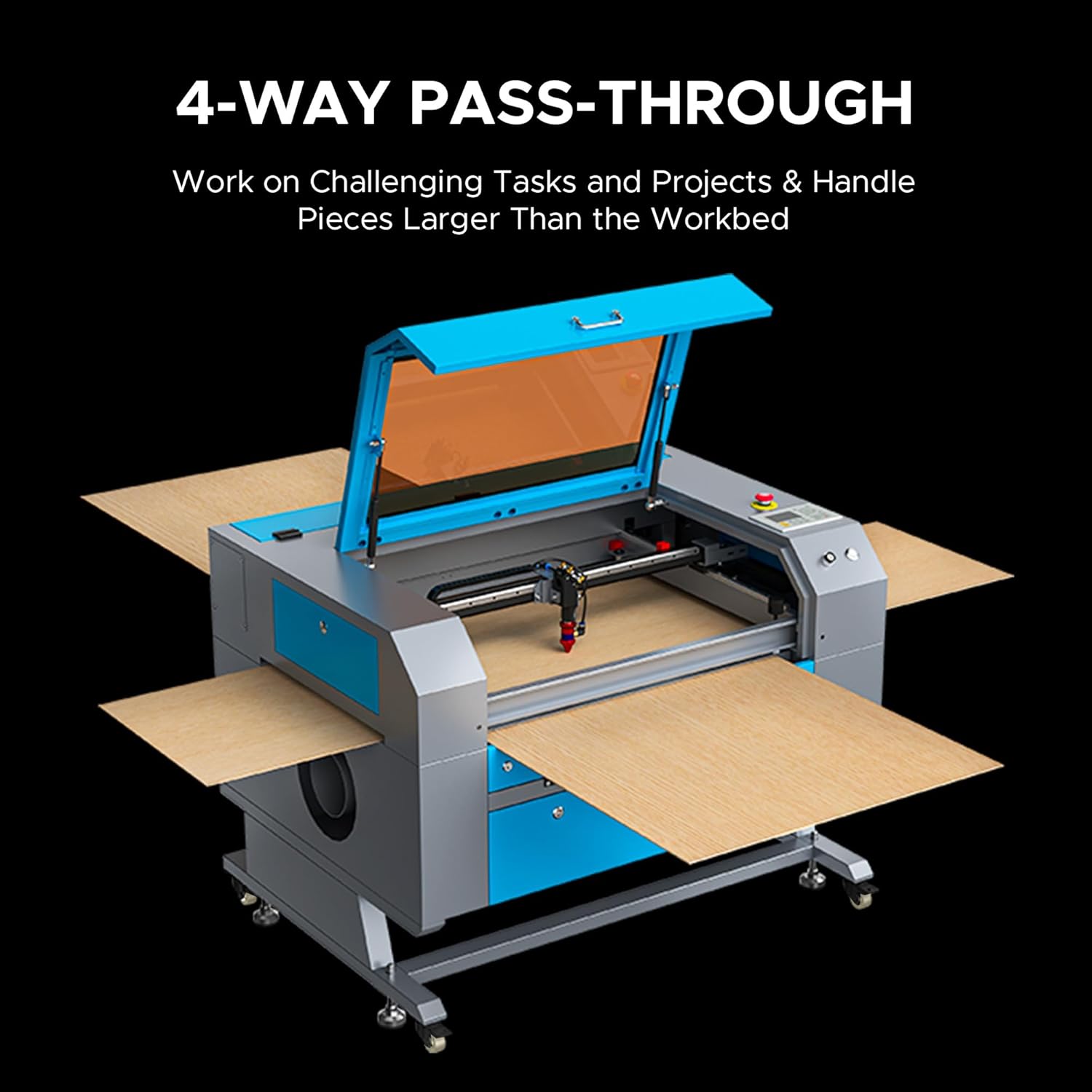
Figure 2.5: The 4-way pass-through design allows for working with materials larger than the internal workbed.
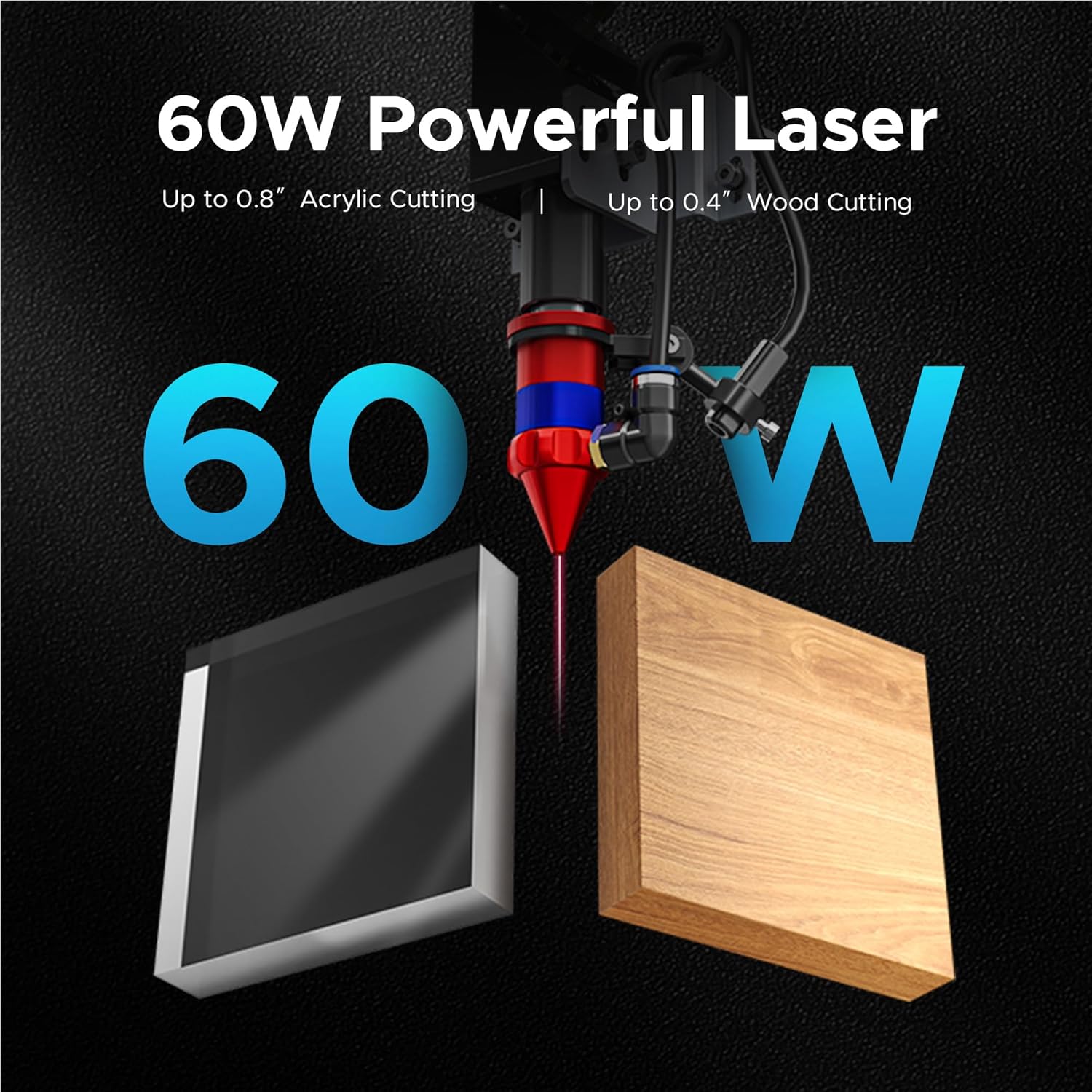
Figure 2.6: The 60W laser is capable of cutting up to 0.8 inches of acrylic and 0.4 inches of wood.

Figure 2.7: The laser head precisely engraves text onto a wooden surface, demonstrating its detailed capabilities.
3. Sicherheitshinweise
Der Betrieb eines Lasergravierers birgt gewisse Risiken. Halten Sie sich an alle Sicherheitsrichtlinien, um Unfälle zu vermeiden und einen sicheren Betrieb zu gewährleisten.
- Augenschutz: Always wear appropriate laser safety glasses when the laser is in operation.
- Belüftung: Ensure adequate ventilation to remove fumes and smoke generated during engraving and cutting. An efficient exhaust system is crucial.
- Brandschutz: Keep a fire extinguisher nearby. Never leave the machine unattended during operation.
- Materialverträglichkeit: Gravieren oder schneiden Sie ausschließlich Materialien, die für CO2-Laser zugelassen sind. Vermeiden Sie Materialien, die giftige Dämpfe erzeugen oder leicht entzündlich sind.
- Elektrische Sicherheit: Ensure the machine is properly grounded and connected to a suitable power supply.
- Not-Halt: Machen Sie sich mit dem Standort und der Bedienung des Not-Aus-Knopfes vertraut.

Figure 3.1: An efficient exhaust system is vital for directing hazardous debris and fumes away from the engraving surface and into a ventilation system.
4. Einrichtung
Follow these steps to set up your OMTech 60W CO2 Laser Engraver.
4.1 Auspacken und Aufstellen
- Nehmen Sie die Maschine vorsichtig aus der Verpackung.
- Stellen Sie den Gravierer auf eine stabile, ebene Fläche in einem gut belüfteten Bereich.
- Sorgen Sie für ausreichend Platz rund um die Maschine für Bedienung und Wartung.
4.2 Komponenten anschließen
- Connect the exhaust fan and ducting to the machine and vent outdoors.
- Connect the water pump/chiller to the laser tube's inlet and outlet ports. Ensure the water reservoir is filled with distilled water.
- Connect the air pump to the air assist inlet.
- Schließen Sie das Netzkabel an eine geerdete Steckdose an.
4.3 Softwareinstallation
Your OMTech laser engraver is compatible with LightBurn and RDWorks. Refer to the software-specific installation guides provided with your machine or available on the OMTech webWebsite für detaillierte Anweisungen.
Video 4.1: Dieses Video bietet einen allgemeinen Überblickview of OMTech laser engravers, demonstrating their capabilities and ease of use, which can be helpful during initial setup and understanding the machine's potential.
5. Bedienungsanleitung
Dieser Abschnitt beschreibt die grundlegenden Schritte zur Bedienung Ihres Lasergravierers.
5.1 Einschalten und erste Überprüfungen
- Turn on the water chiller/pump and air pump. Verify water flow and air pressure.
- Schalten Sie den Hauptschalter des Geräts ein.
- The control panel will initialize.
5.2 Materialplatzierung und Fokussierung
- Place your material on the honeycomb or blade workbed.
- Schließen Sie den Maschinendeckel.
- Use the autofocus function by pressing the designated button on the control panel. The laser head will automatically adjust to the correct focal distance.
5.3 Software Operation and Job Execution
- Open your design software (e.g., LightBurn) on your computer.
- Importieren oder erstellen Sie Ihr eigenes Design.
- Set appropriate power and speed settings for your material. Refer to the material compatibility chart below for general guidelines.
- Send the job to the laser engraver.
- On the machine's control panel, select the job and press 'Start'.
- Monitor the engraving/cutting process through the flame-resistant window.

Figure 5.1: This table illustrates the wide range of materials compatible with the OMTech 60W CO2 laser for both engraving and cutting applications.

Figure 5.2: The machine's maximum engraving speed of 600 mm/s significantly enhances productivity.
6. Wartung
Regular maintenance is crucial for the longevity and optimal performance of your laser engraver.
6.1 Tägliche Wartung
- Clean the workbed and interior of the machine to remove debris.
- Check the water level in the chiller and ensure proper circulation.
- Inspect the laser lens and mirrors for dust or residue.
6.2 Wöchentliche Wartung
- Clean the laser lens and mirrors using a specialized lens cleaning solution and wipes.
- Clean the exhaust fan and ducting.
- Lubricate the guide rails and bearings.
6.3 Pflege der Laserröhre
The CO2 laser tube has a lifespan of up to 1,000 hours, which can be extended with efficient use at lower power settings. Ensure the water chiller maintains a stable temperature to prevent overheating.

Figure 6.1: The high-performance laser tube is designed for long-lasting operation, providing up to 1,000 hours of use.
7. Fehlerbehebung
In diesem Abschnitt werden häufig auftretende Probleme und deren mögliche Lösungen behandelt.
7.1 Keine Laserausgabe
- Überprüfen Sie die Leistung: Ensure the machine is powered on and connected to a working outlet.
- Wasserkühler: Verify the water chiller is on and circulating water. The laser will not fire if the water protection sensor is triggered.
- Softwareeinstellungen: Confirm that the laser power and speed settings in your software are correctly configured and not set to zero.
- Not-Halt: Stellen Sie sicher, dass der Not-Aus-Schalter nicht betätigt ist.
7.2 Mangelhafte Gravur-/Schnittqualität
- Fokus: Re-run the autofocus function or manually adjust the focal distance. An incorrect focus is a common cause of poor quality.
- Lens/Mirrors: Clean the laser lens and mirrors. Dirt or smudges can significantly degrade laser performance.
- Leistung/Geschwindigkeit: Adjust laser power and speed settings. Different materials require different settings.
- Materialqualität: Ensure the material itself is suitable and consistent in thickness.
7.3 Maschine reagiert nicht
- Softwareverbindung: Check the USB or network connection between the computer and the machine.
- Neustart: Try restarting both the machine and the computer.
- Bedienfeld: Ensure no error messages are displayed on the control panel.
8. Spezifikationen
Detailed technical specifications for the OMTech 60W CO2 Laser Engraver, Model SH-G570.

Figure 8.1: Summary of rated power, max engraving speed, machine weight, pass sizes, and machine dimensions.
| Spezifikation | Wert |
|---|---|
| Modellnummer | SH-G570 |
| Laserleistung | 60 W |
| Arbeitsbereich | 28" x 20" (700 x 500 mm) |
| Max. Gravurgeschwindigkeit | 600 mm/s |
| Cutting Depth (Wood) | Bis zu 0.4 Zoll |
| Cutting Depth (Acrylic) | Bis zu 0.8 Zoll |
| Laserklasse | Klasse 2 (0.874 mW Ausgangsleistung) |
| Autofokus | Ja |
| Luftunterstützung | Ja |
| Durchreichen | 4-Wege |
| Softwarekompatibilität | LightBurn, RDWorks, CorelDRAW, AutoCAD |
| Maschinengewicht | 249.1 Pfund. |
| Maschinenabmessungen | 47.2" x 34.3" x 36.6" |
9. Garantie und Support
OMTech provides comprehensive support for its products.
9.1 Garantieinformationen
Your OMTech 60W CO2 Laser Engraver comes with a two-year support period. For specific warranty terms and conditions, please refer to the documentation included with your purchase or visit the official OMTech webWebsite.
9.2 Kundendienst
For technical assistance, troubleshooting, or any inquiries regarding your laser engraver, please contact OMTech customer support. They offer U.S.-based technical support and 24/7 online customer service.

Figure 9.1: OMTech offers a demo room program with hosts across the United States for hands-on experience and support.
Video 9.1: This video features 'Laser Guys from OMTech' discussing their experience with OMTech lasers, highlighting the quality, pricing, and how the machines have supported their business growth and product development.