
1. Einleitung
Thank you for choosing the TOALLIN S68 Wireless Conference Speakerphone. This device is designed to provide clear and smooth audio for business meetings, video conferencing, and personal audio entertainment. Please read this manual carefully to ensure proper setup and operation.
Lieferumfang
- TOALLIN S68 Speakerphone
- USB-AC-Kabel
- Bedienungsanleitung
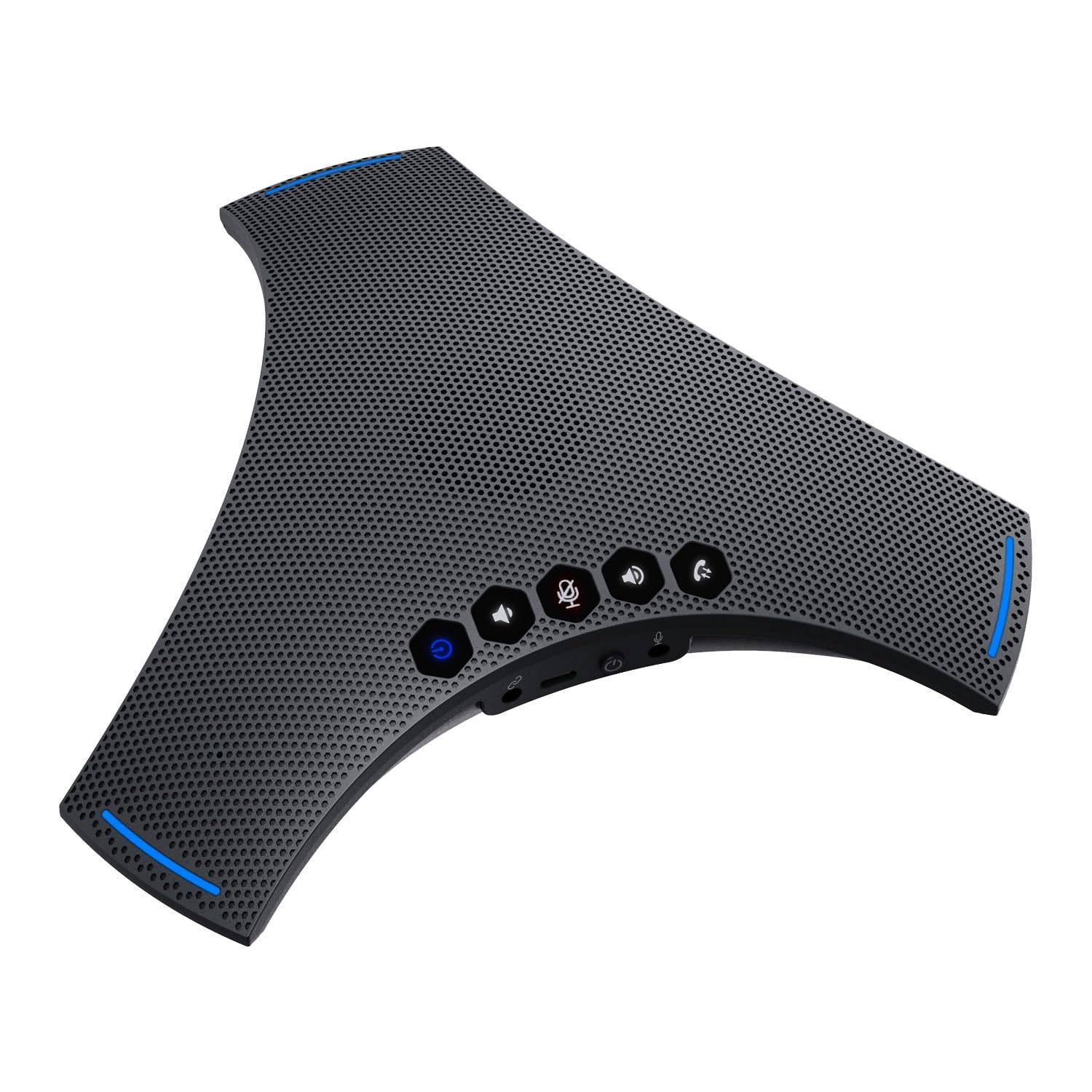
Image: The TOALLIN S68 Speakerphone with its included USB A-C cable and user manual.
2. Produktüberschreitungview
The TOALLIN S68 is a professional conference speakerphone equipped with advanced audio technologies to enhance your communication experience.
Hauptmerkmale
- 360° omnidirektionale Sprachaufnahme: Features 3 noise-reducing microphones for comprehensive voice capture.
- Dynamische Rauschunterdrückung: Advanced technology for echo cancellation and background noise reduction.
- Fine-Tuned Hi-Fi Speaker: Built-in 4W speaker for clear audio output, suitable for calls and music.
- Mehrere Verbindungsmodi: Supports wireless Bluetooth and wired USB-C connections.
- Lange Akkulaufzeit: Integrated 3000mAh battery provides up to 10 hours of talk time.
- Cascade and Expansion Support: Allows cascading two S68 units or connecting an external microphone for extended coverage.
Kontrollen und Häfen

Image: A detailed diagram illustrating the touch controls and physical ports on the TOALLIN S68 Speakerphone.
- Kontrollleuchte: Displays device status (e.g., power, pairing, mute).
- Wireless Pairing Button: Lange drücken, um in den Bluetooth-Kopplungsmodus zu wechseln.
- Lautstärketaste: Verringert die Lautstärke des Lautsprechers.
- Mute / Unmute Button: Toggles microphone mute. Ring lights up red when muted.
- Answer / End Call Button: Manages calls.
- Lautstärke + Taste: Erhöht die Lautsprecherlautstärke.
- Mikrofon: Integrated microphones for voice pickup.
- USB-C-Anschluss: Zum kabelgebundenen Anschluss und zum Laden.
- Ein / Aus Schalter: Schaltet das Gerät ein oder aus.
- Extension Mic Port: Zum Anschluss eines optionalen externen Mikrofons.
- Cascade Port: For connecting another S68 speakerphone (requires a 3.5mm male-to-male 4-pole audio cable, not included).
- Lautsprecher: Integrierter Lautsprecher für die Audioausgabe.
3. Einrichtung
Ein-/Ausschalten
Um das Gerät einzuschalten, schieben Sie den Schieber Ein / Aus Schalter to the 'On' position. The indicator light will illuminate. To power off, slide the switch to the 'Off' position.
Laden des Akkus
Connect the provided USB A-C cable to the USB-C-Anschluss on the speakerphone and the other end to a USB power adapter (not included) or a computer USB port. The indicator light will show charging status.
Verbindung via Bluetooth (drahtlos)
- Stellen Sie sicher, dass die Freisprecheinrichtung eingeschaltet ist.
- Drücken Sie lange die Drahtlose Kopplungstaste until the indicator light flashes, indicating it's in pairing mode.
- Aktivieren Sie auf Ihrem Gerät (Smartphone, Tablet, Laptop) Bluetooth und suchen Sie nach verfügbaren Geräten.
- Select "TOALLIN S68" from the list.
- Sobald die Verbindung hergestellt ist, leuchtet die Kontrollleuchte durchgehend blau.

Image: The TOALLIN S68 Speakerphone illustrating connectivity options for mobile phones, tablets, and computers via Bluetooth and USB-C cable.
Connecting via USB (Wired)
Connect the provided USB A-C cable to the USB-C-Anschluss on the speakerphone and the other end to a USB port on your computer. The speakerphone will be recognized as an audio device. You may need to select it as the default microphone and speaker in your computer's sound settings or conferencing software.
Cascade Connection (Daisy Chain)
To extend the audio pickup range, you can cascade two S68 speakerphones. This requires a 3.5mm male-to-male 4-pole audio cable (not included, maximum length 9ft).
- Verbinden Sie ein Ende des 3.5-mm-Audiokabels mit dem Cascade Port on the first S68 speakerphone.
- Verbinden Sie das andere Ende des Kabels mit dem Cascade Port on the second S68 speakerphone.
- Ensure both speakerphones are powered on and connected to your computer/device (one via Bluetooth or USB).
Note: Some users have reported issues with cascade functionality. Ensure you are using a 4-pole audio cable for proper connection.
External Expansion Microphone
An optional external microphone (not included) can be connected to the Extension Mic Port for additional voice pickup range.
4. Bedienungsanleitung
Anrufe tätigen/annehmen
- Anruf annehmen: When an incoming call is detected, press the Answer / End Call Button.
- Anruf beenden: Drücken Sie während eines Anrufs die Taste Answer / End Call Button aufzuhängen.
Anpassen der Lautstärke
- Lautstärke erhöhen: Drücken Sie die Lautstärke + Taste.
- Lautstärke verringern: Drücken Sie die Lautstärkeregler.
Stummschalten des Mikrofons
Drücken Sie die Mute / Unmute Button to mute the microphone. The ring around the device will light up red to indicate that the microphone is muted. Press the button again to unmute.
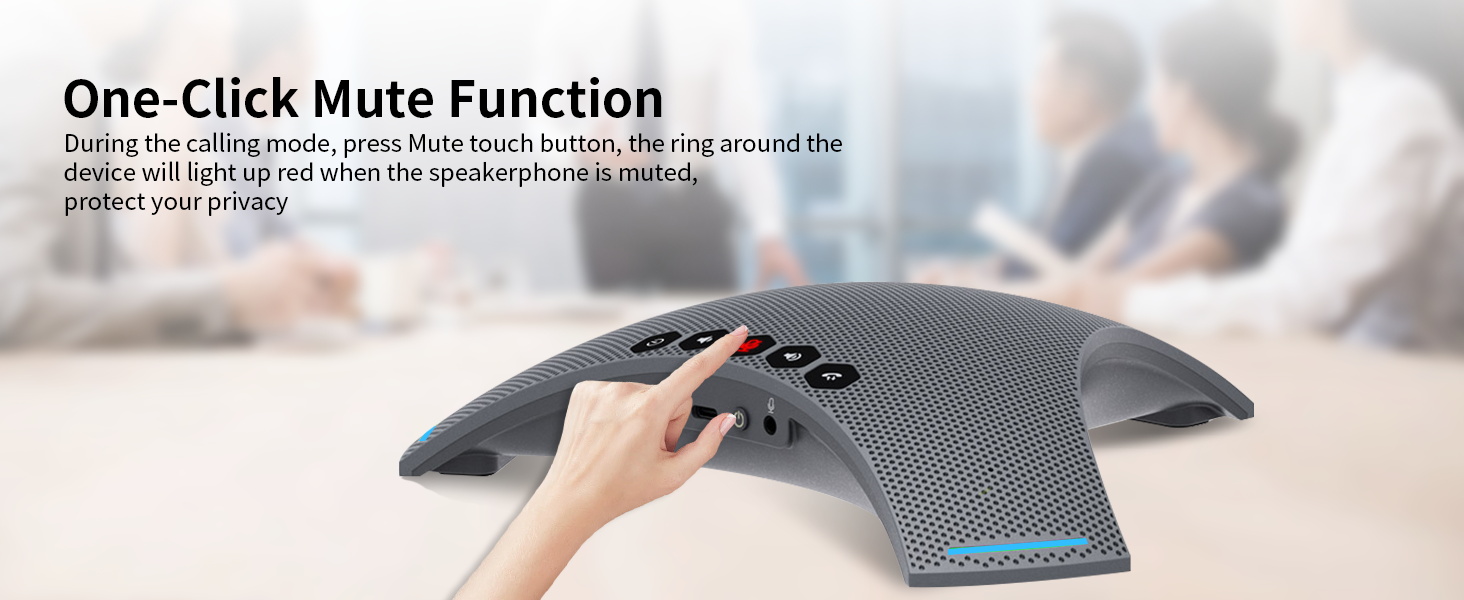
Image: A hand pressing the one-click mute button on the TOALLIN S68 Speakerphone, with the red indicator light visible.
Using for Music Playback
When connected via Bluetooth or USB, the S68 can also function as a high-fidelity speaker for playing music or other audio from your connected device.
5. Wartung
- Reinigung: Reinigen Sie die Oberfläche des Freisprechtelefons mit einem weichen, trockenen Tuch. Verwenden Sie keine flüssigen Reiniger oder Sprays.
- Lagerung: Bewahren Sie das Gerät an einem kühlen, trockenen Ort fern von direkter Sonneneinstrahlung und extremen Temperaturen auf.
- Batteriepflege: Um die Akkulaufzeit zu verlängern, vermeiden Sie häufiges vollständiges Entladen des Akkus. Laden Sie das Gerät regelmäßig auf, auch wenn es längere Zeit nicht benutzt wird.
- Wasser vermeiden: Dieses Gerät ist nicht wasserdicht. Halten Sie es von Flüssigkeiten fern.
6. Fehlerbehebung
Kein Strom / Gerät lässt sich nicht einschalten
- Stellen Sie sicher, dass Ein / Aus Schalter is in the 'On' position.
- Check the battery level. Connect the device to a power source using the USB A-C cable to charge it.
Verbindung über Bluetooth nicht möglich
- Ensure the speakerphone is in pairing mode (indicator light flashing). Long press the Drahtlose Kopplungstaste if it's not.
- Make sure Bluetooth is enabled on your device and it's within range (typically 10 meters/33 feet).
- Try forgetting the device from your Bluetooth list on your phone/computer and re-pairing.
- Ensure no other devices are currently connected to the speakerphone.
Kein Ton / Schlechte Audioqualität
- Check the volume levels on both the speakerphone and your connected device.
- If connected via USB, ensure the TOALLIN S68 is selected as the default playback and recording device in your computer's sound settings and conferencing application.
- If connected via Bluetooth, ensure the connection is stable.
- Ensure the microphone is not muted (red indicator light).
- Move closer to the speakerphone for optimal voice pickup.
Cascade Function Not Working
- Verify that you are using a 3.5mm male-to-male 4-polig audio cable. A 3-pole cable will not support the cascade function.
- Ensure the cable is securely connected to the Cascade Port on both S68 units.
- Confirm both speakerphones are powered on.
7. Spezifikationen
| Besonderheit | Detail |
|---|---|
| Marke | TOALLIN |
| Modellnummer | Staffel 68 |
| Maximale Lautsprecherausgangsleistung | 4 Watt |
| Frequenzgang | 20 KHz |
| Konnektivitätstechnologie | Bluetooth, USB |
| Audioausgabemodus | Stereo |
| Montagetyp | Tischhalterung |
| Zusätzliche Merkmale | Echo Cancellation, Noise Reduction, Hi-Fi Speaker |
| Kontrollmethode | Berühren |
| Lautsprechergröße | 8.98 Zoll |
| Spezifische Verwendungen für das Produkt | Business meetings, Video conferencing, Personal audio entertainment |
| Durchschnittliche Batterielebensdauer | 10 Stunden |
| Batteriekapazität | 3000 mAh |
| Kompatible Geräte | Desktop-PC, Laptop, Smartphone, Tablet |
| Stromquelle | Batteriebetrieben |
| Anzahl Batterien | 1 Lithium-Ionen (im Lieferumfang enthalten) |
| Audiotreibertyp | Dynamischer Treiber |
| Anzahl der Audiokanäle | 2 |
8. Garantie und Support
Garantieinformationen
The TOALLIN S68 Speakerphone comes with a 1 Jahr eingeschränkte Garantie Diese Garantie gilt ab Kaufdatum und deckt Herstellungs- und Verarbeitungsfehler bei normalem Gebrauch ab. Sie deckt keine Schäden ab, die durch Missbrauch, Unfälle, unbefugte Änderungen oder Naturkatastrophen verursacht wurden.
Kundenservice
If you encounter any issues or have questions regarding your TOALLIN S68 Speakerphone, please refer to the troubleshooting section first. If the problem persists, contact TOALLIN customer support through the retailer's platform or the official TOALLIN webWebsite für Unterstützung.