
Einführung
Thank you for choosing the Acctim Jaxon Digital Alarm Clock. This modern alarm clock combines functionality with aesthetic appeal, featuring a color-changing LED display, USB-C power, and a convenient USB-C charging port. This manual will guide you through the setup, operation, and maintenance of your new device to ensure optimal performance and longevity.

Image: The Acctim Jaxon Digital Alarm Clock displayed on a bedside table, showing its compact design and blue LED time display in a bedroom setting.
Sicherheitshinweise
- Lesen Sie vor der Verwendung alle Anweisungen durch und bewahren Sie sie zum späteren Nachschlagen auf.
- Setzen Sie das Gerät nicht Wasser oder übermäßiger Feuchtigkeit aus.
- Avoid placing the clock near heat sources or in direct sunlight.
- Use only the provided USB-C power cable or a certified equivalent.
- Versuchen Sie nicht, das Gerät selbst zu zerlegen oder zu reparieren. Wenden Sie sich an qualifiziertes Servicepersonal.
- Außerhalb der Reichweite von Kindern aufbewahren.
Packungsinhalt
- Acctim Jaxon Digital Alarm Clock
- USB-C-Stromkabel
- Benutzerhandbuch (dieses Dokument)
Produkt überview
Familiarize yourself with the buttons and display of your Acctim Jaxon Digital Alarm Clock.

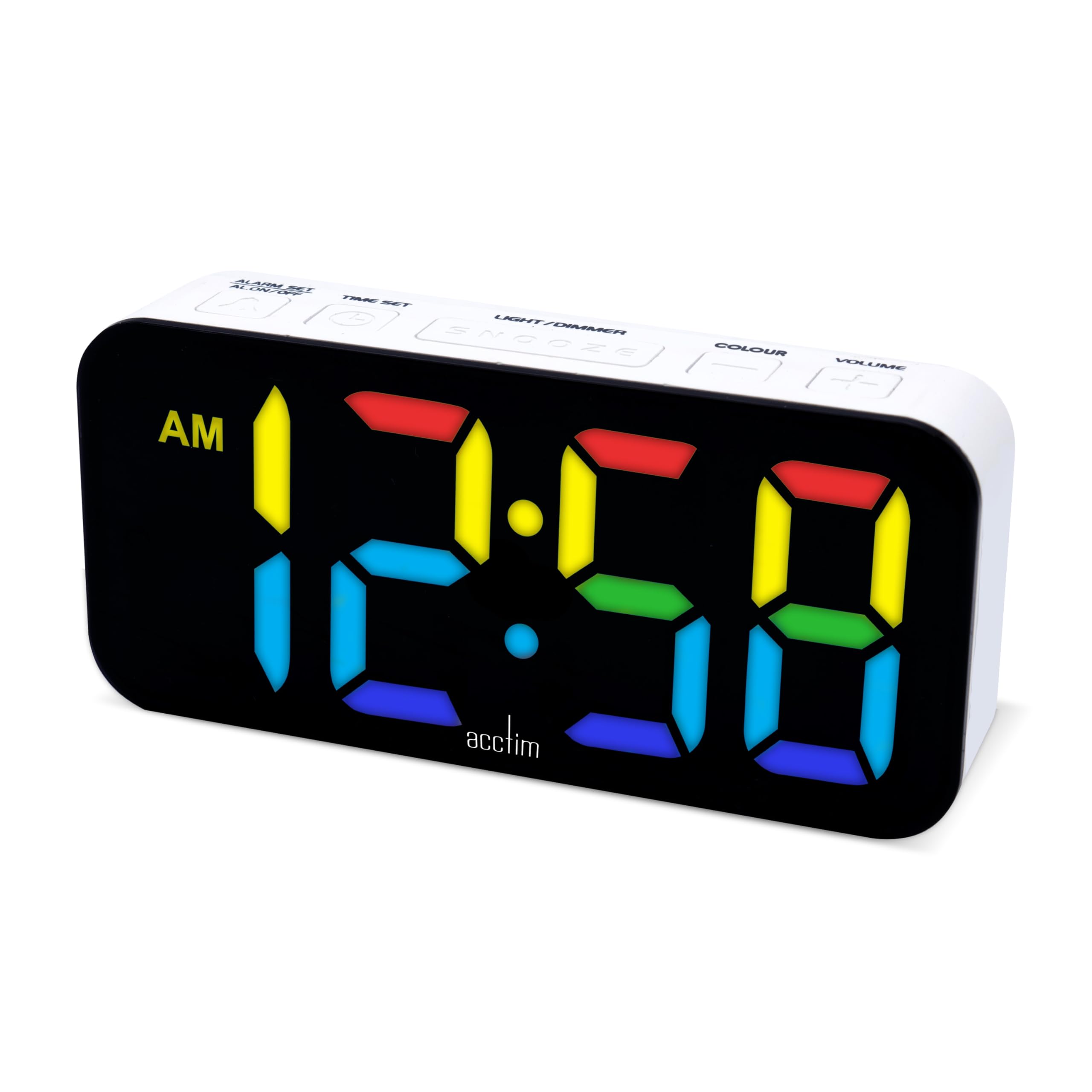
Bild: Oben view of the Acctim Jaxon Digital Alarm Clock, highlighting the control buttons for alarm, time, light/dimmer, snooze, color, and volume.
Bedientasten:
- ALARM SET / ALARM ON/OFF: Press to set the alarm time. Press briefly to activate/deactivate the alarm.
- ZEITEINSTELLUNG: Drücken Sie , um die aktuelle Uhrzeit einzustellen.
- LIGHT / DIMMER: Press to adjust display brightness.
- SCHLUMMER: Press to temporarily silence the alarm.
- FARBE: Press to cycle through display color options.
- VOLUMEN: Press to adjust alarm volume.
Anzeige:
- Large LED display shows time in 12 or 24-hour format.
- AM/PM indicator for 12-hour format.
- Multiple color options for the LED digits.
Aufstellen
1. Stromanschluss
- Connect the provided USB-C power cable to the "DC IN" port on the back of the alarm clock.
- Plug the other end of the USB-C cable into a compatible USB power adapter (not included) and then into a wall outlet.
- Das Display leuchtet auf und zeigt damit an, dass die Uhr eingeschaltet ist.
2. Batterie-Backup (optional)
Für Notstromversorgung während eines Ausfallstages, install 3 AAA batteries (not included) into the battery compartment on the bottom of the clock. The batteries will retain time settings but will not power the display continuously.
Bedienungsanleitung
Einstellen der Uhrzeit
- Halten Sie die ZEITEINSTELLUNG Drücken Sie die Taste, bis die Stundenziffern zu blinken beginnen.
- Drücken Sie die ZEITEINSTELLUNG Durch wiederholtes Drücken der Taste kann die Stunde eingestellt werden.
- Drücken Sie die WECKER GESTELLT Mit dieser Taste können Sie die Stunde bestätigen und zur Minuteneinstellung wechseln.
- Drücken Sie die ZEITEINSTELLUNG Durch wiederholtes Drücken der Taste können die Minuten eingestellt werden.
- Drücken Sie die WECKER GESTELLT button to confirm the minutes and exit time setting mode.
- Um zwischen 12-Stunden- und 24-Stunden-Format umzuschalten, drücken Sie die Taste ZEITEINSTELLUNG Drücken Sie die Taste kurz, während die Uhrzeit angezeigt wird (nicht im Einstellungsmodus). Die AM/PM-Anzeige für das 12-Stunden-Format wird eingeblendet.
Einstellen des Alarms
- Halten Sie die WECKER GESTELLT Drücken Sie die Taste, bis die Ziffern der Alarmstunde zu blinken beginnen.
- Drücken Sie die WECKER GESTELLT Durch wiederholtes Drücken der Taste kann die Alarmzeit eingestellt werden.
- Drücken Sie die ZEITEINSTELLUNG button to confirm the alarm hour and move to alarm minute adjustment.
- Drücken Sie die WECKER GESTELLT Durch wiederholtes Drücken der Taste kann die Alarmminuteneinstellung angepasst werden.
- Drücken Sie die ZEITEINSTELLUNG button to confirm the alarm minutes and exit alarm setting mode.
Aktivieren/Deaktivieren des Alarms
- Drücken Sie kurz die ALARM EIN / AUS Mit dieser Taste kann der Alarm ein- oder ausgeschaltet werden. Wenn der Alarm aktiv ist, erscheint ein Alarmsymbol auf dem Display.
Schlummerfunktion
- Wenn der Alarm ertönt, drücken Sie die SCHLAFEN button to temporarily silence it. The alarm will sound again after approximately 9 minutes.
- To turn off the alarm completely, press any other button (e.g., ALARM ON/OFF).
Ändern der Anzeigefarbe
The clock features 7 different LED display colors. Press the FARBE button repeatedly to cycle through the available color options:
Pink Display

Blaue Anzeige

Light Blue Display

Grüne Anzeige

Rote Anzeige

Weißes Display

Gelbe Anzeige
Anpassen der Anzeigehelligkeit
- Drücken Sie die LIGHT / DIMMER button repeatedly to cycle through different brightness levels.
Einstellen der Alarmlautstärke
- Drücken Sie die VOLUMEN button repeatedly to cycle through different alarm volume levels.
Using the USB-C Charging Port
- The clock features an additional USB-C port (labeled "USB OUT") that can be used to charge other devices, such as smartphones or tablets.
- Connect your device's USB-C charging cable to this port. Ensure the alarm clock is powered via its main USB-C input.
Wartung
- Reinigung: Reinigen Sie die Uhr mit einem weichen, trockenen Tuch. Verwenden Sie keine Scheuermittel oder Lösungsmittel.
- Lagerung: Wenn die Uhr über einen längeren Zeitraum gelagert wird, sollten die AAA-Backup-Batterien entfernt werden, um ein Auslaufen zu verhindern.
Fehlerbehebung
| Problem | Mögliche Ursache | Lösung |
|---|---|---|
| Das Display ist ausgeschaltet oder schwach. | No power, power cable loose, brightness set too low. | Ensure USB-C power cable is securely connected. Check power adapter. Press LIGHT / DIMMER Taste, um die Helligkeit zu erhöhen. |
| Der Alarm ertönt nicht. | Alarm is not activated, alarm volume is too low. | Drücken ALARM EIN / AUS to activate (check for alarm icon). Press VOLUMEN um die Alarmlautstärke zu erhöhen. |
| Die Uhrzeit ist nach einem Stromausfall falsch.tage. | Es sind keine Ersatzbatterien vorhanden oder die Batterien sind leer. | Install fresh AAA batteries for backup. Reset the time manually. |
| USB-C charging port not working. | Clock not powered, cable issue, device incompatibility. | Ensure the clock is connected to main power. Try a different USB-C cable or device. |
Technische Daten
| Marke | Acctim |
| Modellnummer | 16512 (Jaxon) |
| Farbe | Weiß |
| Material | Plastik |
| Produktabmessungen (L x B x H) | 9.1 x 3.81 x 5.6 cm |
| Artikelgewicht | 112 Gramm |
| Anzeigetyp | Digital LED (Color Changing) |
| Stromquelle | Electric Cord (USB-C) |
| Batterieanforderung | 3 x AAA batteries (for backup, not included) |
| Besondere Merkmale | Charging Port, Backlight |
Garantie und Support
Acctim products are designed for reliability and performance. Spare parts availability is indicated for 2 years from the date of purchase.
For any questions, technical support, or warranty claims, please contact your retailer or visit the official Acctim webWebsite mit Kundendienstinformationen.