
1. Produktüberschreitungview
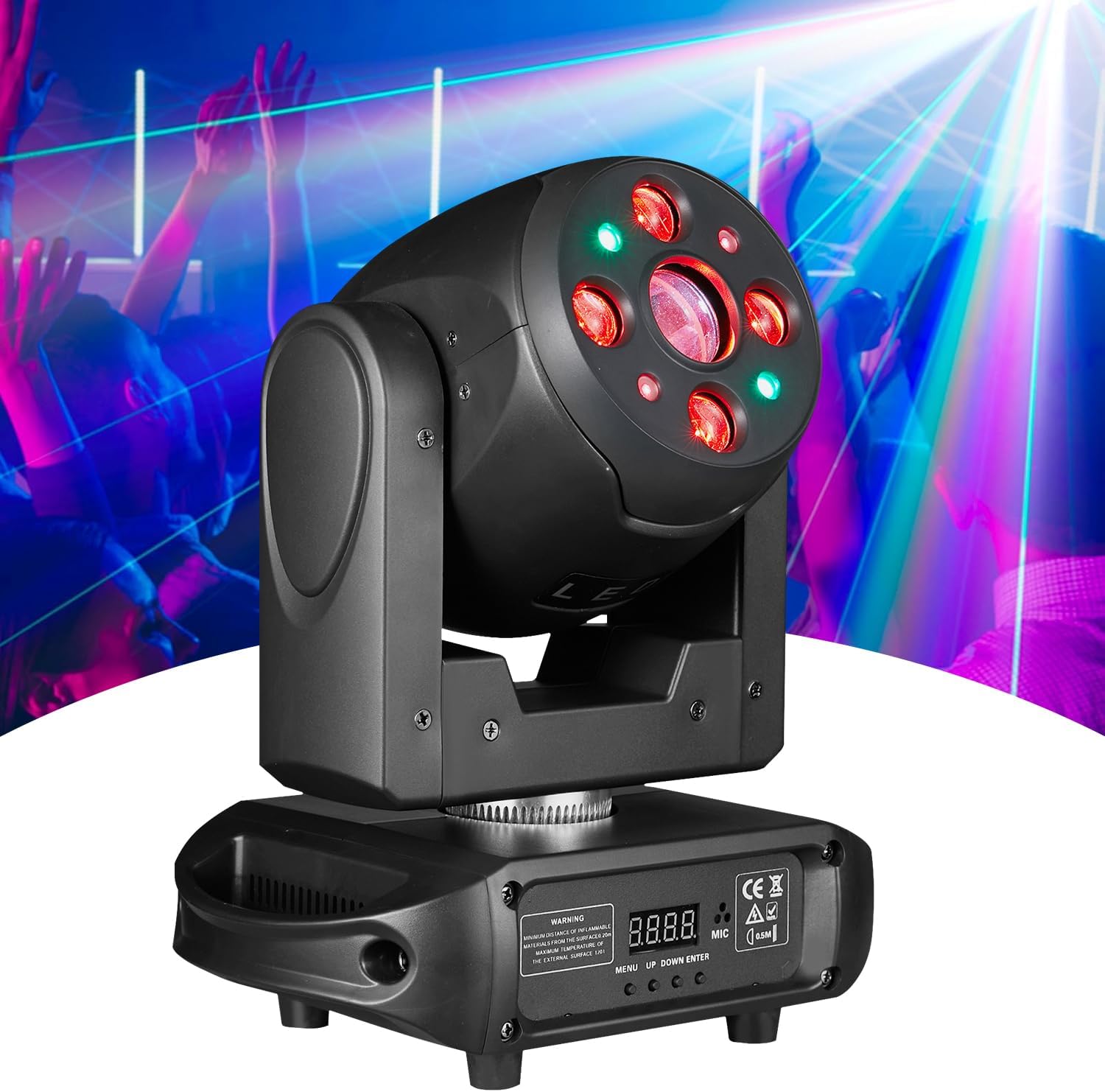
The Flashback Events 150W LED Beam & Spot Moving Head DJ Light (Model FBE-SB441) is a versatile stage lighting fixture designed for professional events, clubs, parties, and weddings. It combines powerful illumination with dynamic effects, offering precise control and robust construction.
This unit delivers a total output of 150W, utilizing an 80W white LED and four 20W RGBW LEDs. It features 540° pan and 270° tilt movement, 7 distinct colors plus white, 7 GOBO patterns, and a 3-prism rotation system. Control options include DMX512, Sound-Active, Auto, and Master-Slave modes.
2. Lieferumfang
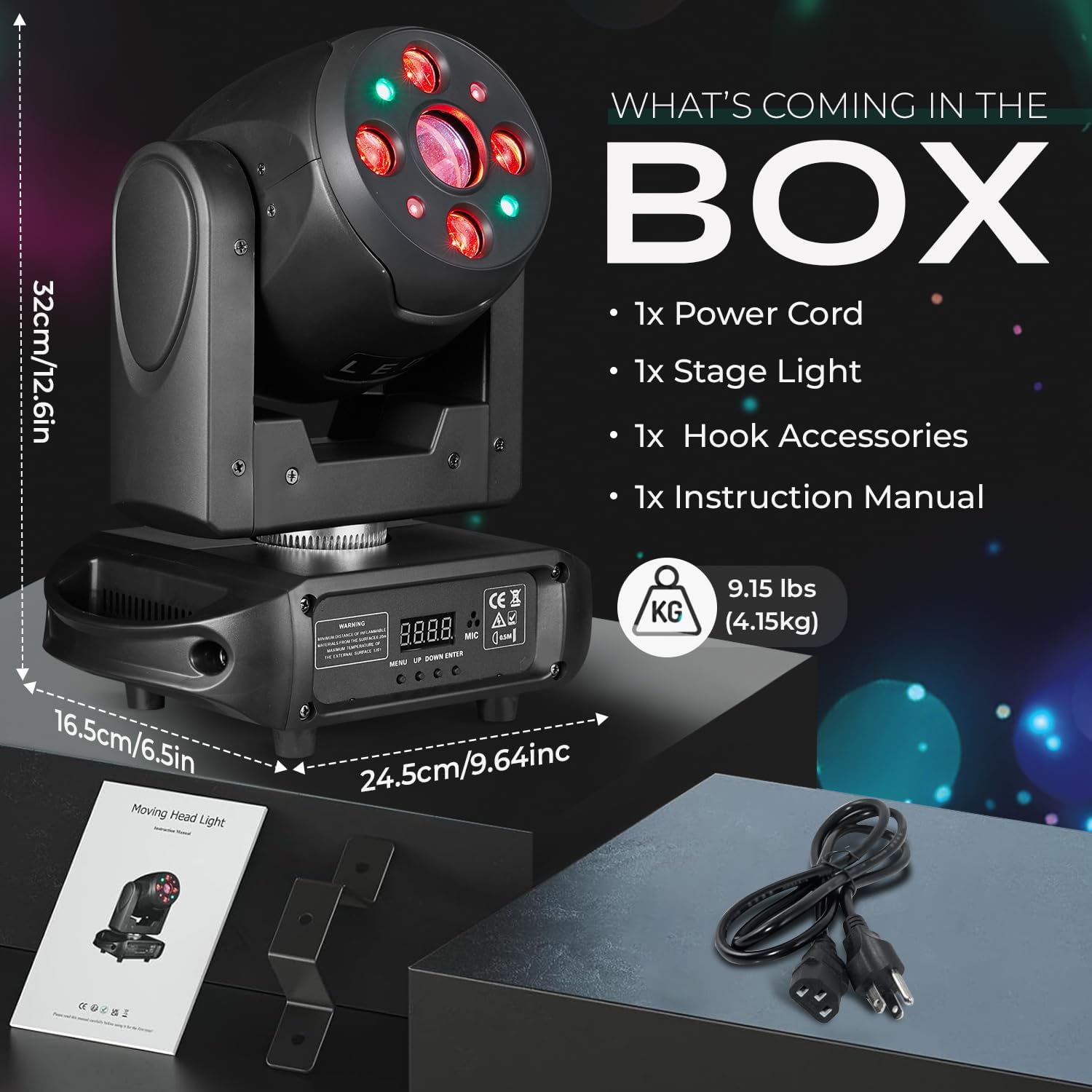
Bitte überprüfen Sie nach dem Auspacken, ob alle folgenden Komponenten enthalten sind:
- 1x Moving Head DJ Light
- 1x Stromkabel
- 1x Montagehalterung
- 1x Benutzerhandbuch
3. Hauptmerkmale
- Leistungsstarke Beleuchtung: Delivers 150W of total output using one 80W White LED and four 20W RGBW LEDs, producing sharp, vibrant beams.
- Color & Beam Versatility: Includes 7 distinct colors plus white with smooth rainbow transitions for dynamic color mixing. The Beam & Spot design allows for both narrow aerial beams and focused spot projections.
- GOBO & Prism Effects: Equipped with 7 GOBO patterns plus white light, pattern jitter, and a 3-prism rotation system for multi-layered lighting effects.
- Professional DMX Control: Advanced DMX512 interface with 18/35 channel options for precise control over color, pattern, pan/tilt speed, strobe (up to 20 Hz), and dimming (0–100 %).
- Mehrere Betriebsmodi: Supports Sound-Active, Auto, and Master-Slave modes for flexible setup and operation.
- Langlebige Konstruktion: Built from high-quality aluminum and ABS plastic with an IP20 rating, designed for continuous use in various environments.
- Extensive Movement: Offers 540° horizontal (Pan) and 270° vertical (Tilt) movement with adjustable speed.


Video 1: Moving Head DJ Light demonstration. This video showcases the various light effects, movements, and features of the Flashback Events moving head light, including beam patterns, color changes, and DMX control capabilities.
4. Einrichtung
4.1 Montage
The moving head light can be mounted on a floor or truss. Ensure the mounting surface or truss is stable and capable of supporting the weight of the fixture. Use the included mounting bracket for secure installation. Always use safety cables when suspending the unit.
4.2 Stromanschluss
Connect the provided power cable to the power input on the rear of the unit and then to a suitable 110V AC power outlet. Ensure the power switch is in the OFF position before connecting.
4.3 DMX-Anschluss (optional)
For DMX control, connect a DMX cable from your DMX controller's output to the DMX IN port on the light. If linking multiple units, connect from the DMX OUT of the first unit to the DMX IN of the next, and so on. Terminate the last unit in the chain with a DMX terminator.
5. Bedienungsanleitung
5.1 Systemsteuerung
The unit features a 4-digit Nixie tube display and four control buttons: MENU, UP, DOWN, and ENTER. These buttons are used to navigate through the settings and select operating modes.
5.2-Betriebsmodi
- DMX-Modus: Allows external control via a DMX512 controller. Select the desired DMX channel mode (18 or 35 channels) and set the DMX address. Refer to the DMX chart in the appendix (if provided in a physical manual) for channel functions.
- Soundaktiver Modus: The light reacts to ambient sound via its built-in microphone. Adjust sensitivity through the menu if available.
- Automatikmodus: The unit cycles through pre-programmed internal light shows and effects. Various auto programs may be selectable via the menu.
- Master-Slave-Modus: Connect multiple units via DMX cables. Set one unit as 'Master' and the others as 'Slave'. The slave units will mirror the master's movements and effects.
6. Wartung
6.1 Reinigung
Regular cleaning of the exterior casing and optical lenses is recommended to maintain optimal performance. Use a soft, lint-free cloth. For lenses, use a specialized lens cleaning solution and cloth to avoid scratches.
6.2 Belüftung
Ensure the unit's ventilation openings are clear of dust and debris to prevent overheating. Do not block the cooling fan or vents during operation.
6.3 Speicherung
Bewahren Sie die Lampe bei Nichtgebrauch in einer trockenen, staubfreien Umgebung auf, vorzugsweise in der Originalverpackung oder einem Schutzkoffer.
7. Fehlerbehebung
- Kein Strom: Check the power cable connection, power outlet, and the unit's power switch.
- Keine Lichtleistung: Verify the unit is powered on and not in a blackout mode. Check dimmer settings.
- No Movement (Pan/Tilt): Ensure the unit is not in a frozen or static mode. Check DMX connections and settings if using a controller.
- DMX-Steuerungsprobleme: Confirm correct DMX addressing, channel mode, and cable connections. Ensure the DMX chain is properly terminated.
- Überhitzung: Check for blocked ventilation. Allow the unit to cool down.
If issues persist after basic troubleshooting, please contact Flashback Events customer support for assistance.
8. Spezifikationen
| Besonderheit | Spezifikation |
|---|---|
| Marke | Flashback Events |
| Modellnummer | FBE-SB441 |
| Lichtquellentyp | LED (1x 80W White, 4x 20W RGBW) |
| Gesamt Wattage | 150 Watt |
| Helligkeit | 15000 Lumens (Max Light Output) |
| Bandtage | 110 Volt (Wechselstrom) |
| Schwenkbewegung | 540 Grad |
| Neigungsbewegung | 270 Grad |
| Abstrahlwinkel | 5 Grad |
| GOBO Patterns | 7 GOBOs + White with jitter effect |
| Farben | 7 Colors + White with rainbow effect |
| Prisma | 3-Prism with one-way rotation and adjustable speed |
| Stroboskopeffekte | Bis zu 20 Hz |
| Dimmen | 0-100 % lineares Dimmen |
| Steuerungsmodi | DMX512 (18/35 channels), Sound-Active, Auto, Master-Slave |
| Material | Acrylnitril-Butadien-Styrol (ABS), Aluminium |
| Technische Daten | 9.45 Zoll L x 6.5 Zoll B x 12.6 Zoll H |
| Artikelgewicht | 8.81 Pfund |
| Durchschnittliches Leben | 50,000 Stunden |
| Montagetyp | Floor or Truss Mountable |
9. Garantie und Support
This Flashback Events product is covered by a manufacturer's warranty. For specific warranty details, duration, and terms, please refer to the warranty card included with your purchase or contact Flashback Events customer support directly.
For technical support, service, or replacement parts, please visit the official Flashback Events webBesuchen Sie die Website oder kontaktieren Sie den Kundendienst. Bewahren Sie Ihren Kaufbeleg als Kaufnachweis für eventuelle Garantieansprüche auf.