
1. Wichtige Sicherheitshinweise
Please read all instructions carefully before using the projector and retain this manual for future reference. Improper use may result in electric shock, fire, or other hazards.
- Die Lüftungsöffnungen dürfen nicht blockiert werden. Sorgen Sie für ausreichend Platz um den Projektor herum, um eine ordnungsgemäße Luftzirkulation zu gewährleisten.
- Setzen Sie den Projektor weder Regen noch Feuchtigkeit aus, um einen Brand oder Stromschlag zu vermeiden.
- Vermeiden Sie, direkt in die Projektorlinse zu blicken, wenn das lamp ist eingeschaltet, da das helle Licht Augenschäden verursachen kann.
- Verwenden Sie nur vom Hersteller angegebene Anbaugeräte/Zubehör.
- Bei Gewittern oder längerer Nichtbenutzung sollte der Projektor vom Stromnetz getrennt werden.
- Versuchen Sie nicht, dieses Produkt selbst zu reparieren. Überlassen Sie alle Wartungsarbeiten qualifiziertem Fachpersonal.
2. Installationsanleitung
2.1 Was ist in der Box?
Überprüfen Sie, ob alle Artikel im Paket vorhanden sind:
- HOMPOW Mini Projector
- Fernbedienung
- Netzteil
- HDMI-Kabel
- Bedienungsanleitung
- Garantiekarte

Image: The HOMPOW Mini Projector shown with its remote control, power adapter, and HDMI cable.
2.2 Ersteinrichtung
2.2.1 Stromanschluss
- Schließen Sie das Netzteil an den Stromeingangsanschluss des Projektors an.
- Stecken Sie das Netzteil in eine geeignete Steckdose.
2.2.2 Platzierung und Fokus
Stellen Sie den Projektor auf eine stabile, ebene Fläche. Für optimale Ergebnisse viewing, place it perpendicular to the projection surface (wall or screen).
- Projektionsabstand: The recommended projection distance ranges from 3.49 feet to 7.26 feet.
- Bildgröße: This allows for an image size between 40 inches and 120 inches.
- Fokuseinstellung: Drehen Sie den Fokusring am Projektorobjektiv, bis das Bild klar und scharf erscheint.

Image: Visual comparison demonstrating the clarity of 1080P Full HD supported resolution versus 480P.
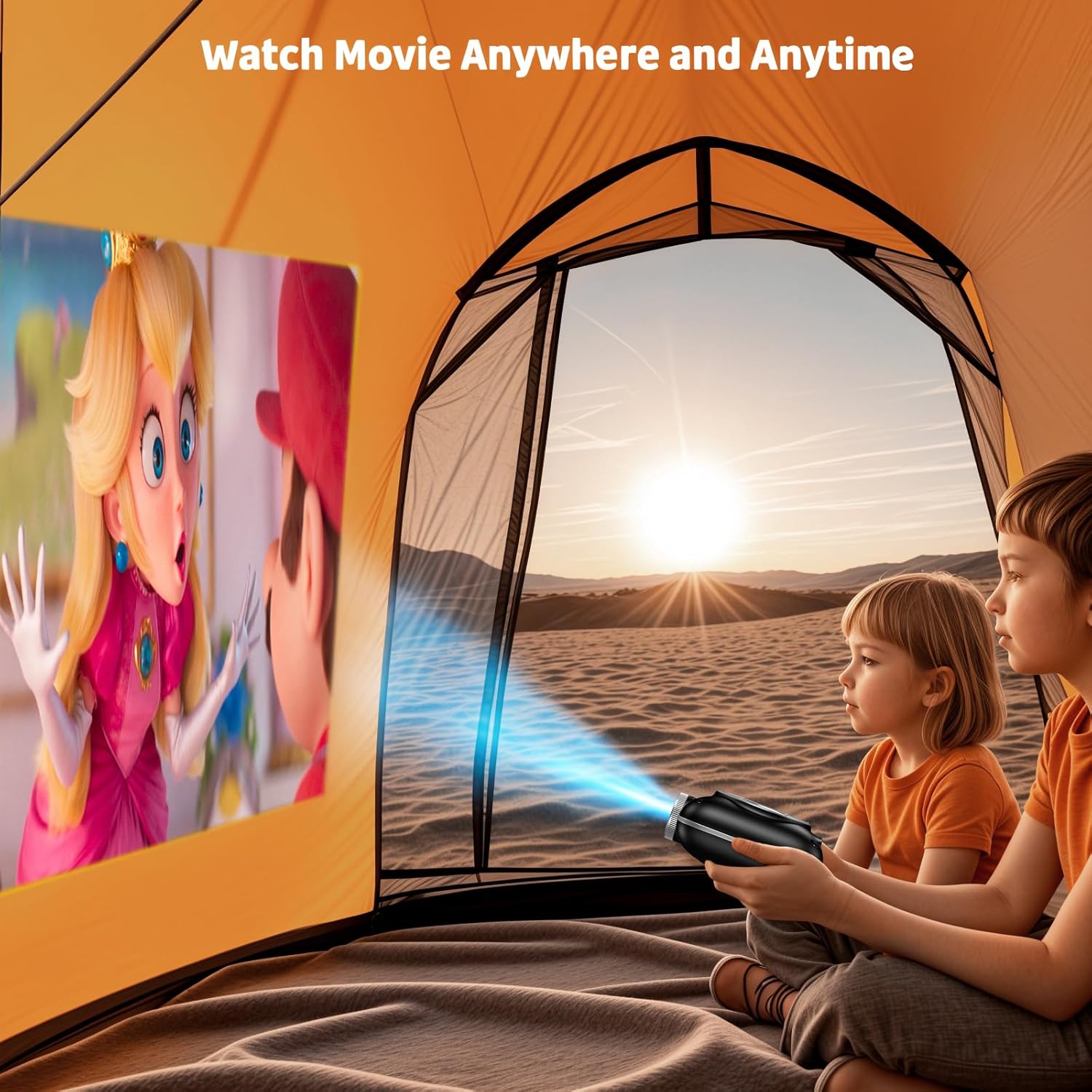
Image: The compact projector projecting a movie inside a tent, highlighting its portability for outdoor use.
3. Bedienungsanleitung
3.1 Ein-/Ausschalten
Press the power button on the projector or the remote control to turn the device on or off. The projector features an auto-off timer for convenient screen time management.
3.2 Konnektivität
The HOMPOW Mini Projector offers multiple connectivity options:
- HDMI 2.0-Anschluss: Connect to laptops, TV sticks, gaming consoles (PS4, PS5), and other HDMI-enabled devices using the included HDMI cable.
- USB 2.0-Anschluss: Schließen Sie USB-Laufwerke zur Medienwiedergabe an.
- Bidirektionale Bluetooth 5.1-Kommunikation: Connect external Bluetooth speakers for enhanced audio or use the projector as a Bluetooth speaker to play music from your phone.

Image: The projector highlighting its wireless connectivity features, including WiFi and Bluetooth.

Image: A visual guide illustrating how to connect various devices such as smartphones, tablets, TV sticks, laptops, PS3/PS4, headphones, and USB drives to the projector.
3.3 Bildschirmspiegelung
So spiegeln Sie Ihren Smartphone- oder Tablet-Bildschirm:
- Für Android-Telefone: Use a Micro USB/Type-C to HDMI adapter (sold separately).
- Für iPhones/iPads: Use a Lightning to HDMI adapter (sold separately).
- Für Streaming-Dienste: Plug in a TV stick (sold separately) for Netflix/Hulu and other HDCP-compliant streaming platforms.
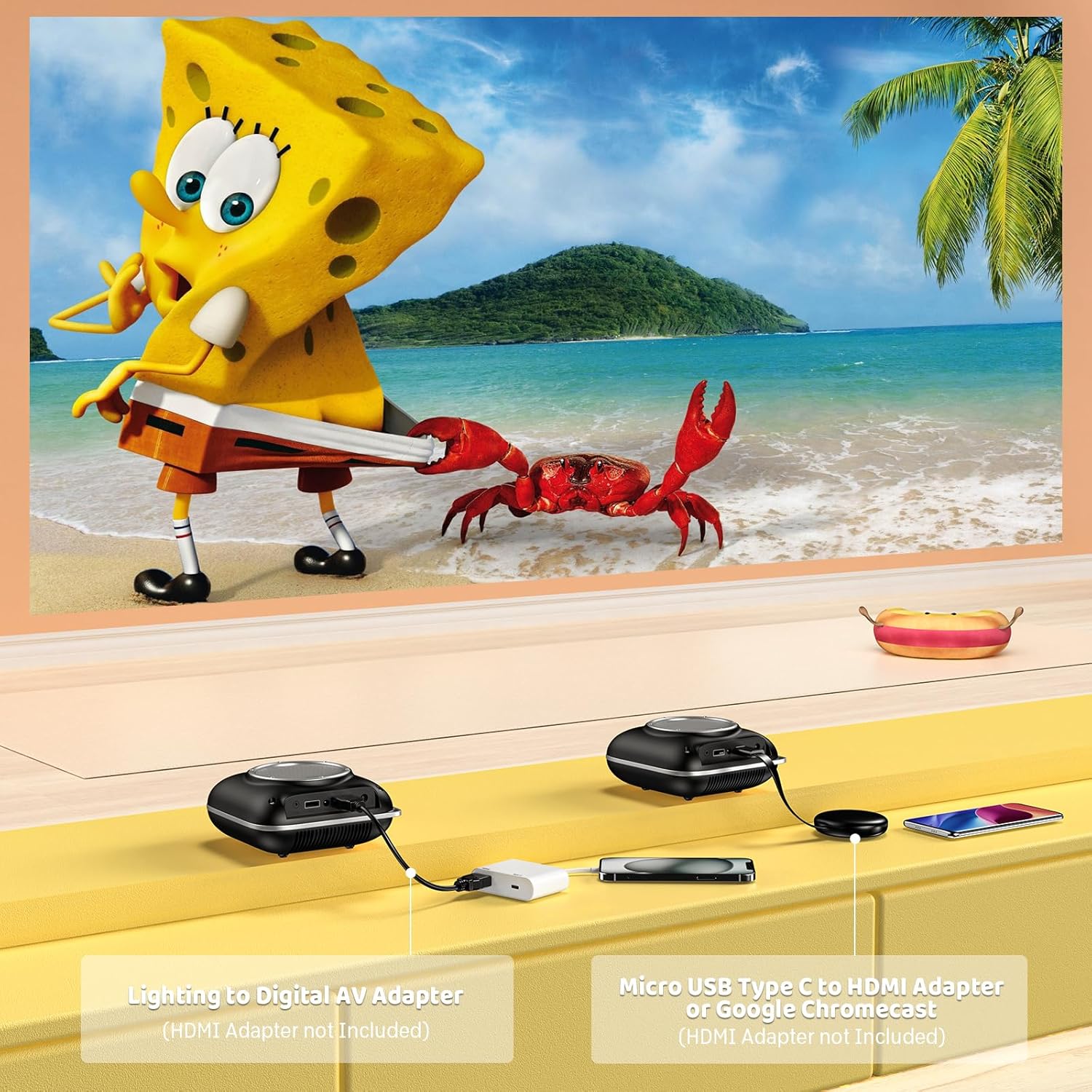
Image: Instructions for connecting mobile devices to the projector using Lightning to Digital AV Adapter for iOS and Micro USB Type-C to HDMI Adapter or Google Chromecast for Android.
3.4 Audioausgang
The projector features built-in 5W high-powered stereo speakers. For enhanced sound, utilize the bidirectional Bluetooth 5.1 to connect to external Bluetooth speakers or headphones.

Image: Diagram showing the projector's two-way Bluetooth functionality, allowing connection to an external speaker or functioning as a Bluetooth speaker for a phone.
3.5 Projektionsgröße und Zoom
The projector supports a projection size from 40 to 120 inches. Use the 50%-100% zoom function to adjust the image size without moving the projector.

Image: A visual representation of the 50%-100% zoom function, showing how the projected image size can be adjusted.
4. Wartung
4.1 Reinigung
- Linse: Verwenden Sie ein weiches, fusselfreies Tuch, das speziell für optische Linsen entwickelt wurde. Verwenden Sie keine Scheuermittel.
- Exterieur: Reinigen Sie das Gehäuse des Projektors mit einem weichen, trockenen Tuch. Vermeiden Sie die Verwendung von scharfen Chemikalien oder Lösungsmitteln.
- Belüftung: Um eine Überhitzung zu vermeiden, muss sichergestellt werden, dass die Lüftungsöffnungen frei von Staub und Schmutz sind.
4.2 Speicherung
Bewahren Sie den Projektor bei Nichtgebrauch an einem kühlen, trockenen Ort, geschützt vor direkter Sonneneinstrahlung und extremen Temperaturen, auf. Verwenden Sie die Originalverpackung oder eine Schutzhülle, um Staubansammlungen und Beschädigungen zu vermeiden.
5. Fehlerbehebung
In der folgenden Tabelle finden Sie häufig auftretende Probleme und deren Lösungen.
| Ausgabe | Mögliche Ursache | Lösung |
|---|---|---|
| Kein Bild projiziert | Strom nicht angeschlossen, Eingangsquelle falsch, Objektivdeckel aufgesetzt. | Überprüfen Sie die Stromversorgung, wählen Sie die richtige Eingangsquelle (HDMI/USB) und entfernen Sie den Objektivdeckel. |
| Verschwommenes Bild | Fokus nicht eingestellt, Projektor zu nah/zu weit entfernt. | Adjust the focus ring, ensure projector is within optimal projection distance (3.49-7.26 ft). |
| Kein Ton | Volume too low, external speaker not connected, audio format unsupported. | Increase volume, connect Bluetooth speaker, check audio format compatibility. |
| Bildschirmspiegelung funktioniert nicht | Incorrect adapter, device compatibility issue. | Ensure correct HDMI adapter for your phone (Micro USB/Type-C for Android, Lightning for iOS). |
| Projektor überhitzt | Blockierte Belüftung, längere Nutzung. | Ensure clear space around vents, allow projector to cool down if used for extended periods. |
6. Technische Daten
| Besonderheit | Detail |
|---|---|
| Marke | HOMPOW |
| Modell | B0F43PY223 |
| Native Auflösung | 1280 x 720 (720 P) |
| Unterstützte Auflösung | 1920 x 1080 (1080P Full HD) |
| Konnektivitätstechnologie | HDMI, USB 2.0, Bluetooth 5.1 (Two-Way) |
| Anzeigetyp | CRT (as per specification, typically LCD for mini projectors) |
| Kontrastverhältnis | 10000:1 |
| Projektionsgröße | 40 - 120 Zoll |
| Wurfweite | 3.49 - 7.26 Fuß |
| Lebensdauer der Lichtquelle | 50000 Stunden |
| Eingebauter Lautsprecher | 5W High-Powered Stereo Speakers |
| Zoomfunktion | 50 % – 100 % |
| Abmessungen (L x B x H) | 4.9" x 4.9" x 2.1" |
| Gewicht | 0.7 Kilogramm |
| Energieaufnahme | 30 Watt |
| Bandtage | 110 Volt |
7. Garantie und Support
7.1 Garantieinformationen
The HOMPOW Mini Projector comes with:
- A 30-day replacement window.
- 2-year repair coverage.
Bitte bewahren Sie Ihren Kaufbeleg für Garantieansprüche auf.
7.2 Kundendienst
For any questions, troubleshooting assistance, or warranty inquiries, please contact HOMPOW customer support. We offer 24/7 assistance to ensure stress-free ownership.
Contact information can typically be found on the HOMPOW official weboder der in Ihrer Verpackung enthaltenen Garantiekarte.