
1. Einleitung
Thank you for choosing AIRMARS SG7 Smart Glasses. These smart glasses combine advanced audio technology with versatile lens features, including photochromic and blue light filtering capabilities. Designed for comfort and convenience, they allow you to enjoy music, manage calls, and access voice assistants while staying connected to your surroundings. This manual provides detailed instructions for setup, operation, and maintenance to ensure optimal performance and longevity of your device.
2. Lieferumfang
Upon opening your AIRMARS SG7 Smart Glasses package, please verify that all the following items are included:
- Datenbrille
- Ladekabel
- Bedienungsanleitung
- Reinigungstuch
- Brillentasche

Image: The packaging contents including the smart glasses, charging cable, user manual, cleaning cloth, and glasses bag.
3. Hauptmerkmale
- Photochrome Linsen: Automatically adjust tint based on UV exposure, transitioning from clear to tinted.
- Blaulichtfilter: Reduces eye fatigue during prolonged screen use by filtering harmful blue light.
- Langlebiges und leichtes Design: Constructed with stainless steel frames and TR90 temples, weighing only 39g.
- Austauschbare Rahmen: Snap hinge design allows for easy switching between different frame styles.
- Touch-Steuerung: Intuitive touch controls for managing calls, music playback, and navigation.
- Integration eines Sprachassistenten: Access Siri and Google Assistant with a simple touch.
- Bluetooth 5.4-Konnektivität: Provides a fast and stable connection with iOS and Android devices within 10-15 meters.
- Lange Akkulaufzeit: Up to 7 hours talk time, 8 hours music playback, and 250 hours standby time on a 1.5-hour charge.
- IPX4 Wasserbeständigkeit: Bietet Schutz vor Spritzwasser und Schweiß.

Image: Visual representation of the smart glasses' features including Bluetooth 5.4, open-ear audio, voice assistant, touch control, UV protection, IPX4 waterproof rating, long battery life, and comfortable design.

Image: A demonstration of the photochromic lenses, illustrating their clear state indoors and tinted state outdoors for UV400 protection.

Image: A diagram illustrating how the anti-blue light lenses effectively filter high-energy blue light from various digital screens and sunlight.
4. Einrichtung
4.1. Aufladen der Brille
Before initial use, fully charge your AIRMARS SG7 Smart Glasses. A full charge takes approximately 1.5 hours.
- Connect the magnetic charging cable to the charging port located on the temple of the glasses.
- Verbinden Sie das andere Ende des Ladekabels mit einem USB-Netzteil (nicht im Lieferumfang enthalten) oder einem USB-Anschluss Ihres Computers.
- Die Ladeanzeigeleuchte leuchtet während des Ladevorgangs und erlischt, sobald der Akku vollständig geladen ist.

Image: An illustration highlighting the charging port and charging indicator light on the smart glasses.
4.2. Bluetooth-Kopplung
Pair your smart glasses with your smartphone or other Bluetooth-enabled device to enable audio and control functions.
- Stellen Sie sicher, dass die Brille aufgeladen und eingeschaltet ist.
- Öffnen Sie auf Ihrem Smartphone oder Gerät die Bluetooth-Einstellungen.
- Aktivieren Sie Bluetooth.
- Suchen nach available devices. The glasses will appear as "AIRMARS".
- Select "AIRMARS" to connect. Once connected, you will hear an audio confirmation, and the device will show as "Connected" in your Bluetooth settings.

Image: A visual guide demonstrating Bluetooth 5.4 connectivity with various operating systems (iOS, Windows, Android) and showing the pairing process on a smartphone screen.
5. Bedienungsanleitung
5.1. Ein-/Ausschalten
- Einschalten: Long press both the left and right touch areas for 4 seconds.
- Ausschalten: Long press both the left and right touch areas for 4 seconds.
5.2. Tippen Sie auf Steuerung
The AIRMARS SG7 Smart Glasses feature intuitive touch controls on the temples for easy management of audio and calls.
- Vorheriges Lied: Slide forward on the links touch area.
- Nächster Titel: Slide back on the links touch area.
- Musik abspielen/pausieren: Slide back on the Rechts touch area.
- Sprachassistent aktivieren (Siri/Google Assistant): Slide forward on the Rechts touch area.
- Anruf annehmen: Slide forward on either the links oder rechts touch area.
- Anruf ablehnen: Slide back on either the links oder rechts touch area.

Image: A detailed diagram showing the basic operation of the glasses via touch controls on both the left and right temples for functions like track control, voice assistant, call management, and power.
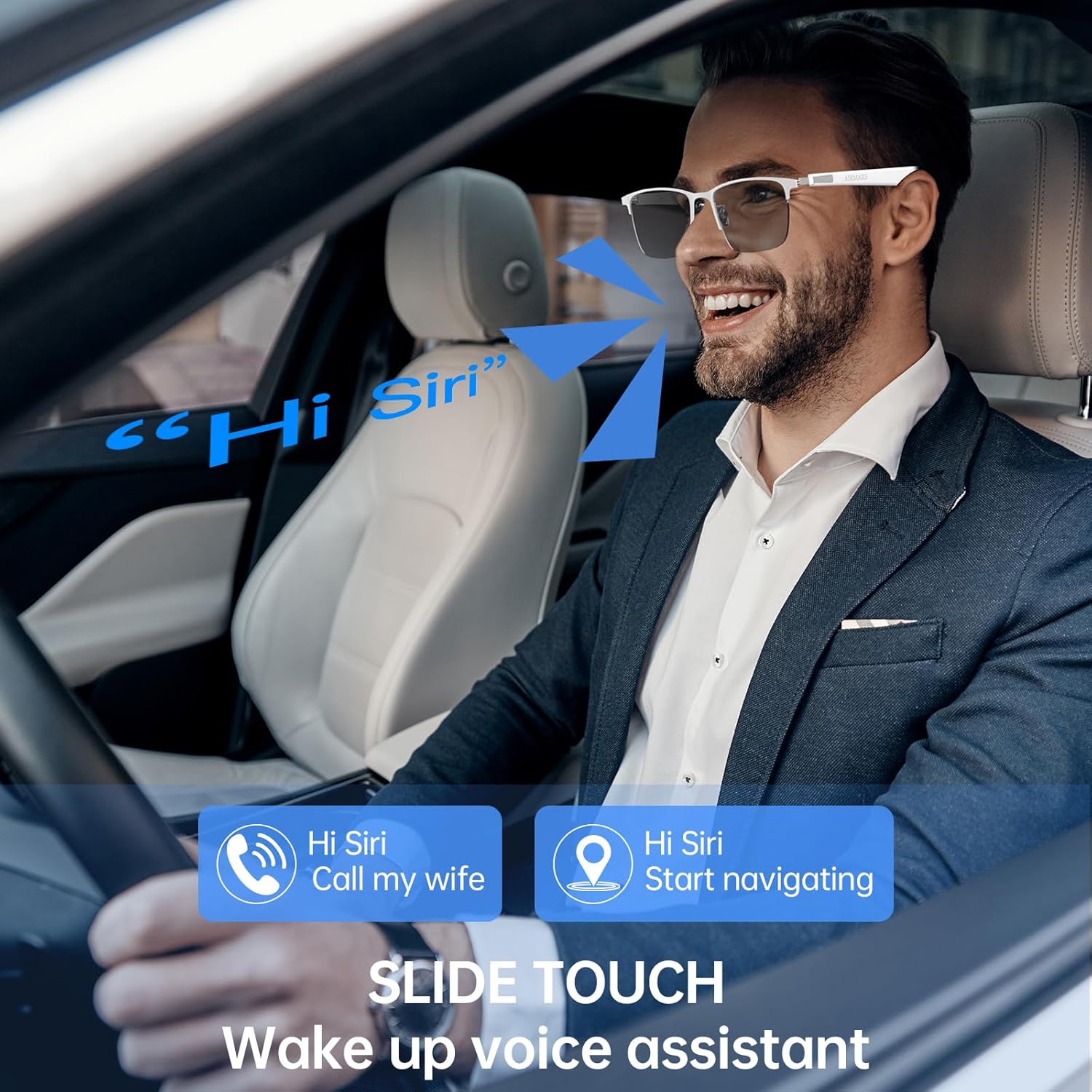
Image: A man in a car using the slide touch feature on his smart glasses to activate a voice assistant, demonstrating hands-free control for calls and navigation.
5.3. Objektivfunktionalität
- Photochrome Linsen: The lenses automatically darken when exposed to UV light (e.g., outdoors in sunlight) and become clear indoors or in low UV conditions. This provides optimal visual comfort and UV400 protection.
- Blaulichtfilter: The lenses are designed to filter blue light, reducing eye strain from digital screens.
5.4. Interchangeable Frames
The snap hinge design allows you to easily switch between different frame styles. Ensure that any replacement frames are compatible with the specific temple arms of your AIRMARS SG7 Smart Glasses.

Image: An illustration demonstrating the replaceable frame design, showing how different frame styles can be easily attached to the temple arms.
6. Wartung
Proper care and maintenance will extend the life of your AIRMARS SG7 Smart Glasses.
- Linsenreinigung: Use the provided cleaning cloth or a soft, lint-free cloth to gently wipe the lenses. For stubborn smudges, use a lens cleaning spray specifically designed for eyewear. Avoid abrasive materials or harsh chemicals.
- Rahmenreinigung: Wischen Sie die Rahmen mit einem weichen, damp Tuch. Die Gläser nicht in Wasser eintauchen.
- Lagerung: When not in use, store the glasses in the provided glasses bag or a protective case to prevent scratches and damage.
- Vermeiden Sie extreme Temperaturen: Do not expose the glasses to extreme heat or cold, as this can damage the electronic components and lens coatings.
- Wasserbeständigkeit: The glasses have an IPX4 rating, meaning they are resistant to splashing water. They are not designed for swimming or submersion. Avoid direct exposure to heavy rain or strong water jets.
7. Fehlerbehebung
If you encounter issues with your AIRMARS SG7 Smart Glasses, refer to the following common solutions:
| Problem | Mögliche Ursache | Lösung |
|---|---|---|
| Die Brille lässt sich nicht einschalten. | Schwache Batterie. | Laden Sie die Brille mindestens 1.5 Stunden lang auf. |
| Kopplung via Bluetooth nicht möglich. | Bluetooth is off on the device; glasses are out of range; glasses are already paired to another device. | Ensure Bluetooth is enabled on your device. Move glasses closer to the device. Disconnect from other devices or reset glasses. |
| Kein Ton oder sehr geringe Lautstärke. | Volume too low on glasses or connected device; glasses not properly connected. | Increase volume on both the glasses and your connected device. Re-pair the glasses. |
| Die Touch-Bedienelemente reagieren nicht. | Temporary software glitch; dirty touch area. | Power off and restart the glasses. Clean the touch areas with a soft cloth. |
| Lenses not changing tint. | Insufficient UV exposure; lenses are not photochromic (if applicable). | Ensure glasses are exposed to direct sunlight. Verify lens type. |
8. Spezifikationen
| Modellname | Airmars-SG7-Si |
| Marke | AIRMARS |
| Artikelgewicht | 7.26 Unzen (ca. 206 Gramm) |
| Betriebssystemkompatibilität | iOS/Android |
| Besondere Merkmale | Lightweight, Music Player, Phone Call, Voice Control |
| Batteriekapazität | 160 mAh |
| Konnektivitätstechnologie | Bluetooth 5.4 |
| Drahtloser Kommunikationsstandard | Bluetooth |
| Akku-Typ | Lithium Polymer (2 Nonstandard Battery batteries included) |
| Ladezeit | Ca. 1.5 Stunden |
| Gesprächszeit | Bis zu 7 Stunden |
| Musikwiedergabezeit | Bis zu 8 Stunden |
| Standby-Zeit | Bis zu 250 Stunden |
| Wasserbeständigkeit | IPX4 |
| Verpackungsabmessungen | 7.74 x 3.19 x 2.64 Zoll |

Image: A detailed diagram illustrating the product dimensions, including total frame width, bridge width, lens width, lens height, and arm length.
9. Garantie und Support
AIRMARS SG7 Smart Glasses come with a 1 Jahr Garantie Diese Garantie gilt ab Kaufdatum und deckt Herstellungsfehler ab. Sie gewährleistet, dass Ihr Produkt bei normalem Gebrauch frei von Material- und Verarbeitungsfehlern ist.
For any compatibility issues, technical support, or warranty claims, please contact AIRMARS customer service. Our 24-hour online after-sales service team is available to assist you promptly.
Please refer to the contact information provided on the product packaging or the official AIRMARS webWebsite für Supportdetails.