
1. Einleitung
The ACwO Dwots 333 True Wireless Earbuds are designed to provide a superior audio experience with advanced features such as Hybrid Active Noise Cancellation (ANC), AI-Enhanced Noise Cancellation (AI-ENC) for calls, and dual device connectivity. This manual provides detailed instructions for setting up, operating, and maintaining your earbuds.
2. Lieferumfang
Bitte überprüfen Sie den Inhalt Ihres Pakets. Sollten Artikel fehlen oder beschädigt sein, kontaktieren Sie bitte unseren Kundenservice.
- ACwO Dwots 333 Earbuds and Charging Case
- USB-Ladekabel
- Ohrstöpsel in verschiedenen Größen
- Garantiekarte

Image: ACwO Dwots 333 earbuds inside their charging case.
3. Einrichtung und erste Verwendung
3.1 Aufladen der Ohrhörer und des Ladecase
Vor dem ersten Gebrauch die Ohrhörer und das Ladecase vollständig aufladen.
- Legen Sie die Ohrhörer in das Ladecase. Achten Sie darauf, dass sie richtig sitzen.
- Verbinden Sie das USB-Ladekabel mit dem Ladeanschluss am Gehäuse und mit einer Stromquelle.
- The LED indicator on the case will show charging status. A full charge for the case typically takes 1 hour.
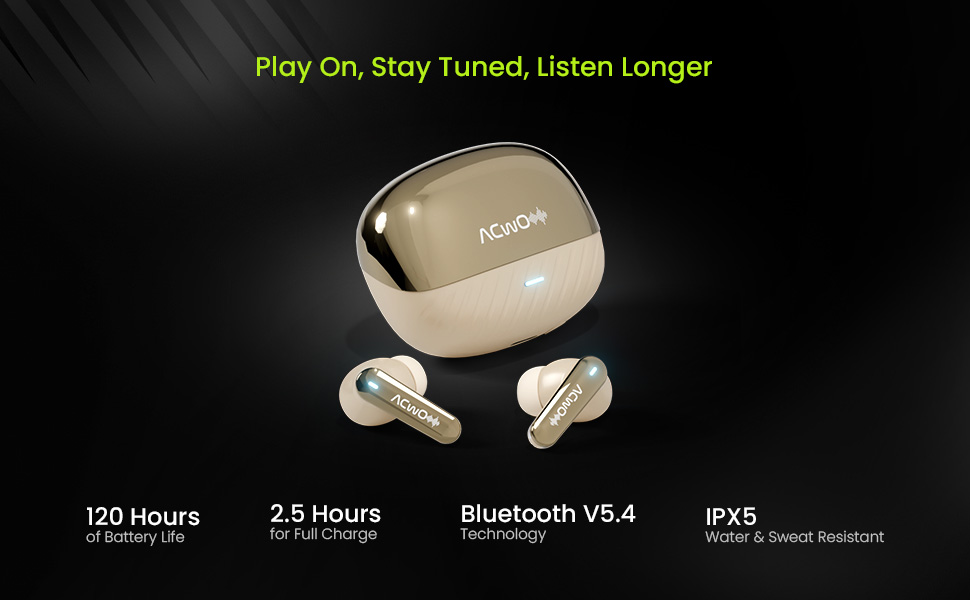
Image: The ACwO Dwots 333 earbuds and charging case, highlighting the 120 hours of music playtime.
3.2 Koppeln mit einem Gerät
The earbuds support Bluetooth V5.4 for stable and efficient connection.
- Öffnen Sie das Ladecase. Die Ohrhörer wechseln automatisch in den Kopplungsmodus (die LED-Anzeigen blinken).
- Aktivieren Sie auf Ihrem Gerät (Smartphone, Tablet, Laptop) Bluetooth und suchen Sie nach verfügbaren Geräten.
- Select "ACwO Dwots 333" from the list of devices.
- Sobald die Verbindung hergestellt ist, hören die LED-Anzeigen an den Ohrhörern auf zu blinken.
3.3 Dual-Geräte-Konnektivität
The Dwots 333 allows seamless switching between two paired devices.
- Pair the earbuds with your first device (e.g., smartphone) as described above.
- Disconnect the earbuds from the first device's Bluetooth settings. The earbuds will re-enter pairing mode.
- Koppeln Sie die Ohrhörer mit Ihrem zweiten Gerät (z. B. Laptop).
- Reconnect the earbuds to the first device from its Bluetooth settings. The earbuds are now connected to both devices.
- To switch between devices, simply pause audio on one device and play on the other. For calls, the earbuds will automatically switch to the active call.

Image: ACwO Dwots 333 earbuds wirelessly connected to both a smartphone and a laptop, demonstrating dual device connectivity.
4. Bedienungsanleitung
The ACwO Dwots 333 earbuds feature intuitive touch controls.
4.1 Grundlegende Bedienelemente
| Funktion | Aktion |
|---|---|
| Einschalten | Open charging case or long press touch area (if off and out of case) |
| Ausschalten | Place earbuds in charging case and close lid, or long press touch area (if out of case) |
| Musik abspielen/pausieren | Tippen Sie einmal auf einen der Ohrhörer |
| Nächster Titel | Doppeltippen Sie auf den rechten Ohrhörer |
| Vorheriger Titel | Doppeltippen Sie auf den linken Ohrhörer |
| Anruf annehmen/beenden | Tippen Sie einmal auf einen der Ohrhörer |
| Anruf ablehnen | Drücken Sie lange auf einen der Ohrhörer |
| Sprachassistent aktivieren | Dreimaliges Tippen auf einen der Ohrhörer |
4.2 Noise Control Modes (Hybrid ANC)
The Dwots 333 features Hybrid Active Noise Cancellation up to 48dB to reduce ambient noise.
- Active Noise Cancellation (ANC)-Modus: Blocks out external noise for immersive listening.
- Transparenzmodus: Ermöglicht es Ihnen, Ihre Umgebung wahrzunehmen und gleichzeitig Ihre Audioinhalte zu genießen.
- Normalmodus: Standard-Audiowiedergabe ohne Rauschunterdrückung oder Transparenzmodus.
To switch between modes: Long press the touch area on the links Ohrhörer für etwa 2 Sekunden.
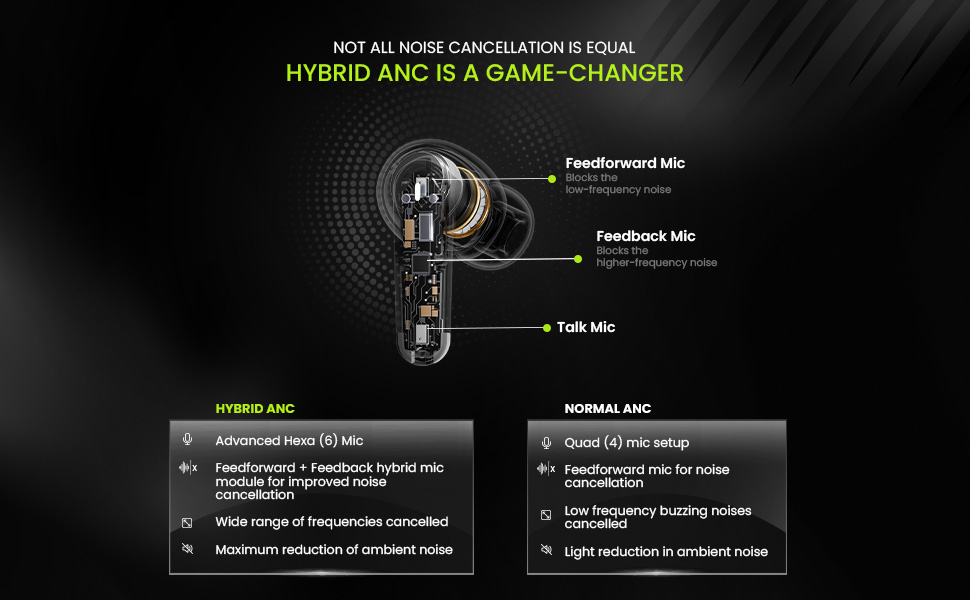
Image: A detailed diagram showing the internal components of an earbud, highlighting the Feedforward, Feedback, and Talk microphones used in Hybrid ANC technology.
4.3 Gaming-Modus (Niedrige Latenz)
Activate Gaming Mode for a low latency experience (50ms) ideal for gaming.
To activate/deactivate Gaming Mode: Long press the touch area on the Rechts Ohrhörer für etwa 2 Sekunden.
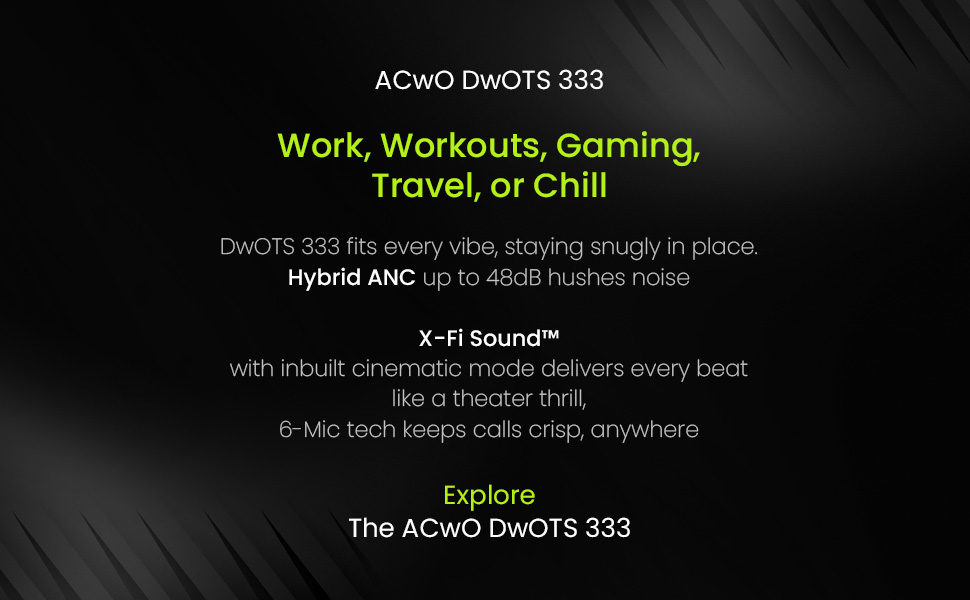
Image: ACwO Dwots 333 earbuds with a futuristic gaming robot in the background, illustrating the Gaming Mode feature.
4.4 Theatre Mode
Engage Theatre Mode for an enhanced cinematic audio experience.
To activate/deactivate Theatre Mode: Refer to the product's specific touch control guide for this feature, as it may vary.

Image: A person wearing ACwO Dwots 333 earbuds, with visual cues for Theatre Mode and Gaming Mode, suggesting different audio profiles.
5. Call Management (Hexa Mic with AI-ENC)
The Hexa Mic setup with AI-ENC ensures crystal-clear voice pickup during calls by intelligently distinguishing your voice from background noise.
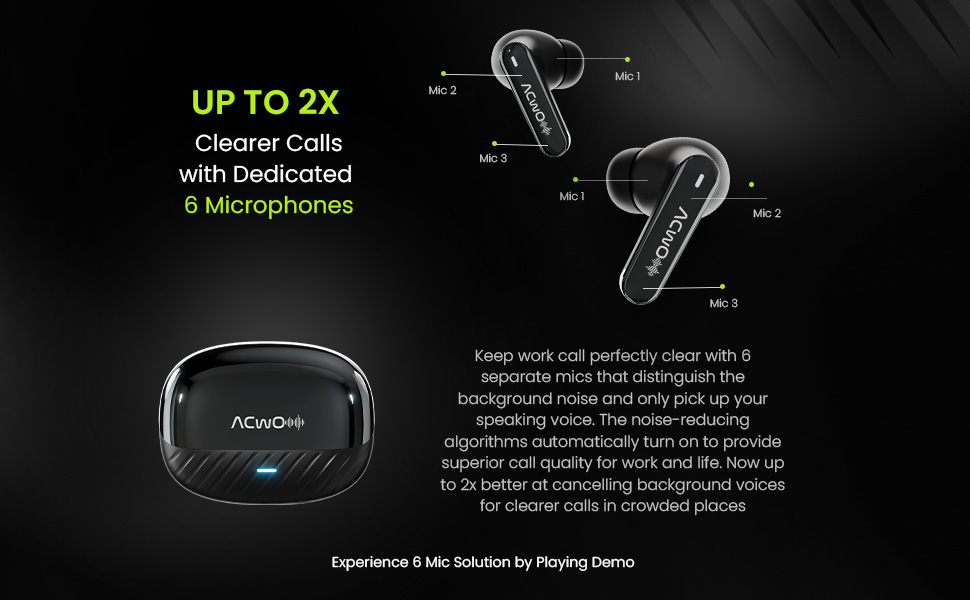
Image: A diagram illustrating the placement of six dedicated microphones on the ACwO Dwots 333 earbuds, designed for clearer call quality.
6. Wartung
6.1 Reinigung
- Reinigen Sie die Ohrhörer und das Ladecase regelmäßig mit einem weichen, trockenen, fusselfreien Tuch.
- Remove eartips and clean any earwax or debris from the earbud nozzles using a small brush or cotton swab.
- Stellen Sie sicher, dass die Ladekontakte an beiden Ohrhörern und am Ladecase sauber und trocken sind.
6.2 Wasserdichtigkeit (IPX5)
The earbuds are rated IPX5 water and sweat resistant, meaning they can withstand splashes and sweat. They are not designed for submersion in water. Avoid exposing them to heavy rain or showering.
6.3 Speicherung
Bewahren Sie die Ohrhörer bei Nichtgebrauch im Ladecase auf, um sie zu schützen und geladen zu halten. Lagern Sie sie an einem kühlen, trockenen Ort und schützen Sie sie vor extremen Temperaturen.
7. Fehlerbehebung
If you encounter issues with your ACwO Dwots 333 earbuds, refer to the following common solutions:
| Problem | Lösung |
|---|---|
| Ohrhörer lassen sich nicht koppeln | Stellen Sie sicher, dass Ihre Ohrhörer geladen sind. Schalten Sie Bluetooth auf Ihrem Gerät aus und wieder ein. Entkoppeln Sie das Gerät in den Bluetooth-Einstellungen und koppeln Sie es erneut. |
| Nur ein Ohrhörer funktioniert | Place both earbuds back in the case, close the lid, then open again. Ensure both earbuds are charged. |
| Kein Ton | Check device volume. Ensure earbuds are connected. Try playing audio from a different app or device. |
| Ladeprobleme | Ensure charging cable is securely connected. Clean charging contacts. Try a different USB port or charger. |
| ANC nicht effektiv | Ensure earbuds are properly seated in your ears. Try different sized eartips for a better seal. Confirm ANC mode is active. |
8. Spezifikationen
| Besonderheit | Detail |
|---|---|
| Marke | ACwO |
| Modellnummer | DwOTS 333 |
| Platzierung des Ohrs | Im Ohr |
| Formfaktor | Echtes Wireless |
| Impedanz | 32 Ohm |
| Lärmschutz | Aktive Geräuschunterdrückung (Hybrid-ANC bis zu 48 dB) |
| Audiotreibertyp | 10 mm dynamischer Treiber |
| Mikrofone | Hexa Mic Setup with AI-ENC |
| Kontrollmethode | Berühren |
| Konnektivitätstechnologie | Drahtlos (Bluetooth V5.4) |
| Bluetooth-Reichweite | 10 Meter |
| Akkulaufzeit (Ohrhörer + Ladecase) | Bis zu 120 Stunden |
| Ladezeit des Gehäuses | 1 Stunde |
| Wasserbeständigkeit | IPX5 |
| Geringe Latenz | 50 ms (Gaming-Modus) |
| Kompatible Geräte | Handys, Laptops, Tablets |
| Artikelgewicht | 38 Gramm |
| Ursprungsland | Indien |
9. Garantie und Support
ACwO provides a 365-day warranty from the date of purchase, ensuring peace of mind regarding product quality.
For further assistance, troubleshooting, or warranty claims, please refer to the contact information provided on your warranty card or visit the official ACwO support webWebsite.
10. Produktüberschreitungview Video
Watch this official product video for a visual guide to the ACwO Dwots 333 earbuds' features and functionality.
Video: Ein überview of the ACwO Dwots 333 True Wireless Earbuds, showcasing their design, key features like 120 hours playtime, Hybrid ANC, Hexa Mics, and dual device connectivity.