1. Einleitung
Vielen Dank für Ihren Einkauf.asing the Generic 1080p Digital Camera. This manual provides essential information for setting up, operating, and maintaining your camera. Please read this manual thoroughly before using the product to ensure proper operation and to prevent damage.
Sicherheitsvorkehrungen:
- Die Kamera darf weder Wasser noch übermäßiger Feuchtigkeit ausgesetzt werden.
- Vermeiden Sie es, die Kamera fallen zu lassen oder starken Stößen auszusetzen.
- Außerhalb der Reichweite von Kindern aufbewahren.
- Verwenden Sie ausschließlich zugelassene Ladekabel und Adapter.
2. Produktüberschreitungview
The Generic 1080p Digital Camera is a compact and portable device designed for capturing photos and videos. It features a 2.4-inch flip screen, 8X optical zoom, and various functions including filters and games.
2.1. Kamerakomponenten

Bildbeschreibung: This diagram illustrates the camera's physical dimensions (117mm length, 64mm height, 29mm width) and labels key components. These include the Power button, T (Magnify) and W (Shrink down) buttons for zoom, an OK button, and directional buttons for navigation (upturning, right, on the left, flip down verify). The flip screen is shown in an open position.
- Netzschalter: Schaltet die Kamera ein/aus.
- T/W Buttons: Control optical zoom (T for Magnify, W for Shrink down).
- OK-Taste: Confirms selections or takes a picture/starts recording.
- Richtungstasten: Navigieren Sie durch Menüs und Einstellungen.
- Flip-Screen: 2.4-inch high-definition display that can be flipped for various shooting angles, including self-portraits.
- Linse: Periscope lens with 8X optical zoom.
- Flash Fill: Sorgt für zusätzliches Licht bei schwachen Lichtverhältnissen.
2.2. Hauptmerkmale
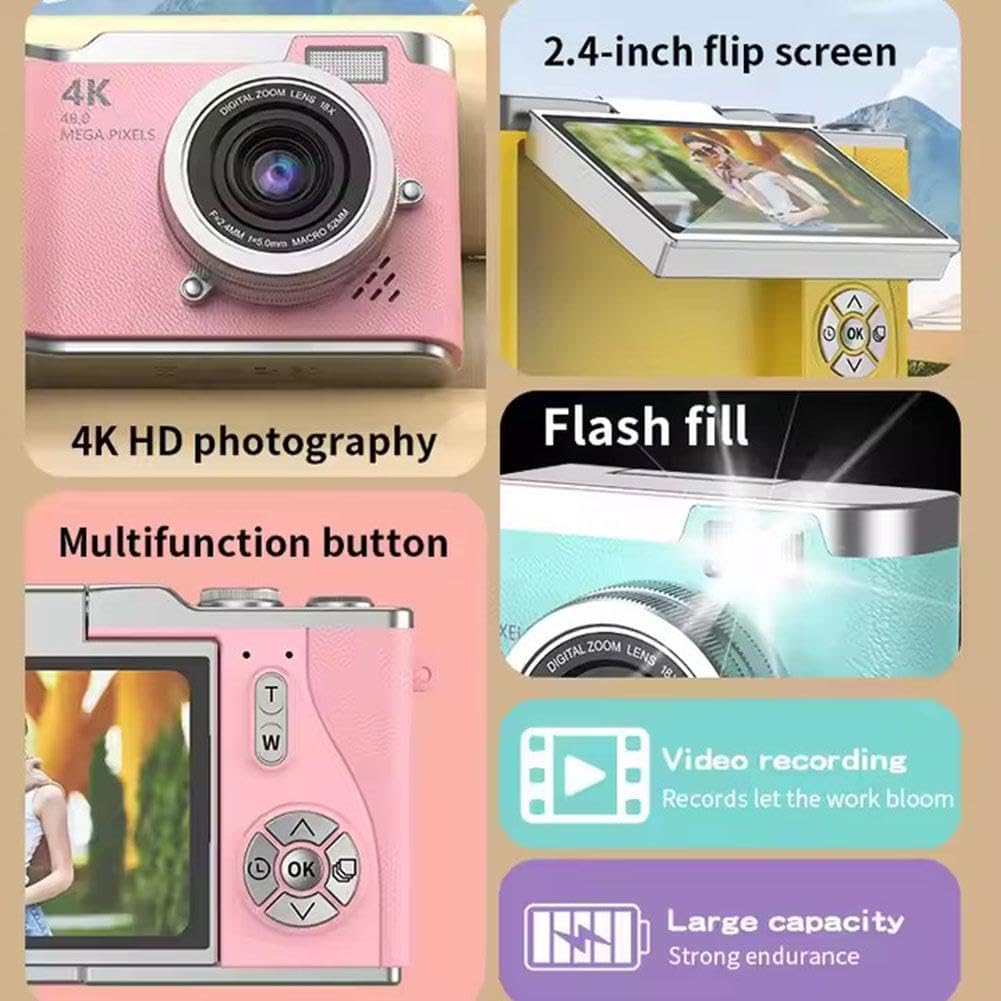
Bildbeschreibung: A collage highlighting several camera features. It shows the 2.4-inch flip screen in action, mentions "4K HD photography" (note: actual video resolution is 1080p, effective still resolution is 0.31MP), indicates a flash fill, points to a multifunction button, and highlights video recording capabilities and a large capacity battery.
- Anzeige: 2.4-inch high-definition flip screen.
- Videoauflösung: Unterstützt Videoaufnahmen in 1080p.
- Optischer Zoom: 8X optical zoom for capturing distant subjects.
- Hauptfunktionen: Photo, video, filter effects, games, and MP3 playback.
- Batterie: 800mAh capacity Lithium Ion battery.
- Material: Durable ABS plastic and hardware construction.
3. Einrichtung
3.1. Laden des Akkus
- Connect the provided charging cable to the camera's charging port.
- Connect the other end of the cable to the adapter, then plug the adapter into a power outlet.
- Die Ladeanzeige leuchtet auf. Der Ladevorgang dauert in der Regel 1.5-2 Stunden.
- Once fully charged, the indicator light may change or turn off. Disconnect the camera from the charger.
Notiz: The camera's average battery life is approximately 3-4 hours for photos and 2 hours for recording.
3.2. Einlegen einer Speicherkarte
This camera requires a memory card for storing photos and videos. A memory card is nicht enthalten with the product and must be purchased separately.
- Suchen Sie den Speicherkartensteckplatz an der Kamera.
- Insert a compatible memory card (e.g., microSD) into the slot until it clicks into place. Ensure the card is inserted in the correct orientation.
- Zum Entfernen der Karte diese vorsichtig hineindrücken, bis sie einrastet, dann loslassen, und sie wird ausgeworfen.
3.3. Erstes Einschalten
- Halten Sie den Ein-/Ausschalter gedrückt, bis der Bildschirm aufleuchtet.
- The camera will boot up and display the main interface.
- If prompted, set the date and time using the directional buttons and the OK button.
4. Bedienungsanleitung
4.1. Fotos machen
- Schalten Sie die Kamera ein.
- Frame your shot using the 2.4-inch flip screen. You can flip the screen to face forward for self-portraits.
- Press the OK button to take a picture.
4.2. Videos aufnehmen
- Schalten Sie die Kamera ein.
- Navigate to video mode using the menu or a dedicated button (refer to on-screen icons).
- Press the OK button to start recording. Press it again to stop recording.
4.3. Using Zoom
Use the 'T' button to zoom in (magnify) and the 'W' button to zoom out (shrink down). The camera features 8X optical zoom.
4.4. Autofocus and Anti-Shake
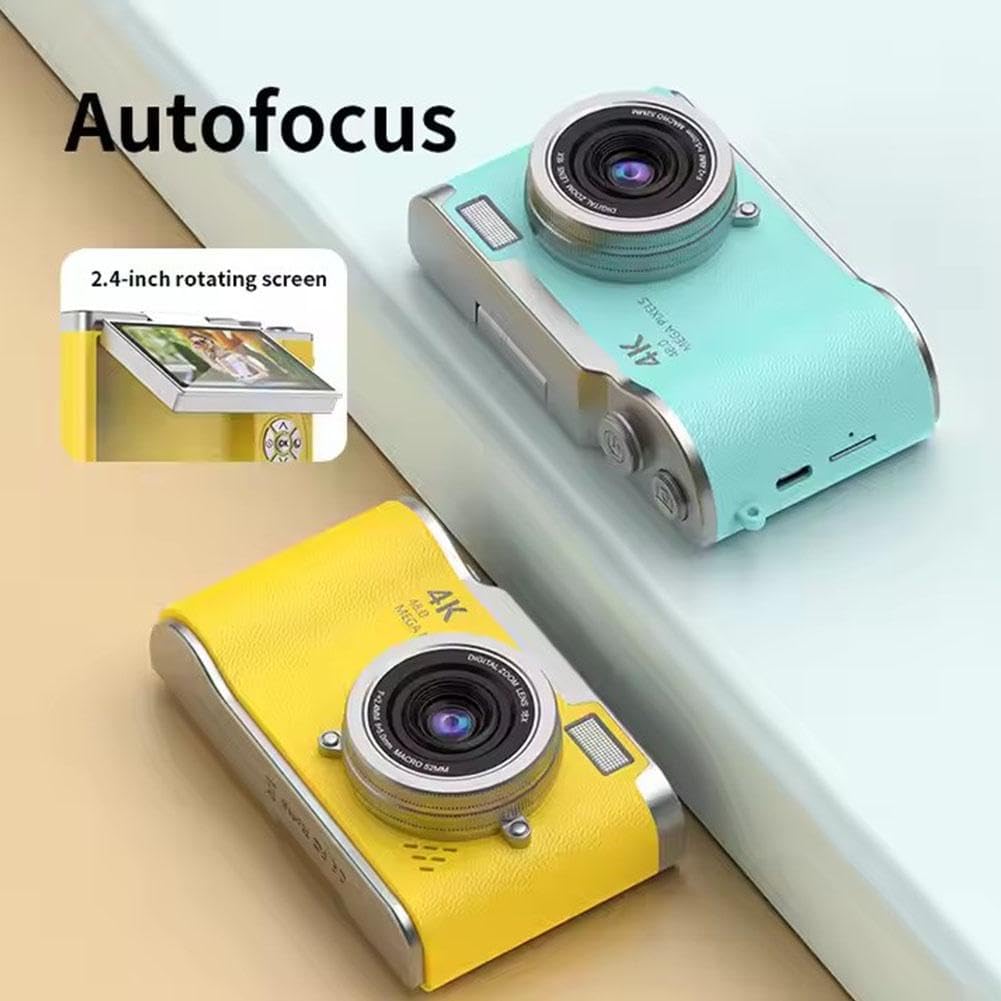
Bildbeschreibung: This image highlights the camera's autofocus capability and its 2.4-inch rotating (flip) screen. The camera is shown in yellow and blue variants.

Bildbeschreibung: This image demonstrates the camera's electronic anti-shake feature, indicating that it helps prevent blur and 'flutter' in photos and videos, even during dynamic movements.
The camera is equipped with autofocus technology to help achieve clear images. It also features electronic anti-shake to reduce blur caused by camera movement, particularly useful for active shots.
4.5. Zuviewing Fotos und Videos
- Enter playback mode (usually via a dedicated button or menu option).
- Use the directional buttons to scroll through your captured media.
- Drücken Sie die OK-Taste bis view ein Foto oder ein Video abspielen.
4.6. Übertragen Files
The included multi-card reader allows for quick and easy transfer of files from your memory card to a computer, laptop, or other compatible devices.
- Remove the memory card from the camera.
- Stecken Sie die Speicherkarte in den Kartenleser.
- Schließen Sie den Kartenleser an den USB-Anschluss Ihres Computers an.
- Zugriff auf die files on the memory card through your computer's file Forscher.
5. Wartung
5.1. Reinigung der Kamera
- Verwenden Sie ein weiches, trockenes Tuch, um das Kameragehäuse zu reinigen.
- Verwenden Sie für Linse und Bildschirm ein spezielles Linsenreinigungstuch und eine spezielle Reinigungslösung, um Kratzer zu vermeiden.
- Verwenden Sie keine aggressiven Chemikalien oder scheuernden Materialien.
5.2. Speicherung
- Bewahren Sie die Kamera an einem kühlen, trockenen Ort fern von direkter Sonneneinstrahlung und extremen Temperaturen auf.
- If storing for an extended period, ensure the battery is partially charged (around 50%) and remove it if possible to prolong battery life.
6. Fehlerbehebung
| Problem | Mögliche Ursache | Lösung |
|---|---|---|
| Die Kamera schaltet sich nicht ein. | Die Batterie ist leer oder nicht richtig eingesetzt. | Laden Sie den Akku vollständig auf. Stellen Sie sicher, dass der Akku richtig eingesetzt ist. |
| Es dürfen keine Fotos/Videos aufgenommen werden. | Es ist keine Speicherkarte eingelegt oder die Karte ist voll/beschädigt. | Legen Sie eine Speicherkarte ein. Löschen Sie unnötige Inhalte. files or replace the card. Format the card if corrupted (this will erase all data). |
| Bilder sind verschwommen. | Camera shake, dirty lens, or out of focus. | Hold the camera steady. Clean the lens. Ensure autofocus is engaged. |
| Der Bildschirm ist leer oder eingefroren. | Softwarefehler. | Turn off the camera and restart it. If unresponsive, remove and reinsert the battery. |
7. Spezifikationen
| Besonderheit | Spezifikation |
|---|---|
| Modellname | B0F488P9MD |
| Anzeige | 2.4-inch high-definition flip screen |
| Videoauflösung | 1080p (AVI-Format) |
| Effektive Standbildauflösung | 0.31 MP (Advertised as 4K HD photography and 48.0 Mega Pixels in some marketing materials) |
| Fotosensor-Technologie | CMOS |
| Optischer Zoom | 8X |
| Akku-Typ | Lithium-Ionen |
| Batteriekapazität | 800 mAh |
| Akkulaufzeit (Durchschnitt) | 3-4 hours (photo), 2 hours (recording) |
| Ladezeit | 1.5-2 Stunden |
| Speichererweiterung | Speicherkarte nicht im Lieferumfang enthalten |
| Technische Daten | 117 mm x 64 mm x 29 mm |
| Produktgewicht | 140g |
| Material | ABS Plastic and Metal |
| Besondere Merkmale | Flip Screen, Periscope Lens, Electronic Anti-shake, Autofocus |
8. Garantie und Support
Informationen zu Garantie und Kundendienst finden Sie in den Ihnen beim Kauf ausgehändigten Unterlagen oder wenden Sie sich an Ihren Händler. Bewahren Sie Ihren Kaufbeleg als Kaufnachweis auf.