
Einführung
This manual provides detailed instructions for the safe and proper installation, operation, and maintenance of your monTEK Heavy Duty Full Motion TV Wall Mount (Model HW1276BK). Please read all instructions carefully before beginning installation. Retain this manual for future reference.
This wall mount is designed for 43-100 inch flat or curved TVs weighing up to 150 lbs (68 kg), with VESA compatibility from 200x200mm to 800x600mm.
Sicherheitshinweise
- WARNUNG: This product is designed for installation on wood stud, solid concrete, or masonry walls only. NICHT NUR AUF TROCKENWAND MONTIEREN.
- Stellen Sie sicher, dass die Montagefläche das Gesamtgewicht der Halterung und Ihres Fernsehers sicher tragen kann.
- Tragen Sie bei der Installation stets die geeignete Schutzausrüstung.
- If you have any installation concerns, consult a qualified professional.
- Halten Sie Kinder und Haustiere während der Installation fern.
Packungsinhalt
Verify all parts are present before installation. Refer to the included hardware bags for specific screw and anchor types.

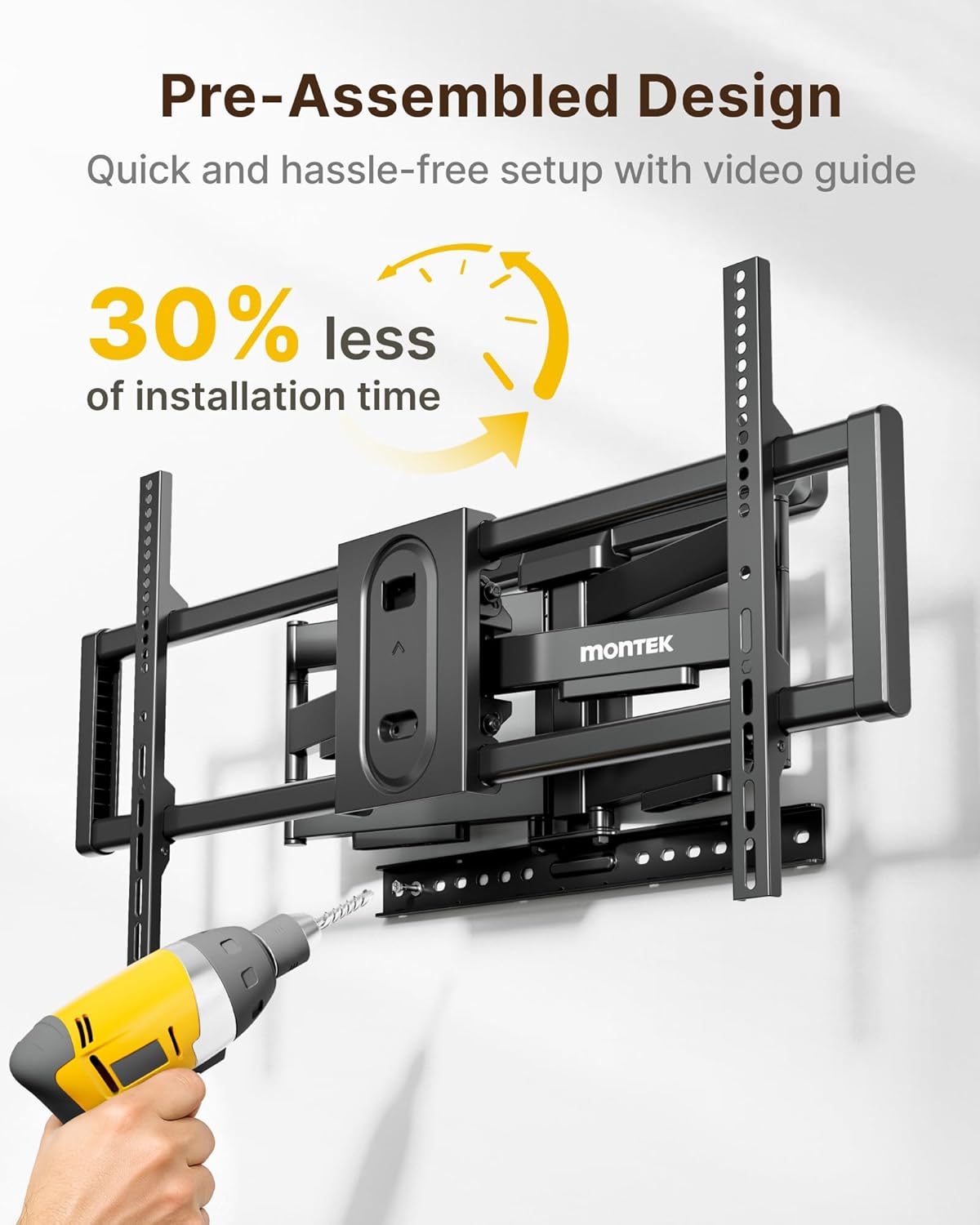
The package includes the pre-assembled wall mount, TV brackets, various screws (M-A, M-B, M-C, M-D), washers (M-E, M-F), spacers (M-G), wall anchors (W-B), lag bolts (W-A), and washers (W-C) for wall mounting. A bubble level and a small wrench are also provided.
Erforderliche Werkzeuge (nicht im Lieferumfang enthalten)
- Phillips Schraubendreher
- Elektrische Bohrmaschine
- Steckschlüssel
- Bleistift
- Balkensucher (für die Montage von Holzständern)
- Maßband
Setup und Installation
Schritt 1: Befestigen Sie die TV-Halterungen am Fernseher
- Legen Sie Ihren Fernseher vorsichtig mit dem Bildschirm nach unten auf eine weiche, saubere Oberfläche.
- Identifizieren Sie die VESA-Montagelöcher auf der Rückseite Ihres Fernsehers.
- Select the appropriate screws (M-A, M-B, M-C, M-D), washers (M-E, M-F), and spacers (M-G) that fit your TV's VESA pattern. Hand-thread screws to determine correct diameter.
- Attach the two vertical TV brackets to the back of your TV using the selected hardware. Ensure the brackets are centered and level.
- If the brackets block input ports, adjust their position upwards to clear the ports, ensuring they do not exceed the top edge of the TV.


Step 2: Install Wall Plate to Wall
- Wandtyp bestimmen: This mount is compatible with wood stud walls (16"/18" spacing), concrete walls, and solid brick walls. Nicht nur auf Gipskartonwänden montieren.
- Für Holzständerwände:
- Use a stud finder to locate the edges and center of your wood studs. Mark the center of the studs at your desired TV height.
- Place the wall plate against the wall, aligning the mounting holes with the marked stud centers. Use the included bubble level to ensure it is perfectly horizontal.
- Mark the drill points. Drill pilot holes using a 6.0mm (1/4") drill bit to a depth of 90mm (3.5").
- Attach the wall plate using lag bolts (W-A) and washers (W-C). Tighten securely with a socket wrench.
- Für Beton-/Ziegelwände:
- Place the wall plate against the wall at your desired TV height. Use the included bubble level to ensure it is perfectly horizontal.
- Mark the drill points. Drill pilot holes using a 12mm (1/2") drill bit to a depth of 95mm (3.7").
- Insert concrete anchors (W-B) into the drilled holes.
- Attach the wall plate using lag bolts (W-A) and washers (W-C). Tighten securely with a socket wrench.
- Extend the wall plate arms and verify that the mount is firmly secured to the wall.


Video: Detailed animation of the TV Wall Mount Installation process.
Schritt 3: Hängen Sie den Fernseher auf
- With assistance, carefully lift the TV and hook the attached TV brackets onto the wall plate.
- Stellen Sie sicher, dass der Fernseher fest auf der Wandhalterung sitzt.
- Engage the safety locks on the TV brackets to prevent accidental dislodgement.

Bedienungsanleitung
Einstellen der TV-Position
- Aus-/Einfahren: The dual swing arms allow the TV to extend up to 18.9 inches from the wall for viewing and retract back to 2.56 inches for a low-profile sehen.
- Schwenken: The mount offers a smooth ±60° swivel range, allowing you to adjust the TV for optimal viewing from various angles in the room.
- Neigung: Adjust the TV tilt from +5° to -10° to reduce glare and achieve a comfortable viewing angle. Use the provided wrench to loosen/tighten the tilt mechanism.
- Bildschirmnivellierung: After hanging, the screen can be leveled ±3° to ensure perfect horizontal alignment. Use the provided wrench to adjust the leveling bolts on the TV brackets.


Video: Overview of the monTEK Heavy Duty Full Motion TV Wall Mount features, including movement and stability.
Video: Demonstration of the monTEK Heavy Duty Tilting TV Wall Mount's tilting capabilities.
Kabelmanagement
The mount features a built-in cable management design to help organize and hide cables, maintaining a neat and orderly appearance for your entertainment area.
Wartung
- Überprüfen Sie regelmäßig alle Schrauben und Bolzen, um sicherzustellen, dass sie fest angezogen und sicher befestigt sind.
- Reinigen Sie die Halterung mit einem weichen, trockenen Tuch. Vermeiden Sie scheuernde Reiniger oder Lösungsmittel.
- Ensure the moving parts operate smoothly. Do not force any adjustments.
Fehlerbehebung
- Fernseher nicht waagerecht: Use the screen leveling adjustment feature as described in the Operating Instructions.
- Die Halterung fühlt sich locker an: Re-check all wall mounting bolts and TV bracket screws. Ensure they are tightened securely. If mounted on wood studs, verify studs were correctly located.
- Anpassungsschwierigkeiten: Ensure no cables are snagged. Loosen adjustment bolts slightly if movement is too stiff, then re-tighten to desired tension.
- Fehlende Teile: Contact monTEK customer service for assistance.
Technische Daten
| Marke | monTEK |
| Modellnummer | HW1276BK |
| Montagetyp | Wandhalterung |
| Bewegungstyp | Gelenkig, schwenkbar |
| Material | Legierter Stahl |
| Farbe | Schwarz |
| Kompatible Geräte | Television (43-100 Inches) |
| Minimum Supported Screen Size | 43 Zoll |
| Maximum Supported Screen Size | 100 Zoll |
| Maximale Tragfähigkeit | 150 lbs (68 kg) - 4X Strength Tested |
| VESA-Kompatibilität | 200 x 200 mm bis 800 x 600 mm |
| Schwenkbereich | ±60° |
| Neigungsbereich | +5° bis -10° |
| Siebnivellierung | ±3° |
| Verlängerung von der Wand | 2.56 Zoll (eingefahren) bis 18.9 Zoll (ausgefahren) |
| Artikelgewicht | 17.9 Pfund |
Garantie und Support
This monTEK TV Wall Mount comes with a 10 Jahr Garantie. For any questions, technical support, or warranty claims, please contact monTEK customer service through the retailer where you purchased the product or visit the official monTEK webWebsite.
Online-Ressourcen: