
1. Einleitung
This manual provides detailed instructions for the safe and proper installation, operation, and maintenance of your monTEK Heavy Duty XXL Full Motion TV Wall Mount. Designed for extra-large televisions ranging from 60 to 120 inches and supporting up to 265 lbs, this mount offers full motion flexibility including extension, swivel, and tilt adjustments. Please read this manual thoroughly before installation and retain it for future reference.
2. Sicherheitshinweise
WARNING: DO NOT MOUNT ON DRYWALL ALONE!
Incorrect installation may result in serious injury or damage to your TV and property. Always ensure the mounting surface can safely support the combined weight of the mount and your television. Due to the weight of the mount and large TVs, a 2-person installation is highly recommended.
- Use plastic anchors only for concrete or masonry walls.
- Use lag bolts only for wood stud walls.
- NICHT ausschließlich auf Trockenbauwänden installieren.
- If you have any installation problems, please contact customer support.
3. Packungsinhalt
Verify that all components are present and undamaged before proceeding with installation. Refer to the included mounting template and hardware bags.
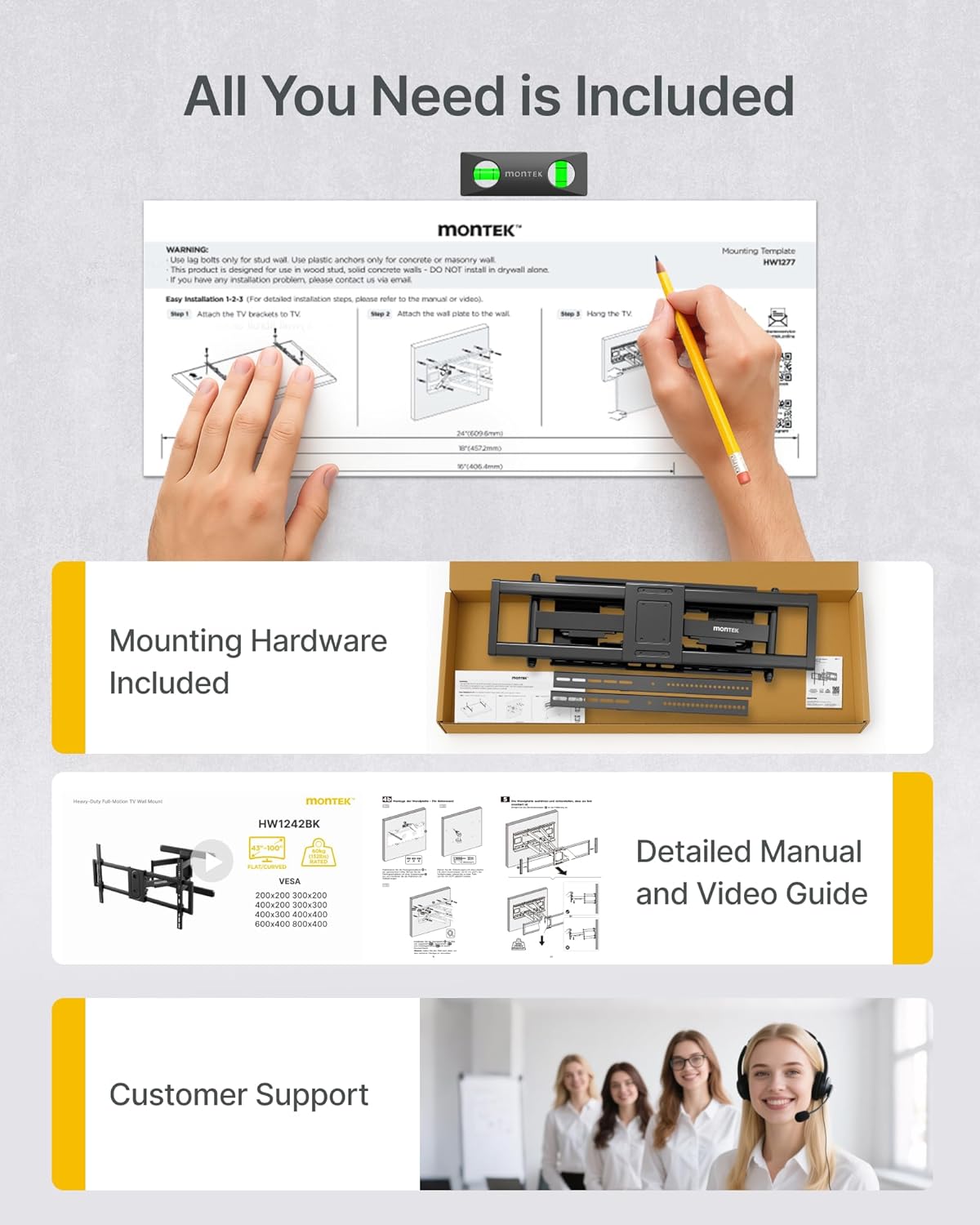
Figure 3.1: All included components for the monTEK TV Wall Mount.
Montageteile (im Lieferumfang enthalten)
- Various TV screws (M6x14mm, M8x16mm, M6x30mm, M8x35mm)
- Washers (M-E)
- Spacers (M-F, M-G)
- Lag bolts (W-A)
- Concrete anchors (W-B)
- Washers (W-C)
- Wasserwaage
- Montagevorlage
- Bedienungsanleitung
4. Benötigtes Werkzeug (nicht im Lieferumfang enthalten)
- Phillips Schraubendreher
- Bohren
- Steckschlüssel
- Bleistift
- Bolzenfinder
5. Installationsanleitung
5.1. Bereiten Sie den Fernseher vor.
- Überprüfen Sie die VESA-Kompatibilität: Ensure your TV's VESA pattern is between 200x200mm and 900x600mm. The mount supports TVs from 60 to 120 inches and up to 265 lbs.
- Select TV Screw Length: Choose the appropriate screws (M-A, M-B, M-C, M-D) and washers (M-E) or spacers (M-F, M-G) that fit your TV's mounting holes. For flat TVs, use M-A or M-B screws with M-E washers. For curved TVs, use M-C or M-D screws with M-E washers and M-F or M-G spacers.
- TV-Halterungen anbringen: Secure the TV brackets to the back of your television. Ensure the brackets do not block any input ports. Adjust the bracket position (high or low VESA mounting hole) to avoid interference. Make sure the brackets are level.
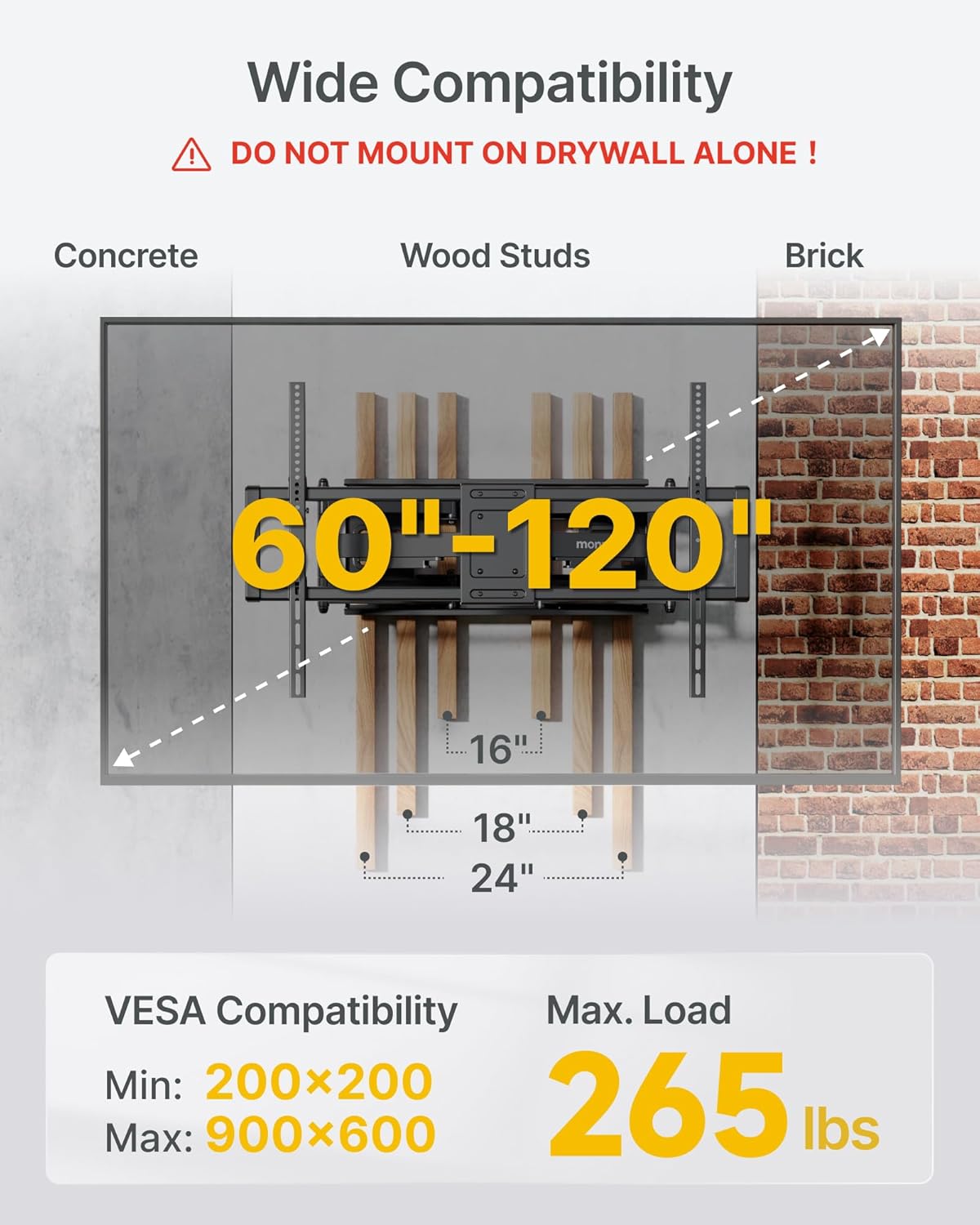
Figure 5.1: VESA compatibility and load capacity.
5.2. Wandplatte montieren
The monTEK mount is compatible with wood stud, concrete, and brick walls. Use a stud finder to locate wood studs if applicable.
- Bohrstandorte markieren: Use the provided mounting template (HW1277) and a pencil to mark the drilling points on your wall. Ensure the template is level.
- Pilotlöcher bohren:
- Für Holzständerwände (16"/18"/24" spacing): Drill pilot holes with a 6.0mm (1/4") drill bit to a depth of 90mm (3.5").
- Für Concrete/Brick Walls: Drill pilot holes with a 12mm (1/2") drill bit to a depth of 95mm (3.7"). Insert concrete anchors (W-B) into the drilled holes.
- Wandplatte anbringen: Align the wall plate with the drilled holes. Secure the wall plate to the wall using lag bolts (W-A) and washers (W-C) with a socket wrench. Ensure the wall plate is firmly mounted and level.

Figure 5.2: Wall plate securely mounted.
5.3. Hängen Sie den Fernseher auf
- Fernseher an der Wandplatte befestigen: Carefully lift your TV (with brackets attached) and hook it onto the wall plate. The pre-assembled design and quick lock & release feature simplify this step.
- Sicheres Fernsehen: Engage the quick release mechanism to lock the TV securely onto the wall plate.
- Kabelmanagement: Utilize the integrated cable management features to route and organize your TV cables for a clean setup.
Video 5.1: Detailed installation guide for the monTEK Heavy Duty TV Wall Mount.
6. Bedienungsanleitung
The monTEK TV Wall Mount offers versatile adjustments for optimal viewing.
- Verlängerung: Extend the TV up to 27.7 inches from the wall for optimal viewing and easy cable access.
- Schwenken: Swivel the TV ±60° left or right to achieve the perfect viewing angle from anywhere in the room.
- Neigung: Adjust the vertical tilt from +5° to -15° to reduce glare and optimize your viewing experience. This is a tool-free adjustment.
- Bildschirmnivellierung: After installation, you can adjust the screen leveling by ±5° to ensure your TV is perfectly horizontal.

Figure 6.1: Flexible extension and tilt capabilities.

Figure 6.2: Swivel adjustment for optimal viewing.
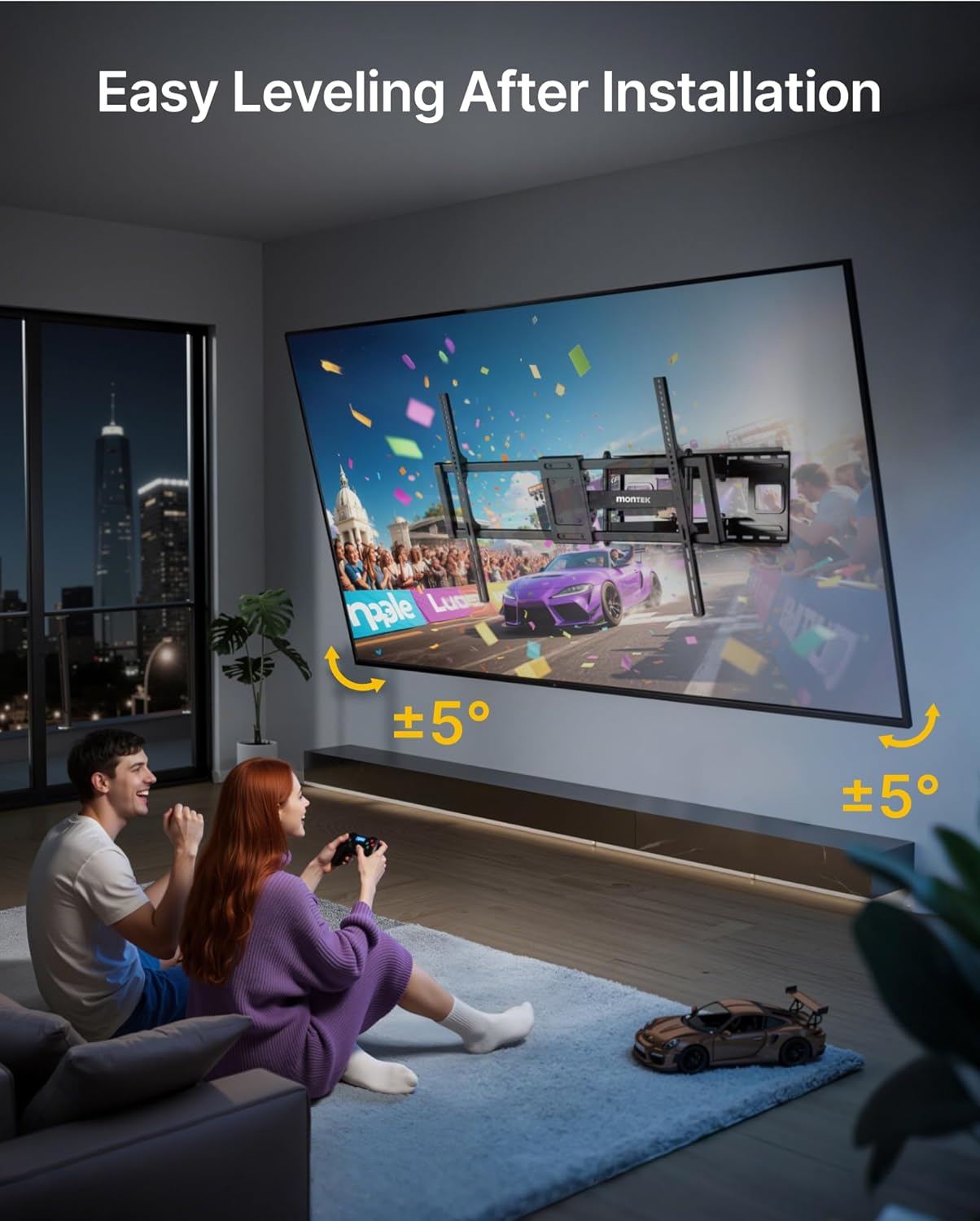
Figure 6.3: Screen leveling adjustment.
Video 6.1: Demonstration of the monTEK TV Wall Mount's full motion features.
7. Wartung
Um die Langlebigkeit und den sicheren Betrieb Ihrer TV-Wandhalterung zu gewährleisten, beachten Sie bitte folgende Wartungshinweise:
- Regelmäßige Reinigung: Wischen Sie die Halterung mit einem weichen, trockenen Tuch ab, um Staub zu entfernen. Vermeiden Sie scheuernde Reinigungsmittel oder Lösungsmittel.
- Regelmäßige Inspektion: Periodically check all screws and bolts to ensure they are tight and secure. Re-tighten if necessary.
- Schmierung: Falls die Gelenkarme steif werden, tragen Sie eine kleine Menge Gleitmittel auf Silikonbasis auf die beweglichen Gelenke auf.
8. Fehlerbehebung
If you encounter any issues with your monTEK TV Wall Mount, please refer to the following common solutions:
- TV-Niveau nicht: Use the screen leveling adjustment feature (±5°) as described in Section 6. If the wall plate itself is not level, you may need to re-adjust its mounting.
- Schwierigkeiten beim Bewegen der Arme: Ensure all adjustment bolts are not overtightened. If the arms are stiff, apply lubricant as per maintenance instructions.
- Das Mount fühlt sich instabil an: Immediately remove the TV from the mount. Re-check all wall mounting bolts and TV bracket screws for tightness. Ensure the mount is installed into appropriate wall structures (wood studs, concrete, or brick) and not drywall alone.
For further assistance, please contact monTEK customer support.
9. Spezifikationen
| Besonderheit | Spezifikation |
|---|---|
| Marke | monTEK |
| Modellnummer | HW1277BK |
| Kompatible TV-Größen | 60-120 Zoll |
| Maximale Gewichtskapazität | 265 Pfund |
| VESA-Kompatibilität | 200 x 200 mm bis 900 x 600 mm |
| Bewegungstyp | Gelenkig, schwenkbar |
| Erweiterungsbereich | 2.95 Zoll (eingefahren) bis 27.7 Zoll (ausgefahren) |
| Schwenkwinkel | ±60° |
| Neigungswinkel | +5° bis -15° |
| Screen Leveling Adjustment | ±5° |
| Material | Legierter Stahl |
| Farbe | Schwarz |
| Technische Daten | 39.76 x 2.95 x 24.8 Zoll |
| Artikelgewicht | 4.8 Pfund |
10. Garantie und Support
monTEK provides lifetime customer support for this product. If you have any questions, concerns, or require assistance with installation or operation, please do not hesitate to contact our professional guidance team. We are committed to ensuring your satisfaction.