
1. Produktüberschreitungview
The dbsono F29MAX is a powerful 100W outdoor Bluetooth speaker designed for robust audio performance in various environments. It features dual 35W subwoofers and dual 10W tweeters for clear highs, pure mids, and deep bass. The speaker is equipped with RGB lights that sync to the beat, an IPX7 waterproof rating, and a built-in power bank function for extended use.

Figure 1: dbsono F29MAX 100W Outdoor Bluetooth Speaker
2. Packungsinhalt
- dbsono F29MAX Portable Bluetooth Speaker
- Stromkabel (USB-C)
- AUX-Kabel
- Benutzerhandbuch (dieses Dokument)
3. Einrichtung
3.1 Erstaufladung
Before first use, fully charge the speaker using the provided USB-C power cable. The built-in battery provides up to 30 hours of playtime on a single charge (tested at 30% volume with lights off).
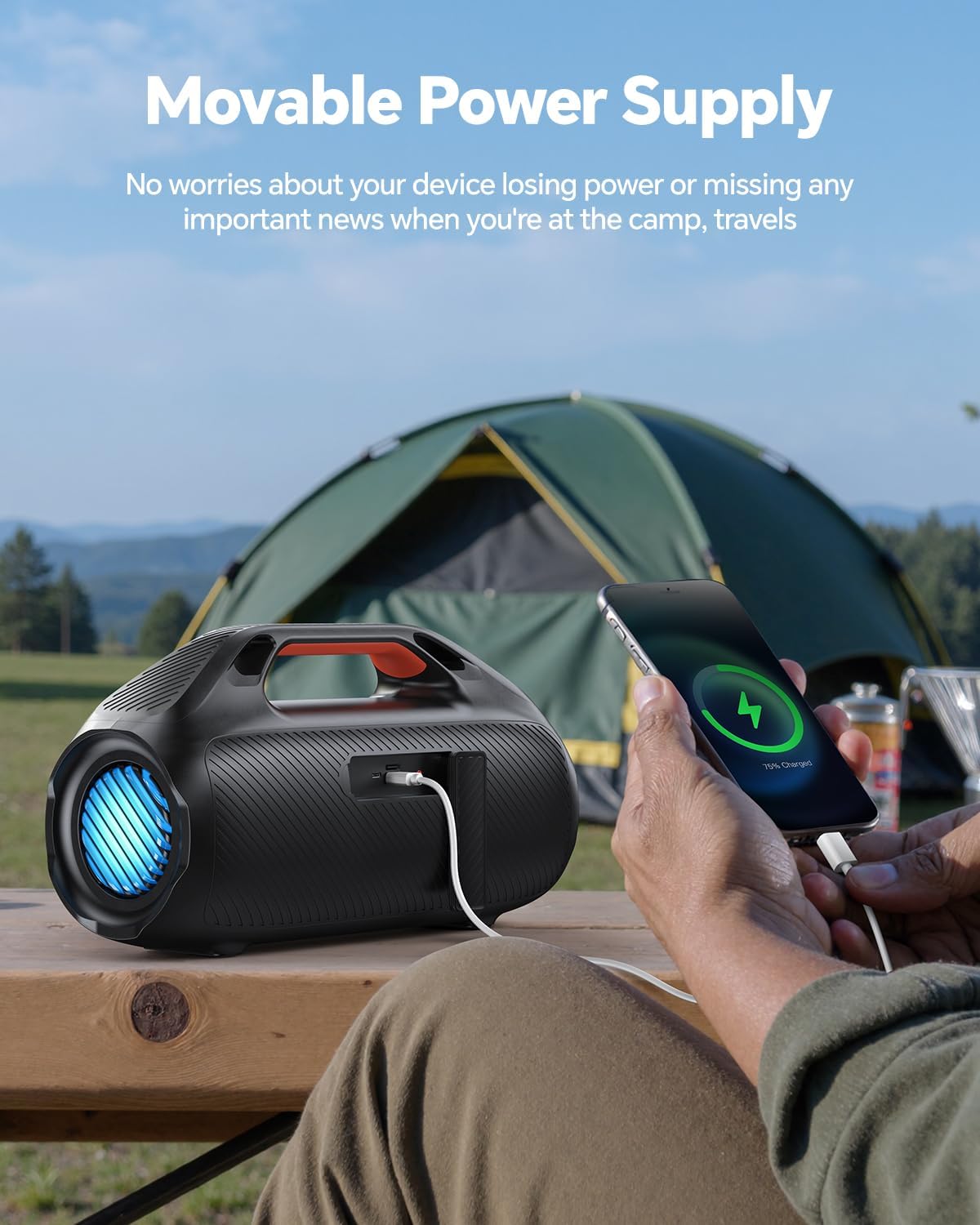
Figure 2: Speaker functioning as a power bank to charge a phone.
3.2 Bluetooth-Verbindung
- Long-press the power button on the speaker to turn it on. The Bluetooth indicator light will blink.
- On your mobile device, navigate to Bluetooth settings and ensure Bluetooth is enabled.
- Select "DB F29MAX" from the list of available devices to pair.
- A prompt sound will confirm successful pairing.
For a visual guide on connecting via Bluetooth, please refer to the video below:
Video 1: How to Connect the Bluetooth Speaker
3.3 True Wireless Stereo (TWS) Kopplung
To achieve a stereo sound experience, you can pair two dbsono F29MAX speakers together:
- Stellen Sie sicher, dass beide Lautsprecher eingeschaltet und nicht mit einem Bluetooth-Gerät verbunden sind.
- Double-press the Play/Pause (►►) button on one speaker. You will hear a tone.
- Double-press the Play/Pause (►►) button on the second speaker. You will hear another tone.
- The speakers will automatically pair with each other. Once paired, one speaker's Bluetooth indicator will be solid blue, and the other's will slowly blink.
- Connect your mobile device to the speaker with the solid blue Bluetooth indicator (this is the primary speaker).
For a visual guide on TWS pairing, please refer to the video below:
Video 2: How to Connect Two Bluetooth Speakers (TWS)
4. Bedienungsanleitung
4.1 Bedienelemente
Der Lautsprecher verfügt über intuitive Bedienelemente auf der Oberseite:
- Netzschalter: Zum Ein-/Ausschalten lange drücken.
- Bluetooth-Taste: Drücken Sie, um in den Bluetooth-Kopplungsmodus zu wechseln.
- Lauter (+): Lautstärke erhöhen.
- Lautstärke runter (-): Lautstärke verringern.
- Wiedergabe/Pause (►►): Play or pause audio. Double-press for TWS pairing.
- Lichtknopf (☀): Cycle through RGB light modes or turn lights off.
- EX-Bass Button: Activate/deactivate enhanced bass mode.
4.2 RGB-Leuchten
The speaker features beat-synced RGB lights on its sides, enhancing your audio experience with a visual display. Use the Light Button (☀) to change light patterns or turn them off. Note that using the lights may reduce battery life.

Figure 3: Dynamic RGB Light Show
4.3 EX-Bass Mode
Activate the EX-Bass mode for enhanced low-end bass performance, providing a more immersive sound experience. Press the EX-Bass button to toggle this feature.

Figure 4: Astounding Bass with EX-Bass Mode
4.4 Powerbank-Funktion
The speaker includes a built-in power bank function, allowing you to charge your mobile devices via the USB-A port. This is particularly useful during outdoor activities like camping oder reisen.
4.5 Audioeingangsoptionen
In addition to Bluetooth 5.3, the speaker supports multiple audio input options:
- USB: Zum Abspielen von Audiodateien von einem USB-Laufwerk.
- AUX: Connect devices via the 3.5mm auxiliary input.
- TF-Karte: Insert a TF (MicroSD) card for direct audio playback.
5. Wartung
5.1 Wasserdichtigkeit (IPX7)
The dbsono F29MAX speaker is IPX7 waterproof, meaning it can withstand immersion in water up to 1 meter for 30 minutes. It is suitable for use near pools, beaches, and during light rain. Ensure all port covers are securely sealed for effective waterproofing.

Figure 5: IPX7 Waterproof Speaker in an outdoor setting.
For demonstrations of the speaker's waterproof capabilities, please watch the videos below:
Video 3: IPX7 Waterproof Beach Speaker
Video 4: Waterproof Speaker for Outdoor Travel Beach Camping
5.2 Reinigung
Wischen Sie den Lautsprecher mit einem weichen, damp cloth. Avoid using harsh chemicals or abrasive cleaners, as these can damage the surface and waterproof seals.
5.3 Batteriepflege
To prolong battery life, avoid fully discharging the speaker frequently. Store the speaker in a cool, dry place when not in use for extended periods. Charge the battery at least once every three months to prevent deep discharge.
6. Fehlerbehebung
- Lautsprecher schaltet sich nicht ein: Stellen Sie sicher, dass der Akku geladen ist. Verbinden Sie den Lautsprecher mit einer Stromquelle über das USB-C-Kabel.
- Bluetooth stellt keine Verbindung her:
- Ensure the speaker is in pairing mode (Bluetooth indicator blinking).
- Überprüfen Sie, ob Bluetooth auf Ihrem Gerät aktiviert ist.
- Bringen Sie Ihr Gerät näher an den Lautsprecher heran (innerhalb von 100 Metern).
- Entferne das Gerät aus den Bluetooth-Einstellungen deines Telefons und versuche es erneut mit einer Kopplung.
- TWS-Kopplungsprobleme:
- Stellen Sie sicher, dass beide Lautsprecher mit keinem anderen Bluetooth-Gerät verbunden sind, bevor Sie die TWS-Kopplung versuchen.
- Befolgen Sie die TWS-Kopplungsschritte sorgfältig (Abschnitt 3.3).
- Warnung bei niedrigem Batteriestand: The speaker will emit a low-battery alert when the power level drops below 10%. If the alert sounds, allow 10 minutes of uninterrupted charging (without playback) for the alert to stop.
- Klangverzerrung: Verringern Sie die Lautstärke sowohl am Lautsprecher als auch an Ihrem angeschlossenen Gerät. Stellen Sie sicher, dass die Audioquelle eine gute Qualität aufweist.
7. Spezifikationen
| Besonderheit | Detail |
|---|---|
| Modellname | F29MAX |
| Marke | dbsono |
| Lautsprechertyp | Outdoor, Portable, Waterproof, Surround Sound |
| Maximale Lautsprecherausgangsleistung | 100 Watt |
| Konnektivitätstechnologie | Bluetooth 5.3, AUX-Anschluss, USB-Anschluss |
| Bluetooth-Reichweite | Bis zu 100 Fuß |
| Wasserbeständigkeit | IPX7 (wasserdicht) |
| Spielzeit | Bis zu 30 Stunden |
| Besondere Merkmale | Bass Boost, Built-In Powerbank, LED Light, Portable |
| Technische Daten | 15.88"T x 8.79"B x 6.55"H |
| Artikelgewicht | 8.8 Pfund |
| Material | Acrylnitril-Butadien-Styrol (ABS) |
| Stromquelle | Batteriebetrieben (1 C-Batterie im Lieferumfang enthalten) |
8. Garantie und Support
8.1 Garantieinformationen
The dbsono F29MAX speaker comes with a Limited Warranty. Please refer to the warranty card included in your package for specific terms and conditions, or visit the official dbsono webWebsite für weitere Details.
8.2 Kundendienst
For any questions, technical assistance, or support regarding your dbsono F29MAX speaker, please contact dbsono customer service. Contact information can typically be found on the product packaging, the official dbsono webWebsite oder über Ihren Händler.