
Produkt überview
The Yoidesu 100-Key Mechanical RGB Gaming Keyboard is designed for desktop PC and laptop use, offering a compact yet full-sized typing experience. It features durable white mechanical switches, customizable RGB backlighting, and a hot-swappable design for personalized switch replacement.
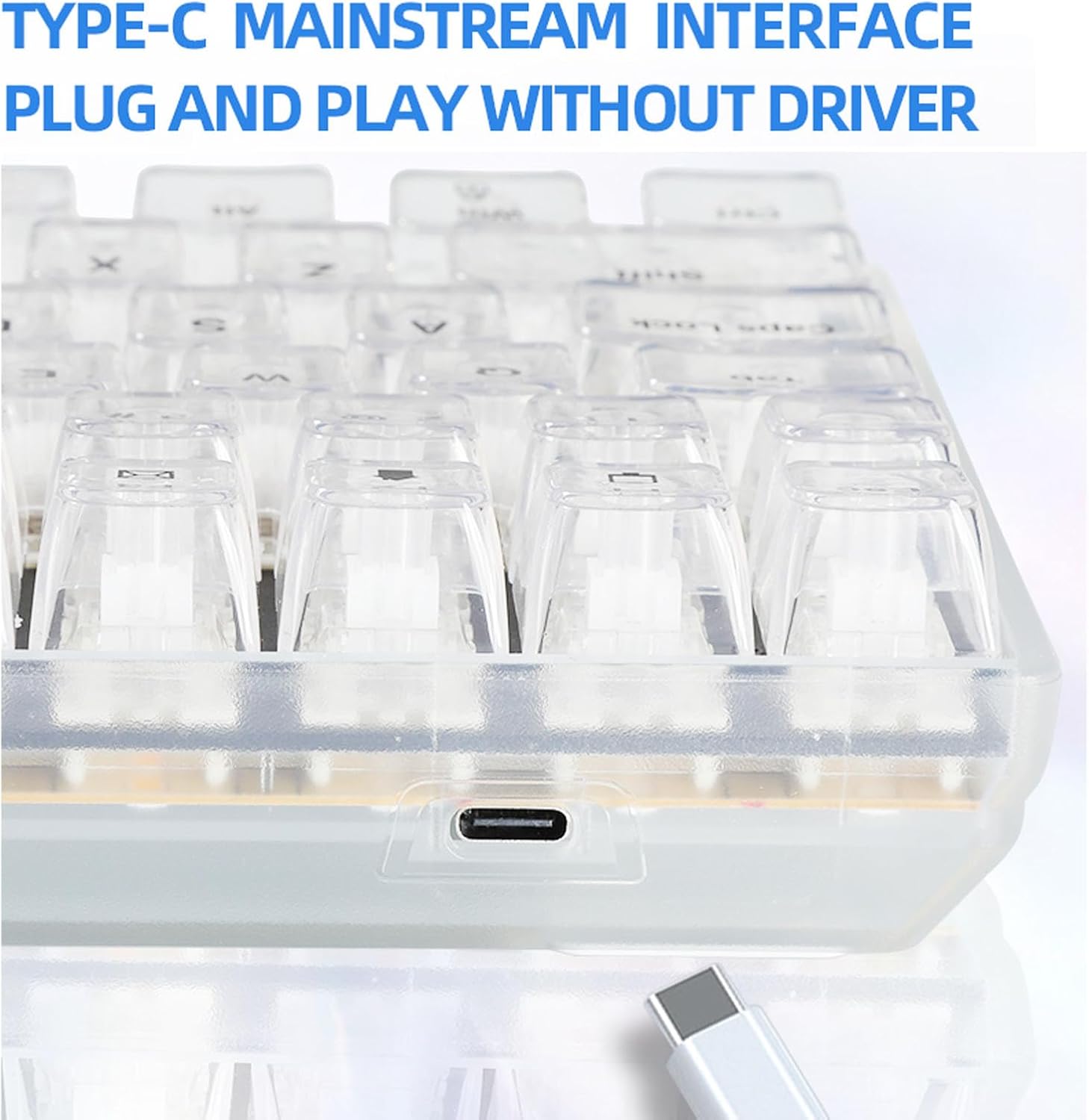
Image: The Yoidesu 100-Key Mechanical RGB Gaming Keyboard, showcasing sein vollständiges Layout und die lebendige RGB-Hintergrundbeleuchtung.
Packungsinhalt
- 1 x Yoidesu Mechanical Gaming Keyboard
- 1 x USB-Kabel
- 1 x Tastenkappen-Abzieher.
- 2 x Replacement White Switches
Installationsanweisungen
- Auspacken der Tastatur: Nehmen Sie die Tastatur und sämtliches Zubehör vorsichtig aus der Verpackung.
- Schließen Sie das USB-Kabel an: Locate the USB Type-C port on the keyboard. Insert one end of the provided USB cable into this port.
- Mit Computer verbinden: Insert the other end of the USB cable into an available USB port on your desktop PC or laptop.
- Plug-and-Play: The keyboard is designed for plug-and-play functionality. Your operating system should automatically detect and install the necessary drivers. No additional software installation is typically required.

Bild: Eine Nahaufnahme view of the USB Type-C port located on the Yoidesu keyboard, indicating the connection point for the USB cable.
Bedienungsanleitung
RGB-Hintergrundbeleuchtungssteuerung
The keyboard features customizable RGB backlighting with multiple modes and colors.
- Beleuchtungsmodi: The keyboard offers 18 distinct RGB backlit modes.
- Single Color Modes: Additionally, there are 8 single-color backlit modes available.
- Adjusting Brightness and Speed: Specific key combinations (refer to keyboard function keys, often Fn + arrow keys or dedicated lighting keys) allow adjustment of brightness levels and lighting effect speed.
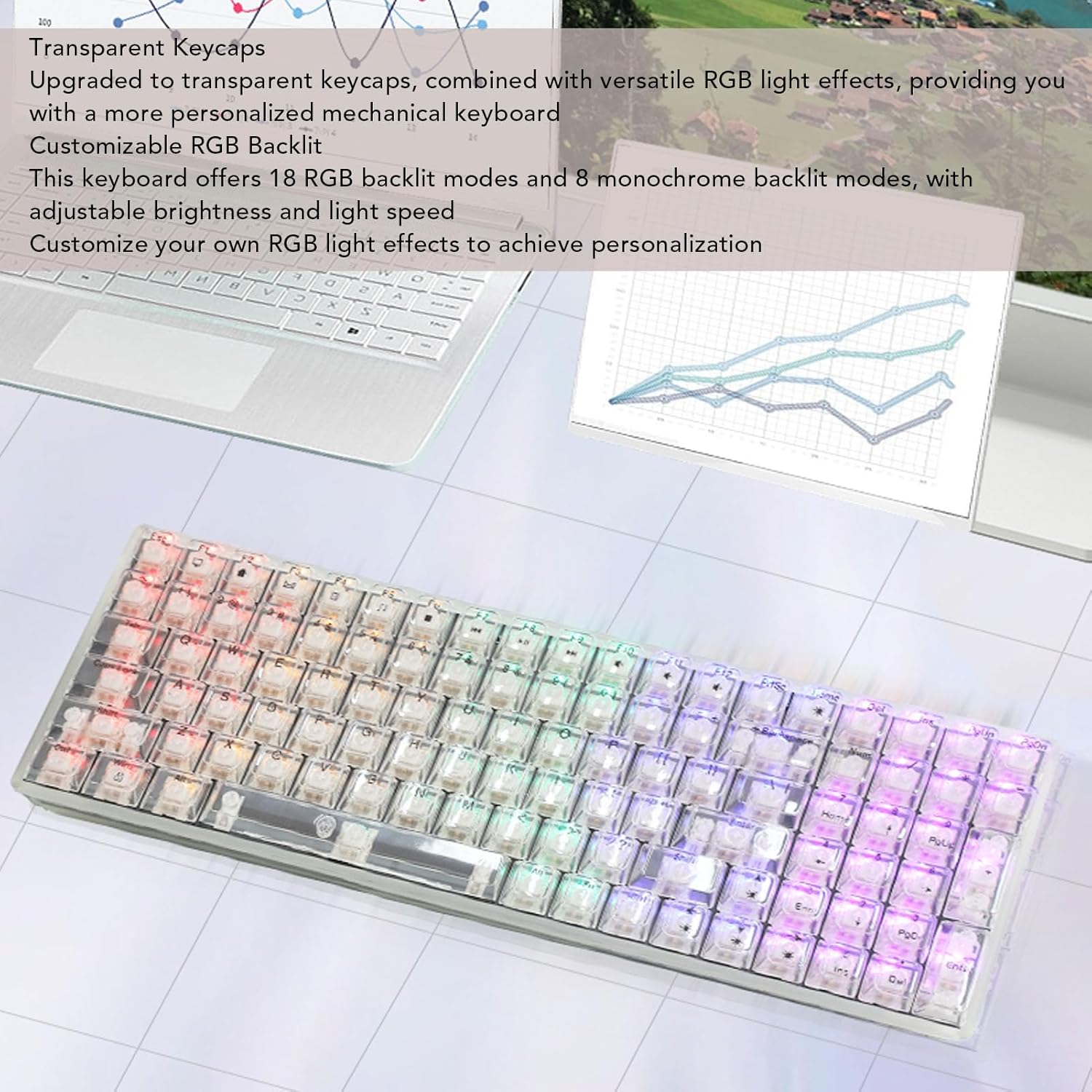
Image: The Yoidesu keyboard displaying various RGB lighting effects across its transparent keycaps.
Hot-Swap-fähige Schalter
The keyboard supports hot-swappable mechanical switches, allowing users to replace switches without soldering.
- Tastenkappe entfernen: Verwenden Sie den mitgelieferten Tastenkappenabzieher, um die gewünschte Tastenkappe vorsichtig zu entfernen.
- Schalter entfernen: Use a switch puller (not included, but often integrated with keycap puller) to carefully extract the mechanical switch from its socket.
- Neuen Schalter einfügen: Align the pins of the new mechanical switch with the holes on the PCB and press down firmly until it clicks into place. Ensure pins are not bent.
- Tastenkappe austauschen: Setzen Sie die Tastenkappe wieder auf den neuen Schalter.

Image: An illustration demonstrating the process of removing a keycap and a mechanical switch from the keyboard for replacement.
Ergonomisches Design
The keyboard features an ergonomic high and low key layout and adjustable tilt angle for comfortable use.
- Verstellbare Füße: Two support feet are located on the bottom of the keyboard. Flip them out to increase the keyboard's tilt angle for a more comfortable typing position.
Wartung
Regelmäßige Reinigung trägt dazu bei, die Leistungsfähigkeit und das Aussehen Ihrer Tastatur zu erhalten.
- Allgemeine Reinigung: Verwenden Sie ein weiches, trockenes Tuch, um die Oberfläche der Tastatur abzuwischen.
- Tastenkappenreinigung: For deeper cleaning, keycaps can be removed using the provided keycap puller and cleaned with a mild soap solution. Ensure keycaps are completely dry before reattaching.
- Staubentfernung: Verwenden Sie Druckluft, um Staub und Schmutz zwischen den Tastenkappen und Schaltern zu entfernen.
- Vermeiden Sie Flüssigkeiten: Die Tastatur darf nicht in Wasser getaucht oder mit Reinigungslösungen besprüht werden.
Fehlerbehebung
Tastatur reagiert nicht
- USB-Verbindung prüfen: Ensure the USB cable is securely connected to both the keyboard and the computer. Try a different USB port on your computer.
- Starte den Computer neu: Manchmal lassen sich Verbindungsprobleme durch einen einfachen Neustart des Computers beheben.
- Test auf einem anderen Gerät: If possible, test the keyboard on another computer to determine if the issue is with the keyboard or the original computer.
RGB-Beleuchtung funktioniert nicht
- Überprüfen Sie die Helligkeitseinstellungen: Ensure the brightness level is not set to minimum. Use the keyboard's function keys to increase brightness.
- Zyklusmodi: Try cycling through the different RGB modes to see if any light up.
- Tastatur wieder anschließen: Trennen Sie das USB-Kabel und schließen Sie es wieder an.
Technische Daten
| Besonderheit | Spezifikation |
|---|---|
| Marke | Yoidesu |
| Modellname | Yoidesu1695r38yma |
| Artikeltyp | Mechanische Gaming-Tastatur |
| Material | ABS |
| Schlüssel | 100 keys (96% full size) |
| Verbindung | Kabelgebunden (USB Typ-C) |
| Schaltertyp | White Mechanical Switches (Hot-Swappable) |
| Kabellänge | Approx. 1.8m / 70.87in |
| Hintergrundbeleuchtungseffekt | RGB (18 modes, 8 single colors) |
| Leistungsaufnahme | DC 5V / <200mA |
| Abmessungen (ca.) | 390 mm (L) x 141 mm (B) x 40 mm (H) / 15.35 Zoll (L) x 5.55 Zoll (B) x 1.57 Zoll (H) |

Image: The Yoidesu keyboard with its approximate length, width, and height dimensions indicated.
Garantie und Support
For warranty information or technical support, please refer to the documentation included with your purchase or contact Yoidesu customer service through the retailer where the product was purchased. Please have your model number (Yoidesu1695r38yma) and purchase details ready when contacting support.