
1. Einleitung
The LIORQUE Visual Timer, Model TM12, is a versatile 60-minute countdown timer designed for various time management needs. Its visual display helps users of all ages understand the passage of time. This manual provides instructions for setup, operation, and maintenance to ensure optimal performance.

2. Produktmerkmale
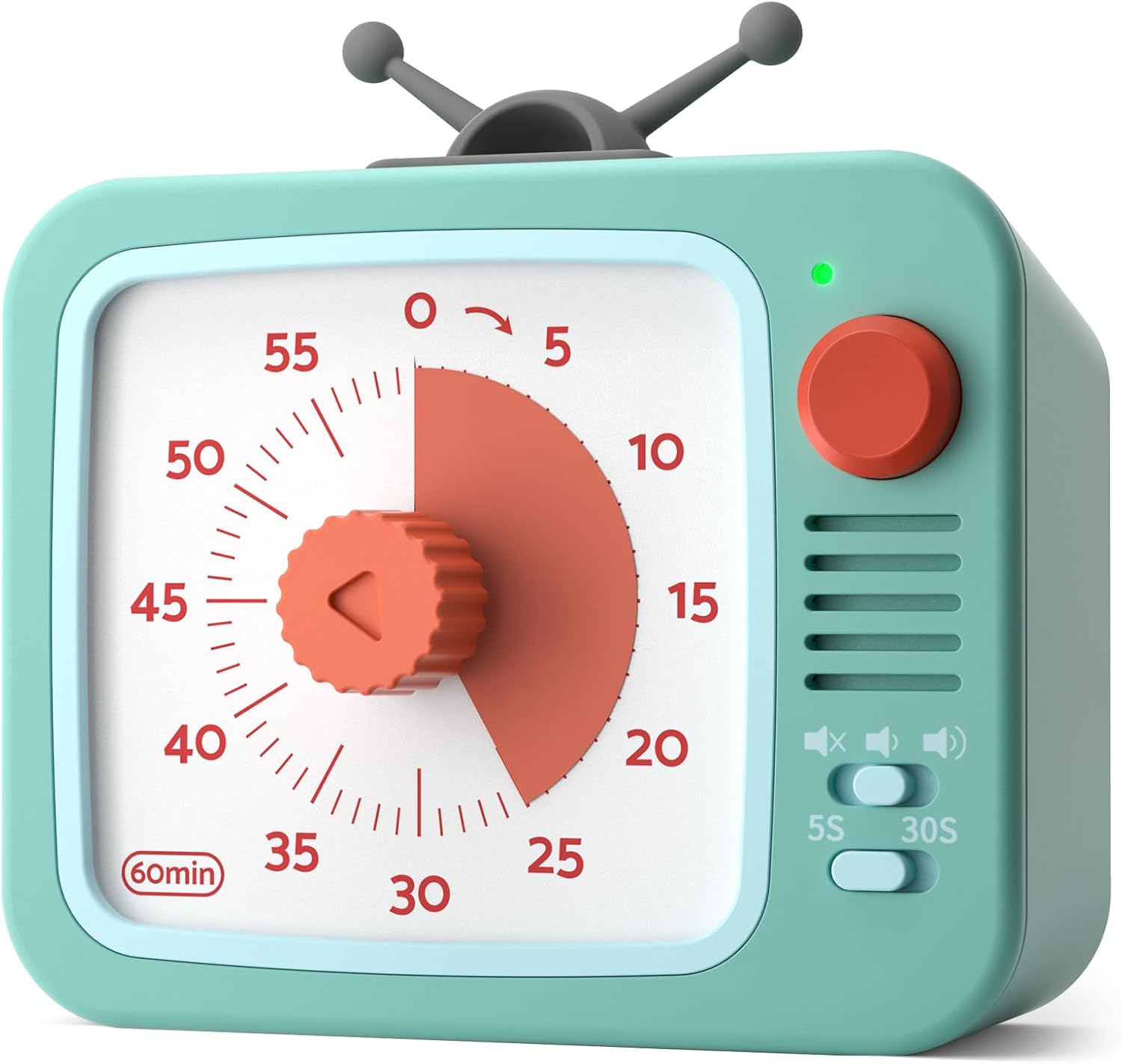
- 60-Minute Visual Countdown: A red disk visually recedes as time expires, providing a clear indication of remaining time without needing to read numbers.
- Pausenfunktion: Temporarily halt the countdown by pressing and holding the round button for 3 seconds. The indicator light changes from green to red. Press and hold again for 3 seconds to resume.
- Leiser Betrieb: Designed with a sophisticated internal structure to minimize ticking sounds, ensuring a distraction-free environment.
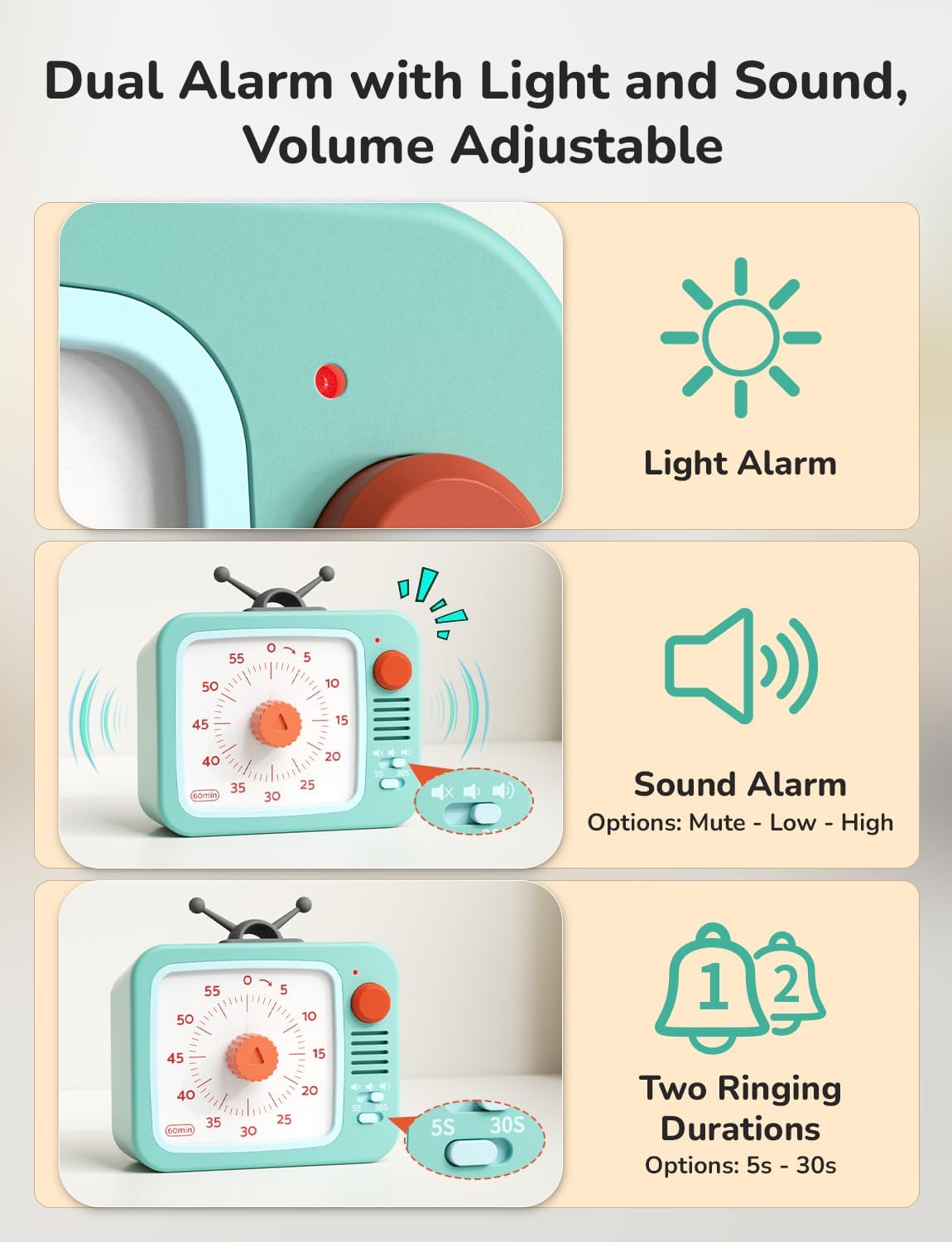
- Einstellbarer Alarm: Customize the alarm volume (Mute, Low, High) and duration (5 seconds, 30 seconds) using the switches on the side.
- Einfach zu bedienen: Simply turn the central knob clockwise to increase time and counter-clockwise to decrease it.
- Mehrere Platzierungsoptionen: Can stand freely, be wall-mounted, or magnetically attached to metal surfaces.
- Batteriebetrieben: Betrieb mit 2 AAA-Batterien (im Lieferumfang enthalten).
3. Einrichtung
3.1 Einlegen der Batterie
- Suchen Sie das Batteriefach auf der Rückseite des Timers.
- Öffnen Sie die Abdeckung des Batteriefachs.
- Insert 2 AAA batteries, ensuring correct polarity (+/-). The timer comes with batteries pre-installed; remove any protective tab if present.
- Schließen Sie den Batteriefachdeckel fest.
4. Bedienungsanleitung
4.1 Einstellen des Timers
- Turn the central red knob clockwise to increase the desired time. The red disk will expand to indicate the set duration.
- Durch Drehen des Knopfes gegen den Uhrzeigersinn wird die eingestellte Zeit verringert.
- The timer will begin counting down immediately once the knob is released. The red disk will gradually disappear as time elapses.

4.2 Pausenfunktion
- During an active countdown, press and hold the round button on the top right for 3 seconds to pause the timer. The indicator light will change from green to red.
- To resume the countdown, press and hold the round button for another 3 seconds. The indicator light will change back from red to green.

4.3 Alarmeinstellungen
- Lautstärkeregelung: Use the slide switch on the side to select between Mute, Low, or High alarm volume.
- Duration Adjustment: Use the toggle switch to select an alarm duration of either 5 seconds or 30 seconds.
- Stoppen des Alarms: When the timer reaches zero and the alarm sounds, briefly press the round button on the top right to stop the alarm. Alternatively, turn the knob clockwise slightly and then back to zero.
5. Platzierungsoptionen
The LIORQUE Visual Timer offers flexible placement to suit your needs:
- Eigenständige: Place the timer on any flat surface such as a desk, counter, or table.
- Wandhalterung: Utilize the integrated wall mount hole on the back to hang the timer on a hook or nail.
- Magnetische Befestigung: The timer features strong magnets on its back, allowing it to be securely attached to metallic surfaces like refrigerators or whiteboards.

6. Wartung
- Reinigung: Wischen Sie den Timer mit einem weichen, trockenen Tuch ab. Verwenden Sie keine Scheuermittel und tauchen Sie ihn nicht in Wasser.
- Batteriewechsel: When the timer's performance diminishes or the indicator light fails to illuminate, replace the 2 AAA batteries. Ensure proper disposal of old batteries according to local regulations.
- Lagerung: Bewahren Sie den Timer an einem kühlen, trockenen Ort auf, wenn er längere Zeit nicht benutzt wird.
7. Fehlerbehebung
- Timer startet nicht: Ensure batteries are correctly installed and have sufficient charge. Remove any protective tab from new batteries.
- Kein Alarm: Check the volume switch to ensure it is not set to 'Mute'. Verify the alarm duration switch is set correctly.
- Ungenaue Zeitangabe: Ensure the knob is turned fully to the desired time and released. If issues persist, replace batteries.
8. Spezifikationen
| Besonderheit | Detail |
|---|---|
| Modellnummer | TM12 |
| Farbe | White+green |
| Material | Plastik |
| Technische Daten | 4.33"T x 4.21"B x 2.24"H |
| Artikelgewicht | 150 Gramm (5.3 Unzen) |
| Anzahl der Einstellungen | 5 (referring to alarm settings) |
| Batterien | 2 AAA-Batterien (im Lieferumfang enthalten) |
9. Garantie und Support
For warranty information or technical support, please refer to the product packaging or contact LIORQUE customer service directly. Keep your purchase receipt for any warranty claims.