
Einführung
This manual provides detailed instructions for the proper use and maintenance of your Micool T18 Invisible Sleep Wireless Earphones. Please read this manual thoroughly before using the product to ensure optimal performance and longevity.
Lieferumfang
- Micool T18 Invisible Sleep Wireless Earphones
- Ladekabel
- Bedienungsanleitung
Produkt überview
The Micool T18 earphones are designed for comfort during sleep and extended wear. They feature a unique elephant-shaped, non-in-ear design, ensuring a lightweight and unobtrusive fit. Equipped with Bluetooth 5.4, they offer stable connectivity and intuitive touch controls.
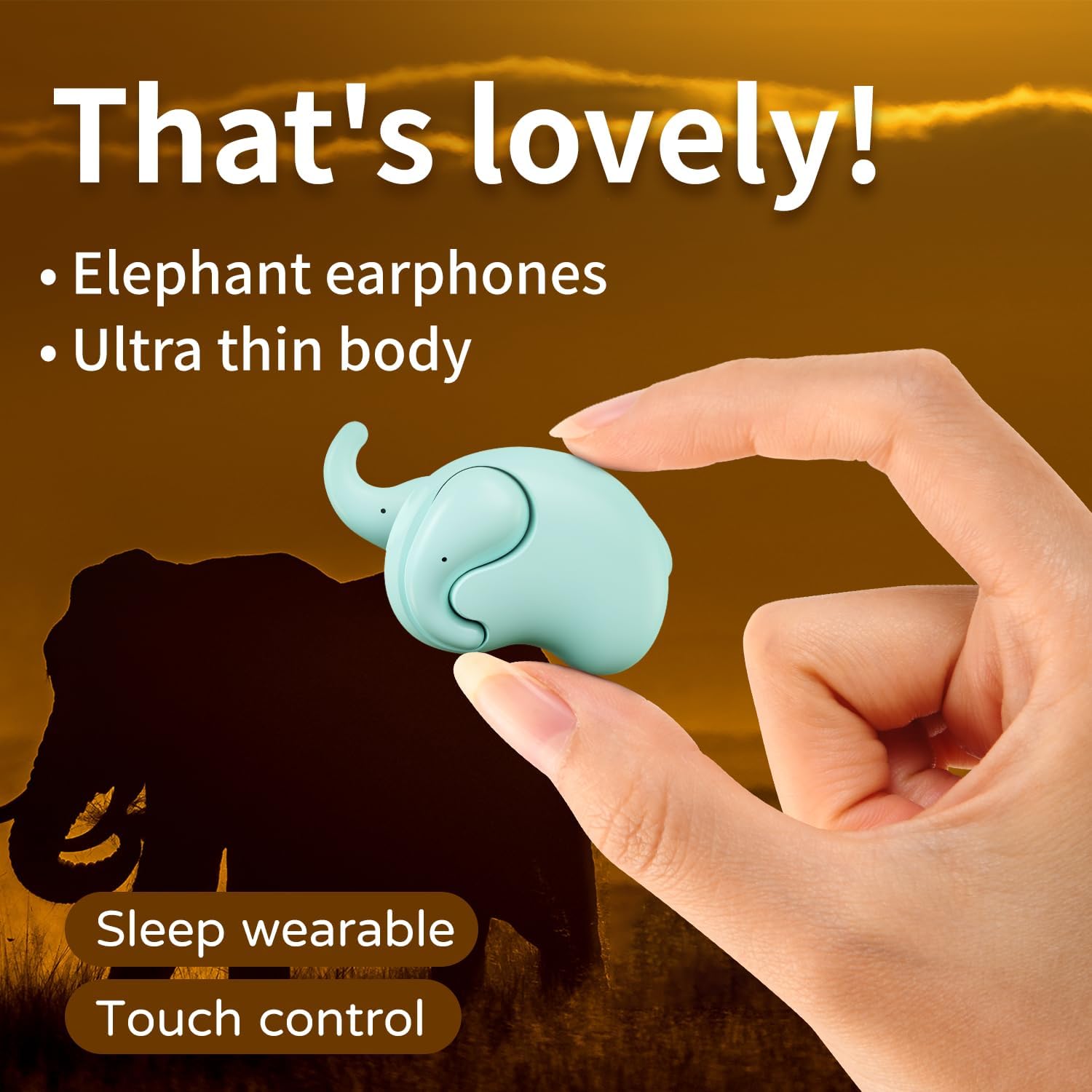
Image: The Micool T18 earphone, showcasing its compact, elephant-shaped design, held between two fingers. This image highlights its ultra-thin body and suitability for sleep wear.

Bild: Eine Nahaufnahme view of the Micool T18 earphone comfortably placed in an ear, demonstrating its mini comfort and ergonomic fit for sleeping.
Aufstellen
1. Aufladen der Ohrhörer
Before first use, fully charge the earphones. Connect the provided charging cable to the charging port on the earphones and to a USB power source. The indicator light will show charging status and turn off or change color when fully charged.
2. Bluetooth-Kopplung
- Stellen Sie sicher, dass die Kopfhörer geladen und ausgeschaltet sind.
- Press and hold the multi-function button on both earphones until the indicator lights flash red and blue alternately, indicating pairing mode.
- Aktivieren Sie auf Ihrem Gerät (Smartphone, Tablet usw.) Bluetooth und suchen Sie nach verfügbaren Geräten.
- Select "Micool T18" from the list of devices.
- Once connected, the indicator lights will stop flashing and remain solid blue or turn off, depending on the model.
- Wenn Sie zur Eingabe eines Passworts aufgefordert werden, geben Sie „0000“ ein.
Bedienungsanleitung
The Micool T18 earphones feature intuitive touch controls for various functions.
Ein-/Ausschalten
- Einschalten: Press and hold the touch area for approximately 3 seconds.
- Ausschalten: Press and hold the touch area for approximately 5 seconds.
Musikwiedergabe
- Abspielen/Pause: Einmaliges Tippen auf einen der Ohrhörer.
- Nächster Titel: Doppeltippen Sie auf den rechten Ohrhörer.
- Vorheriges Lied: Doppeltippen Sie auf den linken Ohrhörer.
Anruf-Management
- Anruf annehmen/beenden: Einmaliges Tippen auf einen der Ohrhörer.
- Anruf ablehnen: Drücken und halten Sie den Touchbereich 2 Sekunden lang.
Lautstärkeregelung
- Lautstärke erhöhen: Dreimaliges Tippen auf den rechten Ohrhörer.
- Lautstärke runter: Dreimaliges Tippen auf den linken Ohrhörer.
Wartung
Reinigung
Gently wipe the earphones with a soft, dry, lint-free cloth. Do not use abrasive cleaners, alcohol, or chemical solvents. Avoid getting moisture into any openings.
Lagerung
Store the earphones in a cool, dry place away from direct sunlight and extreme temperatures. When not in use for extended periods, ensure they are fully charged to preserve battery life.
Wasserbeständigkeit
The Micool T18 earphones are IPX5 waterproof, meaning they are resistant to splashes and sweat. They are not designed for submersion in water. Avoid using them during swimming or showering.
Fehlerbehebung
| Problem | Lösung |
|---|---|
| Die Kopfhörer lassen sich nicht einschalten. | Stellen Sie sicher, dass die Ohrhörer vollständig aufgeladen sind. |
| Kopplung mit dem Gerät nicht möglich. | 1. Stellen Sie sicher, dass Bluetooth auf Ihrem Gerät aktiviert ist. 2. Make sure earphones are in pairing mode (flashing red/blue). 3. Forget "Micool T18" from your device's Bluetooth list and try pairing again. 4. Move earphones closer to your device. |
| Kein Ton oder nur zeitweise auftretende Geräusche. | 1. Check device volume and earphone volume. 2. Ensure earphones are within Bluetooth range of your device. 3. Re-pair the earphones with your device. |
| Kopfhörer laden nicht. | 1. Check if the charging cable is securely connected. 2. Try a different USB power source or cable. 3. Ensure charging contacts on earphones are clean. |
Technische Daten
| Besonderheit | Detail |
|---|---|
| Marke | Micool |
| Modellnummer | T18 |
| Konnektivitätstechnologie | Kabellos (Bluetooth) |
| Bluetooth-Version | 5.4 |
| Platzierung des Ohrs | In Ear (Non-in-ear design) |
| Formfaktor | Echtes Wireless |
| Wasserbeständigkeit | IPX5 |
| Material | Plastik |
| Kompatible Geräte | Handys |
| Spezifische Verwendungen | Sleeping, Music |
Garantie und Support
Garantieinformationen
This product comes with a 1-year limited warranty from the date of purchase. This warranty covers manufacturing defects. Please retain your proof of purchase for warranty claims.
Kundenservice
For further assistance, technical support, or warranty inquiries, please visit the official Micool Store on Amazon: