
Einführung
This manual provides detailed instructions for the safe and efficient operation of your Kuephom PM24 Portable CD Player with Speakers. Please read this manual thoroughly before using the device and retain it for future reference.
The Kuephom PM24 is a versatile audio device offering multiple playback options including CD, Bluetooth, FM Radio, USB, and TF card. It features built-in stereo speakers, a rechargeable battery for portability, and a remote control for convenient operation.

Image: The Kuephom PM24 Portable CD Player, showcasing its design with an open CD lid, remote control, and an indicator for its rechargeable battery.
Packungsinhalt
Überprüfen Sie, ob alle Artikel im Paket vorhanden sind:
- Kuephom PM24 Portable CD Player with Speakers x 1
- Ladekabel x 1
- Fernbedienung x 1
- Benutzerhandbuch x 1
Produkt überview
The PM24 offers a range of features for diverse audio playback. Familiarize yourself with the device's components and capabilities.

Image: A visual representation of the PM24's key features, including CD/MP3 playback, Bluetooth connectivity, USB and TF card support, FM radio, audio input, headphone jack, remote control, rechargeable battery, and sleep timer.
Hauptmerkmale:
- CD/MP3-Wiedergabe: Supports standard audio CDs and MP3 files von CD-R/RW-Discs.
- Bluetooth-Konnektivität: Drahtloses Audiostreaming von kompatiblen Geräten.
- USB- und TF-Kartenunterstützung: MP3/WMA-Audio abspielen files directly from USB flash drives or TF cards (up to 32GB).
- FM Radio: Built-in FM tuner with retractable antenna and programmable presets.
- Hilfseingang: Externe Audioquellen können über ein 3.5-mm-Audiokabel angeschlossen werden.
- Kopfhöreranschluss: Zum privaten Hören.
- Fernbedienung: Vollfunktionsfernbedienung für komfortable Bedienung.
- Wiederaufladbarer Akku: Bietet tragbare Stromversorgung für längere Einsatzzeiten.
- Schlaf-Timer: Das Gerät schaltet sich nach einer voreingestellten Zeit automatisch aus.
- Stereo-Lautsprecher: Integrierte Lautsprecher für klare Audioausgabe.
Aufstellen
1. Aufladen des Geräts
Before first use, fully charge the PM24. Connect the provided charging cable to the DC 5V input port on the device and the other end to a standard USB power adapter (not included) or a computer USB port.
- Die Ladeanzeigeleuchte leuchtet während des Ladevorgangs.
- Eine vollständige Aufladung dauert in der Regel etwa 4 Stunden.
- The device provides approximately 5-8 hours of playback on a full charge, depending on volume and mode.

Image: Visual representation of the PM24's rechargeable nature, highlighting its play time and charge time.
2. Ein-/Ausschalten
Halten Sie die LEISTUNG button on the device or remote control to turn the unit on or off.
3. Installation der Fernbedienungsbatterie
The remote control requires 2 AAA batteries (not included). Open the battery compartment on the back of the remote and insert the batteries, observing the correct polarity (+/-).
Bedienungsanleitung
1. Verwendung der Fernbedienung
The remote control allows for convenient operation of all functions from a distance.

Image: A user interacting with the PM24 using the remote control, illustrating various functions accessible from the remote.
- Netzschalter: Schaltet das Gerät ein oder aus.
- Modus-Taste: Schaltet zwischen den Modi CD, Bluetooth, FM, USB, TF und AUX um.
- Wiedergabe-/Pause-Taste: Startet oder pausiert die Wiedergabe.
- Schaltflächen für vorherigen/nächsten Titel: Springt zum vorherigen oder nächsten Titel/Sender.
- Lautstärke +/- Tasten: Regelt die Lautstärke.
- Repeat/Shuffle Button: Changes playback repeat modes (e.g., repeat one, repeat all, shuffle).
- Sleep-Taste: Activates and sets the sleep timer.
2. CD-Wiedergabe
- Öffnen Sie den Deckel des CD-Fachs.
- Carefully place a CD (audio CD or MP3 CD) onto the spindle with the label side facing up.
- Schließen Sie den Deckel des CD-Fachs.
- Drücken Sie die MODUS Drücken Sie die Taste, bis der Modus „CD“ ausgewählt ist.
- Die CD-Wiedergabe startet automatisch. Falls nicht, drücken Sie die Taste WIEDERGABE/PAUSE Taste.

Image: Icons illustrating various CD playback options such as sequential play, random play, repeating a single track, repeating all tracks, and the play memory function.
3. Bluetooth-Modus
- Drücken Sie die MODUS button until "BT" (Bluetooth) mode is selected. The display will show "bt" and flash, indicating it's in pairing mode.
- Aktivieren Sie Bluetooth auf Ihrem Bluetooth-fähigen Gerät (Smartphone, Tablet usw.) und suchen Sie nach verfügbaren Geräten.
- Select "PM24" from the list of devices.
- Once paired, the "bt" indicator will stop flashing, and you can stream audio wirelessly to the PM24.

Image: A smartphone screen showing a successful Bluetooth connection to the PM24, with the player's display confirming 'bt' mode.
4. FM-Radio-Modus
- Extend the telescopic antenna on the back of the unit for optimal reception.
- Drücken Sie die MODUS Drücken Sie die Taste, bis der Modus "FM" ausgewählt ist.
- Halten Sie die WIEDERGABE/PAUSE button to initiate an automatic station scan. The radio will scan and save available stations.
- Verwenden Sie die VORHERIGER/NÄCHSTER TITEL -Tasten, um durch gespeicherte Sender zu navigieren.

Image: A user enjoying FM radio on the PM24, with visual cues indicating different radio frequencies.
5. Wiedergabe von USB-/TF-Karten
- Insert a USB flash drive into the USB port or a TF card into the TF card slot. Ensure the card is inserted correctly.
- Drücken Sie die MODUS button until "USB" or "TF" mode is selected.
- The device will automatically detect and begin playing MP3/WMA audio files aus dem eingefügten Speicher.
- Verwenden Sie die VORHERIGER/NÄCHSTER TITEL buttons to navigate between files.

Bild: Nahaufnahme view of the USB and TF card slots on the PM24, indicating their function for playing media from external storage.
6. Hilfseingang (AUX)
- Connect one end of a 3.5mm audio cable (not included) to the AUX IN port on the PM24.
- Connect the other end to the headphone jack or audio output of an external audio device (e.g., smartphone, MP3 player).
- Drücken Sie die MODUS Drücken Sie die Taste, bis der Modus „AUX“ ausgewählt ist.
- Steuern Sie Wiedergabe und Lautstärke über Ihr externes Audiogerät.
7. Schlaftimer-Funktion
Der Sleep-Timer ermöglicht es dem Gerät, sich nach einer festgelegten Zeit automatisch auszuschalten.
- While the device is playing, press the SCHLAFEN Taste auf der Fernbedienung.
- Drücken Sie wiederholt die SCHLAFEN button to cycle through available timer settings (e.g., 10, 20, 30, 60, 90 minutes).
- The selected time will be displayed. The device will automatically power off once the timer expires.

Image: A visual demonstration of the sleep timer function, showing the PM24 on a nightstand while a person sleeps.
8. Verwendung von Kopfhörern
For private listening, connect 3.5mm headphones (not included) to the KOPFHÖRERBUCHSE on the device. The built-in speakers will automatically mute when headphones are connected.
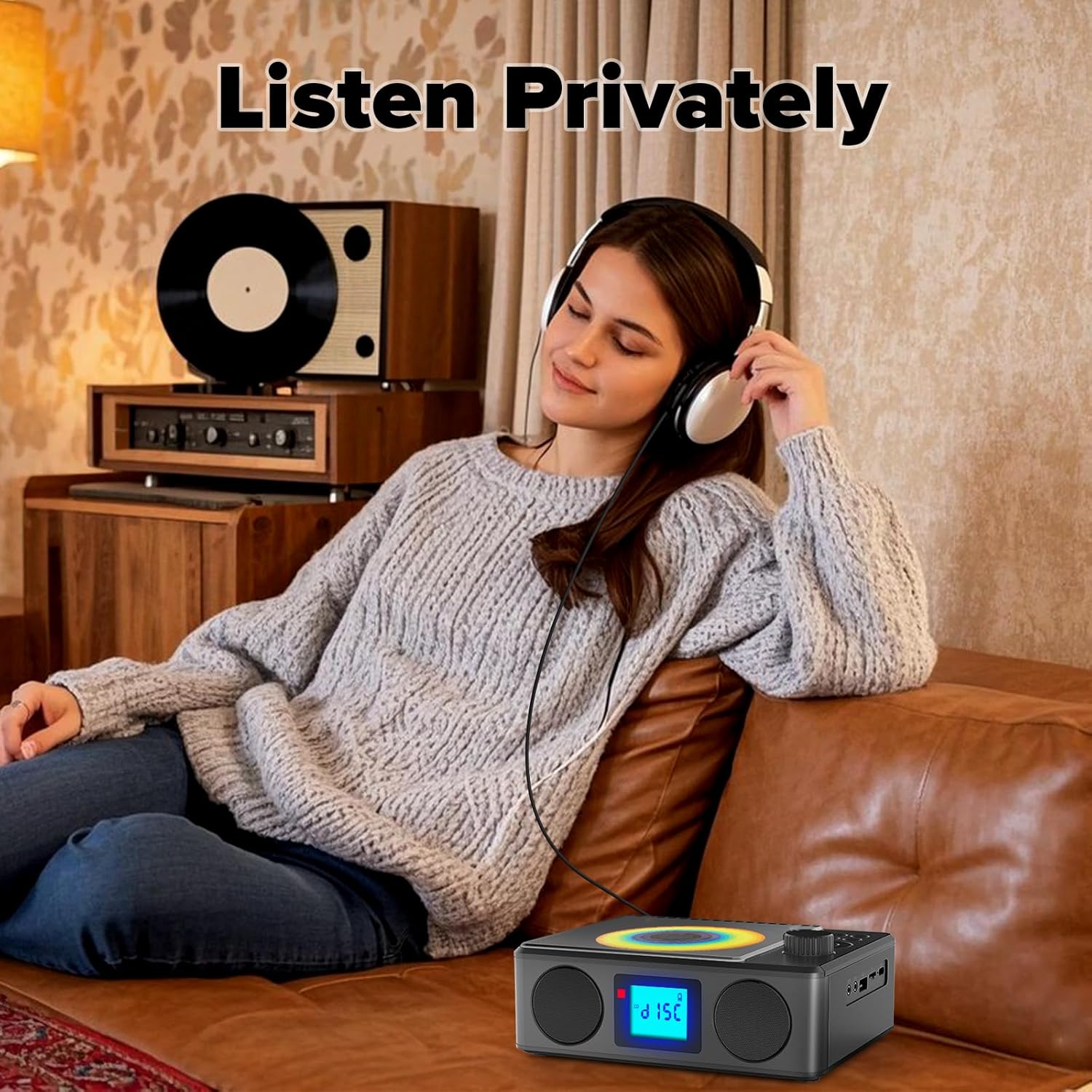
Image: A user enjoying private audio through headphones connected to the PM24.
Wartung
- Reinigung: Reinigen Sie die Außenseite des Geräts mit einem weichen, trockenen Tuch. Verwenden Sie keine Scheuermittel oder Lösungsmittel.
- CD-Pflege: Fassen Sie CDs an den Kanten an. Reinigen Sie verschmutzte CDs mit einem weichen, fusselfreien Tuch, indem Sie von der Mitte nach außen wischen.
- Lagerung: Bei längerer Nichtbenutzung sollte das Gerät an einem kühlen, trockenen Ort, vor direkter Sonneneinstrahlung und extremen Temperaturen geschützt aufbewahrt werden.
- Batterie: Um die Akkulaufzeit zu verlängern, vermeiden Sie häufiges vollständiges Entladen des Akkus. Laden Sie das Gerät regelmäßig auf, auch wenn es nicht benutzt wird.
Fehlerbehebung
| Problem | Mögliche Ursache | Lösung |
|---|---|---|
| Gerät lässt sich nicht einschalten. | Batterie ist leer. | Connect the charging cable and allow the device to charge. |
| Kein Ton aus den Lautsprechern. | Die Lautstärke ist zu niedrig oder der Ton ist stummgeschaltet. Kopfhörer sind angeschlossen. | Increase volume. Disconnect headphones. |
| Die CD springt oder spielt nicht ab. | Die CD ist verschmutzt, zerkratzt oder falsch eingelegt. | Clean the CD. Ensure it is placed correctly. Try another CD. |
| Die Bluetooth-Kopplung schlägt fehl. | Device is too far, not in pairing mode, or already paired. | Ensure PM24 is in BT mode and flashing. Move devices closer. Disconnect from other devices. |
| Schlechter FM-Radioempfang. | Antenne nicht ausgefahren oder schlechtes Signalgebiet. | Fully extend the telescopic antenna. Reposition the device for better signal. |
| Fernbedienung funktioniert nicht. | Batteries are depleted or inserted incorrectly. Obstruction between remote and device. | Replace batteries, check polarity. Remove obstructions. Ensure remote is pointed at the device. |
Technische Daten
- Modell: PM24
- Marke: Kuephom
- Produktabmessungen: 7.5 x 6.3 x 2.5 Zoll (19.05 x 16.00 x 6.35 cm)
- Artikelgewicht: 1.96 Pfund (0.89 kg)
- Konnektivitätstechnologie: Aux-Anschluss, Bluetooth, USB
- Farbe: Schwarz
- Lautsprechertyp: Stereo
- Batterien: 1 nicht standardmäßige Batterie (im Lieferumfang enthalten)
- Spielzeit: 5-8 Stunden (ca.)
- Ladezeit: 4 Stunden (ca.)
Garantie und Support
Kuephom products are designed for reliability and performance. For warranty information or technical support, please refer to the contact details provided on the product packaging or visit the official Kuephom webWebsite.
Bitte bewahren Sie Ihren Kaufbeleg für Garantieansprüche auf.