
Einführung
This manual provides detailed instructions for the assembly, operation, and maintenance of your FLEXISPOT Standing Desk with a 40x24 inch one-piece desktop. Please read this manual thoroughly before assembly and use to ensure proper function and safety.
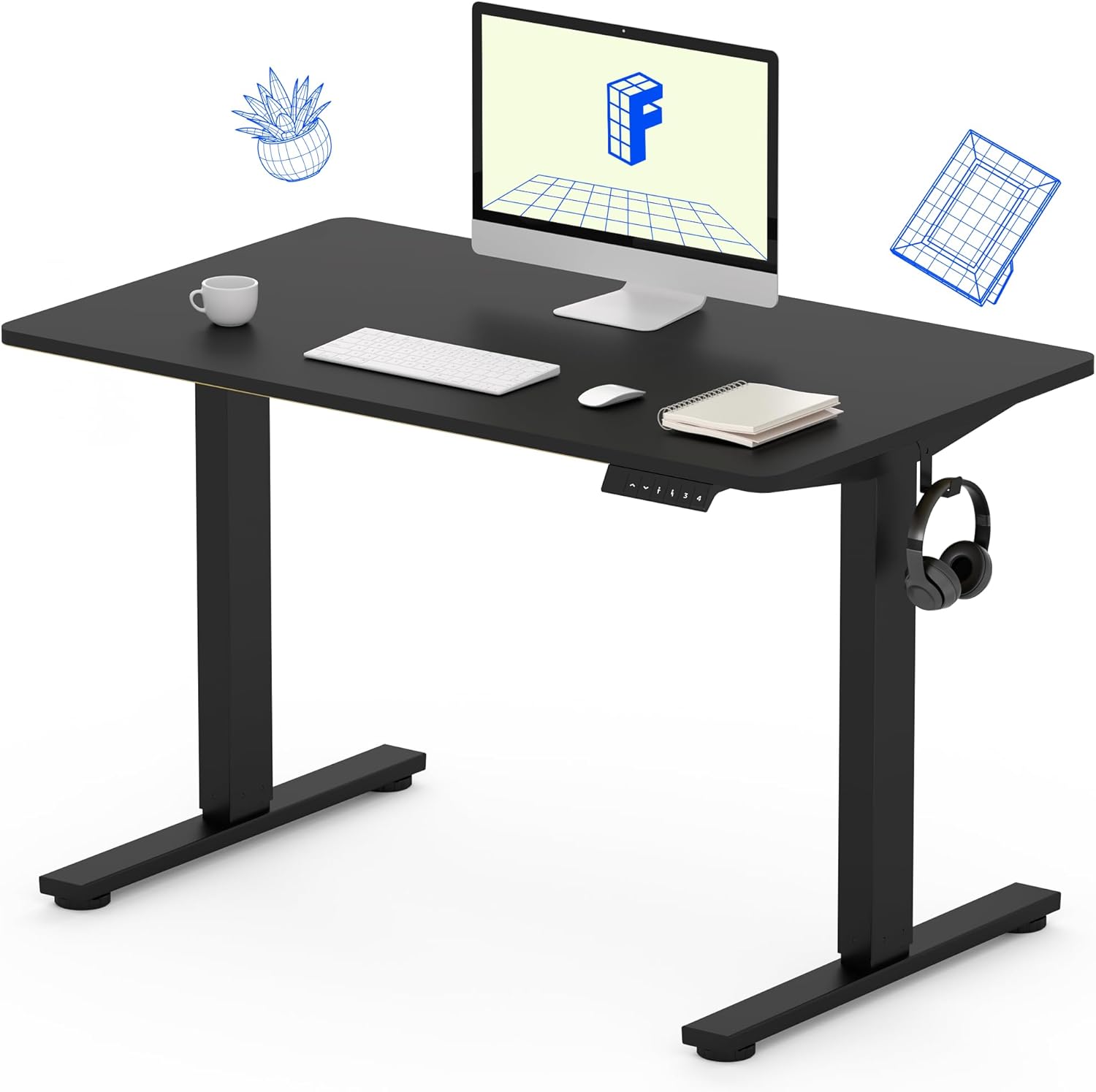
Image 1: The FLEXISPOT Standing Desk, showcasing its black desktop, black frame, and integrated control panel with a headphone hook.
Sicherheitshinweise
WARNUNG:
- Always use caution when assembling the desk, especially when using a drill.
- Die maximale Gewichtsgrenze darf nicht überschritten werden. 154 kg.
- Keep hands and body parts away from moving parts during height adjustment to prevent injury.
- Ensure all cables are properly managed to avoid entanglement during desk movement.
Packungsinhalt
Prüfen Sie vor Beginn der Montage, ob alle Bauteile vorhanden und unbeschädigt sind. Sollten Teile fehlen oder beschädigt sein, wenden Sie sich bitte an den Kundendienst.
- One-Piece Desktop (40" x 24", Black)
- Desk Legs (Black Frame, Dual-Stage)
- Motor und Steuerkasten
- Bedienfeld mit Speichervoreinstellungen
- Kopfhörerhaken
- Montagezubehör (Schrauben, Inbusschlüssel)
- Stromkabel

Image 2: Illustration highlighting the seamless design of the FLEXISPOT one-piece desktop, contrasting it with multi-piece alternatives.
Einrichtung und Montage
Assembly typically requires 30 minutes to an hour. It is recommended to have two people for assembly due to the weight of the package. A power drill (not included) may be needed for some steps.
- Komponenten auspacken: Carefully remove all parts from the packaging. Inspect for any damage. Note that the packaging can be heavy.
- Schreibtischgestell zusammenbauen: Attach the crossbar to the lifting columns (legs) using the provided hardware. Ensure all screws are tightened securely.
- Füße anbringen: Befestigen Sie die Tischfüße an der Unterseite der Hubsäulen.
- Desktop einbinden: Carefully place the one-piece desktop upside down on a soft, clean surface. Position the assembled frame onto the desktop. Align the pre-drilled holes (if present) or mark positions for screws. Secure the frame to the desktop using the provided screws. A power drill may be helpful for this step.
- Install Control Box and Panel: Mount the control box and control panel to the underside of the desktop in the designated locations. Connect the motor cables and control panel cable to the control box.
- Zubehör anbringen: Install the headphone hook to the side of the desktop as desired.
- Kabelmanagement: Route all cables neatly using cable ties or management clips (not included) to prevent interference with desk movement.
- Endgültige Platzierung: Klappen Sie den Schreibtisch mit Hilfe von Unterstützung vorsichtig aufrecht und stellen Sie ihn an den gewünschten Ort. Achten Sie darauf, dass er stabil und waagerecht steht.

Image 3: The FLEXISPOT Standing Desk integrated into a home office setup, demonstrating its spacious desktop and functionality.
Bedienungsanleitung
Your FLEXISPOT Standing Desk features an electric motor for smooth height adjustments and a control panel with memory presets.
Höhenverstellung
- Drücken Sie die Nach oben (▲) Knopf zum Anheben des Schreibtisches.
- Drücken Sie die Runter (▼) Knopf zum Absenken des Schreibtisches.
- The desk moves smoothly and quietly (under 50 dB) between 28.7 Zoll (73 cm) Und 46.5 Zoll (118 cm).
Speichervoreinstellungen
Über das Bedienfeld können Sie bis zu vier bevorzugte Höheneinstellungen speichern.
- Höhe festlegen: Stellen Sie den Schreibtisch mithilfe der Auf-/Ab-Tasten auf die gewünschte Sitz- oder Stehhöhe ein.
- Voreinstellung speichern: Drücken Sie die "M" Drücken Sie dann sofort eine der nummerierten voreingestellten Tasten (1, 2, 3 oder 4). The display will show "S-" followed by the number, indicating the height is saved.
- Preset abrufen: Drücken Sie die entsprechende nummerierte Voreinstellungstaste (1, 2, 3 oder 4) um den Schreibtisch automatisch auf die gespeicherte Höhe zu bringen.

Image 4: Visual representation of the desk's adjustable height range, showing it at its lowest (29") and highest (46.6") positions.
Wartung
- Reinigung: Wischen Sie die Tischplatte und den Rahmen mit einem weichen, fusselfreien Tuch ab.amp Tuch. Vermeiden Sie aggressive Chemikalien oder Scheuermittel.
- Kabelprüfung: Überprüfen Sie regelmäßig alle Kabel auf Verschleiß oder Beschädigungen. Stellen Sie sicher, dass sie fest angeschlossen und nicht eingeklemmt sind.
- Schraubenanzugsmoment: Überprüfen und ziehen Sie gelegentlich lose Schrauben an den Rahmen- oder Desktop-Anschlüssen fest.
Fehlerbehebung
| Problem | Mögliche Ursache | Lösung |
|---|---|---|
| Der Schreibtisch bewegt sich nicht. | Stromkabel nicht angeschlossen, Kabel der Steuereinheit lose, Überlastung. | Check power connection. Ensure all cables to the control box and motor are secure. Reduce weight on the desk if exceeding 154 lbs. |
| Der Schreibtisch wackelt ungleichmäßig oder macht ungewöhnliche Geräusche. | Loose connections, obstruction, uneven weight distribution. | Check all assembly screws. Ensure no objects are obstructing the legs. Distribute weight evenly on the desktop. |
| Das Display des Bedienfelds zeigt einen Fehlercode an. | Spezifische Fehlerbedingung. | Refer to the specific error code in the full product manual (if available) or contact customer support. Often, a power cycle (unplug for 10 seconds, then plug back in) can resolve temporary errors. |
Technische Daten
| Besonderheit | Detail |
|---|---|
| Marke | FLEXISPOT |
| Modell | B0F747SWWB |
| Abmessungen der Tischplatte (T x B) | 24" x 40" (One-Piece) |
| Höhenbereich | 28.7" - 46.5" (73 cm - 118 cm) |
| Maximale Gewichtskapazität | 154 kg |
| Geräuschpegel | Weniger als 50 dB |
| Rahmenmaterial | Legierter Stahl |
| Obermaterial | Holzwerkstoff |
| Farbe | Black Frame / Black Top |
| Montage erforderlich | Ja |

Image 5: Details of the desk's construction, including the dual-stage lifting columns and the convenient backpack/headphone hook.
Garantie und Support
Your FLEXISPOT Standing Desk is backed by a comprehensive warranty:
- Frame and Motor: 5 Jahre eingeschränkte Garantie.
- Elektronik: 2 Jahre eingeschränkte Garantie.
For warranty claims, technical assistance, or any questions regarding your product, please contact FLEXISPOT customer support through their official webWebsite oder den Händler, bei dem das Produkt gekauft wurde.