
EarFun CW100G
EarFun Clip Open Ear Earbuds User Manual
Model: CW100G
Einführung
Welcome to the user manual for your EarFun Clip Open Ear Earbuds. These wireless clip-on headphones are designed for adaptive comfort and a secure fit, featuring Bluetooth 6.0, LDAC support for Hi-Res Audio, and AI ENC for clear calls. This manual provides essential information to help you get the most out of your new earbuds.
Lieferumfang
- EarFun Clip Earbuds
- Ladeetui
- USB-C-Kabel
- Bedienungsanleitung
Produkt überview & Design
The EarFun Clip earbuds feature an innovative clip-on design for seamless fit and comfort. Crafted from ultra-soft, skin-friendly liquid silicone material, they provide a secure yet pressure-free experience for all-day wear. The upgraded C-Shaped Bridge design, paired with 0.55 titanium memory wire, adapts to the ear contour, effectively eliminating fatigue.

Figure 1: EarFun Clip Open Ear Earbuds and Charging Case.

Figure 2: Illustration of the C-Shaped Bridge design for adaptive comfort and secure fit.
Aufstellen
1. Erste Vorbereitung
Before first use, remove any insulating films from the earbuds. Place them back into the charging case to ensure they are fully charged.
2. Paarung
The EarFun Clip earbuds utilize Bluetooth 6.0 for faster and more secure connections. They support Google Fast Pair for Android users for a seamless setup experience.
- Öffnen Sie das Ladeetui. Die Ohrhörer wechseln automatisch in den Kopplungsmodus.
- On your device (smartphone, tablet, etc.), navigate to Bluetooth settings.
- Select "EarFun Clip" from the list of available devices to connect.
3. Mehrpunktverbindung
The earbuds support dual device connection, allowing you to connect to two devices simultaneously and switch between them effortlessly. This is ideal for managing audio between a phone and a laptop.
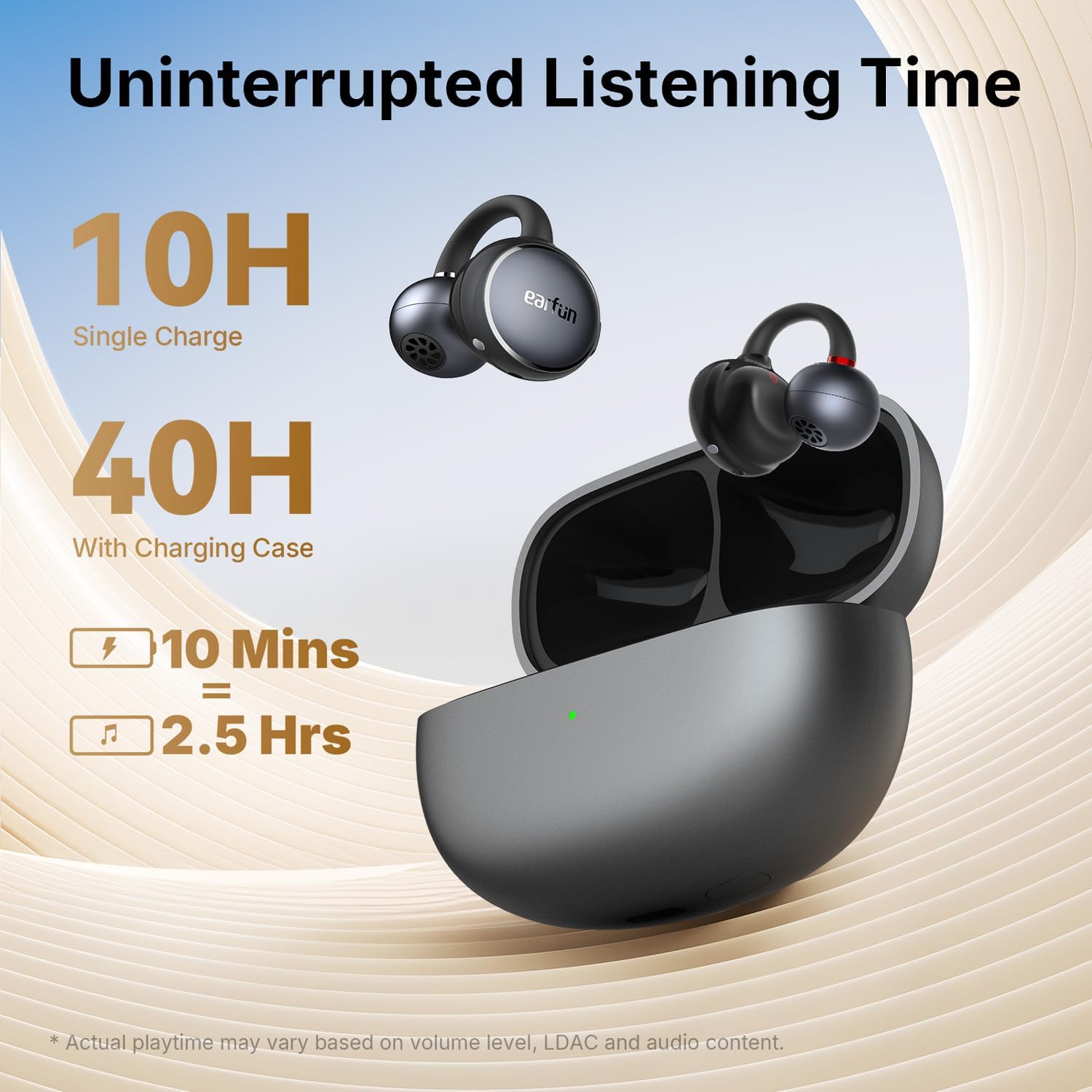
Figure 3: Earbuds demonstrating multipoint connection capabilities.
4. EarFun App
For enhanced features and customization, download the EarFun Audio App from the Google Play Store or Apple App Store. The app allows you to personalize settings, customize controls, adjust EQ presets, and enable listening modes like Theater Mode and Surge Bass.

Figure 4: EarFun Audio App interface for personalized settings.
Bedienungsanleitung
Bedienelemente
The EarFun Clip earbuds feature intuitive physical button controls, preventing accidental touches during activities. You can customize these controls via the EarFun Audio App.
- Abspielen/Pause: Single press (L/R earbud)
- Nächster Titel: Double press (R earbud)
- Vorheriges Lied: Double press (L earbud)
- Lautstärke erhöhen: Triple press (R earbud)
- Lautstärke runter: Triple press (L earbud)
- Anruf annehmen/beenden: Single press (L/R earbud)
- Anruf ablehnen: Press and hold for 2s (L/R earbud)
- Sprachassistenten aktivieren: Press and hold for 2s (L/R earbud)
Anrufqualität
Equipped with dual microphones and AI-powered environmental noise cancellation, the earbuds effectively capture your voice while minimizing background noise, ensuring exceptional call clarity even in noisy environments.
Audiofunktionen
Experience peak wireless audio fidelity with LDAC and Hi-Res Audio support. Powered by 10.8mm custom carbon drivers, the earbuds deliver deep bass and rich sound across the spectrum. Advanced Directional Sound Tech minimizes sound leakage while allowing you to stay aware of your surroundings.

Figure 5: Internal structure of the 10.8mm custom carbon driver with BassSurge technology.

Figure 6: Advanced Directional Sound Tech for minimal sound leakage.
Akkulaufzeit und Aufladen
The EarFun Clip earbuds offer up to 10 hours of continuous playtime on a single charge, with a total of 40 hours when combined with the USB-C rechargeable case. For quick power-ups, a 10-minute charge provides approximately 2.5 hours of playback.

Figure 7: Battery life and fast charging capabilities.
Haltbarkeit
With an IP55 waterproofing rating, the EarFun Clip wireless earbuds are built to withstand sweat, rain, and dust, making them suitable for gym use and outdoor activities.

Figure 8: IP55 water and dust resistance for the earbuds.
Wartung
To ensure optimal performance and longevity of your EarFun Clip earbuds, follow these maintenance tips:
- Reinigen Sie die Ohrhörer und das Ladecase regelmäßig mit einem weichen, trockenen Tuch.
- If the earbuds or case get wet or dusty, ensure they are completely dry before charging.
- Store the earbuds in their charging case when not in use to protect them and conserve battery.
- Vermeiden Sie es, die Ohrhörer über längere Zeit extremen Temperaturen oder direkter Sonneneinstrahlung auszusetzen.
Fehlerbehebung
If you encounter any issues with your EarFun Clip earbuds, please refer to the following common solutions:
Ohrhörer verbinden sich nicht oder lassen sich nicht koppeln:
- Ensure the insulating films are removed from both earbuds.
- Verify Bluetooth is enabled on your device and the earbuds are within range.
- Try resetting the earbuds (refer to the specifications section for reset instructions).
- Delete the previous Bluetooth record for the earbuds on your device and try pairing again.
Schlechte Tonqualität:
- Ensure the earbuds are properly fitted in your ears for optimal sound.
- Adjust EQ settings in the EarFun Audio App to your preference.
- Check if the audio source is of high quality.
Probleme beim Aufladen:
- Ensure the USB-C cable is securely connected to both the case and a power source.
- Verify that the charging case is not wet or dusty before charging.
Technische Daten
| Besonderheit | Detail |
|---|---|
| Modellname | EarFun-Clip |
| Artikelmodellnummer | CW100G |
| Konnektivitätstechnologie | Kabellos (Bluetooth 6.0) |
| Audiotreibertyp | Dynamischer Treiber |
| Größe des Audiotreibers | 10.8 Millimeter |
| Frequenzgang | 20 KHz |
| Empfindlichkeit | 100 dB |
| Impedanz | 32 Ohm |
| Spielzeit (Einzelladung) | Bis zu 10 Stunden |
| Gesamtspielzeit (mit Ladeetui) | Bis zu 40 Stunden |
| Schnelles Laden | 10 Minuten Ladezeit für 2.5 Stunden Spielzeit |
| Wasserbeständigkeit | IP55 (wasserdicht) |
| Steuerungstyp | Tastensteuerung |
| Artikelgewicht | 49 Gramm (1.73 Unzen) |
| Technische Daten | 1.1 x 0.99 x 0.85 Zoll |
| Material | Liquid silicone, memory wire, composite |
Garantie und Support
EarFun products typically come with a manufacturer's warranty. Please refer to the specific warranty information provided with your product packaging or on the official EarFun webEinzelheiten zu Umfang und Dauer finden Sie auf der Website.
For FAQs and more information, please visit the official EarFun webWebsite besuchen oder den Kundenservice kontaktieren:
- Offizielles Benutzerhandbuch (PDF): PDF herunterladen
- E-Mail-Adresse des Kundendienstes: service@myearfun.com
- WebWebsite: www.myearfun.com
Ask a question about this manual
Ask about setup, troubleshooting, compatibility, parts, safety, or missing instructions. Manuals+ will review the question and use this page’s manual context to help answer it.