
Einführung
The eppfun SK003Pro is a Bluetooth 5.4 hands-free car speakerphone designed for clear communication and safe driving. It features advanced noise reduction, voice control integration, and multi-point connectivity.
Hauptmerkmale:
- Bluetooth 5.4-Technologie: Integrates the latest low-energy Bluetooth 5.4 chip for longer transmission distance and faster speed.
- Klare Kommunikation: Equipped with a Bluetooth 5.4 chipset, integrated speaker, echo and background noise reduction, and volume control for clear calls.
- Freisprechen: Utilizes an integrated microphone and DSP technology for effective noise reduction and excellent sound quality. The 3W integrated speaker delivers clear and loud audio.
- Sprachsteuerung: Supports safe driving with calls and navigation via Google Assistant/Siri Assistant.
- Mehrpunktverbindung: Connects to two devices simultaneously, allowing easy switching between music and calls.
- Einfache Installation: Simple pairing with your mobile phone and attachment to the sun visor with the included clip.
1. Einrichtung und Installation
Follow these steps to set up your eppfun SK003Pro speakerphone:
- Laden Sie das Gerät auf: Before first use, fully charge the speakerphone using the provided USB Type-C cable. A full charge takes approximately 1.5 hours.

Image: The USB Type-C charging port and ON/OFF switch are located on the side of the device. Connect the provided cable to charge.
- Einschalten: Slide the ON/OFF switch to the "ON" position. The device will enter pairing mode.
- Koppeln mit Ihrem Telefon:
- Aktivieren Sie Bluetooth auf Ihrem Mobiltelefon.
- Suchen nach verfügbare Bluetooth-Geräte.
- Select "eppfun SK003Pro" from the list to connect. A confirmation tone will sound upon successful pairing.
- Install in Vehicle: Attach the speakerphone to your car's sun visor using the integrated clip. Ensure it is securely fastened and does not obstruct your view.

Image: The speakerphone is designed to clip easily onto the car's sun visor for optimal microphone and speaker placement.
2. Bedienungsanleitung
2.1 Grundfunktionen
- Anrufe entgegennehmen / beenden: Drücken Sie die Anruftaste (phone icon) once to answer an incoming call or end an ongoing call.
- Anrufe ablehnen: Halten Sie die Anruftaste 2 Sekunden lang, um einen eingehenden Anruf abzulehnen.
- Lautstärkeregelung: Verwenden Sie die '+' Und '-' buttons to adjust the call volume or media playback volume.
- Wahlwiederholung letzte Nummer: Drücken Sie zweimal die Anruftaste um die zuletzt gewählte Nummer erneut zu wählen.
2.2 Sprachassistent (Siri/Google Assistant)
The eppfun SK003Pro supports voice commands through your phone's assistant.
- Sprachassistenten aktivieren: Drücken Sie die Mikrofontaste (microphone icon) once to activate Siri or Google Assistant on your connected phone.
- You can then use voice commands for navigation, making calls, sending messages, and more, ensuring safe driving.
2.3 Mehrpunktverbindung
The device can connect to two mobile phones simultaneously.
- Pair the first phone as described in the "Setup" section.
- After the first phone is connected, put the speakerphone back into pairing mode (usually by briefly disconnecting and reconnecting, or by holding the call button if it has a dedicated pairing function - refer to specific device prompts if available).
- Koppeln Sie das zweite Telefon.
- The speakerphone will now be connected to both devices, allowing you to switch between them for calls or media.

Image: The speakerphone supports connecting to two mobile phones simultaneously, enabling seamless switching between devices.
3. Wartung
- Reinigung: Reinigen Sie das Gerät mit einem weichen, trockenen Tuch. Verwenden Sie keine flüssigen Reiniger oder Sprays.
- Lagerung: Bewahren Sie das Gerät an einem kühlen, trockenen Ort fern von direkter Sonneneinstrahlung und extremen Temperaturen auf.
- Batteriepflege: To prolong battery life, avoid fully discharging the battery frequently. Charge the device regularly, even if not in use for extended periods. The high-quality lithium battery offers up to 500 hours of standby time.

Image: The device features an 800mAh lithium battery, providing extended standby time and reliable performance.
4. Fehlerbehebung
If you encounter issues with your eppfun SK003Pro, refer to the following solutions:
| Problem | Mögliche Ursache | Lösung |
|---|---|---|
| Kopplung mit dem Telefon nicht möglich. | Bluetooth is off on phone; device is not in pairing mode; device battery is low. |
|
| Poor call quality / Others cannot hear me clearly. | Microphone obstruction; low volume; environmental noise; device not positioned correctly. |
|
| Kein Ton aus der Freisprecheinrichtung. | Volume too low; device not connected; media routed to phone speaker. |
|
| Sprachassistent reagiert nicht. | Not activated; phone settings. |
|
5. Spezifikationen
| Besonderheit | Detail |
|---|---|
| Marke | Abonnieren |
| Modellnummer | SK003Pro |
| Farbe | Grau |
| Konnektivitätstechnologie | Bluetooth 5.4 |
| Kompatible Geräte | Smartphone, Tablet |
| Material | Acrylnitril-Butadien-Styrol (ABS), Metall |
| Lautsprecherausgang | 3W (Dual 3W speakers, 40MM Graphene Diaphragm)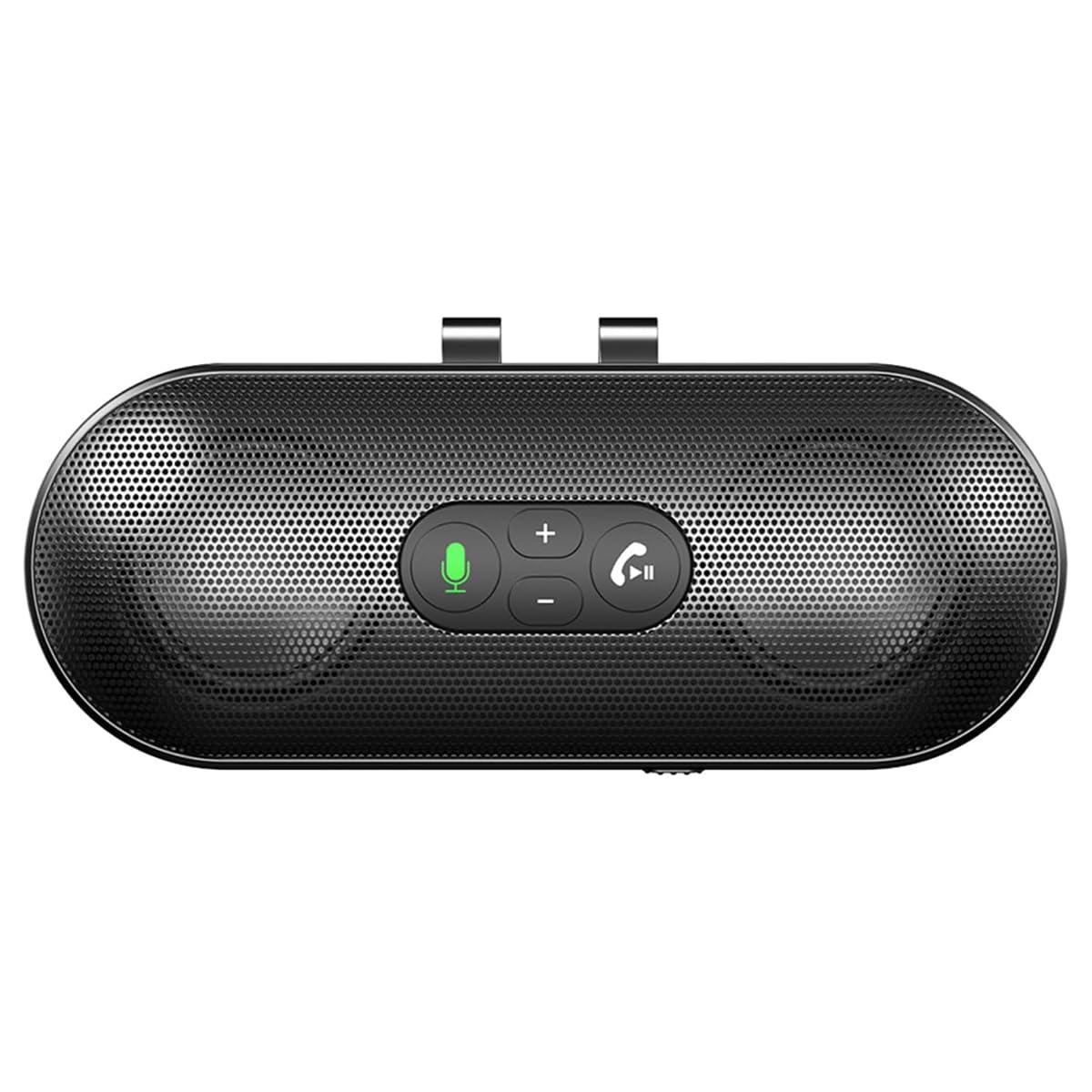 Image: The speakerphone features a powerful audio system with dual 3W speakers and 40mm Graphene Diaphragms for clear and loud sound. |
| Mikrofon | Integrated, High-definition with DSP noise reduction |
| Akku-Typ | Lithium-Ionen-Akku (800 mAh) |
| Ladeanschluss | USB Typ C |
| Ladezeit | Ungefähr 1.5 Stunden |
| Standby-Zeit | Bis zu 500 Stunden |
| Ursprungsland | China |
6. Garantieinformationen
The eppfun SK003Pro comes with a manufacturer's warranty.
- Herstellergarantie: 1 Jahr
- Bitte bewahren Sie Ihren Kaufbeleg für Garantieansprüche auf.
- Warranty does not cover damage caused by misuse, accidents, unauthorized repairs, or normal wear and tear.
7. Kundendienst
For further assistance or inquiries, please contact eppfun customer support:
- Hersteller: Abonnieren
- WebWebsite: www.eppfun.com (Hinweis: Dies ist ein Platzhalter. URL, please refer to your product packaging or official documentation for the correct support webWebsite.)
- E-Mail: support@eppfun.com (Note: This is a placeholder email, please refer to your product packaging or official documentation for the correct support email.)
When contacting support, please provide your product model number (SK003Pro) and a detailed description of the issue.