
1. Einleitung
This manual provides detailed instructions for the installation, operation, and maintenance of your youkey S320 Wire-Free MagCam Security Camera. The S320 is a versatile indoor/outdoor 2K battery-powered camera featuring dual-band WiFi 6, a magnetic mount for easy placement, color night vision, and intelligent person/pet detection. Please read this manual thoroughly before using the product to ensure proper function and safety.
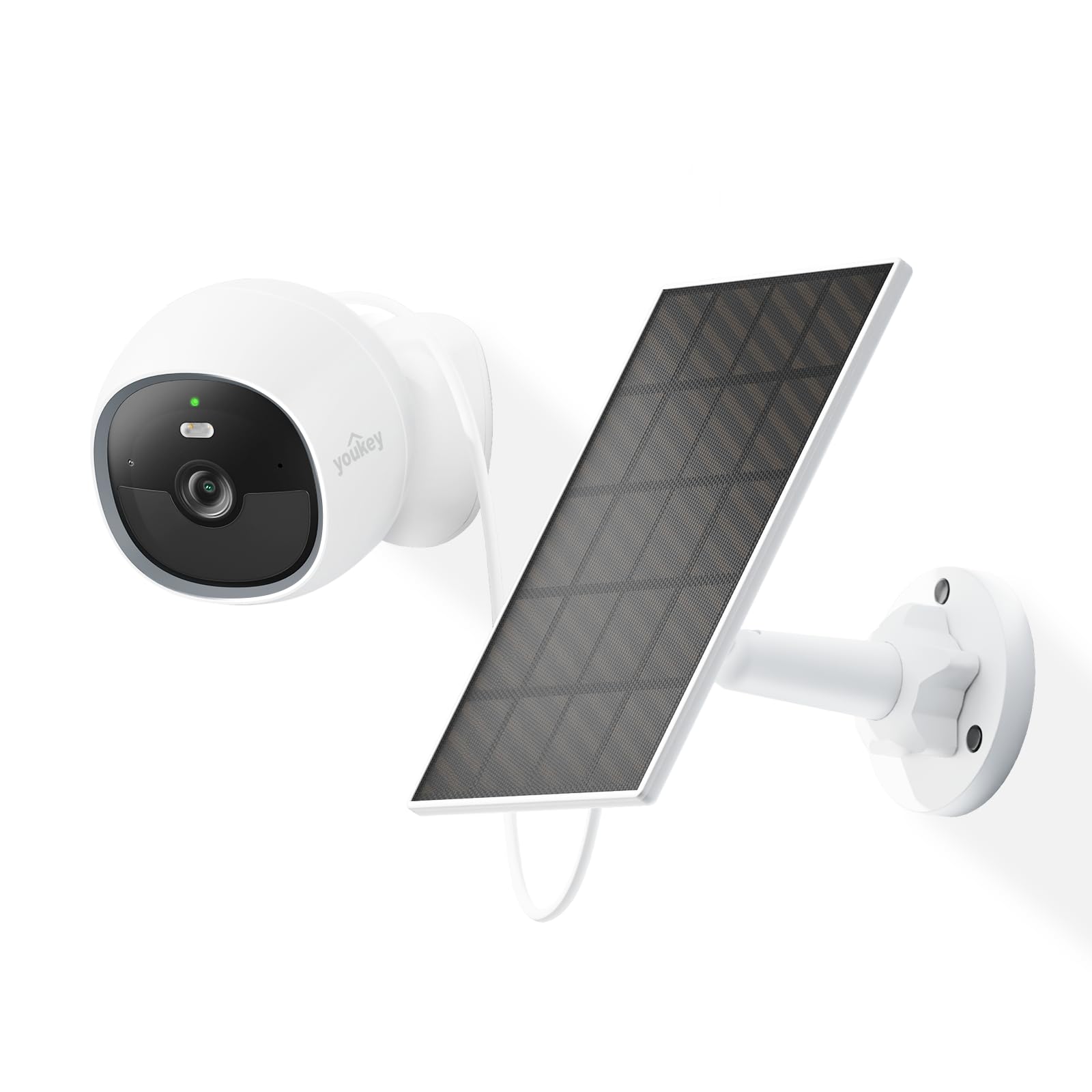
Image: The youkey S320 Wire-Free MagCam Security Camera, showcasing dank seines kompakten Designs und des magnetischen Sockels.
2. Packungsinhalt
Bitte prüfen Sie, ob alle Artikel in Ihrem Paket enthalten sind. Sollten Artikel fehlen oder beschädigt sein, kontaktieren Sie bitte unseren Kundenservice.
- youkey S320 Wire-Free MagCam Security Camera
- Magnetische Montagebasis
- Screw Mounting Kit (screws and wall anchors)
- USB-Ladekabel
- Kurzanleitung
3. Produktüberschreitungview
Familiarize yourself with the components of your S320 camera.

Bild: Ein überview diagram highlighting key features of the youkey S320 camera, including its lens, LED indicator, and mounting points.
Kamerakomponenten:
- Kameraobjektiv: Nimmt 2K QHD-Videos auf.
- LED-Anzeige: Displays camera status (e.g., charging, connected, recording).
- Mikrofon: Für Audioeingabe und Zwei-Wege-Kommunikation.
- Lautsprecher: Für Audioausgabe und Zwei-Wege-Kommunikation.
- PIR Bewegungs-Sensor: Erkennt Bewegungen für Benachrichtigungen und Aufzeichnungen.
- Ladeanschluss: USB-Anschluss zum Laden des internen Akkus.
- Reset-Taste: Dient dazu, die Kamera auf die Werkseinstellungen zurückzusetzen.
4. Einrichtung
4.1. Aufladen der Kamera
Before initial use, fully charge the camera's built-in 6400mAh battery. Connect the USB charging cable to the camera's charging port and a standard USB power adapter (not included). The LED indicator will show charging status.
4.2. Herunterladen der App
Laden Sie die youkey Life app from the Apple App Store or Google Play Store. Create an account or log in if you already have one.
4.3. Koppeln der Kamera
- Open the youkey Life app and tap the '+' icon to add a new device.
- Follow the on-screen instructions to power on the camera and enter pairing mode.
- The camera uses Bluetooth for initial setup and then connects to your home Wi-Fi network (2.4GHz or 5GHz Wi-Fi 6 supported).
- Ensure your Wi-Fi network credentials are correct.

Image: A smartphone screen showing a successful link confirmation, illustrating the easy setup process with Dual Band WiFi 6 and Bluetooth.
4.4. Installation
The youkey S320 offers flexible installation options for both indoor and outdoor use.
Magnetische Befestigung:
For quick and easy placement on metal surfaces, attach the camera directly to the magnetic mounting base. This allows for simple angle adjustments.
Schraubmontage:
For non-magnetic surfaces or more secure installation, use the provided screw mounting kit. Mark the desired location, drill pilot holes, insert wall anchors (if necessary), and secure the mounting base with screws. Then, attach the camera to the base.

Image: The magnetic mount and screw pack components for the youkey S320 camera, demonstrating versatile installation options.
Solar Panel Integration (Optional):
To provide continuous power and eliminate the need for manual charging, connect the youkey SP3 Solar Panel (sold separately) to the camera. Ensure the solar panel is positioned to receive at least 1 hour of direct sunlight daily for optimal performance. The SP3 solar panel is IP65 weather-resistant, suitable for outdoor conditions.

Image: The youkey S320 camera mounted outdoors next to a youkey SP3 solar panel, illustrating continuous power capability.
5. Bedienung der Kamera
5.1. Leben View
Access the live video feed from your camera through the youkey Life app. This allows real-time monitoring of your property.
5.2. Aufnahme und Wiedergabe
The camera automatically records events triggered by motion detection. Recordings are stored on the built-in 8GB eMMC storage or in the cloud (subscription may apply for extended cloud features). You can review aufgenommenes footage über die App.

Image: The youkey S320 camera with an overlay indicating its 8GB eMMC built-in storage for reliable performance and seamless playback.
5.3. Bewegungserkennung und Benachrichtigungen
The S320 features NueraMind AI Detection for accurate person and pet detection, reducing false alarms. You can customize detection zones within the app to focus on specific areas of interest.

Image: A child and a dog in a driveway, with icons indicating NueraMind Smart AI Detection for persons and pets.
Receive instant thumbnail notifications on your smartphone when motion is detected, allowing you to quickly assess the situation without opening the app.

Image: A smartphone displaying multiple instant thumbnail notifications from the youkey Life app, showing detected events.
5.4. Zwei-Wege-Audio
Utilize the built-in microphone and speaker for clear two-way communication through the app. This allows you to speak to visitors or deter intruders remotely.

Image: A child playing outdoors, with a speech bubble indicating two-way audio communication through the camera.
5.5. Nachtsicht
The S320 provides color night vision for clear footage even in low-light conditions, enhanced by a F1.6 aperture. Built-in spotlights can activate upon motion detection to illuminate the area and deter unwanted activity.

Image: A family enjoying an evening outdoors, viewed through a smartphone screen, demonstrating the camera's color night vision capability.
6. Wartung
6.1. Batteriemanagement
The 6400mAh battery provides extended operation. For continuous power, especially in outdoor installations, consider pairing with the youkey SP3 Solar Panel. Monitor battery levels through the youkey Life app.
6.2. Reinigung der Kamera
Periodically clean the camera lens and body with a soft, dry cloth to ensure optimal image quality and prevent dust buildup. Do not use harsh chemicals or abrasive materials.
6.3. Firmware-Updates
Ensure your camera's firmware is up to date for the best performance and security features. The youkey Life app will notify you of available updates and guide you through the process.
7. Fehlerbehebung
If you encounter issues with your youkey S320 camera, refer to the following common solutions:
- Kamera verbindet sich nicht mit WLAN: Ensure your Wi-Fi network is 2.4GHz or 5GHz and within range. Check Wi-Fi password. Try resetting the camera.
- Schlechte Videoqualität: Prüfen Sie die Stärke Ihres WLAN-Signals. Stellen Sie sicher, dass die Kameralinse sauber und frei von Verunreinigungen ist.
- Batterie entlädt sich schnell: Reduzieren Sie die Häufigkeit von Bewegungserkennungsereignissen oder Live-Übertragungen. view usage. Ensure the solar panel (if used) is receiving adequate sunlight.
- Bewegungserkennung funktioniert nicht: Verify that motion detection is enabled in the app settings. Check detection zones and sensitivity levels.
- Kein Ton: Ensure microphone and speaker permissions are enabled in the app and on your smartphone. Check camera volume settings.
For further assistance, contact youkey customer support.
8. Spezifikationen

Image: A detailed infographic outlining the key specifications and features of the youkey S320 camera.
| Besonderheit | Spezifikation |
|---|---|
| Modell | Staffel 320 |
| Auflösung | 2.5K QHD |
| Fachgebiet View (Sichtfeld) | 150° |
| Nachtsicht | Color Night Vision (F1.6 aperture), Infrared Light (10m), White Light (5m) |
| Batteriekapazität | 6400 mAh |
| Konnektivität | Dual Band Wi-Fi 6 (2.4GHz & 5GHz), Bluetooth |
| Lagerung | Built-in 8GB eMMC, Cloud Storage option |
| Wetterbeständigkeit | IP65 |
| Erkennung | NueraMind AI (Human Body, Pet Detection), Customizable Zones |
| Audio | Zwei-Wege-Gespräch |
| Kompatibilität | Funktioniert mit Alexa, funktioniert mit Google Home |
9. Garantie und Support
9.1. Garantieinformationen
Your youkey S320 Wire-Free MagCam Security Camera is covered by a limited warranty. Please refer to the official youkey webDie genauen Garantiebedingungen finden Sie auf der Website oder in Ihren Kaufunterlagen.
9.2. Kundendienst
For technical support, troubleshooting, or warranty claims, please contact youkey customer service through the following channels:
- WebWebsite: Visit the official youkey webWebsite mit häufig gestellten Fragen und Support-Ressourcen.
- E-Mail: Refer to your product packaging or the youkey webWebsite für Support-E-Mail-Adressen.
- In-App-Support: Access support options directly within the youkey Life application.