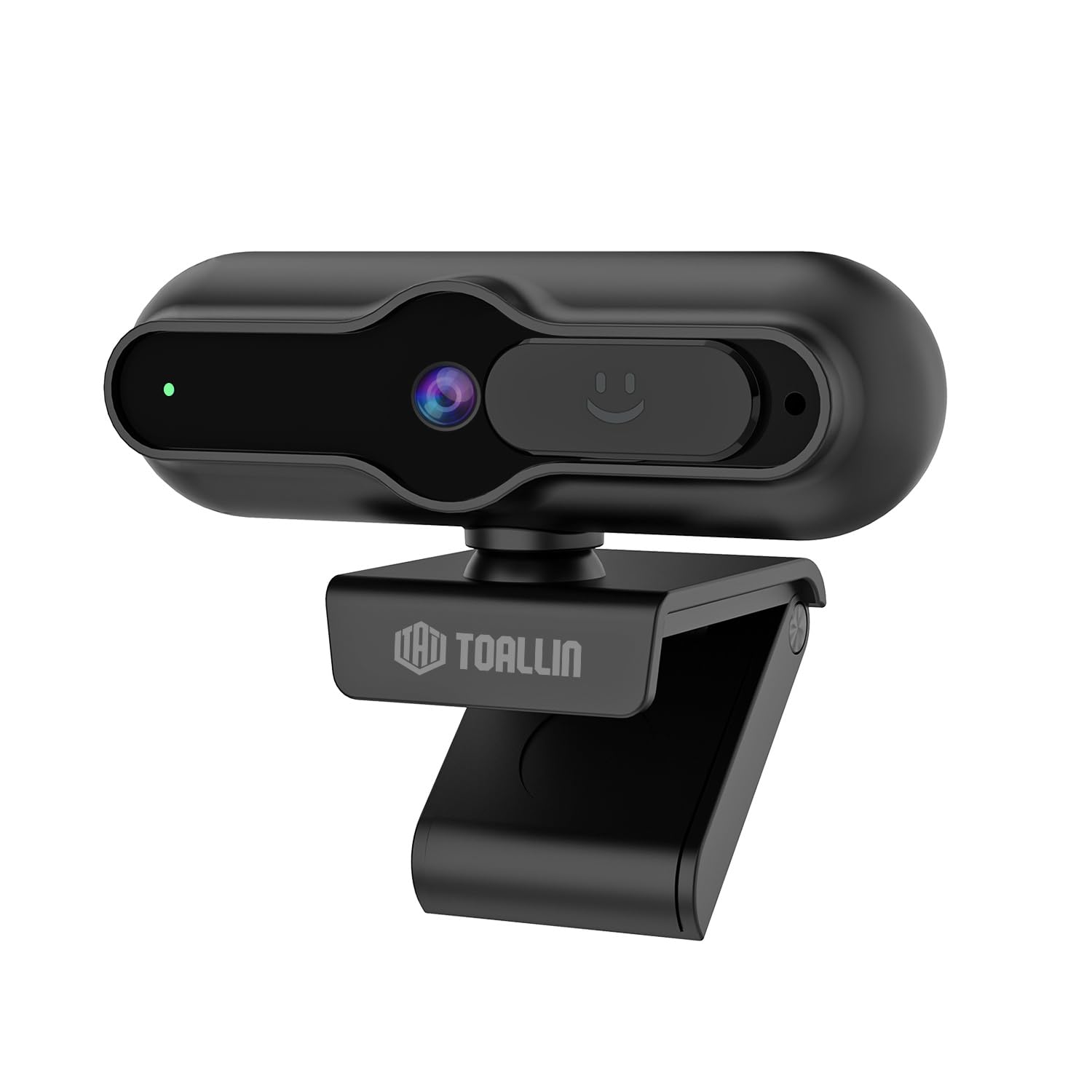
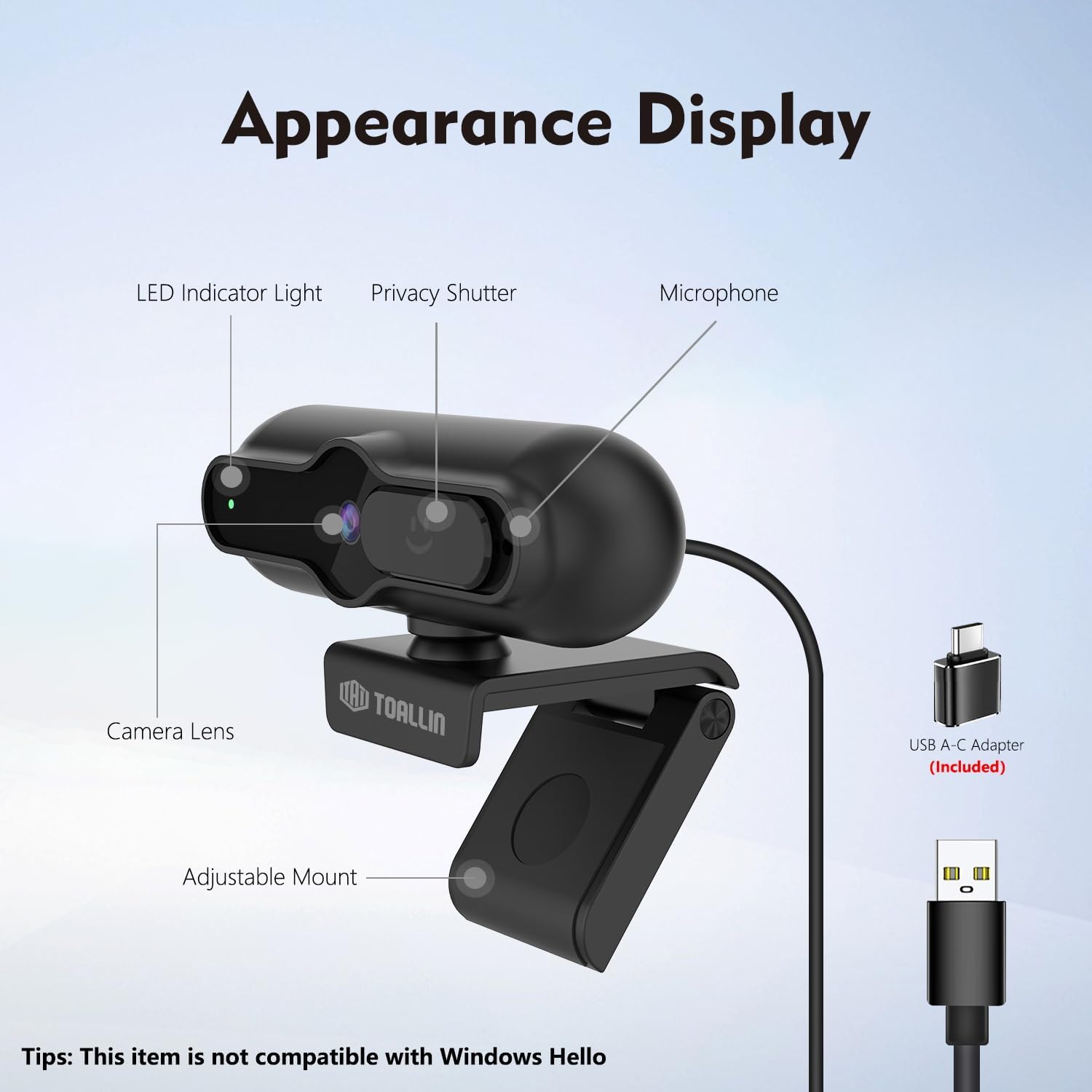
The TOALLIN SC90 4K Webcam is designed for high-quality video communication, streaming, and conferencing. It features a 4K 1/2.5" CMOS sensor, PDAF autofocus, a built-in noise-reducing microphone, and a sliding privacy cover. This manual provides instructions for setting up, operating, and maintaining your webNocken.
Bild: Vorderseite view of the TOALLIN SC90 4K WebNocken.
Aufstellen
The TOALLIN SC90 webcam offers a simple plug-and-play setup, requiring no additional drivers or software installation for most operating systems.
1. Anschluss des WebNocken
Auspacken webcam, USB A-C cable, and USB adapter from the box.
Connect the USB A-C cable to the webNocken.
If your computer has a USB-A port, connect the USB-A end of the cable directly. If your computer has a USB-C port, use the provided USB adapter to convert the USB-A end to USB-C, then plug it into your computer.
Platzieren Sie die webcam securely on top of your monitor or laptop screen using its adjustable mount. Ensure the camera lens is facing you.
Der webcam will be automatically recognized by your operating system (Windows 7 or above, macOS, Android).
Image: The TOALLIN SC90 webKamera an Laptop angeschlossen.
2. Erstgebrauch
Once connected, open any video conferencing or streaming application (e.g., Zoom, Skype, Webex, GoToMeeting, Microsoft Teams) and select the TOALLIN SC90 as your preferred camera and microphone device in the application's settings.
Einrichtungsvideoanleitung
Video: A demonstration of connecting and using the TOALLIN SC90 4K WebNocken.
Bedienungsanleitung
Videoqualität und Auflösung
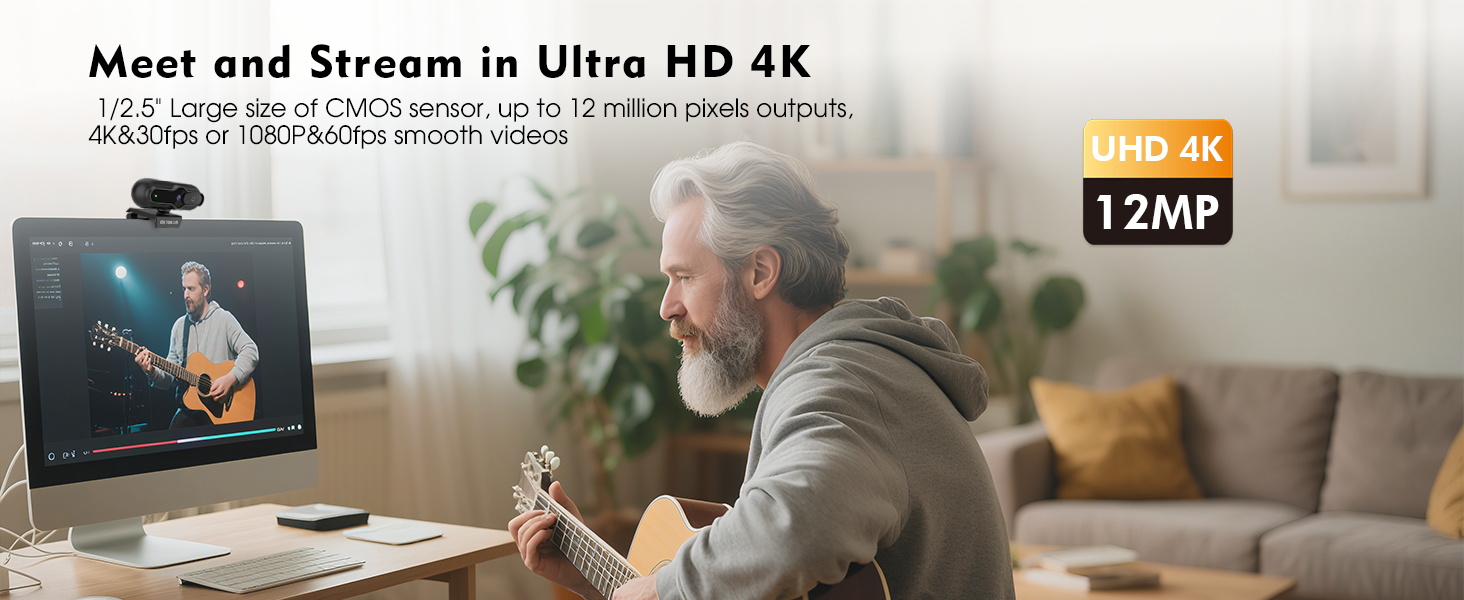
Der webcam features a 1/2.5" CMOS sensor capable of capturing up to 12 million pixels. It supports Ultra HD 4K resolution at 30 frames per second (fps) and 1080p resolution at 60 fps, providing clear and smooth video output for various applications.
Image: Visual comparison of 4K@30FPS/1080P@60FPS output versus standard video.
PDAF Autofocus
The advanced Phase Detection Auto Focus (PDAF) system ensures rapid and precise focusing. This feature automatically adjusts the focus to keep you or other specific objects clear and sharp, even during movement, making it ideal for live streaming and video calls.
Image: PDAF autofocus maintaining clarity on both a person and an object.
Built-in Noise-Reducing Microphone
The integrated microphone utilizes a noise reduction algorithm to minimize background noise and automatically amplify your voice, ensuring clear conversations. It is designed for far-field voice pickup.
Bild: Das webcam's noise-reducing microphone in action.
Sliding Privacy Cover
Für mehr Privatsphäre, webcam includes a sliding privacy cover. Simply slide the cover over the lens when the webcam is not in use to prevent unauthorized access and protect your privacy without needing to disconnect the device or exit applications.
Image: The sliding privacy cover in both open and closed states.
Adjustable Mount and Mini Design
Der webcam features a mini, lightweight design, making it portable and easy to attach to various displays. The adjustable mount allows for flexible positioning on laptops, desktop monitors, or even tripods (tripod not included).
Image: The compact design of the TOALLIN SC90 webNocken.
Wartung
Reinigung der Linse: Use a soft, lint-free cloth specifically designed for camera lenses to gently wipe the lens. Avoid using harsh chemicals or abrasive materials that could scratch the lens.
Reinigung des Körpers: Wischen Sie die webReinigen Sie den Kamerakörper mit einem weichen, trockenen Tuch. Falls nötig, wischen Sie ihn leicht ab.amp Ein Tuch kann verwendet werden, achten Sie aber darauf, dass keine Feuchtigkeit in das Gerät eindringt.
Lagerung: When not in use, especially during transport, ensure the sliding privacy cover is closed to protect the lens from dust and scratches. Store the webDie Kamera sollte in einer sauberen, trockenen Umgebung aufgestellt werden.
Kabelpflege: Um Beschädigungen zu vermeiden, sollten Sie das USB-Kabel nicht scharf biegen oder übermäßig daran ziehen.
Fehlerbehebung
Webcam Not Detected / No Image
Verbindung prüfen: Stellen Sie sicher, dass das USB-Kabel fest an beide Anschlüsse angeschlossen ist. webKamera und Computer. Versuchen Sie einen anderen USB-Anschluss.
USB-Adapter: If using the USB-A to USB-C adapter, ensure it is correctly connected and functioning.
Datenschutzabdeckung: Verify that the sliding privacy cover is open and not obstructing the lens.
Anwendungseinstellungen: In your video conferencing or streaming software, check that the TOALLIN SC90 webcam is selected as the active video device.
Starte den Computer neu: Manchmal kann ein einfacher Neustart Erkennungsprobleme beheben.
Poor Video Quality / Blurry Image
Linse reinigen: Reinigen Sie vorsichtig die webReinigen Sie die Kameralinse mit einem weichen, fusselfreien Tuch.
Lichtverhältnisse: Ensure adequate lighting in your environment. Poor lighting can significantly impact video quality.
Autofokus: The PDAF autofocus system is designed to keep you in focus. If the image appears blurry, try moving slightly to allow the autofocus to re-engage.
Antragslösung: Check the video resolution settings within your application. Ensure it is set to 4K or 1080p for optimal quality.
Kein Ton / Schlechte Tonqualität
Mikrofonauswahl: In your application's audio settings, ensure the TOALLIN SC90 webDas Mikrofon der Kamera ist als Eingabegerät ausgewählt.
Lautstärkepegel: Check the microphone input volume in your operating system and application settings.
Hintergrundgeräusche: Während die webcam has noise reduction, excessive background noise can still affect clarity. Try to use the webcam in a quieter environment.
Not Compatible with Windows Hello
Please note that the TOALLIN SC90 webKamera ist nicht kompatibel with Windows Hello facial recognition features. This is a known limitation of the product.
Technische Daten
Marke
TOALLIN
Modellname
SC90
Camcorder Typ
WebNocken
Konnektivitätstechnologie
USB
Auflösung der Videoaufnahme
4K (3840 Pixel)
Effektive Standbildauflösung
12 Megapixel
Fotosensor-Technologie
CMOS
Fotosensorgröße
1/2.5 Zoll
Fokustyp
Auto Focus (PDAF)
Objektivtyp
Weitwinkel
Maximale Blendenöffnung
1.7 f
Betriebssystem
Windows (7 or above), macOS, Android
Kompatible Geräte
Laptop, PC, Smartphone, Tablet
Artikelgewicht
0.1 Kilogramm
Integrierte Medien
Webcam, USB A-C Cable, USB Adapter, User Manual
Garantie und Support
Garantieinformationen
The TOALLIN SC90 4K WebDie Kamera wird mit einer 1 Jahr Garantie Diese Garantie gilt ab Kaufdatum und deckt Herstellungsfehler sowie Funktionsstörungen bei normalem Gebrauch ab. Bitte bewahren Sie Ihren Kaufbeleg für Garantieansprüche auf.
Kundenservice
For technical assistance, troubleshooting, or warranty inquiries, please contact TOALLIN customer support. You can typically find contact information on the TOALLIN official weboder über den Händler, bei dem Sie das Produkt gekauft haben.
Ask about setup, troubleshooting, compatibility, parts, safety, or missing instructions. Manuals+ will review the question and use this page’s manual context to help answer it.