
TATTMUSE Portable Thermal Printer
TATTMUSE Tragbarer Thermodrucker – Benutzerhandbuch
Model: Portable Thermal Printer
1. Einleitung
This manual provides essential instructions for the setup, operation, and maintenance of your TATTMUSE Portable Thermal Printer. This device offers convenient, inkless printing for various documents, making it ideal for mobile and office use. Please read this manual thoroughly to ensure proper use and to maximize the lifespan of your printer.
2. Packungsinhalt
Upon unboxing, please verify that all items listed below are present in your package:
- TATTMUSE Portable Thermal Printer
- Tragetasche
- 4 Rolls of Thermal Paper (1 roll letter size pre-installed, plus 4.33", 3.14", 2.08" size rolls)
- USB-C-Kabel
- USB-A-Kabel
- Benutzerhandbuch (dieses Dokument)

Image 2.1: Contents of the TATTMUSE Portable Thermal Printer package, including the printer, carrying case, various thermal paper rolls, and cables.
3. Einrichtung
3.1 Aufladen des Druckers
The printer features a built-in 2600mAh rechargeable battery. Before first use, fully charge the printer using the provided USB-C or USB-A cable and a compatible power adapter (not included). The charging indicator light will provide status updates.
3.2 Einlegen von Thermopapier
The printer supports thermal roll paper, folded paper, and single sheets. It has a built-in paper bin. To load paper:
- Öffnen Sie die Abdeckung des Papierfachs.
- Insert the thermal paper roll or folded stack, ensuring the printable side faces the print head.
- Schließen Sie die Abdeckung sicher.

Image 3.1: Demonstrates the process of loading thermal paper into the printer's paper compartment.
3.3 Mit Geräten verbinden
Your TATTMUSE Portable Thermal Printer offers both Bluetooth and USB connectivity.
3.3.1 Bluetooth Connection (for Mobile Devices)
The printer is compatible with iPhone, Android phones, iPads, and tablets via Bluetooth.
- Stellen Sie sicher, dass der Drucker eingeschaltet ist.
- Aktivieren Sie Bluetooth auf Ihrem Mobilgerät.
- Suchen nach available devices and select the TATTMUSE printer.
- Befolgen Sie die Anweisungen auf dem Bildschirm, um die Kopplung abzuschließen.
- Download the official TATTMUSE printing application from your device's app store for optimal functionality.
3.3.2 USB Connection (for Laptops and Computers)
For Windows, macOS, Chrome OS, and Linux systems, connect the printer using the provided USB-C cable.
- Connect one end of the USB-C cable to the printer and the other to your computer.
- Wichtig: You must download and install the appropriate printer driver from the official TATTMUSE webWebsite für Ihr Betriebssystem.

Image 3.2: Illustrates the printer's compatibility with various operating systems and devices via Bluetooth and USB-C connections.
4. Bedienungsanleitung
4.1 Dokumente drucken
Once connected, you can print various document types, including Word, TXT, PDF, Excel, and JPG files.
- Via Bluetooth (Mobile App): Open the TATTMUSE app, select the document or image you wish to print, adjust settings as needed, and initiate the print command.
- Via USB (Computer): After driver installation, the printer will appear as an available printer in your computer's print dialogue. Select the TATTMUSE printer and proceed with your print job as usual.
4.2 Multi-Size Printing
The printer supports multiple thermal paper sizes to accommodate diverse printing needs:
- 8.5" x 11" US Letter
- A4
- 4.33'' (110mm) width
- 3.14'' (80mm) width
- 2.08'' (53mm) width

Image 4.1: Displays the printer's capability to handle different file formats (Word, TXT, PDF, Excel, JPG) and various thermal paper types (folded, single sheet, rolls) for printing contracts, bills, notes, images, and to-do lists.
5. Papierspezifikationen
The TATTMUSE Portable Thermal Printer exclusively uses thermal paper. It is not compatible with standard inkjet or laser printer paper.
- Included Paper: The package includes 4 rolls of 8.5" x 11" US Letter size thermal paper.
- Kompatibilität: Ensure any third-party thermal paper is compatible with the printer's specifications and dimensions.
- Tintenlose Technologie: The printer utilizes advanced thermal technology, eliminating the need for ink, toner, or ribbons.

Image 5.1: Shows the dimensions of the US Letter thermal paper, measuring 8.5 inches by 256 inches (roll length).
6. Wartung
Proper maintenance ensures optimal performance and longevity of your thermal printer.
- Reinigung: Periodically wipe the exterior of the printer with a soft, dry cloth. For the print head, use a specialized thermal printer cleaning pen or isopropyl alcohol on a cotton swab, ensuring the printer is off and cooled down.
- Lagerung: Store the printer in a cool, dry place away from direct sunlight and extreme temperatures. Store thermal paper in its original packaging to protect it from light and heat, which can degrade its print quality over time.
- Inkless Advantage: As an inkless printer, you will not encounter issues related to ink clogging, smudging, or cartridge replacement.
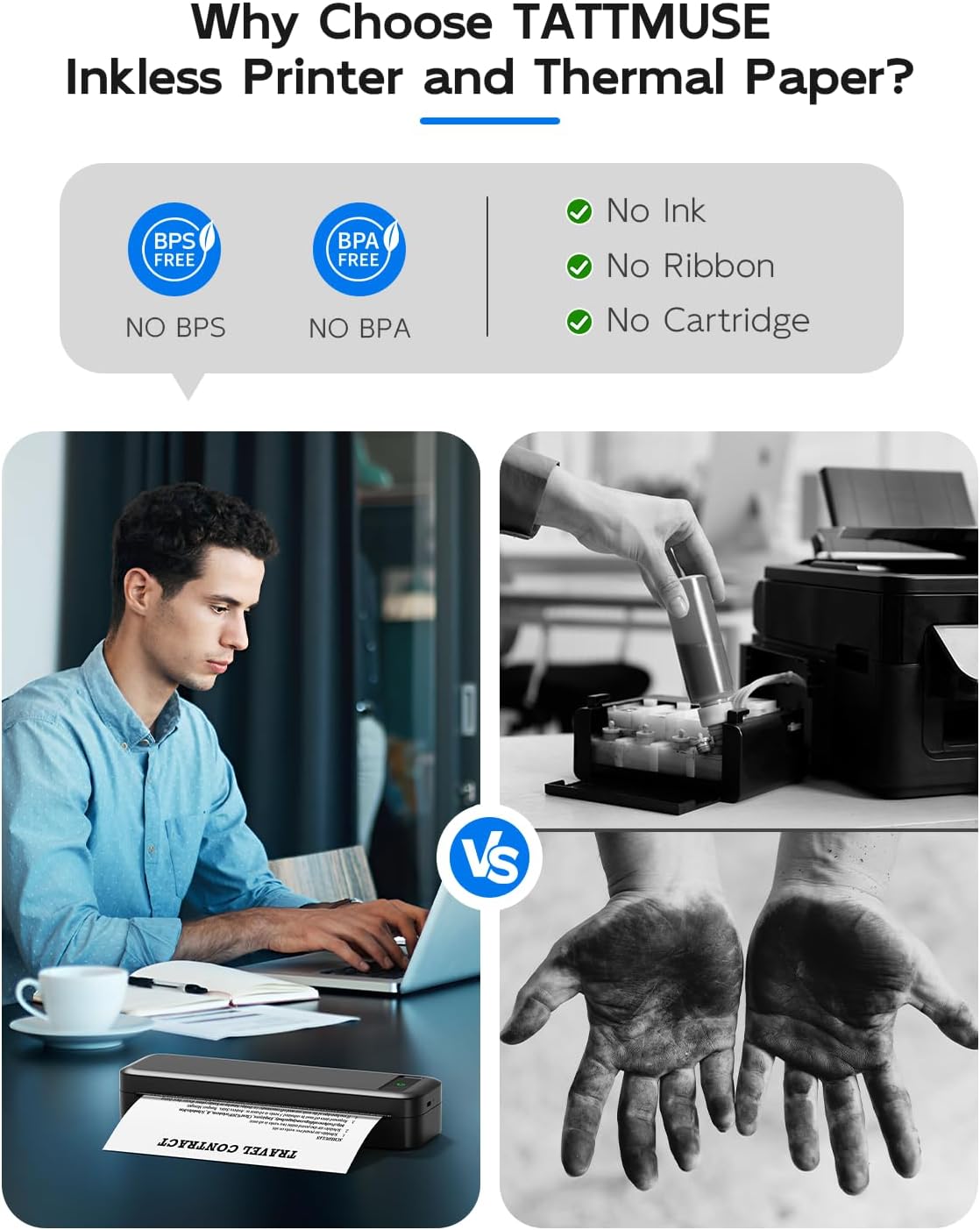
Image 6.1: Illustrates the benefits of an inkless thermal printer, highlighting the absence of ink, ribbon, or cartridge requirements compared to traditional printers.
7. Fehlerbehebung
If you encounter issues with your TATTMUSE Portable Thermal Printer, refer to the following common solutions:
- Drucker lässt sich nicht einschalten: Ensure the battery is charged. Connect the printer to a power source and allow it to charge for at least 30 minutes before attempting to power it on again.
- Keine Druckausgabe:
- Check if thermal paper is loaded correctly and the printable side is facing the print head.
- Ensure the paper compartment cover is fully closed.
- Verify that the printer is properly connected to your device (Bluetooth paired or USB cable securely attached).
- Schlechte Druckqualität:
- Ensure you are using genuine thermal paper.
- Reinigen Sie den Druckkopf wie im Abschnitt Wartung beschrieben.
- Check if the thermal paper is old or has been exposed to heat/light, which can degrade its quality.
- Probleme mit der Bluetooth-Verbindung:
- Ensure Bluetooth is enabled on both the printer and your mobile device.
- Unpair and re-pair the printer from your device's Bluetooth settings.
- Starten Sie sowohl den Drucker als auch Ihr Mobilgerät neu.
- USB-Verbindung nicht erkannt:
- Verify that the correct printer driver for your operating system has been installed from the official TATTMUSE webWebsite.
- Probieren Sie einen anderen USB-Anschluss an Ihrem Computer aus.
- Stellen Sie sicher, dass das USB-Kabel nicht beschädigt ist.
8. Spezifikationen
| Besonderheit | Spezifikation |
|---|---|
| Modell | Tragbarer Thermodrucker |
| Drucktechnologie | Thermodirekt |
| Konnektivität | Bluetooth, USB-C |
| Batterie | Wiederaufladbarer Lithium-Ionen-Akku mit 2600 mAh |
| Sheets per Charge | Approximately 160 sheets (8.5" x 11") |
| Gewicht | Ca. 1.5 kg |
| Unterstützte Papierformate | 8.5" x 11" US Letter, A4, 4.33" (110mm), 3.14" (80mm), 2.08" (53mm) |
| Unterstützte Betriebssysteme | iOS, Android, iPadOS, macOS, Windows, Chrome OS, Linux |

Image 8.1: Highlights key performance specifications including the 2600mAh battery, 30 hours standby time, lightweight design, and capacity for 160 sheets of continuous printing.
9. Garantie und Support
Specific warranty details for the TATTMUSE Portable Thermal Printer are not provided within this document. For information regarding warranty coverage, technical support, or service, please refer to the product packaging, the official TATTMUSE website, or contact TATTMUSE customer service directly.
Zugehörige Dokumente - Tragbarer Thermodrucker
 |
TATTMUSE Device Data Usage and Privacy Policy Information regarding how TATTMUSE devices generate, store, and allow user access to data, including instructions for data requests and customer support contact. |
 |
Phomemo A282M Kurzanleitung: Einrichtung, Drucken und Wartung Ausführliche Anleitung zur Einrichtung, zum Drucken und zur Wartung des tragbaren Thermodruckers Phomemo A282M. Enthält Packliste, App-Verbindung, Drucken vom Computer, Reinigung, Aufladen und Sicherheitshinweise. |
Ask a question about this manual
Ask about setup, troubleshooting, compatibility, parts, safety, or missing instructions. Manuals+ will review the question and use this page’s manual context to help answer it.