1. Produktüberschreitungview
The Generic TK16 Smart Watch is designed to assist you in monitoring various health and fitness metrics. It features step counting, temperature tracking, heart rate monitoring, and an alarm clock function. This manual provides detailed instructions for setup, operation, and maintenance of your device.
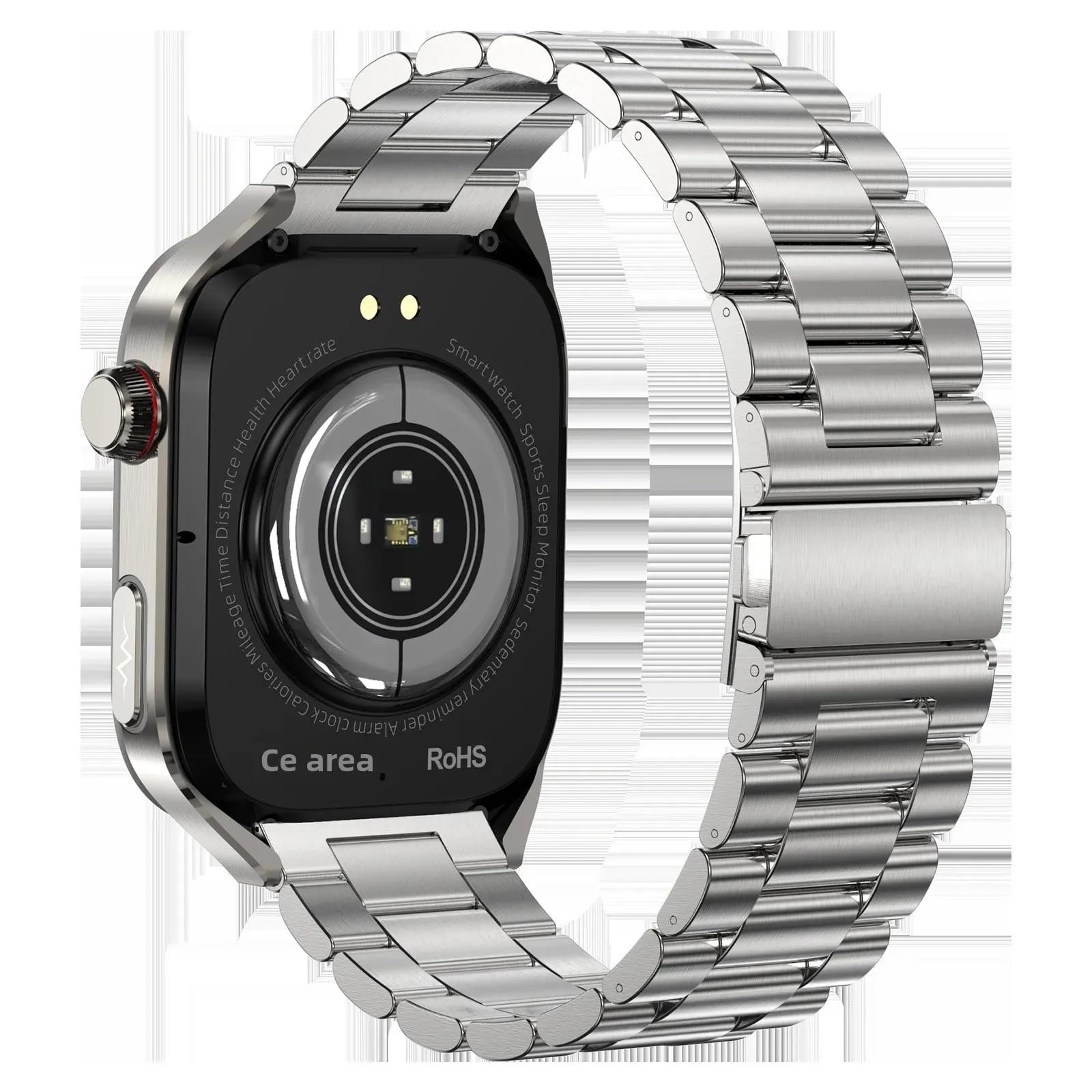
Image: The TK16 Smart Watch, featuring a silver casing and a steel band, displaying a digital watch face.
2. Einrichtung
2.1 Auspacken und Erstaufladung
Prüfen Sie nach dem Öffnen der Verpackung, ob alle Komponenten vorhanden sind:
- TK16 Smartwatch
- Ladekabel
- Uhrenarmband
- Benutzerhandbuch (dieses Dokument)
Before first use, fully charge the smart watch. Connect the charging cable to the charging port on the back of the watch and plug the USB end into a compatible power adapter (not included) or a computer's USB port. The watch display will indicate charging status.
2.2 Attaching the Watch Band
Align the pins on the watch band with the corresponding holes on the watch casing. Gently push the pin inwards and slide the band into place until the pin locks securely. Repeat for the other side of the watch band.
2.3 App-Installation und -Kopplung
The TK16 Smart Watch operates with a companion application on your smartphone. Suchen nach the recommended app (refer to packaging or quick start guide for app name) in your device's app store (Google Play Store for Android, Apple App Store for iOS). Install the app and follow the on-screen instructions to pair your watch via Bluetooth. Ensure Bluetooth is enabled on your smartphone.
3. Bedienungsanleitung
3.1 Grundlegende Bedienelemente
- Netzschalter: Press and hold to power on/off. Short press to wake the screen or return to the watch face.
- Touch-Screen: Swipe left/right, up/down to navigate menus and features. Tap to select options.
3.2 Navigation auf der Benutzeroberfläche
From the main watch face:
- Streichen runter to access quick settings (e.g., brightness, do not disturb).
- Streichen up Zu view Benachrichtigungen.
- Streichen links to access main menu applications (e.g., health monitoring, activity tracking, alarm).
- Streichen Rechts Zu view widgets or frequently used features.
3.3 Hauptmerkmale
3.3.1 Fitness Tracking (Step Counting, Calorie Stopwatch)
The watch automatically tracks your daily steps and estimates calorie expenditure. Access the activity tracking interface by swiping through the main menu. The calorie stopwatch feature allows you to monitor calories during specific activities.

Image: The smart watch screen displaying activity rings, showing progress for steps, calories burned, and distance covered.
3.3.2 Health Monitoring (Heart Rate, Temperature, Women's Health)
The TK16 Smart Watch includes sensors for heart rate and temperature monitoring. To take a reading, navigate to the respective health monitoring app on the watch. Ensure the watch is snug on your wrist for accurate measurements. The watch also supports women's health monitoring features, accessible through the companion app after initial setup.

Image: The smart watch display showing various health metrics including heart rate, blood oxygen levels, and daily step count.
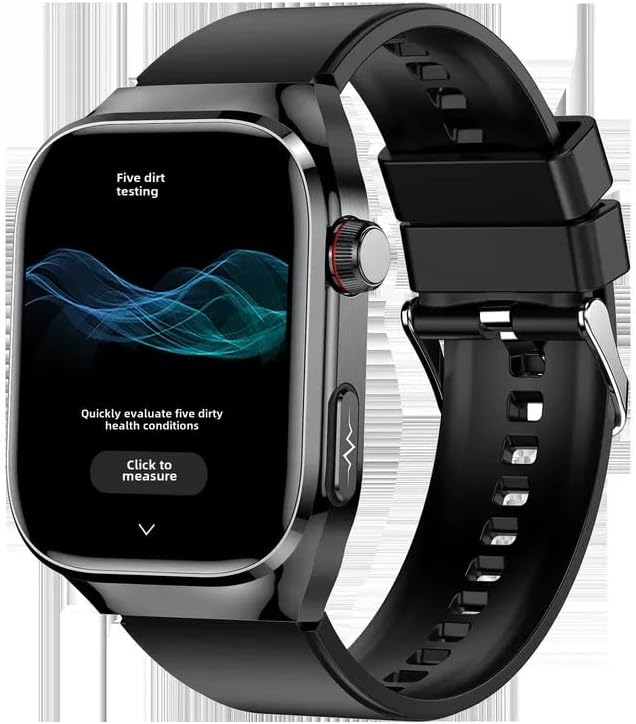
Image: A smart watch screen displaying a health assessment interface with a prominent 'Click to measure' button, indicating a health check function.
3.3.3 Wecker
Set alarms directly on the watch or through the companion app. Navigate to the 'Alarm' function in the watch's menu, then add or modify alarm times. The watch will vibrate to alert you at the set time.
3.3.4 Sonstige Funktionen
The TK16 Smart Watch also includes an Always On Display, audio recording capabilities, and an accelerometer for motion tracking. These features can be configured and accessed via the watch's settings or the companion app.
4. Wartung
4.1 Reinigung
Regularly clean your smart watch to ensure optimal performance and hygiene. Use a soft, lint-free cloth to wipe the screen and casing. Bei hartnäckigem Schmutz leicht dampBefeuchten Sie das Tuch mit Wasser. Vermeiden Sie die Verwendung von scharfen Chemikalien oder scheuernden Materialien, da diese das Gerät beschädigen können.
4.2 Laden
Charge the watch using the provided charging cable. Ensure the charging contacts on the watch and cable are clean and dry before connecting. Avoid overcharging the device; disconnect once fully charged.
4.3 Speicherung
When not in use for extended periods, store the smart watch in a cool, dry place away from direct sunlight and extreme temperatures. It is recommended to charge the watch to about 50% before storing to preserve battery health.
5. Fehlerbehebung
- Uhr lässt sich nicht einschalten: Ensure the watch is fully charged. If it still doesn't power on, try holding the power button for 10-15 seconds.
- Kopplung mit Smartphone nicht möglich: Check that Bluetooth is enabled on your phone and the watch. Ensure the watch is within range. Try restarting both the watch and your phone. If issues persist, try reinstalling the companion app.
- Ungenaue Gesundheitswerte: Ensure the watch is worn snugly on your wrist, not too tight or too loose. Clean the sensor on the back of the watch. Avoid taking readings during intense physical activity.
- Bildschirm reagiert nicht: Try restarting the watch by holding the power button. If the screen remains unresponsive, ensure the battery is not completely drained.
6. Spezifikationen
| Besonderheit | Spezifikation |
|---|---|
| Marke | Generisch |
| Modell | TK16 |
| Bildschirmgröße | 2.04 Zoll |
| Form | Runden |
| Betriebssystem | Android Wear 1.0, 1.1, 1.3, 1.4, 1.5 |
| Speicherkapazität | 32 GB |
| Konnektivitätstechnologie | Bluetooth |
| Batteriekapazität | 650 Amp Std |
| Besondere Merkmale | Accelerometer, Activity Tracker, Alarm Clock, Always On Display, Audio Recording |
| GPS | Kein GPS |
| Artikelgewicht | 0.66 Pfund (10.6 Unzen) |
| Verpackungsabmessungen | 5.91 x 3.94 x 1.57 Zoll |
| ASIN | B0F8MM2R86 |
| Datum der ersten Verfügbarkeit | 14. Mai 2025 |
| Hersteller | China |
7. Garantie und Support
Informationen zur Garantie und zum technischen Support finden Sie in der mitgelieferten Dokumentation oder wenden Sie sich direkt an den Händler/Hersteller. Bewahren Sie Ihren Kaufbeleg für eventuelle Garantieansprüche auf.


