
Einführung
The FUNSNAP Capture5 Gimbal Stabilizer is designed to provide smooth, stable video recording with your smartphone. Featuring a 3-axis stabilization system, AI tracking capabilities, an integrated fill light, and a remote control, it enhances your mobile videography experience. This manual provides comprehensive instructions for setting up, operating, and maintaining your Capture5 gimbal.
Lieferumfang

Image: All components included in the FUNSNAP Capture5 Gimbal Stabilizer package.
- C05 Gimbal x 1
- Fernbedienung x 1
- Mini-Stativ x 1
- AI Tracker x 1
- Benutzerhandbuch x 1
- 1 x Typ-C-Ladekabel.
- Fill Light x 1
Produkt überview
Familiarize yourself with the main components of your FUNSNAP Capture5 Gimbal Stabilizer.


Aufstellen
1. Aufladen des Gimbals
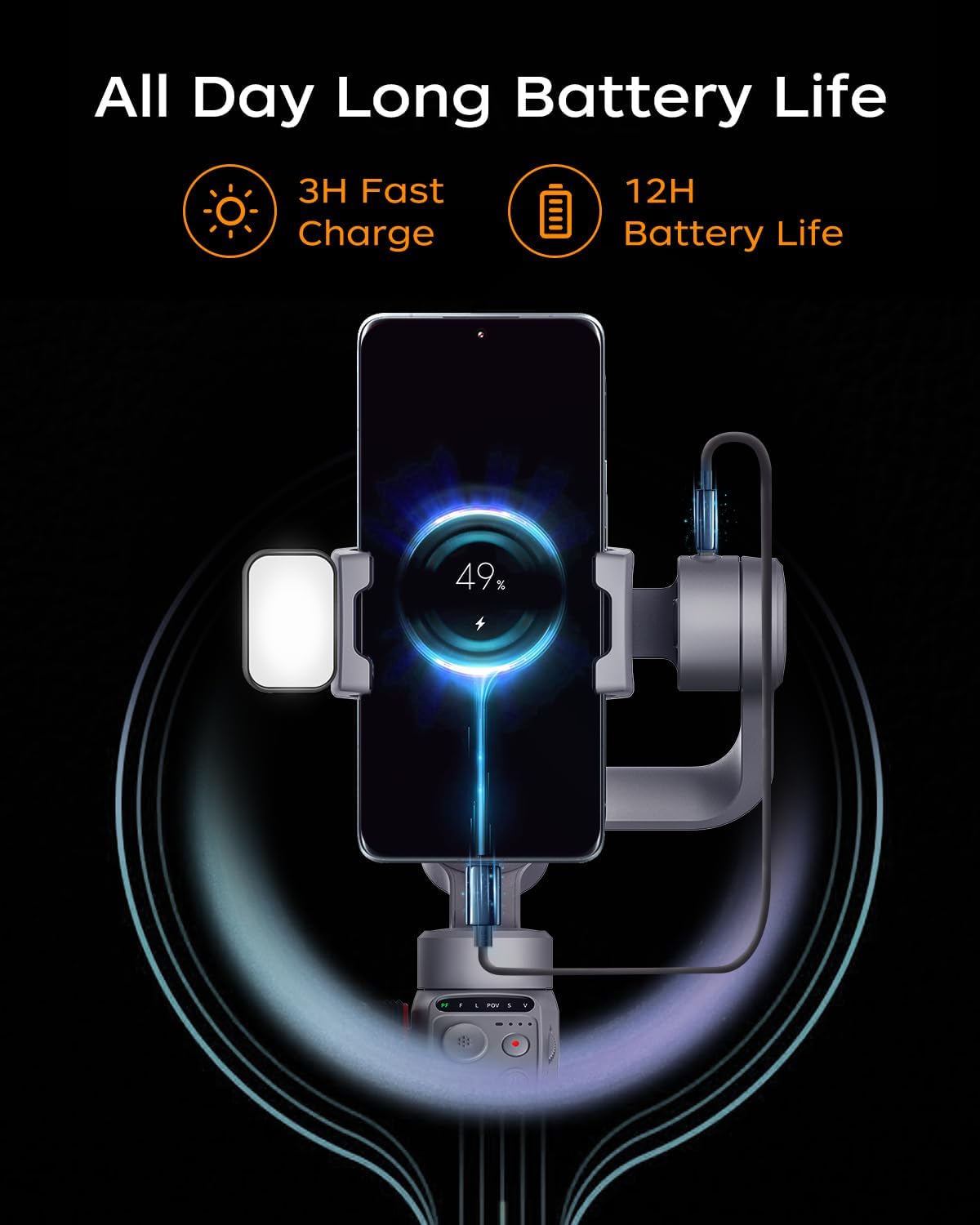
Before first use, fully charge the gimbal. Connect the Type-C charging cable to the gimbal's charging port and a USB power adapter (not included). The battery indicator lights will show charging status. A full charge takes approximately 3 hours and provides up to 13 hours of operation.

Image: The gimbal connected to a charging cable, indicating battery status.
2. Befestigung Ihres Smartphones
- Klappen Sie das Gimbal auf.
- Verlängern Sie die Telefonklemmeamp and securely place your smartphone in the center. Ensure the phone's camera is not obstructed. The gimbal supports smartphones up to 500g.
- Passen Sie die Position des Telefons im Handy an.amp to achieve balance. The phone should remain level when the gimbal is powered off.
3. Anbringen von Zubehör
- AI Tracker: Attach the AI tracker to the designated slot on the gimbal.
- Fülllicht: The magnetic fill light can be attached to the top of the phone clamp.
- Mini-Stativ: Screw the mini tripod into the 1/4-inch thread at the bottom of the gimbal handle for stable placement.
4. Ein-/Ausschalten
Press and hold the power button for 3 seconds to power on or off the gimbal. The gimbal will automatically calibrate upon startup.
Bedienungsanleitung
Grundlegende Bedienelemente
The FUNSNAP Capture5 features intuitive controls for easy operation.
- Joysticks: Controls the pan and tilt movements of the smartphone.
- Steuerrad: Adjusts roll axis rotation, focus, and the magnetic fill light's cold/warm light and RGB settings.
- Modus-Taste: Switches between different gimbal modes (e.g., Pan Follow, Lock Mode).
- Aufnahmetaste: Starts and stops video recording or takes photos.
- M-Taste: Switches between horizontal and vertical shooting modes.
AI-Tracking
The integrated AI Vision Sensor allows for face and body tracking without requiring a Bluetooth connection or a dedicated app. Simply activate the AI tracker, and it will automatically follow your subject.

Image: The gimbal actively tracking a person, illustrating its AI tracking capability.
Gestensteuerung
Utilize hand gestures to control recording functions. Specific gestures can initiate recording, stop recording, or customize composition within the Capture2 APP.

Image: Visual guide for gesture controls, including start, stop, and custom composition gestures.
Fernbedienung
The included remote control allows you to operate the gimbal from a distance of up to 33 feet, providing flexibility for various shooting scenarios.

Image: A person using the remote control to operate the gimbal from a distance.
Fülllichteinstellung
The magnetic fill light offers adjustable brightness, color temperature (cold/warm light), and RGB settings via the control wheel, allowing you to optimize lighting for your shots.
Image: The fill light demonstrating different brightness and color temperature settings.
Aufnahmemodi
The Capture2 APP (available for download) unlocks various shooting modes, including panorama, wide-angle, cinematic, live-streaming, time-lapse, and motion-lapse. It also allows optimization of your phone's native camera settings.
Video: Demonstration of the FUNSNAP Capture5 Gimbal Stabilizer in use for various shooting scenarios, showcasing its stabilization and tracking features.
Video: Another demonstration of the FUNSNAP Capture5 Gimbal Stabilizer capturing smooth footage in different outdoor settings.
Hauptmerkmale
- AI Vision Sensor with Magnetic Fill Light: Advanced AI tracking for face/body without app or Bluetooth, combined with an adjustable magnetic fill light.
- Smart Anti-Shake Technology: Professional 3-axis stabilization (Smart 8.0/9.0 Anti-Shake) to eliminate shaking and ensure stable video.

Image: A visual comparison demonstrating the superior stability achieved with the FUNSNAP Capture5 Gimbal versus handheld footage.
- Verlängerte Akkulaufzeit: 2600mAh battery provides up to 10-13 hours of continuous shooting, ideal for long sessions.
- Breite Kompatibilität: Supports a broad range of smartphones, including large and foldable models, compatible with 99% of smartphones on the market.

Image: An array of different smartphone models, illustrating the wide compatibility of the gimbal.

Image: A table detailing specific smartphone models and their supported camera functions with the gimbal.
- 360° Drehung: Offers 360-degree unlimited rotation for immersive visual effects.

Image: The gimbal performing a 360-degree rotation, creating a dynamic visual effect.
Wartung
- Reinigung: Reinigen Sie den Gimbal mit einem weichen, trockenen Tuch. Vermeiden Sie die Verwendung von flüssigen Reinigern oder Lösungsmitteln.
- Lagerung: When not in use, fold the gimbal and store it in its protective case in a cool, dry place.
- Batteriepflege: To prolong battery life, fully charge the gimbal at least once every three months if stored for extended periods.
- Überladung vermeiden: Do not mount smartphones heavier than the specified 500g payload to prevent damage to the motors.
Fehlerbehebung
- Gimbal schaltet sich nicht ein:
- Ensure the battery is charged. Connect the gimbal to a power source using the Type-C cable and try again after a few minutes.
- Gimbal is unstable or vibrating:
- Check if the smartphone is properly balanced in the clamp. The phone should remain level when the gimbal is off. Recalibrate the gimbal if necessary (refer to the app or manufacturer's website for calibration steps).
- AI Tracker not working:
- Ensure the AI tracker is securely attached and powered on. Verify there are no obstructions between the tracker and the subject. If issues persist, the AI tracker might be faulty (as noted in some user reviews, it can be delicate).
- Fernbedienung reagiert nicht:
- Check the remote control's battery. Ensure it is paired correctly with the gimbal (refer to pairing instructions in the full manual or app).
- Das Telefon passt nicht in die Tascheamp:
- Verify your phone's dimensions and weight are within the gimbal's specifications (max 500g payload). Remove any bulky cases if necessary.
Technische Daten
| Marke | FUNSNAP |
| Modell | Capture5 (C05) |
| Technische Daten | 2.5"D x 3.5"W x 8"H (Folded: 8.0 x 3.5 x 2.5 inches) |
| Artikelgewicht | 12.8 Unzen |
| Kompatible Geräte | Smartphones (up to 500g payload) |
| Batteriekapazität | 2600mAh (up to 10-13 hours operating time) |
| Ladezeit | Ca. 3 Stunden |
| Reichweite der Fernbedienung | Bis zu 33 Fuß |
Garantie und Support
For warranty information, technical support, or service inquiries, please contact FUNSNAP Official customer service. Refer to the product packaging or the official FUNSNAP webWebsite für Kontaktdaten.
Online-Ressourcen:
- Besuchen Sie die FUNSNAP Store on Amazon für Produktaktualisierungen und weitere Informationen.
- Check the Capture2 APP for tutorial videos and advanced features.