
1. Wichtige Sicherheitshinweise
Please read all instructions carefully before using this product and retain this manual for future reference. Failure to follow these instructions may result in electric shock, fire, or serious injury.
- Tauchen Sie das Gerät nicht in Wasser oder andere Flüssigkeiten.
- Bewahren Sie das Gerät außerhalb der Reichweite von Kindern und Haustieren auf.
- Das Gerät darf nicht in explosionsgefährdeten Bereichen, wie z. B. in Gegenwart von brennbaren Flüssigkeiten, Gasen oder Stäuben, betrieben werden.
- Use only the charging cable provided. Ensure the charging voltage entspricht den Gerätespezifikationen.
- Do not disassemble, repair, or modify the device yourself. Contact qualified service personnel for repairs.
- Avoid blocking the air intake or outlet during operation to prevent overheating.
- Richten Sie den Druckluftreiniger nicht direkt auf Augen, Ohren oder andere empfindliche Körperteile.
- Bewahren Sie das Gerät bei Nichtgebrauch an einem kühlen, trockenen Ort auf.
2. Produktüberschreitungview
The ZIZEV 2-in-1 Cordless Electric Air Duster and Blower is a versatile cleaning tool designed for various applications, offering both blowing and suction functionalities. It features a powerful brushless motor and adjustable speed settings.
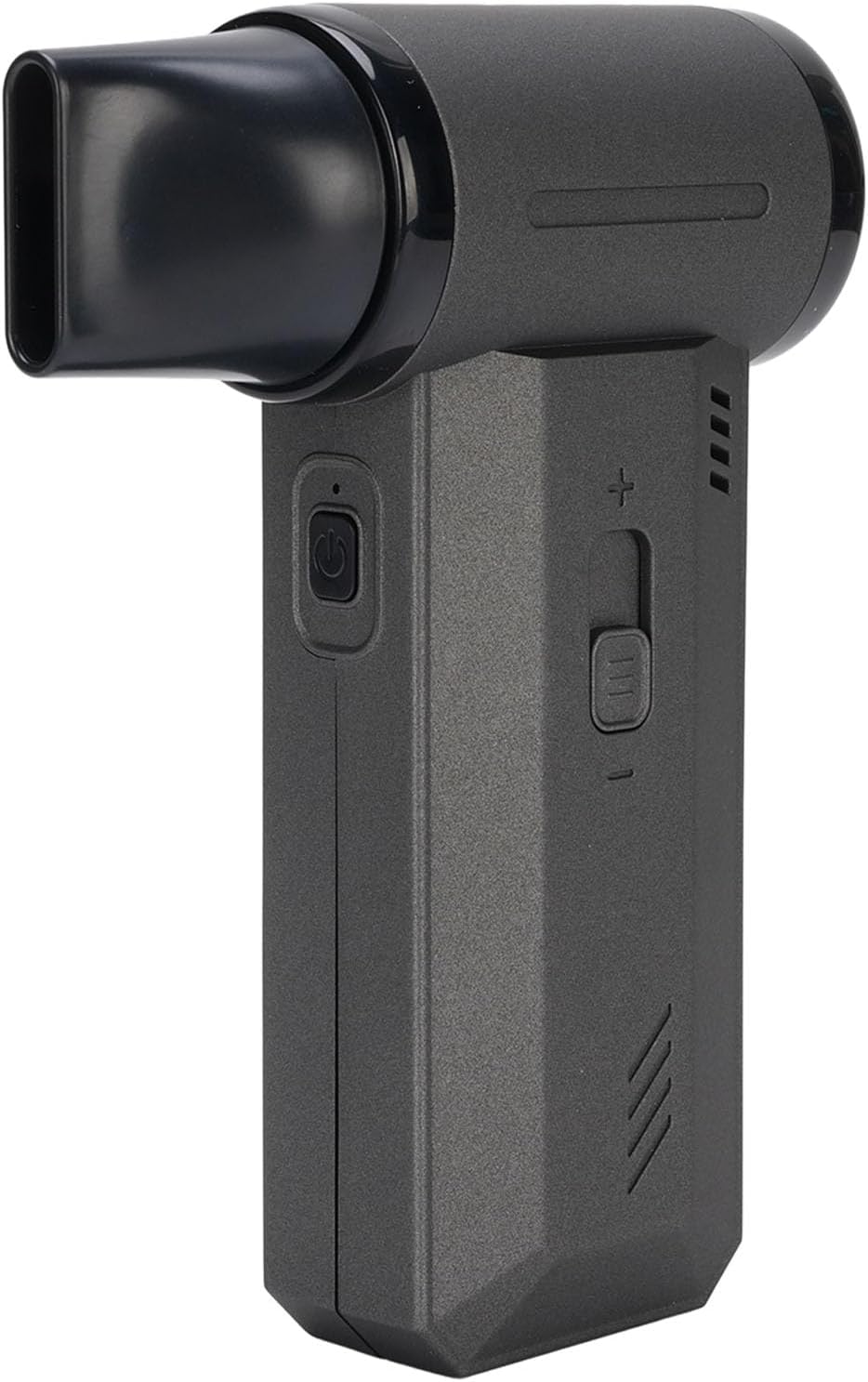
Bild 2.1: Vorderseite view of the ZIZEV 2-in-1 Cordless Electric Air Duster and Blower with the blowing nozzle attached.

Bild 2.2: Schräg view of the ZIZEV Air Duster, showing its compact design.
Hauptmerkmale:
- 2-in-1-Funktionalität: Capable of both blowing and suction for comprehensive cleaning.
- Leistungsstarker bürstenloser Motor: Delivers speeds up to 130,000 RPM and airflow up to 50 m/s.
- Einstellbare Geschwindigkeitseinstellungen: Sliding speed control switch for precise airflow management.
- Langlebige Konstruktion: Made from high-hardness, heatproof aluminum alloy and plastic materials.
- Schnelles Laden: Type-C charging interface for rapid power replenishment.
- Vielseitige Anwendungen: Suitable for cleaning outdoor equipment, cars, computers, keyboards, cameras, sofas, plants, and removing pet hair.
3. Packungsinhalt
Verify that all items are present in the package before initial use. If any items are missing or damaged, please contact customer support.

Image 3.1: The ZIZEV Air Duster shown with all included accessories.
- 1 x Handheld Air Blower
- 1 x Ladekabel (Typ-C)
- 1 x Benutzerhandbuch (dieses Dokument)
- 5 x Accessories (various nozzles and brush)
4. Einrichtung
4.1 Erstaufladung
- Schließen Sie das mitgelieferte USB-C-Ladekabel an den Ladeanschluss des Geräts an.
- Stecken Sie das andere Ende des Ladekabels in einen kompatiblen USB-Netzadapter (nicht im Lieferumfang enthalten).
- The charging indicator light will illuminate. Allow the device to fully charge before first use.
4.2 Anbringen von Zubehör
The device comes with various nozzles and a brush for different cleaning tasks. To attach an accessory:
- Select the desired nozzle or brush.
- Align the accessory with the air outlet (for blowing) or air intake (for suction).
- Gently push and twist until it is securely in place.
5. Bedienungsanleitung
The ZIZEV Air Duster offers both blowing and suction capabilities. Ensure the correct nozzle is attached for your intended function.

Abbildung 5.1: Seite view highlighting the power button and speed control switch.
5.1 Ein-/Ausschalten
- So schalten Sie das Gerät ein: Press and hold the power button (usually marked with a universal power symbol) for a few seconds until the device starts.
- So schalten Sie das Gerät aus: Press and hold the power button again until the device stops.
5.2 Geschwindigkeit anpassen
The device features a sliding speed control switch to adjust the airflow intensity.
- Slide the switch towards the '+' symbol to increase the speed and airflow.
- Slide the switch towards the '-' symbol to decrease the speed and airflow.
- There are typically 3 speed settings available.
5.3 Verwendung der Gebläsefunktion
- Attach the desired blowing nozzle to the air outlet.
- Schalten Sie das Gerät ein.
- Adjust the speed as needed using the sliding switch.
- Direct the nozzle towards the area to be cleaned to blow away dust and debris.
5.4 Verwendung der Saugfunktion
- Attach the appropriate suction accessory (e.g., the filter cup with a nozzle) to the air intake.
- Schalten Sie das Gerät ein.
- Passen Sie die Geschwindigkeit nach Bedarf an.
- Use the suction function to vacuum small particles and dust from surfaces.
6. Wartung
Regular maintenance ensures optimal performance and extends the lifespan of your ZIZEV Air Duster.
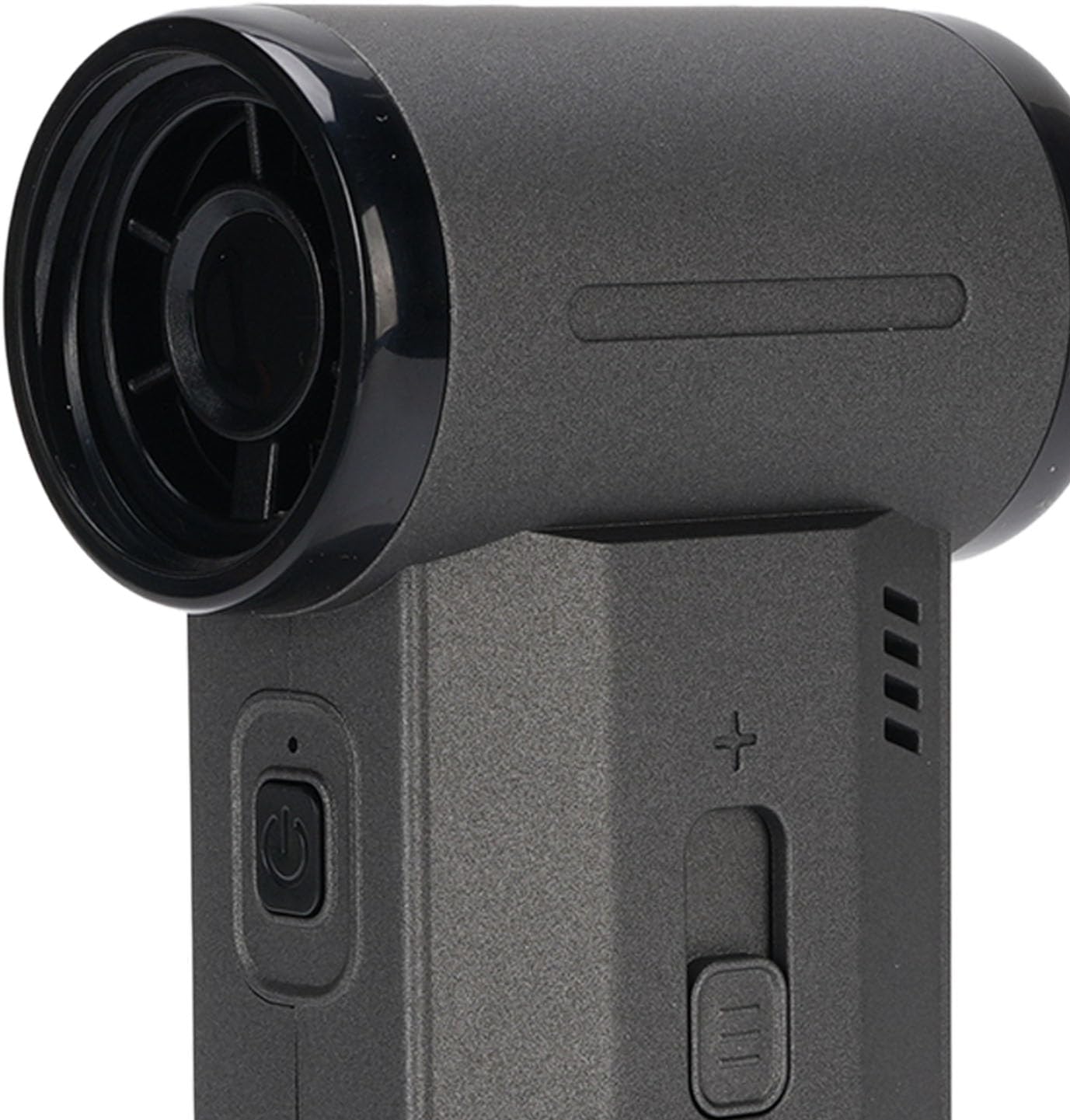
Bild 6.1: Nahaufnahme view of the air intake, showing the fan blades.
6.1 Gerät reinigen
- Stellen Sie vor der Reinigung sicher, dass das Gerät ausgeschaltet und vom Stromnetz getrennt ist.
- Wischen Sie das Gerät außen mit einem weichen, trockenen Tuch ab. Verwenden Sie keine Scheuer- oder Lösungsmittel.
- Use a small brush or another air duster (at a low setting) to gently clean dust from the air intake and outlet grilles.
6.2 Filter Maintenance (for Suction Function)
If using the suction function, the filter inside the collection cup will accumulate dust and debris. Clean it regularly to maintain suction efficiency.
- Twist and remove the collection cup from the device.
- Carefully remove the filter from the cup.
- Tap the filter gently to dislodge accumulated dust. For thorough cleaning, you may rinse the filter with water if it is designed to be washable (refer to product packaging or manufacturer's guidelines for confirmation). Ensure the filter is completely dry before reinserting.
- Reassemble the filter into the collection cup and attach the cup back to the device.
6.3 Speicherung
When not in use, store the device and its accessories in a clean, dry place, away from direct sunlight and extreme temperatures.
7. Fehlerbehebung
If you encounter any issues with your ZIZEV Air Duster, refer to the following common problems and solutions:
| Problem | Mögliche Ursache | Lösung |
|---|---|---|
| Gerät lässt sich nicht einschalten. | Schwacher Akku oder keine Ladung. | Laden Sie das Gerät vollständig mit dem mitgelieferten USB-C-Kabel auf. |
| Weak airflow/suction. | Blocked air intake/outlet or dirty filter. | Check for obstructions. Clean the air intake/outlet and the filter (if using suction). |
| Das Gerät überhitzt. | Prolonged use or blocked ventilation. | Turn off the device and allow it to cool down. Ensure air vents are clear. Avoid continuous operation for extended periods. |
| Das Laden funktioniert nicht. | Defektes Kabel oder Netzteil. | Try a different Type-C cable or USB power adapter. Ensure connections are secure. |
If the problem persists after attempting these solutions, please contact ZIZEV customer support for further assistance.
8. Spezifikationen
Technical specifications for the ZIZEV 2-in-1 Cordless Electric Air Duster and Blower.

Image 8.1: Product label showing model and battery information.
- Modellnummer: ZIZEVuaq49cfpwg
- Material: Aluminiumlegierung, Kunststoff
- Batteriekapazität: 8000mAh (eingebaut)
- Höchstgeschwindigkeit: 130,000 U/min
- Luftstrom: Bis zu 50 m/s
- Ladeschnittstelle: Typ C
- Artikelgewicht: Ungefähr 1.34 Pfund (0.61 kg)
- Paketabmessungen: Ungefähr 9.84 x 6.69 x 2.36 Zoll (25 x 17 x 6 cm)
9. Garantie und Support
ZIZEV products are manufactured to high-quality standards. This product is covered by a limited warranty against defects in materials and workmanship from the date of purchase. Please retain your proof of purchase for warranty claims.
For warranty service, technical support, or any questions regarding the operation or maintenance of your ZIZEV Air Duster, please contact the seller or ZIZEV customer support through the platform where the product was purchased.
Weitere Informationen finden Sie unter ZIZEV Store on Amazon.