
1. Einleitung
This manual provides essential information for the proper setup, operation, and maintenance of your JMGO 100-inch Projector Screen. Please read these instructions carefully before use to ensure optimal performance and longevity of your product.
Hauptmerkmale:
- Schnelle und einfache Einrichtung: Designed for rapid assembly and disassembly, suitable for both permanent and portable applications.
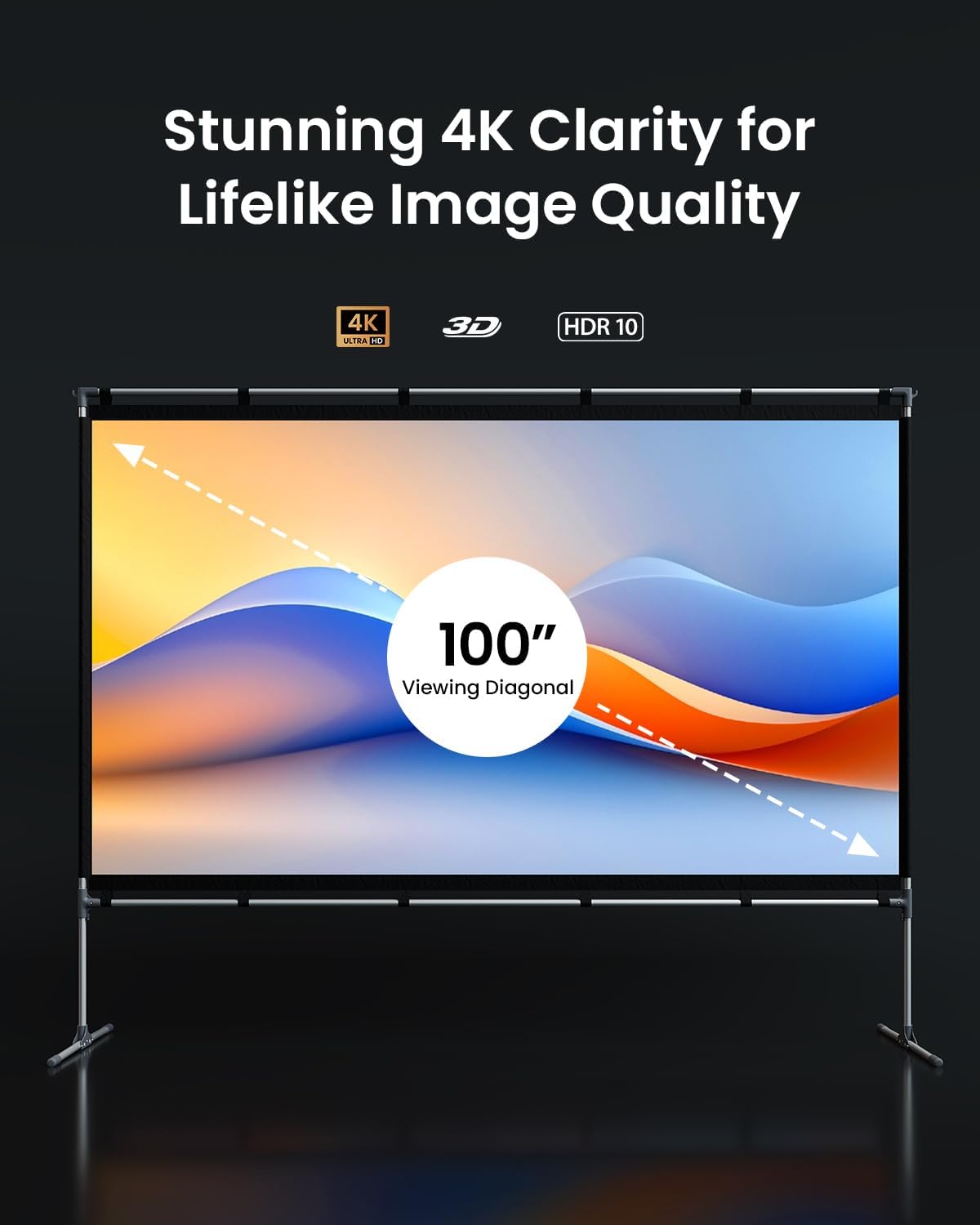
- Hervorragende Bildqualität: Supports 4K, 3D, and HDR content, offering high brightness and accurate color reproduction for an immersive viewErfahrung.
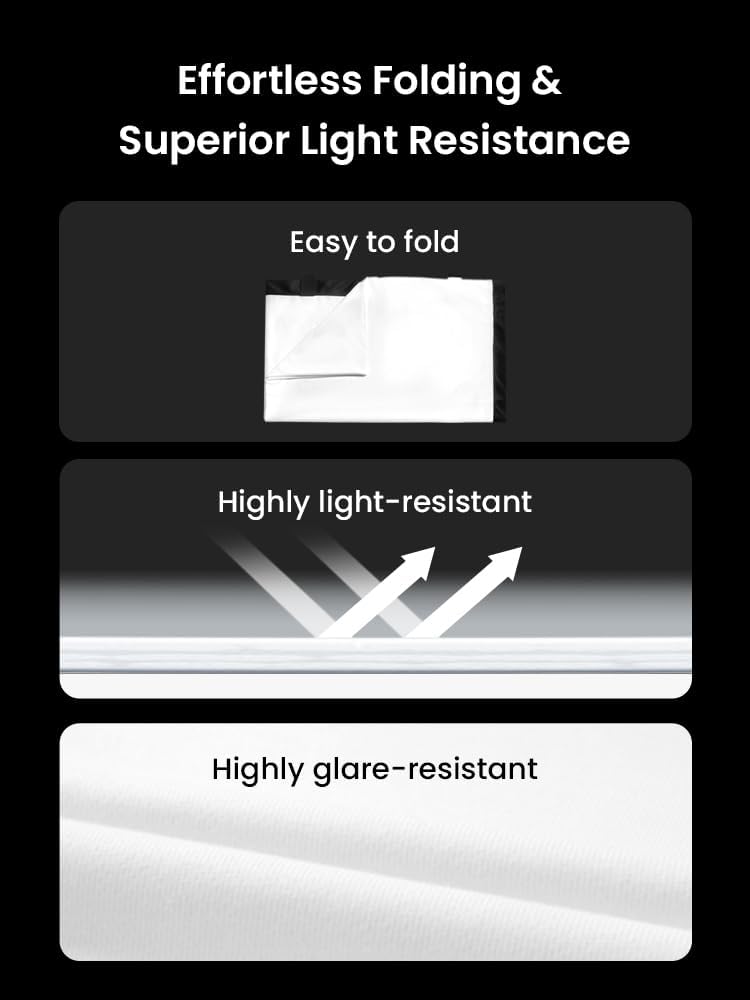
- Langlebig und vielseitig: Features high light resistance, anti-wrinkle technology, and enhanced opacity for superior contrast. Supports both front and rear projection.
- Anpassbare Nutzung: Ideal for various environments including home theaters, outdoor movie nights, camping, office presentations, and classroom settings.
2. Einrichtungsanweisungen
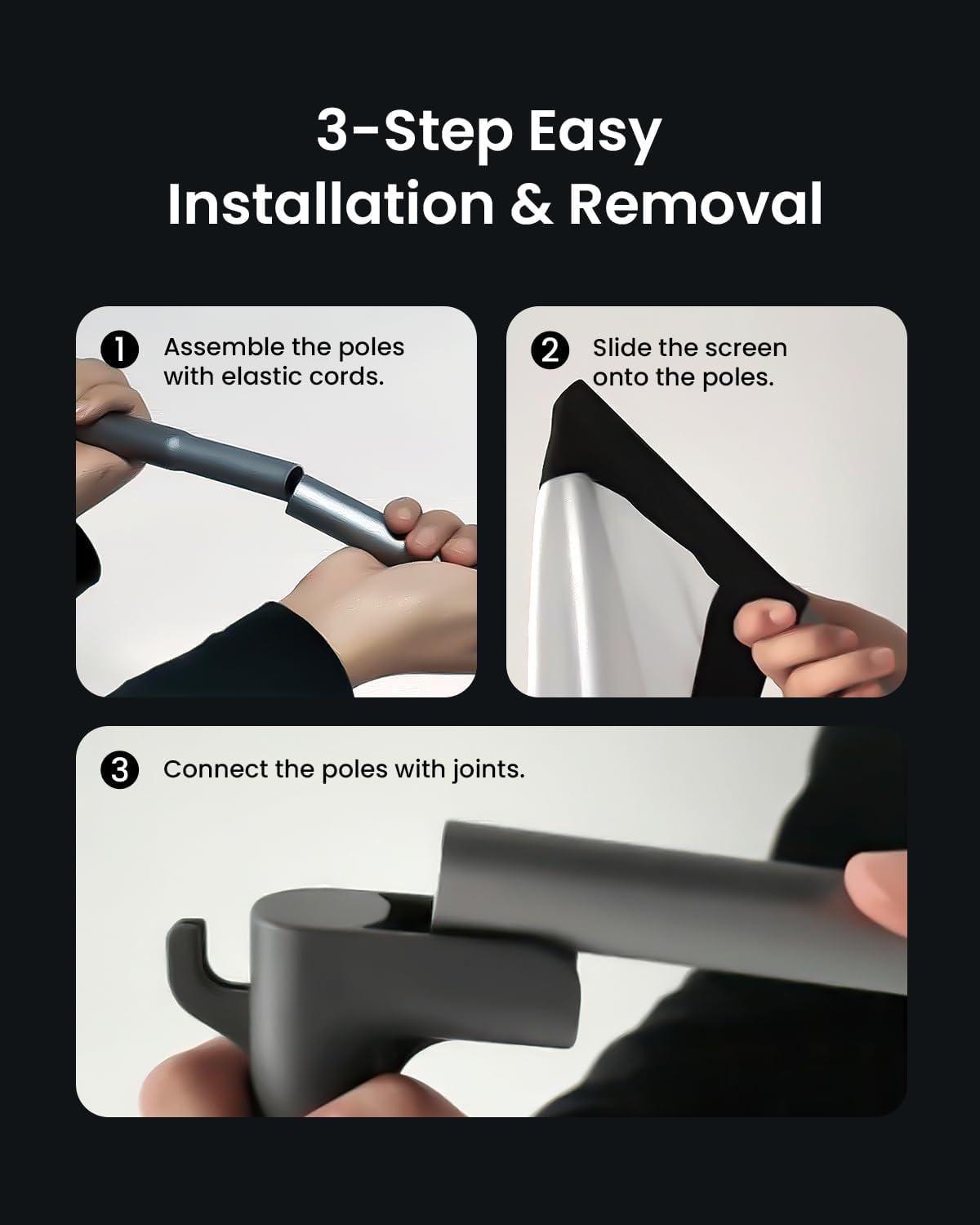
Follow these steps to assemble your JMGO 100-inch Projector Screen:
- Zusammenbau der Stangen: Connect the pole segments using the elastic cords inside. Ensure all connections are secure.
- Slide the Screen onto the Poles: Carefully slide the screen material onto the assembled poles. The screen has sleeves designed to accommodate the poles.
- Connect Poles with Joints: Use the provided joints (T-joints and elbow joints) to connect the assembled poles, forming the complete frame. Ensure all joints are firmly attached.
Product Dimensions and Components:
Refer to the diagram below for a visual representation of the screen components and overall dimensions.

3. Bedienungsanleitung
Once assembled, position your projector screen for optimal viewing. The screen is designed to provide a high-quality image experience.
ViewBerufserfahrung:
- The screen supports 4K, 3D, and HDR content, ensuring a vibrant and detailed picture.
- Its specialized fabric offers high contrast and color accuracy.
- The wide 160-degree viewDer weite Blickwinkel gewährleistet ein klares Bild aus verschiedenen Positionen.
- Suitable for both front and rear projection setups.

4. Wartung
To maintain the quality and performance of your projector screen, follow these guidelines:
- Reinigung: Gently wipe the screen surface with a soft, damp cloth. Avoid abrasive cleaners or harsh chemicals, as these can damage the screen material.
- Lagerung: When not in use, disassemble the screen and fold it carefully. Store it in a dry, cool place away from direct sunlight. The anti-wrinkle technology helps prevent creases during storage.
- Handhabung: Avoid sharp objects near the screen surface to prevent punctures or tears.
5. Fehlerbehebung
If you encounter issues with your projector screen, consider the following common solutions:
- Falten auf dem Bildschirm: Ensure the screen is stretched tautly across the frame during assembly. The material is designed to be anti-wrinkle, but improper setup can cause minor creases.
- Instabiler Rahmen: Verify that all pole connections and joints are securely fastened. For outdoor use, ensure ground stakes and water bags (if included) are properly utilized to stabilize the frame.
- Schlechte Bildqualität: Check your projector's settings and ensure it is aligned correctly with the screen. Verify that the screen surface is clean and free from obstructions.
Für weitere Unterstützung wenden Sie sich bitte an den Kundendienst.
6. Spezifikationen
| Besonderheit | Detail |
|---|---|
| Marke | JmGO |
| Modellnummer | JMUS_Screen_61020146-01 |
| Montagetyp | Bodenhalterung |
| Technische Daten | 100 Zoll B x 100 Zoll H |
| Abmessungen anzeigen | 100 Zoll (Diagonale) |
| Material | Specialized Fabric |
| Bildschirmfinish | Matt |
| Viewing-Winkel | 160 Grad |
| Hersteller | JMGO |
7. Garantieinformationen
The JMGO 100-inch Projector Screen comes with a 1 Jahr eingeschränkte Garantie from the date of purchase. This warranty covers manufacturing defects under normal use. It does not cover damage caused by misuse, accidents, unauthorized modifications, or improper installation.
Bitte bewahren Sie Ihren Kaufbeleg für Garantieansprüche auf.
8. Kundendienst
For any questions, technical support, or warranty inquiries, please contact JMGO Customer Service.

E-Mail: after-sales@jmgo.com
Please include your model number and a detailed description of your issue when contacting support.