
ViATOM Checkme O2 (PO6B)
ViATOM Bluetooth-Pulsoximeter – Benutzerhandbuch
Model: Checkme O2 (PO6B)
1. Einleitung
The ViATOM Bluetooth Pulse Oximeter is a compact, non-invasive device designed for spot-checking and continuous monitoring of blood oxygen saturation (SpO2), pulse rate (PR), and perfusion index (PI). Utilizing advanced infrared light technology, it provides accurate and reliable measurements for health monitoring. This device is suitable for use by adults and children in home environments, sports, or aviation. It features an OLED display for clear readings and can connect to a mobile application for data storage and trend analysis.

Image 1.1: The ViATOM Bluetooth Pulse Oximeter alongside a smartphone displaying its connected application, showing real-time and historical SpO2 and pulse rate data.
1.1 Hauptmerkmale
- Accurate and Fast Measurement: Advanced finger sensor uses infrared light to capture body movements and collect precise SpO2, PI, and heart rate information.
- APP for iOS & Android: Receives data from the oximeter and automatically saves it (only when the APP is running) to display real-time data, graphical reports, and trends.
- Instant Start: Simply wear the oximeter to begin. O2, pulse rate, and PI values are measured and displayed on the clear OLED screen.
- Alarm for Abnormal Readings: Screen flashes to warn you if values are outside preset thresholds.
- Built-in Memory: Stores up to 12 groups of records directly on the device. Unlimited historical data can be saved via the APP.
- Auto On & Off: Device automatically powers on when a finger is inserted and off when removed.

Image 1.2: A visual summary of the oximeter's key features, including real-time data, continuous monitoring, built-in memory, automatic power management, alert functions, smart app integration, graphical reporting, and data sharing capabilities.
2. Sicherheitshinweise und Vorsichtsmaßnahmen
- Verwenden Sie das Oximeter nicht in einer MRT- oder CT-Umgebung.
- Das Oximeter darf nicht in Situationen verwendet werden, die sterile Bedingungen erfordern.
- The oximeter is not intended for continuous monitoring in critical care settings.
- Halten Sie das Gerät von Wasser und Feuchtigkeit fern.
- Vermeiden Sie starke elektromagnetische Störungen.
- Versuchen Sie nicht, das Gerät selbst zu reparieren oder zu modifizieren. Wenden Sie sich an den Kundendienst, um Unterstützung zu erhalten.
- Vor der Messung muss der Finger sauber und trocken sein. Nagellack oder künstliche Nägel können das Messergebnis beeinträchtigen.
- Prolonged use on a single finger may cause discomfort or pressure marks. Change fingers periodically.
- This device is not a substitute for professional medical advice or treatment. Consult a healthcare professional for any health concerns.
3. Packungsinhalt
Bitte überprüfen Sie nach dem Auspacken den Packungsinhalt, um sicherzustellen, dass alle Artikel vorhanden sind:
- 1 x ViATOM Bluetooth Pulse Oximeter
- 1 x User Manual (Instruction Guide)
- 1 x Schlüsselband.
- 2 x AAA-Batterien
- 1 x Aufbewahrungstasche

Image 3.1: A visual representation of the ViATOM Pulse Oximeter package contents, showing the device, user manual, lanyard, and two AAA batteries.
4. Gerät überview
Familiarize yourself with the different parts of your ViATOM Pulse Oximeter:

Image 4.1: A detailed diagram illustrating the various components and display indicators of the ViATOM Pulse Oximeter, including SpO2, Pulse Rate, PI, pulse waveform, battery indicator, and the single operation button.
- OLED-Anzeige: Shows SpO2, Pulse Rate, PI, pulse waveform, and battery status.
- Finger Chamber: Where the finger is inserted for measurement. Contains the infrared sensor.
- Bedienknopf: Used to turn the device on/off and cycle through display modes (if applicable).
- Batteriefach: Auf der Rückseite befindet sich das Batteriefach für zwei AAA-Batterien.
- Lanyard-Loch: Zum Anbringen des mitgelieferten Schlüsselbandes.
5. Einrichtung
5.1 Batterien einlegen
- Öffnen Sie die Batterieabdeckung auf der Rückseite des Geräts.
- Legen Sie die beiden mitgelieferten AAA-Batterien ein und achten Sie dabei auf die richtige Polarität (+/-).
- Schließen Sie die Batterieabdeckung fest.
5.2 Downloading the ViHealth App
The ViATOM Pulse Oximeter connects to the ViHealth app for iOS and Android devices, allowing for data storage, trend analysis, and report generation.
- Suchen nach "ViHealth" in the Apple App Store (for iOS) or Google Play Store (for Android).
- Download and install the application on your smartphone or tablet.
- Follow the on-screen instructions within the app to create an account or log in.

Image 5.1: Screenshots of the ViHealth application interface, demonstrating its capabilities for tracking oxygen levels, pulse rate, and displaying historical data in graphical reports.
5.3 Bluetooth-Kopplung
- Stellen Sie sicher, dass Bluetooth auf Ihrem Smartphone aktiviert ist.
- Öffne die ViHealth-App.
- Insert your finger into the oximeter to turn it on.
- Navigieren Sie innerhalb der App zum Abschnitt Geräteverbindung (normalerweise gekennzeichnet durch ein Bluetooth-Symbol oder „Gerät verbinden“).
- Select the ViATOM Pulse Oximeter from the list of available devices. The device name might appear as "Checkme O2" or similar.
- Once connected, the app will display "Connected" and begin receiving real-time data from the oximeter.
6. Bedienungsanleitung
6.1 Messung durchführen
- Ensure the oximeter has batteries installed and is clean.
- Öffne dieamp des Oximeters.
- Insert one of your fingers (preferably the index or middle finger) fully into the finger chamber, ensuring the nail is facing upwards towards the display.
- Lassen Sie die clampDas Gerät schaltet sich automatisch ein und beginnt mit der Messung.
- Halten Sie Ihre Hand während der Messung ruhig. Bewegungen können die Genauigkeit beeinträchtigen.
- Readings for SpO2, Pulse Rate, and PI will appear on the OLED display within a few seconds.
- The device features an "Auto On & Off" function, meaning it will automatically turn off after approximately 8 seconds of inactivity (when no finger is detected).

Image 6.1: A user demonstrating how to place a finger into the oximeter for a real-time measurement, with the accompanying app showing the live data feed.
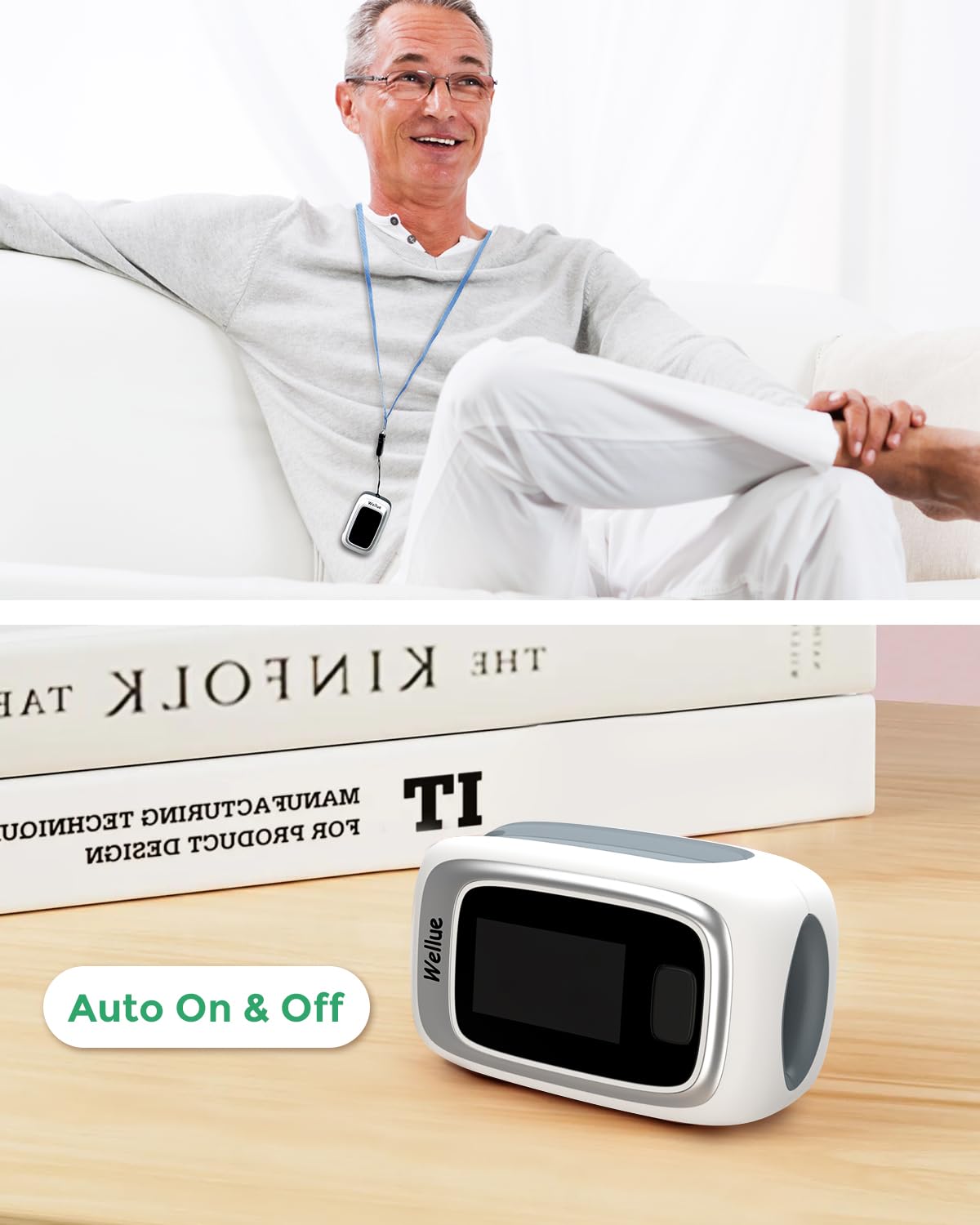
Image 6.2: The oximeter in use, demonstrating its automatic power management feature, turning on when a finger is inserted and off when removed.
6.2 Interpretation von Texten
- SpO2 (%): Blood Oxygen Saturation. Normal values typically range from 95% to 100%.
- PR (bpm): Pulse Rate (Heart Rate) in beats per minute. Normal adult resting heart rate is usually between 60 and 100 bpm.
- PI (%): Perfusion Index. Indicates the strength of the pulse signal at the measurement site. Higher PI values generally indicate a stronger signal.
- Impulswellenform: A graphical representation of your pulse, indicating the regularity and strength of your heartbeat.
6.3 Alarm for Abnormal Readings
The oximeter is equipped with an alarm function. If your blood oxygen saturation, pulse rate, or PI values fall below or rise above the preset thresholds, the oximeter's screen will flash to warn you. These thresholds can often be customized within the ViHealth app.

Image 6.3: The oximeter's display showing a measurement, with an overlaid text indicating an audible alert ("~beep") for abnormal readings.
6.4 Spot Check vs. Continuous Mode
The device supports both quick spot checks and continuous monitoring, depending on your needs and app settings.

Image 6.4: A visual comparison of the display modes, highlighting the difference between a single 'Spot Check' measurement and ongoing 'Continuous Mode' monitoring.
6.5 Nutzung der ViHealth-App
The ViHealth app enhances the functionality of your oximeter:
- Echtzeitdaten: View live SpO2, PR, and PI readings directly on your phone.
- Datenspeicherung: The app automatically saves measurement data (only when the app is running and connected). The oximeter itself has built-in memory for up to 12 groups of records, which can be browsed directly on the device. Unlimited historical data can be saved via the app.
- Graphical Reports: Generieren und view graphical reports of your blood oxygen saturation and heart rate trends over time.
- Weitergabe von Daten: Easily share your graphical reports (as images) with healthcare professionals or family members.
- Einstellungen: Adjust alarm thresholds, display brightness, and other device settings through the app.
7. Wartung
7.1 Gerät reinigen
- Before cleaning, ensure the device is turned off and batteries are removed if storing for a long period.
- Wipe the surface of the oximeter with a soft cloth dampened with a mild disinfectant (e.g., 70% isopropyl alcohol).
- Clean the inside of the finger chamber with a cotton swab lightly dampmit Desinfektionsmittel beendet.
- Das Gerät darf nicht in Wasser oder Reinigungslösungen eingetaucht werden.
- Allow the device to air dry completely before use or storage.
7.2 Speicherung
- Bewahren Sie das Oximeter an einem kühlen, trockenen Ort, fern von direkter Sonneneinstrahlung und extremen Temperaturen auf.
- Wenn das Gerät längere Zeit nicht benutzt wird, sollten die Batterien entfernt werden, um ein Auslaufen und Beschädigungen zu vermeiden.
- Use the provided storage pouch to protect the device from dust and scratches.

Image 7.1: The compact design of the oximeter allows for easy storage in a bag or pouch, highlighting its portability.
8. Fehlerbehebung
| Problem | Mögliche Ursache | Lösung |
|---|---|---|
| Gerät lässt sich nicht einschalten. | Die Batterien sind leer oder falsch eingelegt. | Batteriepolung prüfen. Durch neue AAA-Batterien ersetzen. |
| Ungenaue oder instabile Messwerte. | Finger not inserted properly; excessive movement; cold fingers; nail polish/artificial nails; strong ambient light. | Reinsert finger correctly. Remain still. Warm hands if cold. Remove nail polish. Shield from bright light. Try a different finger. |
| Probleme mit der Bluetooth-Verbindung. | Bluetooth off on phone; app not running; device out of range; interference. | Ensure phone Bluetooth is on. Open ViHealth app. Keep device close to phone. Restart both device and app. |
| Die App zeichnet keine Daten auf. | App not running in foreground; device not connected; insufficient phone storage. | Keep app open during measurement. Ensure successful Bluetooth connection. Check phone storage. |
| Screen flashing/Alarm. | Readings are outside preset normal range. | This is a warning feature. Consult a healthcare professional if readings are consistently abnormal. Check app settings for alarm thresholds. |
9. Spezifikationen
| Marke | ViATOM |
| Modellname | Checkme O2 (PO6B) |
| Messbereich | SpO2: 35-100%, Pulse Rate: 25-250 bpm |
| Stromquelle | 2 x AAA-Batterien (im Lieferumfang enthalten) |
| Technische Daten | 4 x 3 x 2 cm |
| Artikelgewicht | 80 g |
| Konnektivität | Bluetooth |
| Anzeigetyp | OLED |
| Im Lieferumfang enthaltene Komponenten | Finger Pulse Oximeter, Instruction Manual, Lanyard, 2 AAA Batteries, Pouch |
10. Garantie und Support
ViATOM offers a 24-month worry-free service and technical support for this product. For any questions, issues, or warranty claims, please contact ViATOM customer service through their official webWebsite oder die Kontaktinformationen, die auf Ihrer Produktverpackung angegeben sind.
For the latest information and support, please visit the official ViATOM webWebsite: www.viatomtech.com
Ask a question about this manual
Ask about setup, troubleshooting, compatibility, parts, safety, or missing instructions. Manuals+ will review the question and use this page’s manual context to help answer it.