
1. Produktüberschreitungview
The BIFYTON 1:18 Scale RC Truck (Model: YT6632) is an all-terrain remote control vehicle designed for both indoor and outdoor use. Featuring a durable PVC shell, LED lights, and a 2WD rear-wheel drive system, it offers an engaging driving experience. The truck is equipped with a powerful brushed motor and anti-skid tires, capable of reaching speeds up to 20KM/H. It comes with two rechargeable batteries for extended playtime and a 2.4GHz remote control for stable operation.

Image 1.1: The BIFYTON 1:18 Scale RC Truck, remote control, and included accessories.
2. Packungsinhalt
- 1 x BIFYTON 1:18 Scale RC Truck
- 1 x 2.4-GHz-Fernbedienung
- 2 x 3.7V 1200mAh Rechargeable Batteries (for truck)
- 2 x AA-Batterien (für die Fernbedienung)
- 1 x USB-Ladekabel
- 1 x Schraubendreher
- 2 x Body Lock Clips (spare)

Abbildung 2.1: Alle im Produktpaket enthaltenen Artikel.
3. Installationsanleitung
3.1. Laden der LKW-Batterien
- Locate the two 3.7V 1200mAh rechargeable batteries and the USB charging cable.
- Connect one end of the USB charging cable to the battery.
- Plug the USB end of the cable into a compatible USB power adapter (not included) or a computer USB port.
- The indicator light on the USB cable will show the charging status (e.g., red for charging, green for fully charged).
- Charging typically takes 2-3 hours per battery. Each fully charged battery provides up to 30 minutes of playtime.
3.2. Installing Truck Batteries
- Using the provided screwdriver, carefully open the battery compartment cover located on the underside of the RC truck.
- Connect a fully charged 3.7V 1200mAh rechargeable battery to the truck's battery connector.
- Legen Sie die Batterie sicher in das Batteriefach ein.
- Schließen Sie den Batteriefachdeckel und befestigen Sie ihn mit der Schraube.
3.3. Einlegen der Batterien in die Fernbedienung
- Öffnen Sie das Batteriefach auf der Rückseite der 2.4-GHz-Fernbedienung.
- Legen Sie die beiden mitgelieferten AA-Batterien ein und achten Sie dabei auf die richtige Polarität (+/-).
- Schließen Sie den Batteriefachdeckel.

Image 3.1: Rechargeable batteries and USB charging cable.
4. Bedienungsanleitung
4.1. Einschalten und Koppeln
- Turn on the RC truck using the ON/OFF switch located on its underside.
- Schalten Sie die Fernbedienung mit dem EIN/AUS-Schalter ein.
- The remote control and truck will automatically pair. An indicator light on the remote will confirm successful pairing.
4.2. Fernbedienungsfunktionen
- Auslösen: Pull the trigger to move forward, push it to move backward.
- Lenkrad: Rotate the wheel left or right to steer the truck.
- Geschwindigkeitsmodus-Taste: Switch between Low Gear (slower speed for beginners) and High Gear (faster speed for experienced users).
- Beleuchtungstaste: Toggle the LED headlights and colorful body lights ON/OFF.
4.3. Directional Adjustment
If the truck does not drive in a straight line, use the directional adjustment knob located on the underside of the truck (near the front wheels) to fine-tune its steering alignment.
4.4. All-Terrain Driving
The BIFYTON RC Truck is designed for various terrains, including grass, mud, sand, and paved roads. Its anti-skid tires and independent shock absorbers provide a stable and smooth driving experience. The sturdy front bumper helps protect against minor collisions.

Abbildung 4.1: Die 2.4-GHz-Fernbedienung mit beschrifteten Funktionen.
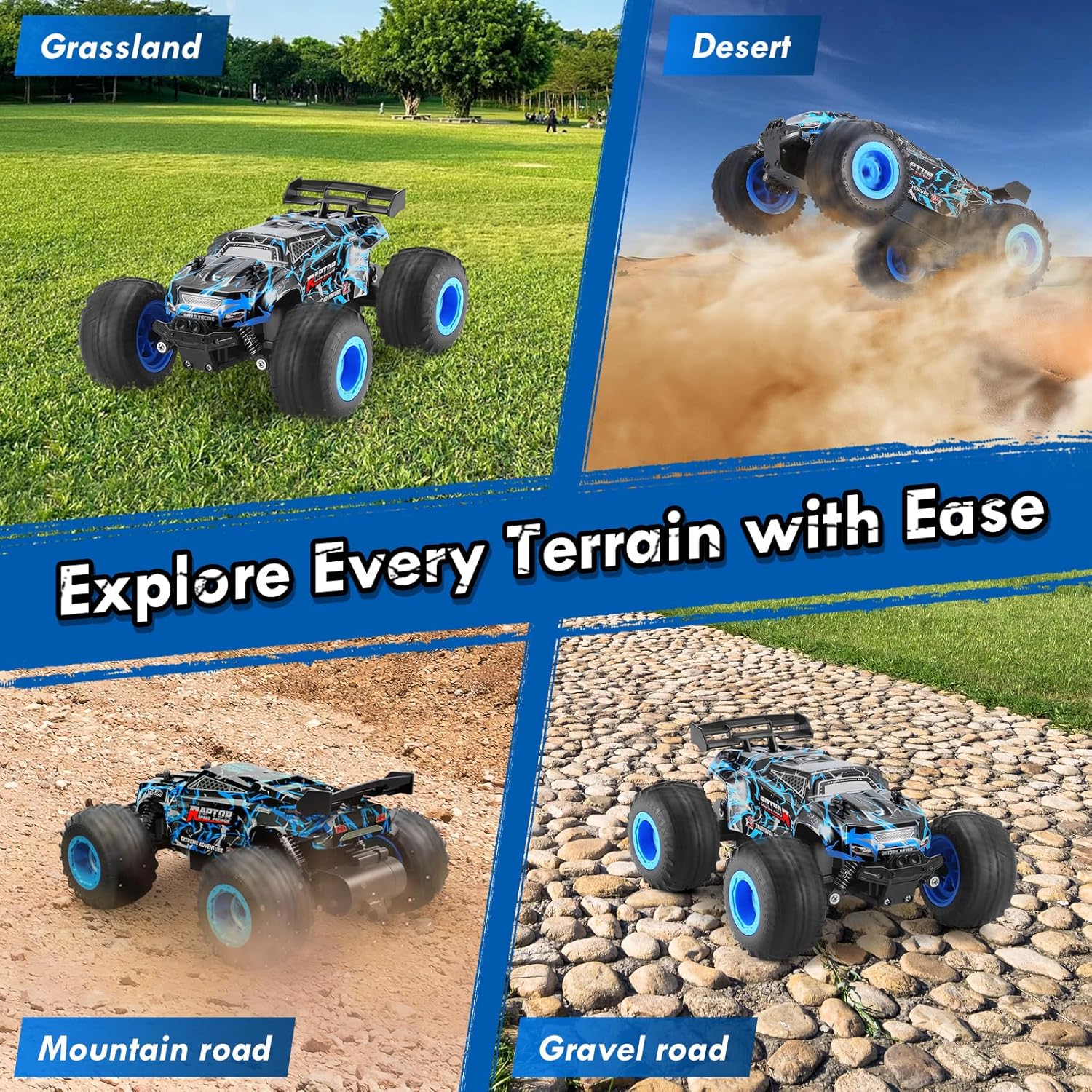
Image 4.2: The RC truck demonstrating its all-terrain capabilities.
5. Wartung
5.1. Reinigung
- After use, especially on dirty or dusty surfaces, gently wipe the truck with a soft, dry cloth to remove dirt and debris.
- Vermeiden Sie die Verwendung von Wasser oder aggressiven Chemikalien, da diese elektronische Bauteile beschädigen können.
- Clean the wheels and suspension components to ensure smooth operation.
5.2. Batteriepflege und -lagerung
- Always fully charge the rechargeable batteries before storage.
- Remove all batteries (truck and remote) if the product will not be used for an extended period.
- Store the truck and batteries in a cool, dry place away from direct sunlight and extreme temperatures.
5.3. Allgemeine Inspektion
- Regularly check for any loose screws or damaged parts. Tighten screws as needed.
- Ensure the tires are free from embedded debris that could affect performance.
6. Fehlerbehebung
- LKW reagiert nicht: Ensure both the truck and remote control are powered ON and batteries are fully charged and correctly installed. Re-pair the devices if necessary.
- Schlechte Lenkung: Adjust the directional adjustment knob on the underside of the truck. Check for any obstructions in the steering mechanism.
- Reduzierte Geschwindigkeit/Leistung: The batteries may be low. Replace with a fully charged battery or recharge the current one.
- Lichter funktionieren nicht: Press the Lighting button on the remote control. Ensure the truck's main power is on.
7. Spezifikationen
| Besonderheit | Spezifikation |
|---|---|
| Marke | BIFYTON |
| Modellnummer | YT6632 |
| Skala | 1:18 |
| Antriebssystem | 2WD (Rear-Wheel Drive) |
| Maximalgeschwindigkeit | 20KM/H |
| Kontrollfrequenz | 2.4 GHz |
| Regelbereich | Bis zu 164 Fuß |
| LKW-Batterie | 2 x 3.7 V 1200 mAh wiederaufladbare Batterien |
| Fernbatterie | 2 x AA-Batterien (im Lieferumfang enthalten) |
| Playtime per Battery | Bis zu 30 Minuten |
| Ladezeit | 2-3 Stunden pro Akku |
| Schalenmaterial | Langlebiges PVC |
| Gehäusematerial | Robuster ABS-Kunststoff |
| Besondere Merkmale | LED Lights, Independent Shock Absorbers, Anti-skid Tires, Directional Adjuster |
| Technische Daten | 8.26 x 6.69 x 3.94 Zoll |
| Artikelgewicht | 14.4 Unzen |
| Empfohlenes Alter | 8 - 10 Jahre |
8. Sicherheitshinweise
- Von Zündquellen fernhalten.
- Um elektrische Schäden zu vermeiden, betreiben Sie das Gerät nicht in der Nähe von Wasser oder unter nassen Bedingungen.
- Die Aufsicht durch Erwachsene wird empfohlen, insbesondere bei jüngeren Nutzern.
- Avoid operating in crowded areas or near people/animals to prevent accidents.
- Nehmen Sie keine Änderungen am Produkt oder seinen Komponenten vor.
9. Garantie und Support
This product is covered by a standard return policy. For specific warranty details, returns, or technical support, please refer to your purchase documentation or contact the retailer directly. Ensure to keep your proof of purchase for any warranty claims.