
Einführung
This manual provides detailed instructions for the installation, operation, and maintenance of your DDPAI 4G LTE Module. Designed to enhance the functionality of your DDPAI Z60 Pro Dash Cam, this module enables advanced remote monitoring, real-time tracking, and cloud storage capabilities. Please read this manual thoroughly before use to ensure optimal performance and safety.
Lieferumfang
The DDPAI 4G LTE Module package includes the following components:
- 4G Cloud Box
- SIM Card (with 30GB free data for the first 90 days)
- Intelligentes Hardwire-Kit
- 3M Aufkleber
- SIM-Auswerferwerkzeug
- Bedienungsanleitung
Image: A visual representation of all items included in the DDPAI 4G LTE Module package.
Hauptmerkmale
- SIM-Karte enthalten: Comes with a DDPAI SIM card offering 30GB of free data for the first 90 days.
- Powerful 4G Remote Connectivity: Enables remote real-time viewing, screen recording, photo capture, and remote dash cam wake-up via the DDPAI app.
- Sofortbenachrichtigungen per App: Receive real-time notifications with location, time, and footage for collisions or emergencies.
- GPS Tracking & Geofencing: Track your vehicle's location in real-time and set virtual boundaries with instant alerts.
- Smart Cloud Storage: Provides 2GB of cloud storage for collision photos and 10-second video clips (720P@30fps, 4Mbps), with full control over your cloud album.
- Intelligent Hardwire Kit: Features IPS low-voltagSchutzmaßnahmen zur Verhinderung der Entladung der Fahrzeugbatterie.
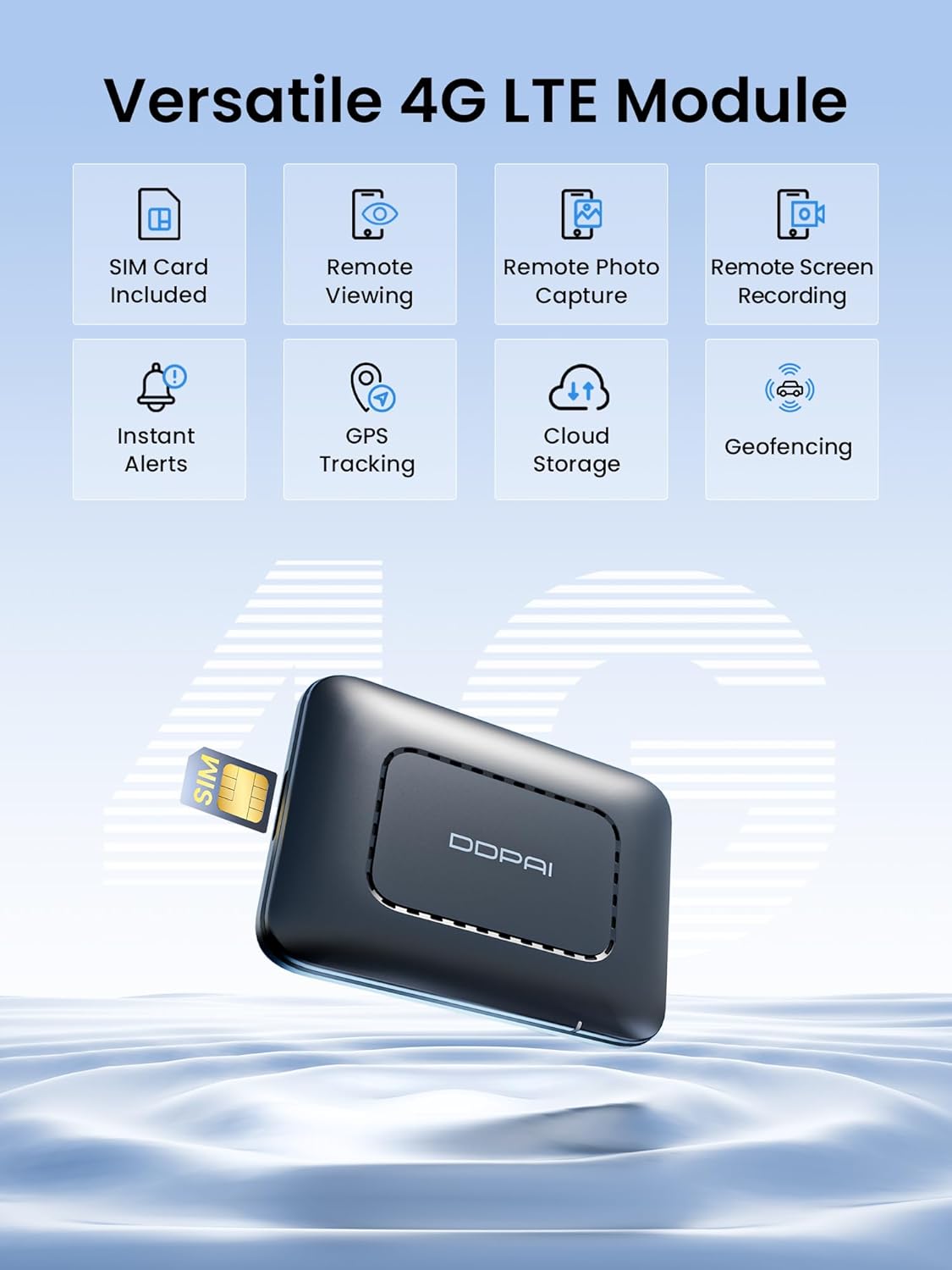
Image: The DDPAI 4G LTE Module with icons representing its core functionalities.
Setup und Installation
1. SIM Card Activation & Data Plans
The included DDPAI SIM card provides 30GB of free data for your first 90 days. After the trial period, you can select from 6 data plans (including a 120GB plan for $6.25/month) directly through the DDPAI app to continue 4G connectivity.

Image: A close-up of the DDPAI 4G LTE Module with a SIM card being inserted.

Image: A graphic detailing the available data plans for the 4G LTE Module.
2. Connecting the 4G LTE Module to Z60 Pro Dash Cam
The 4G LTE module is designed for compatibility exclusively with the DDPAI Z60 Pro Dash Cam. Use the intelligent hardwire kit provided to connect the module to your vehicle's power system. Ensure proper routing of cables to avoid interference with vehicle operations.
Video: Official installation guide for the DDPAI 4G Cloud Box, demonstrating how to connect it to the dash cam and vehicle power.
Bedienungsanleitung
1. Remote Live View & Steuerung
Überwachen Sie Echtzeit-Footage remotely via the DDPAI app. You can initiate remote screen recording, capture photos, and even wake up your dash cam from sleep mode.

Image: Remote live preview von Dashcam-Footage auf einem Smartphone.

Image: Visual guide to remote photo capture, GPS tracking, and remote wake-up functions.
2. Incident Alerts & GPS Tracking
The DDPAI app will send instant alerts to your phone if unusual events like collisions or vehicle entry/exit from geofenced areas occur. You can track your vehicle's real-time location via GPS.

Bild: Ein Example of an instant app alert for a parking collision.
3. Cloud Storage Management
Collision photos and 10-second video clips are automatically uploaded to your 2GB cloud storage. Manage your cloud album directly from the app to select, download, or delete media.

Image: The 4G LTE Module illustrating its smart cloud storage feature.
Wartung
- Regularly check the DDPAI app for firmware updates to ensure optimal performance and access to new features.
- Ensure the intelligent hardwire kit is properly connected to prevent battery drain. The IPS low-voltage protection is designed to safeguard your vehicle's battery.
- In regelmäßigen Abständenview your cloud storage and local dash cam footage. Unnötige Inhalte löschen files to manage storage space effectively.
- Keep the dash cam lenses clean for clear recording quality.
Fehlerbehebung
- Keine 4G-Verbindung: Ensure the SIM card is correctly inserted and activated. Check your data plan status in the DDPAI app. Verify network coverage in your area.
- Dash Cam Not Waking Up Remotely: Confirm the 4G LTE module is properly connected and has an active data plan. Some features may rely on traffic detection (phone calling) for wake-up, depending on your SIM card type.
- Batterieverbrauch: The intelligent hardwire kit includes IPS low-voltage protection. If battery drain occurs, verify the hardwire kit installation and consult your vehicle's manual or a professional.
- App-Benachrichtigungen nicht empfangen: Check your phone's notification settings for the DDPAI app. Ensure the app has necessary permissions and a stable internet connection.
Technische Daten
| Technische Daten | 1.97 x 1.97 x 1.97 Zoll |
| Artikelgewicht | 1.98 Unzen |
| Konnektivitätstechnologie | 4G LTE |
| Besondere Merkmale | Cloud Storage, Cloud Album Management, Instant App Alerts, 4G Connectivity, Live GPS Tracking, Geofencing, App Control, Remote Live View, Remote Screen Recording, Remote Photo Capture, Remote Wake-up of Dashcam |
| Farbe | Schwarz |
| Hersteller | ddpai |
| Modellname | 4G Cloud Box |
| Auflösung der Videoaufnahme | 1080p, 2160p (Dash Cam dependent) |
| Montagetyp | Windschutzscheibenhalterung |
Garantie und Support
- Garantie: 18 Monate
- Rückgaberecht: 7 Tage
- Rückgabe bei Mängeln: Ja
- Kundendienst: QUICK 24/7 LIVE EMAIL SUPPORT at servicecenter@ddpai.com