
PGST PG-M18
PGST 2K Wireless Video Doorbell Camera (Model PG-M18) User Manual
Ihr Leitfaden für Installation, Betrieb und Wartung.
1. Einleitung
Thank you for choosing the PGST 2K Wireless Video Doorbell Camera. This device provides advanced home security with crystal-clear 2K video, AI motion detection, and convenient two-way audio communication. Designed for easy installation and reliable performance, it ensures you stay connected to your front door from anywhere.
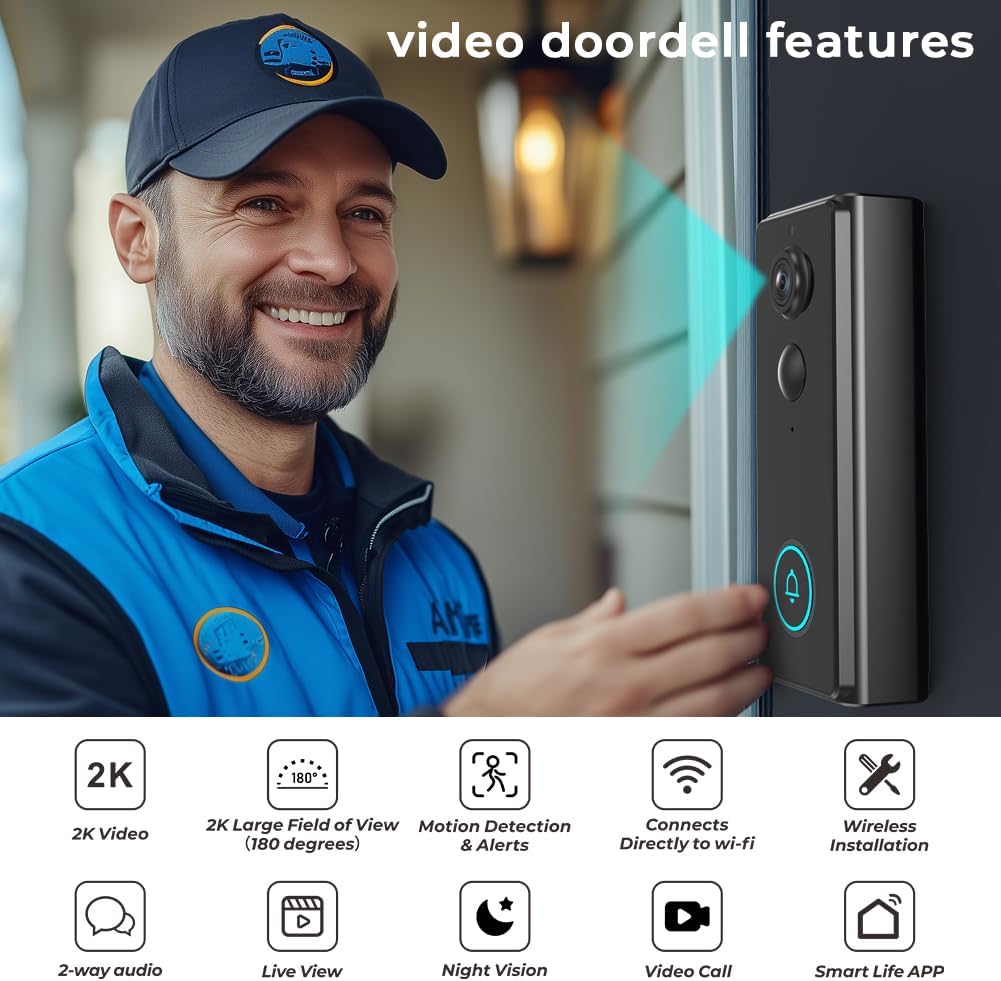
Bild 1.1: The PGST 2K Wireless Video Doorbell Camera, showcasing its key features including 2K video, 180-degree field of view, motion detection, Wi-Fi connectivity, wireless installation, 2-way audio, live view, night vision, video call, and Smart Life App compatibility.
Hauptmerkmale:
- 2K High Resolution Video: Capture clear details with 2K resolution and 2x digital zoom.
- KI-Bewegungserkennung: Receive instant alerts and snapshots when motion is detected.
- Von Kopf bis Fuß View & Night Vision: Ein breiter 180-Grad-Rundumblick viewing angle and up to 32 feet of night vision for comprehensive coverage.
- Kabellose Installation: Built-in 4000mAh battery for wire-free setup.
- Two-Way Audio & Live View: Communicate with visitors and monitor your doorstep in real-time via the app.
- IP65 Wetterfest: Robustes Design für den Außeneinsatz unter verschiedenen Witterungsbedingungen.
- Keine monatliche Gebühr: Local storage options available.
2. Packungsinhalt
Bitte überprüfen Sie das Paket sorgfältig, um sicherzustellen, dass alle Artikel vorhanden und in einwandfreiem Zustand sind.
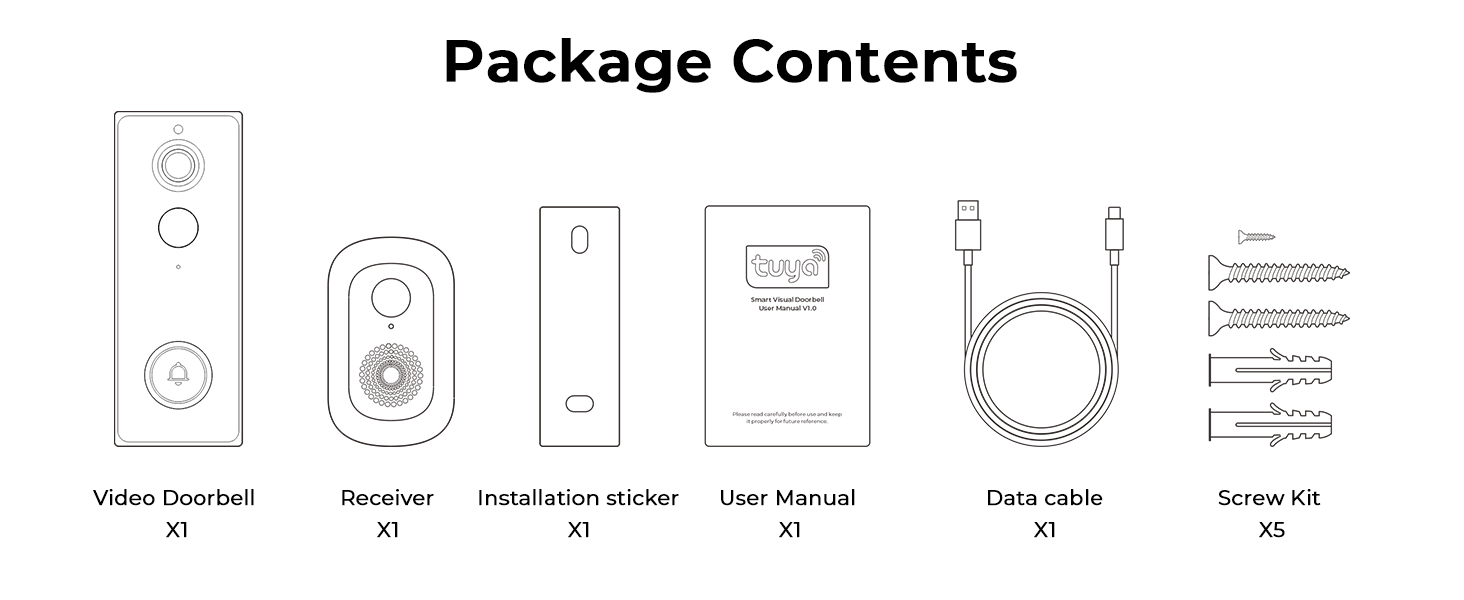
Bild 2.1: Contents of the PGST Video Doorbell package, including the Video Doorbell, Receiver (Chime), Installation Sticker, User Manual, Data Cable (Type-C), and Screw Kit.
- Video Doorbell (x1)
- Chime (Receiver) (x1)
- Installation Hardware (Screws, Wall Anchors) (x1 set)
- Benutzerhandbuch (x1)
- Charging Cable (Type-C) (x1)
3. Einrichtung und Installation
3.1. Aufladen der Türklingel
Before installation, fully charge the doorbell using the provided Type-C charging cable. The built-in 4000mAh battery ensures long-lasting performance.
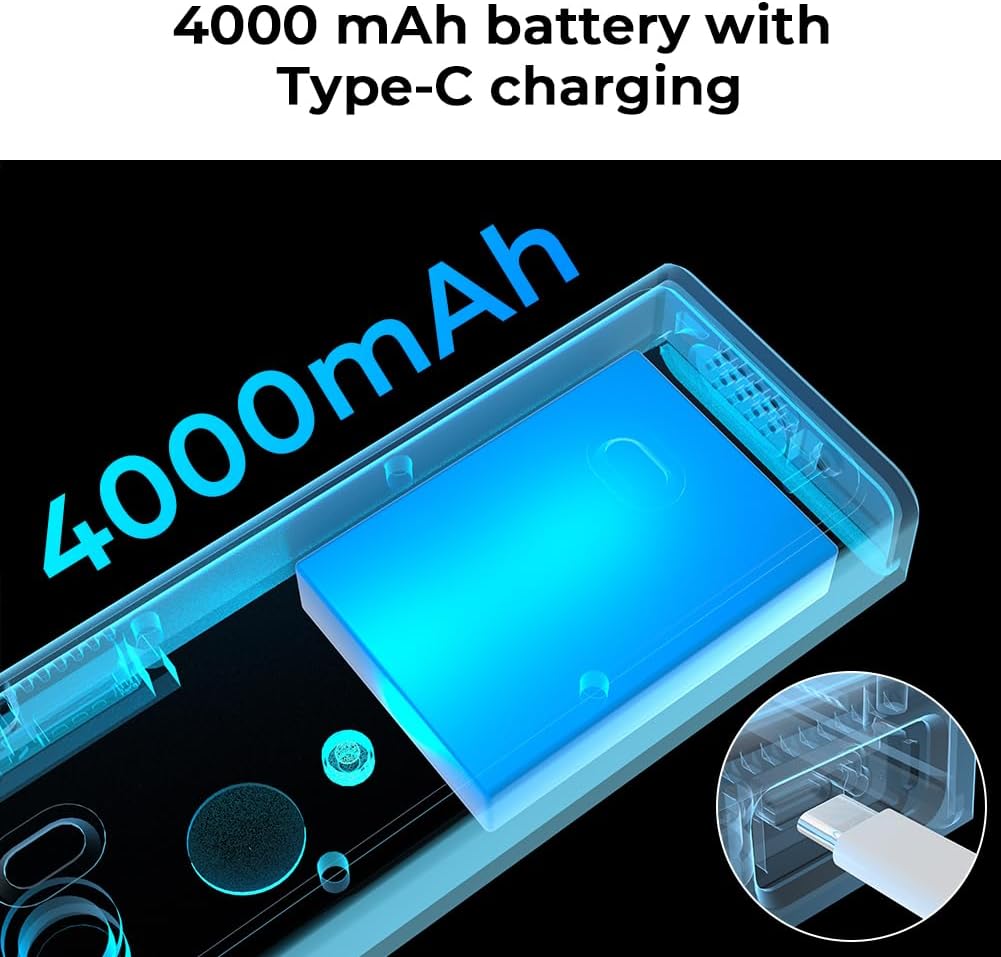
Bild 3.1: Illustration of the doorbell's internal 4000mAh battery and its Type-C charging capability.
3.2. App-Download und Kopplung
- Laden Sie die Intelligentes Leben App aus dem App Store Ihres Smartphones (verfügbar für Android und iOS).
- Registrieren Sie sich oder melden Sie sich bei Ihrem Smart Life-Konto an.
- Follow the in-app instructions to add your new PGST Video Doorbell. Ensure your phone is connected to a 2.4GHz Wi-Fi network during pairing.
3.3. Montage der Türklingel
The doorbell offers two installation methods: screw mounting or self-adhesive mounting.
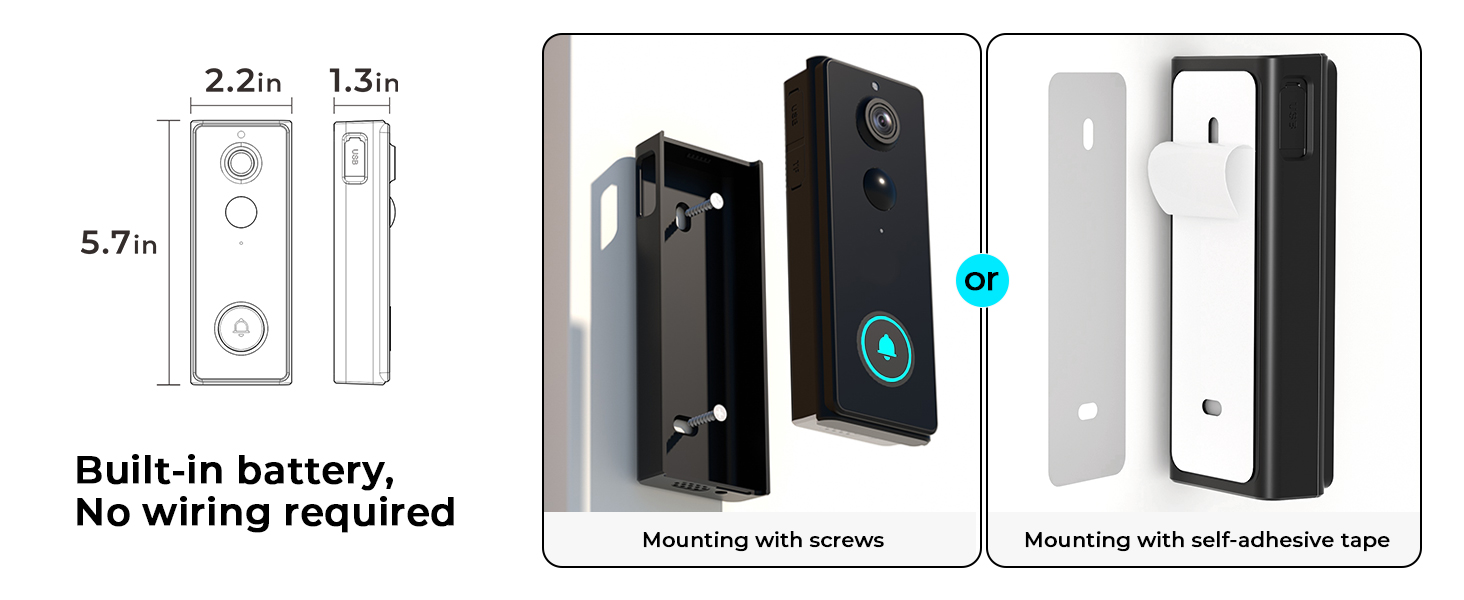
Bild 3.2: Two mounting options for the doorbell: using screws for a permanent fixture or self-adhesive tape for easier installation.
- Schraubmontage: Use the provided installation hardware to securely attach the doorbell to your wall. This method is recommended for long-term stability.
- Self-Adhesive Mounting: For a less permanent solution, use the strong adhesive tape to attach the doorbell to a clean, flat surface.
3.4. Einrichtung der Klingel
Plug the Chime into a standard wall outlet inside your home. It will automatically pair with your doorbell. The chime extends connectivity and provides an audible notification when the doorbell is pressed.

Bild 3.3: The doorbell chime plugged into a wall socket, indicating its role in providing audible notifications.
4. Bedienungsanleitung
4.1. Leben View und Zwei-Wege-Audio
Access the live feed from your doorbell camera anytime through the Smart Life app. When a visitor presses the doorbell or motion is detected, you can initiate a two-way conversation directly from your smartphone.

Bild 4.1: A user engaging in two-way audio communication with a visitor at their door using the smartphone app.
4.2. Bewegungserkennung und Benachrichtigungen
The doorbell features advanced AI motion detection. When movement is detected at your door, the camera captures a snapshot or video and sends an immediate alert to your Smart Life app, reducing false alarms.

Bild 4.2: A smartphone screen showing a real-time motion detection alert with a live view von der Türklingelkamera.
4.3. 2K Video and Zoom
The doorbell records in 2K resolution, providing clear and detailed footage. You can use the 2x digital zoom feature within the app to get a closer look at specific areas.
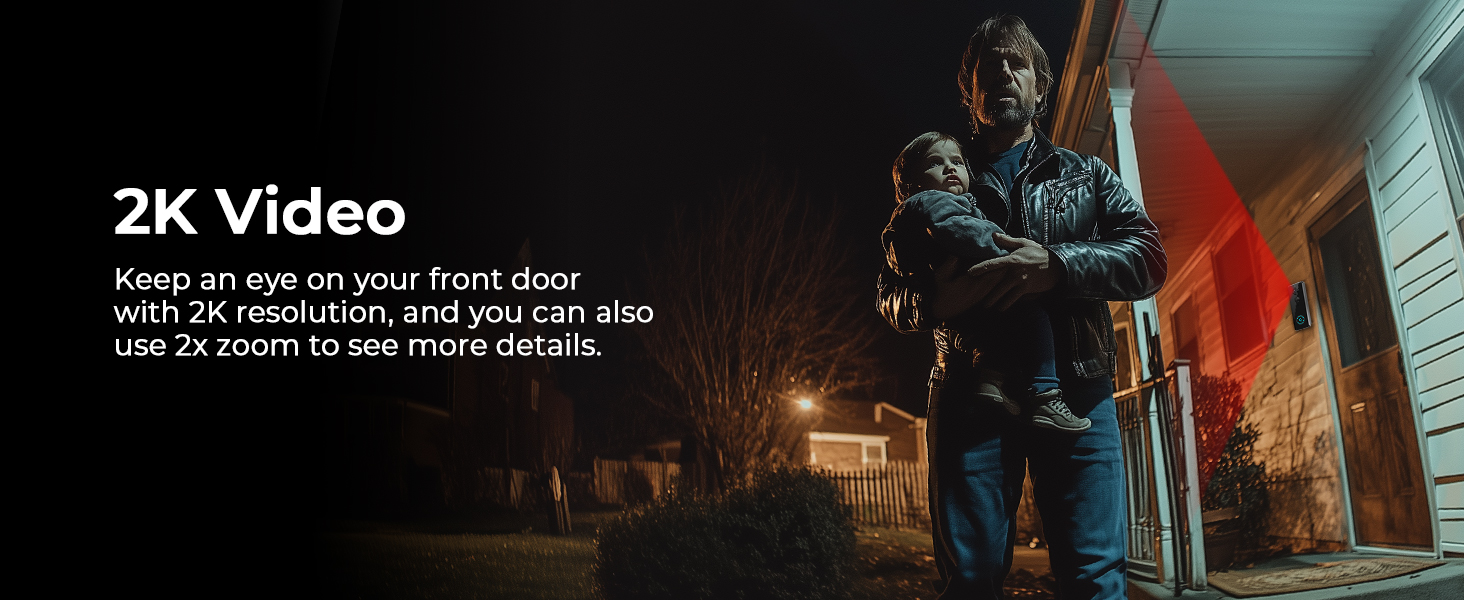
Bild 4.3: Ein Example of 2K video quality, showing a clear image of a person at the doorstep even in low light conditions.
4.4. Nachtsicht
Equipped with advanced night vision technology, the doorbell provides clear visibility up to 32 feet, even in complete darkness, ensuring your property is monitored 24/7.

Bild 4.4: A clear night vision view of a visitor at the door, highlighting the doorbell's ability to capture images in low-light environments.
4.5. Voice Simulation
Utilize the voice simulation feature to protect your privacy or deter unwanted visitors by using pre-recorded messages or a modified voice during two-way communication.
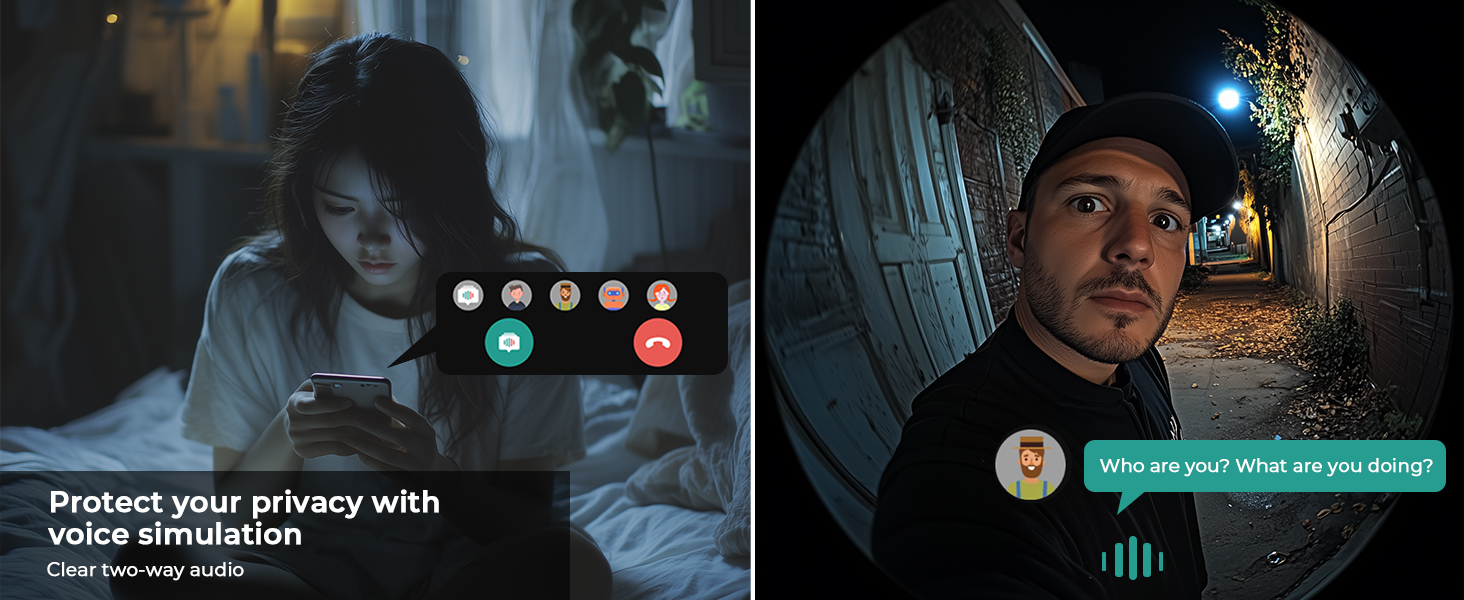
Bild 4.5: A visual representation of the voice simulation feature, allowing users to communicate with visitors while maintaining privacy.
4.6. Visitor History
The Smart Life app stores a history of visitors and events, allowing you to review footage from the past 30 days at your convenience.

Bild 4.6: Multiple smartphone views illustrating the visitor history log, showing different individuals captured by the doorbell over time.
4.7. Gerätefreigabe
Share access to your doorbell camera with family members through the Smart Life app, allowing multiple users to monitor and interact with visitors.

Bild 4.7: An illustration of the device sharing feature, enabling multiple family members to access and control the doorbell camera from different locations.
4.8. Speicheroptionen
The doorbell supports local storage for photos without a monthly fee. Cloud storage for video recordings is available separately.

Bild 4.8: A visual representation emphasizing that local security features come with no monthly fees.
5. Wartung
5.1. Batteriepflege
- Recharge the doorbell's built-in 4000mAh battery using the provided Type-C cable when the battery level is low.
- Avoid exposing the doorbell to extreme temperatures for prolonged periods, as this can affect battery life.
5.2. Reinigung
- Wischen Sie die Kameralinse und die Oberfläche der Türklingel mit einem weichen, fusselfreien Tuch ab.amp Tuch, um Staub und Schmutz zu entfernen.
- Do not use harsh chemicals or abrasive cleaners, as they may damage the device.
5.3. Wetterfestmachung
The PGST Video Doorbell is rated IP65 weatherproof, meaning it is protected against dust and water jets. It is designed to withstand various outdoor conditions.

Bild 5.1: The doorbell camera installed outdoors during rainfall, demonstrating its IP65 waterproof rating and resistance to various weather conditions.
6. Fehlerbehebung
If you encounter issues with your PGST Video Doorbell, please refer to the following common solutions:
| Problem | Mögliche Ursache | Lösung |
|---|---|---|
| Die Türklingel verbindet sich nicht mit dem WLAN. | Falsches WLAN-Passwort; 5-GHz-WLAN-Netzwerk; zu weit vom Router entfernt. | Stellen Sie sicher, dass das WLAN-Passwort für 2.4 GHz korrekt ist. Bringen Sie die Türklingel näher an den Router. Starten Sie Router und Türklingel neu. |
| Keine Bewegungserkennungswarnungen | Motion detection disabled; app notifications off; low battery. | Check app settings for motion detection and notification preferences. Ensure doorbell battery is charged. |
| Schlechte Videoqualität | Dirty lens; weak Wi-Fi signal; network congestion. | Clean the camera lens. Improve Wi-Fi signal strength. Reduce network traffic. |
| Glocke läutet nicht | Klingelknopf nicht angeschlossen; nicht gekoppelt; Lautstärke zu niedrig. | Ensure chime is plugged in. Re-pair chime if necessary (refer to chime manual). Adjust chime volume. |
| App not available in my region | Regional restrictions for the Smart Life app. | Verify that the Smart Life app is available in your country's app store. Contact PGST support if issues persist. |
7. Spezifikationen
Detailed technical specifications for the PGST 2K Wireless Video Doorbell Camera (Model PG-M18).
| Besonderheit | Detail |
|---|---|
| Modellnummer | PG-M18 |
| Videoauflösung | 2K (5 MP Max) Web(Kamera-Bildauflösung) |
| Viewing-Winkel | 180 Grad |
| Nachtsichtbereich | Up to 32 Feet (Night Color Technology) |
| Zoomverhältnis | 2-facher Digitalzoom |
| Konnektivität | 2.4 GHz WLAN |
| Stromquelle | Built-in 4000mAh Battery, Type-C Charging |
| Wetterbeständigkeit | IP65 Wetter |
| Audio | Two-Way Audio with Voice Simulation |
| Lagerung | Local (Photos), Cloud (Videos - separate subscription) |
| Abmessungen (L x B x H) | 1.25 x 2.8 x 5.5 Zoll |
| Gewicht | 11.2 Unzen |
| Im Lieferumfang enthaltene Komponenten | Video Doorbell, Chime, Installation Hardware, User Manual, Charging Cable |
8. Garantie und Support
8.1. Garantieinformationen
Please refer to the warranty card included in your package or contact PGST customer service for detailed warranty terms and conditions. Keep your proof of purchase for warranty claims.
8.2. Kundendienst
For technical assistance, troubleshooting, or any questions regarding your PGST Video Doorbell, please contact PGST customer support through the contact information provided in your product packaging or on the official PGST website. You can also find helpful resources within the Smart Life app.
Ask a question about this manual
Ask about setup, troubleshooting, compatibility, parts, safety, or missing instructions. Manuals+ will review the question and use this page’s manual context to help answer it.