
1. Einleitung
Thank you for choosing the CROSSIO 20 Inch Wall Mount Fan. This manual provides essential information for the safe installation, operation, and maintenance of your new fan. Please read these instructions thoroughly before use and retain them for future reference.
2. Sicherheitshinweise
- Stellen Sie sicher, dass die Stromversorgung zur Lautstärke des Lüfters passt.tage-Anforderungen.
- Vor Installation, Reinigung oder Wartung immer die Stromzufuhr unterbrechen.
- Mount the fan securely to a structural support to prevent falling.
- Keep fingers and other objects away from moving fan blades.
- Betreiben Sie den Ventilator nicht mit einem beschädigten Kabel oder Stecker.
- This fan is rated for indoor use. Avoid exposure to direct water or extreme weather conditions.
3. Packungsinhalt
Vergewissern Sie sich vor Beginn der Installation, dass alle Komponenten vorhanden sind.
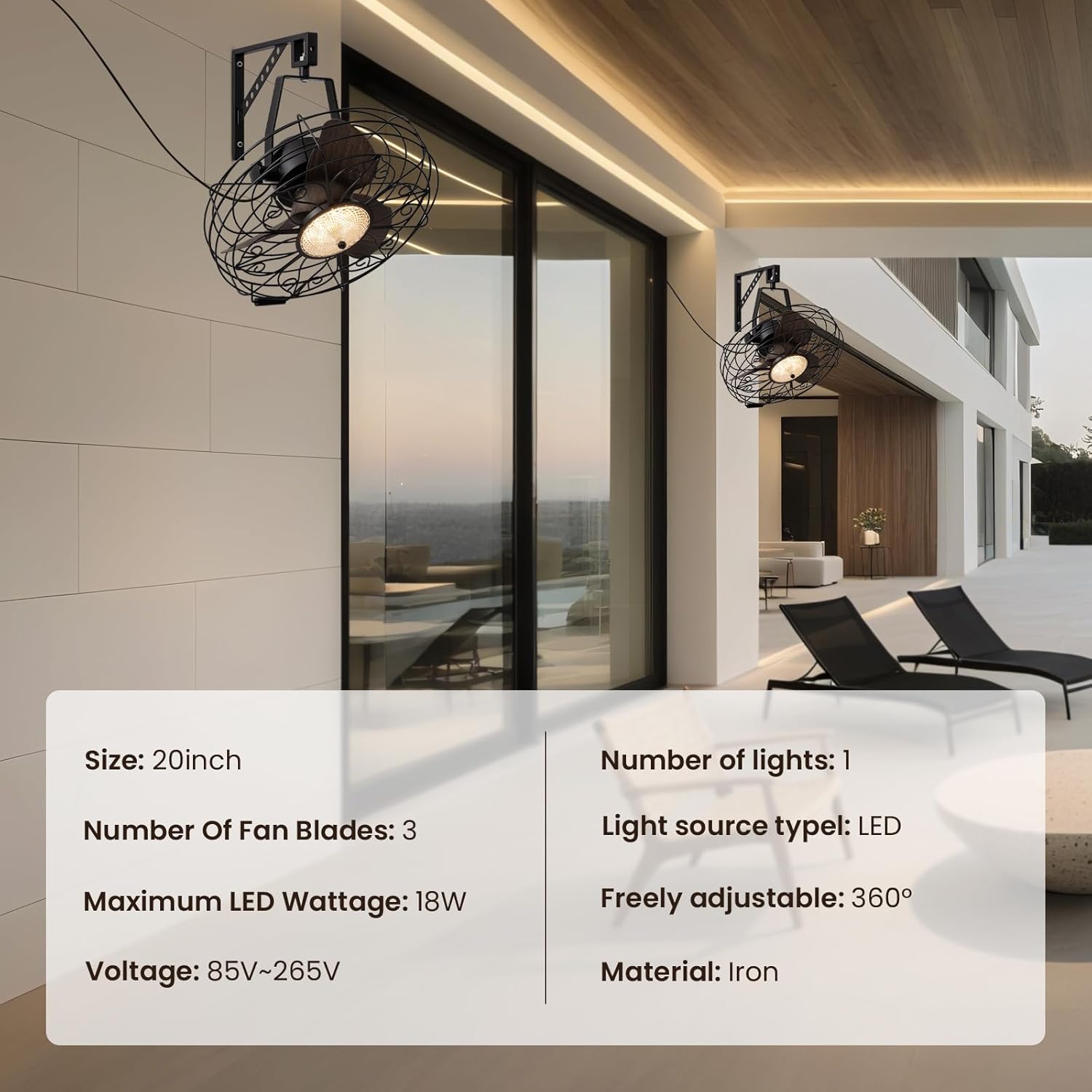
Abbildung: Hauptprodukt view showing the fan, remote control, and mounting hardware.
- Wall Mount Fan Unit
- Montagehalterung
- Fernbedienung
- Montagezubehör (Schrauben, Dübel)
- Benutzerhandbuch (dieses Dokument)
4. Einrichtung und Installation
Follow these steps to properly install your wall mount fan.
4.1. Montage der Halterung
Select a suitable location on a sturdy wall, preferably into a wall stud. Use the mounting bracket as a template to mark drill holes. Drill pilot holes and secure the bracket using the provided screws and anchors.
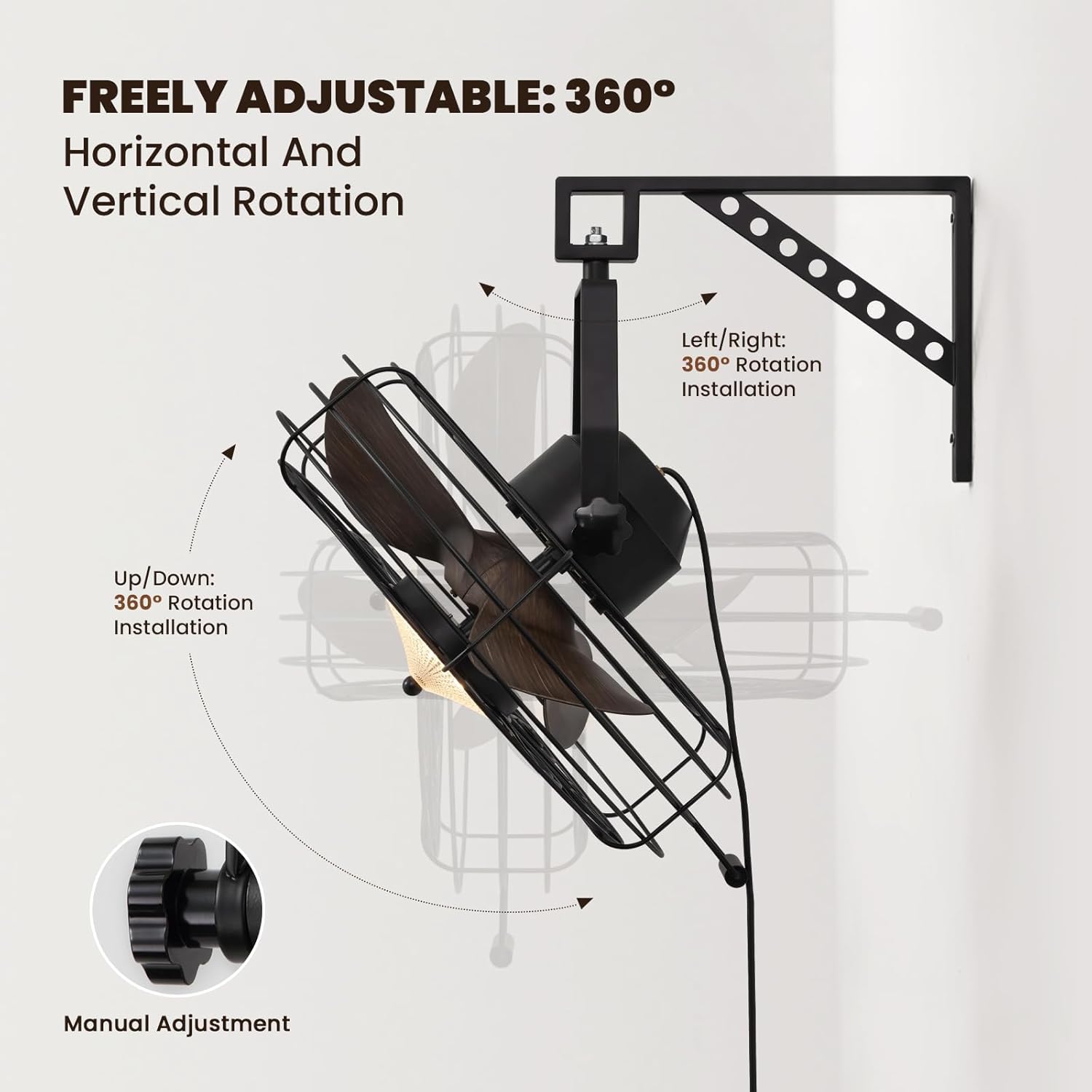
Image: The fan mounted on a wall, highlighting its 360° adjustable rotation.
4.2. Zusammenbau der Lüftereinheit
Attach the fan unit to the mounted bracket. Ensure all connections are secure. The fan offers 360° manual adjustment for both vertical and horizontal rotation. Adjust the angle as desired and tighten the coupling knobs to secure its position.
4.3. Elektrische Verbindung
Plug the fan's power cord into a standard electrical outlet. For hardwired installations, consult a qualified electrician.
4.4. Installationsvideoanleitung
Video: Detailed installation instructions for the 20'' Wall Mount Fan.
Video: General wall mount fan installation guide, demonstrating common steps.
5. Bedienungsanleitung
Your fan can be operated using the included remote control or a compatible smart app.
5.1. Fernbedienungsbetrieb
The remote control allows full functionality from a distance.
- Ein-/Ausschalten: Drücken Sie den Netzschalter, um Ventilator und Licht ein- oder auszuschalten.
- Lüftergeschwindigkeit: Select from 6 speed settings (1-6) to adjust airflow intensity.
- Lichtsteuerung: Adjust light brightness (10-100%) and choose between three color temperatures: Warm (3000K), Natural (4500K), and Cool (6000K).
- Umkehrbarer Modus: Switch between downward cooling airflow for summer and upward warm air circulation for winter.
- Timer-Funktion: Set the fan to automatically shut off after 1, 4, or 8 hours.

Image: Illustration of the three light color modes available.
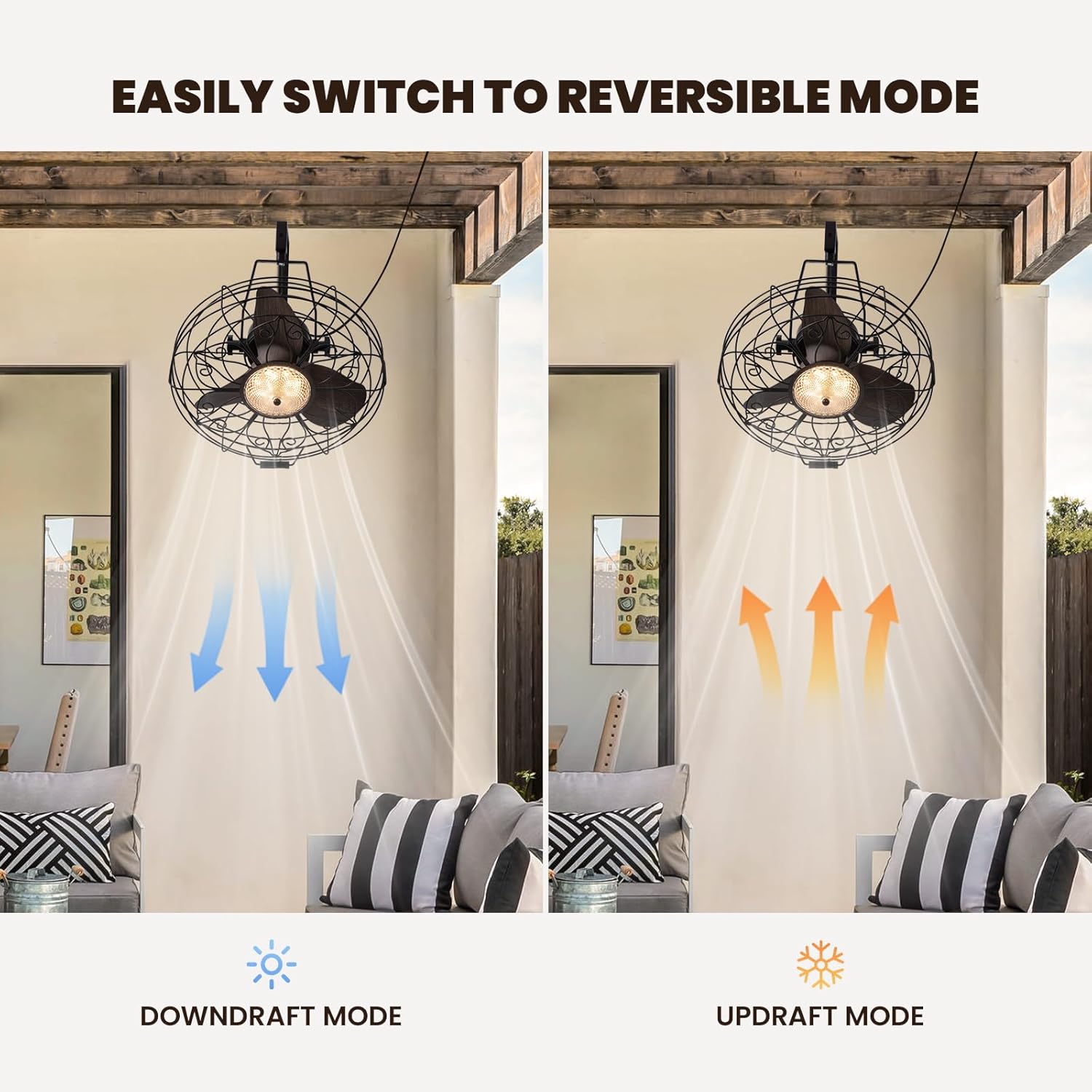
Image: Visual representation of the fan's reversible downdraft and updraft modes.

Image: Depiction of the fan's 6-speed settings, suitable for various environments.
5.2. Intelligente App-Steuerung
Download the compatible smart app to control your fan from your smartphone. The app provides additional features and convenience for managing fan speeds, light settings, and scheduling.
6. Wartung
Regelmäßige Wartung gewährleistet optimale Leistung und Langlebigkeit Ihres Ventilators.
- Reinigung: Wipe the fan blades and housing with a soft, damp Tuch. Keine Scheuer- oder Lösungsmittel verwenden.
- Inspektion: Periodically check all mounting hardware for tightness.
- Schmierung: Der Lüftermotor ist dauergeschmiert und benötigt kein zusätzliches Öl.
7. Fehlerbehebung
Sollten Sie Probleme mit Ihrem Lüfter haben, beachten Sie bitte die folgenden häufig auftretenden Probleme und Lösungen:
- Lüfter außer Betrieb: Check if the power cord is securely plugged in and the wall switch (if applicable) is on. Ensure the remote control batteries are functional.
- Licht funktioniert nicht: Verify power connection. If using the app, ensure proper pairing.
- Übermäßiger Lärm: Ensure all screws and mounting hardware are tightened. Check if fan blades are free from obstruction.
8. Spezifikationen
| Marke | KREUZ |
| Modellname | CFL-1227-01 |
| Größe | 20 Zoll |
| Technische Daten | 21.25"T x 19.68"B x 22.44"H |
| Artikelgewicht | 18.29 Pfund |
| Farbe | Schwarz |
| Stromquelle | DC |
| Wastage | 18 Watt |
| Geräuschpegel | 35 Dezibel |
| Anzahl der Leistungsstufen | 6 |
| Kontrollmethode | App, Fernbedienung |
| Verwendung im Innen- und Außenbereich | Innenbereich |

Image: Diagram showing the dimensions of the fan unit.
9. Garantie und Support
Your CROSSIO Wall Mount Fan comes with a standard manufacturer's warranty. For warranty claims, technical support, or replacement parts, please contact the seller or refer to the contact information provided with your purchase documentation. Keep your proof of purchase for warranty validation.