
1. Einleitung
Welcome to the RORSOU B8 Over-Ear Bluetooth Headphones. These headphones are designed to deliver a high-fidelity audio experience with deep bass, versatile connectivity, and exceptional comfort. This manual will guide you through the features and functions of your new headphones.
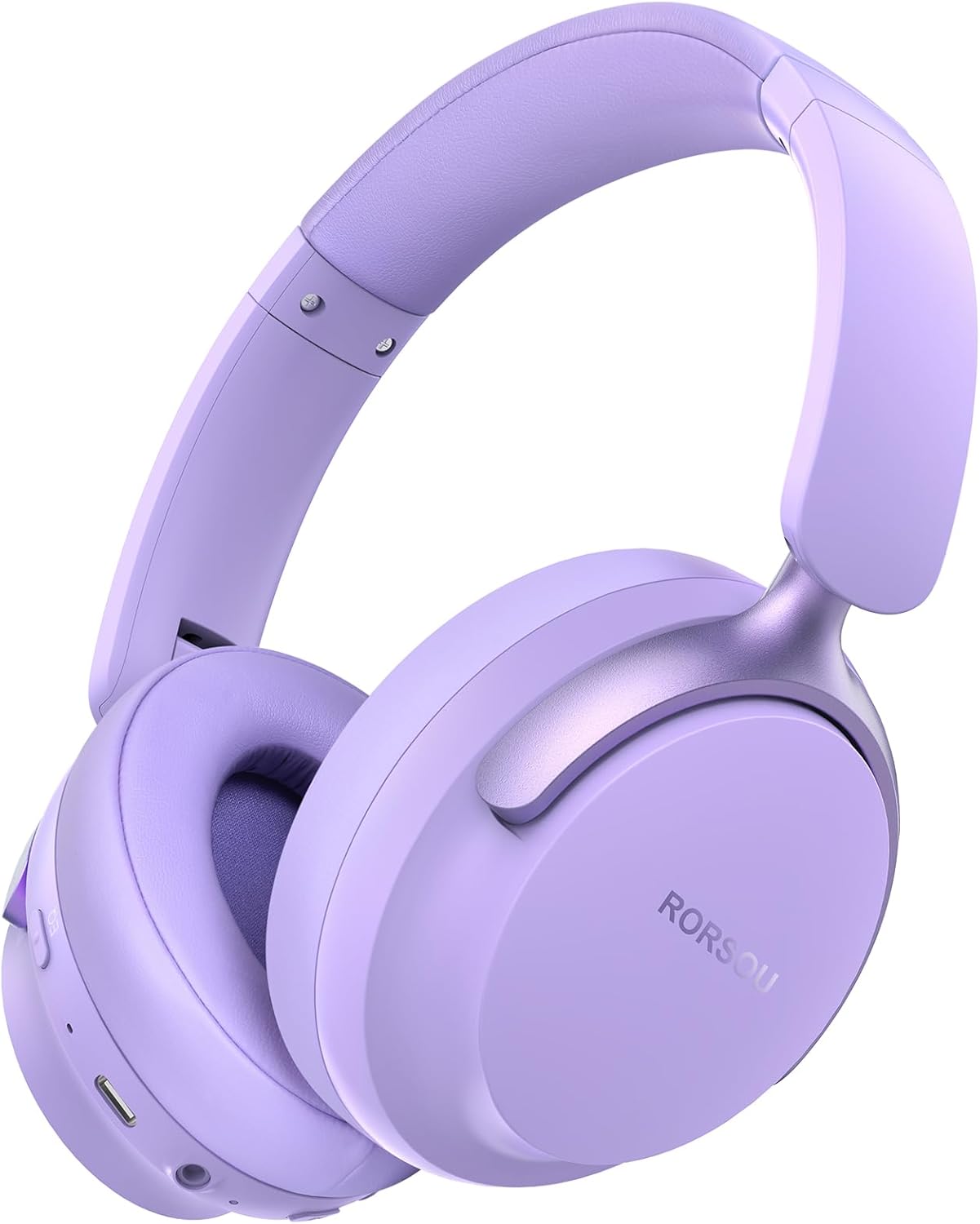
Figure 1: RORSOU B8 Over-Ear Bluetooth Headphones (Purple)
Hauptmerkmale:
- Hi-Fi Stereo and Deep Bass Sound: Equipped with 40mm audio drivers and an advanced Bluetooth 5.4 chip for clear sound, full dynamic range, rich bass, and crisp mids.
- Strong Bluetooth 5.4 & Wired Connection: Offers faster, more stable data transmission, dual-device pairing, and a 3.5mm audio jack for wired use.
- Optimized Sound Quality with 6 EQ Modes: Allows switching between six preset EQ settings (Standard, Classical, Metal, Jazz, Rock, Bass) for different music styles. Features a built-in microphone for clear calls.
- All-day Comfort & Foldable Design: Ultra-soft protein leather earcups and an adjustable headband ensure comfort during extended use. The foldable and lightweight design enhances portability.
- Erweiterte Spielzeit: 400mAh battery provides up to 50 hours of playtime. Can be used in wired mode when the battery is depleted.
2. Lieferumfang
- RORSOU B8 Over-Ear Bluetooth Headphones
- USB-C-Ladekabel
- 3.5-mm-Audiokabel
- Bedienungsanleitung
- Tragetasche
3. Einrichtung
3.1 Aufladen der Kopfhörer
Before first use, fully charge your RORSOU B8 headphones. Connect the provided USB-C charging cable to the charging port on the headphone and the other end to a USB power source (e.g., computer, wall adapter). The LED indicator will show charging status and turn off when fully charged. A full charge takes approximately 2 hours.
3.2 Ein-/Ausschalten
- So schalten Sie das Gerät ein: Den Ein-/Ausschalter 3 Sekunden lang gedrückt halten, bis die LED-Anzeige aufleuchtet.
- So schalten Sie das Gerät aus: Halten Sie die Einschalttaste 3 Sekunden lang gedrückt, bis die LED-Anzeige erlischt.
3.3 Bluetooth-Kopplung
To connect your RORSOU B8 headphones to a Bluetooth-enabled device:
- Stellen Sie sicher, dass die Kopfhörer ausgeschaltet sind.
- Press and hold the Power button for approximately 5 seconds until the LED indicator flashes blue and red alternately. This indicates pairing mode.
- Aktivieren Sie auf Ihrem Gerät (Smartphone, Tablet, PC) Bluetooth und suchen Sie nach verfügbaren Geräten.
- Select "RORSOU B8" from the list of available devices.
- Once connected, the LED indicator on the headphones will flash blue slowly or remain solid blue.
The headphones can be paired with two devices simultaneously and seamlessly switch between them.
3.4 Kabelverbindung
For a wired connection, use the provided 3.5mm audio cable. Plug one end into the 3.5mm audio jack on the headphones and the other end into your audio source. This mode does not require battery power.
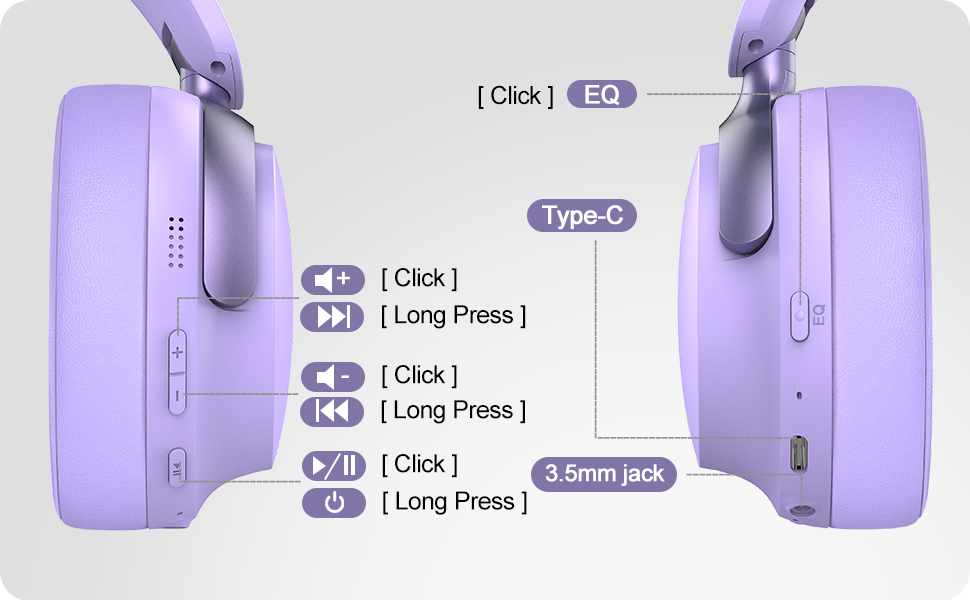
Figure 2: Bluetooth 5.4 Wireless vs. 3.5mm Wired Connection
4. Bedienungsanleitung
4.1 Kontrollen überview
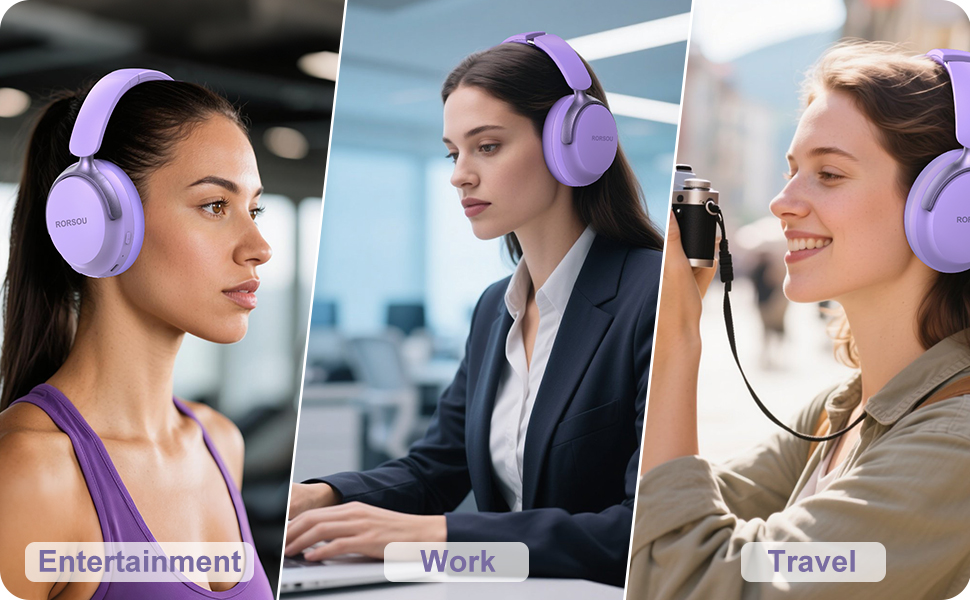
Figure 3: RORSOU B8 Headphone Controls
- Netzschalter: Zum Ein-/Ausschalten gedrückt halten.
- Lauter (+): Click to increase volume. Long press for next track.
- Lautstärke runter (-): Click to decrease volume. Long press for previous track.
- Multifunktionstaste (Wiedergabe/Pause): Click to play/pause music, answer/end calls. Long press to activate voice assistant.
- EQ-Taste: Click to cycle through 6 preset EQ modes (Standard, Classical, Metal, Jazz, Rock, Bass).
4.2 EQ-Modi
The RORSOU B8 headphones feature 6 distinct EQ modes to enhance your listening experience based on music genre:
- Standard
- Klassik
- Metall
- Jazz
- Felsen
- Bass
Press the EQ button to switch between these modes and find the optimal sound profile for your audio.
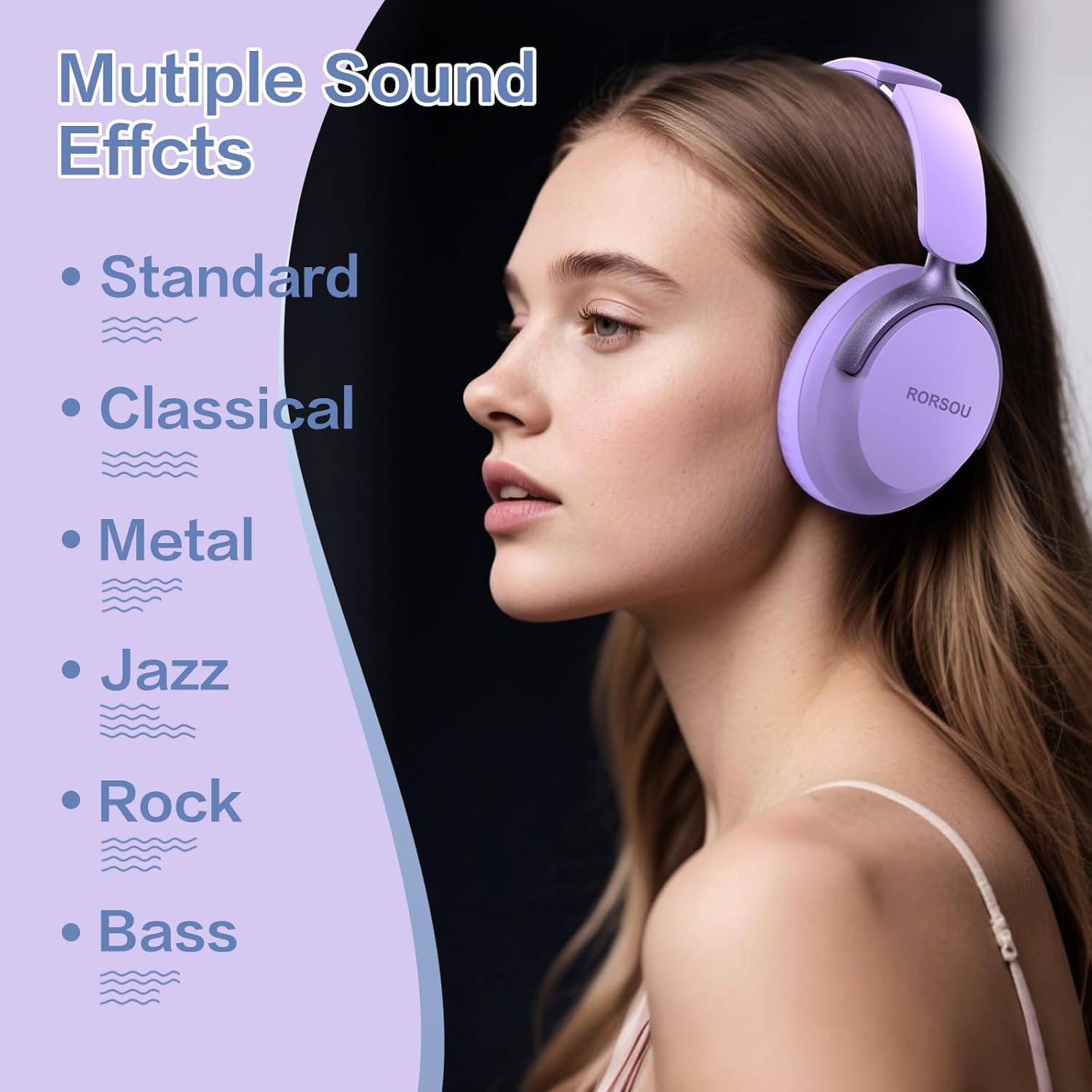
Figure 4: Multiple Sound Effects (EQ Modes)
5. Komfort und Tragbarkeit
The RORSOU B8 headphones are designed for extended wear and easy transport.
- Ultra-soft Protein Leather Earcups: Provides comfort for long listening sessions.
- Verstellbares Kopfband: Gewährleistet einen sicheren und bequemen Sitz für verschiedene Kopfgrößen.
- Faltbares Design: Earcups swivel 90 degrees and the headphones fold compactly for easy storage in the included carrying pouch, ideal for travel.

Figure 5: Comfort and Foldable Design
6. Wartung
To ensure the longevity and optimal performance of your RORSOU B8 headphones, follow these maintenance guidelines:
- Reinigung: Wipe the headphones with a soft, dry cloth. For earcups, use a slightly damp cloth with mild soap if necessary, then wipe dry immediately. Avoid harsh chemicals or abrasive materials.
- Lagerung: Bewahren Sie die Kopfhörer bei Nichtgebrauch in der mitgelieferten Tragetasche auf, um sie vor Staub und Kratzern zu schützen. Lagern Sie sie an einem kühlen, trockenen Ort.
- Vermeiden Sie extreme Bedingungen: Setzen Sie die Kopfhörer keinen extremen Temperaturen, hoher Luftfeuchtigkeit oder direkter Sonneneinstrahlung aus. Sie sind nicht wasserfest.
- Kabelpflege: Behandeln Sie die Lade- und Audiokabel vorsichtig. Vermeiden Sie scharfe Knicke und starkes Ziehen, um Beschädigungen zu verhindern.
7. Fehlerbehebung
If you encounter any issues with your RORSOU B8 headphones, refer to the following common solutions:
| Problem | Mögliche Ursache | Lösung |
|---|---|---|
| Die Kopfhörer lassen sich nicht einschalten | Schwache Batterie | Laden Sie die Kopfhörer vollständig auf (ca. 2 Stunden). |
| Bluetooth-Kopplung nicht möglich | Kopfhörer nicht im Kopplungsmodus; Bluetooth am Gerät deaktiviert; Störungen | Ensure headphones are in pairing mode (flashing blue/red). Turn off and on your device's Bluetooth. Move closer to the device. |
| Kein Ton oder schlechte Tonqualität | Volume too low; incorrect EQ mode; loose wired connection; device issue | Increase headphone/device volume. Cycle through EQ modes. Re-insert 3.5mm cable firmly. Test with another audio source. |
| Mikrofon funktioniert nicht | Device settings; microphone blocked | Check device's audio input settings. Ensure microphone port is clear. |
| Die Kopfhörer trennen sich häufig. | Außer Reichweite; Störungen; schwacher Akku | Stay within Bluetooth range (up to 10 meters). Avoid obstacles. Charge headphones. |
If the issue persists after trying these steps, please contact RORSOU customer service for further assistance.
8. Spezifikationen
| Besonderheit | Detail |
|---|---|
| Modellname | B8 |
| Marke | RORSOU |
| Konnektivitätstechnologie | Bluetooth 5.4, Kabelgebunden, Kabellos |
| Kopfhöreranschluss | 3.5 mm Klinke |
| Lärmschutz | Passive Geräuschunterdrückung |
| Größe des Audiotreibers | 40 Millimeter |
| Akkulaufzeit | 50 Stunden |
| Ladezeit | 2 Stunden |
| Artikelgewicht | 0.23 Kilogramm (8.1 Unzen) |
| Material | Polycarbonat (PC) |
| Steuerungstyp | Lautstärkeregler, Druckknopf |
| Im Lieferumfang enthaltene Komponenten | User Manual, USB-C Charging Cable, 3.5mm Audio Cable, Carrying Pouch |
9. Garantie und Support
RORSOU is dedicated to providing high-quality products with excellent after-sale service. Your RORSOU B8 headphones come with a 180-day Hassle-Free Limited Protection.
If you have any questions, concerns, or require technical support, please contact RORSOU customer service. We aim to respond to all inquiries within 24 hours.
For the most up-to-date support information, please visit the official RORSOU webBesuchen Sie die Website oder beachten Sie die Kontaktdaten, die Ihrer Produktverpackung beiliegen.