
1. Einleitung
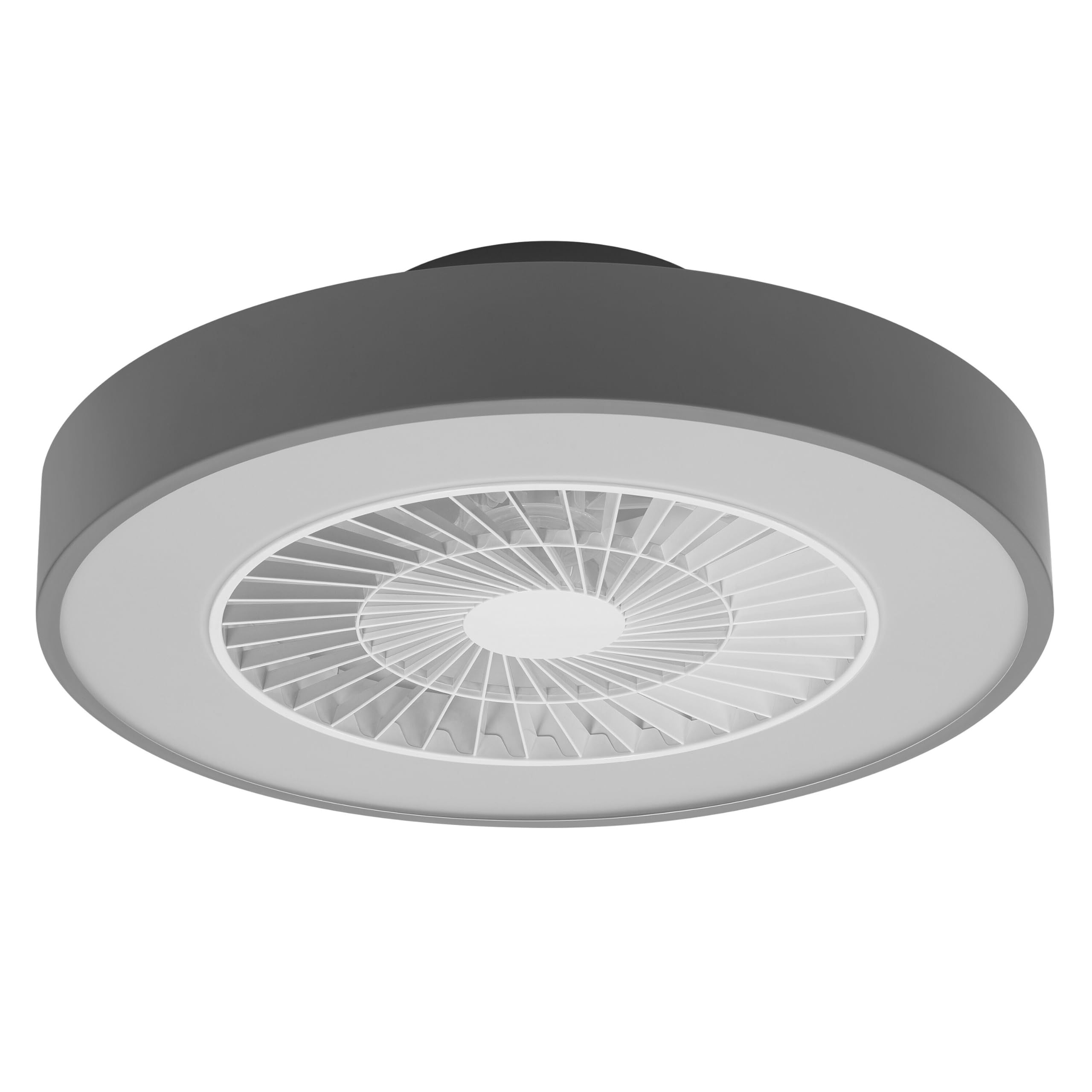
This manual provides detailed instructions for the installation, operation, and maintenance of your Osram SMART+ WiFi LED Ceiling Fan, Cylinder 550mm model. This innovative device combines an LED light fixture with an integrated fan, designed to provide both illumination and air circulation in various indoor environments.
The fan features adjustable speed settings, while the integrated LED light offers a customizable color temperature range from warm white (3000 K) to daylight white (6500 K) and is fully dimmable. Control options include a dedicated remote control, a smartphone application, and voice assistants for a seamless user experience.
2. Sicherheitshinweise
Bitte lesen Sie vor Installation und Inbetriebnahme alle Sicherheitshinweise sorgfältig durch. Die Nichtbeachtung dieser Hinweise kann zu Stromschlag, Brand oder Verletzungen führen.
- Alle elektrischen Anschlüsse müssen von einem qualifizierten Elektriker durchgeführt werden.
- Always disconnect power at the circuit breaker before beginning any installation, maintenance, or cleaning procedures.
- Verify the suitability and structural integrity of the ceiling and wall before mounting the fan. If in doubt, consult a professional.
- Dieses Produkt ist nur für die Verwendung in Innenräumen bestimmt.
- Ensure all components are securely fastened before restoring power.

3. Packungsinhalt
Carefully unpack the box and ensure all items are present and undamaged. If any parts are missing or damaged, contact customer support.
- 1x Osram SMART+ WiFi LED Ceiling Fan Cylinder 550mm
- 1x Fernbedienung
- Mounting accessories (screws, dowels, bracket)
- Bedienungsanleitung
4. Einrichtung und Installation
The Osram SMART+ WiFi LED Ceiling Fan is designed for simple assembly. Complete accessories are included for installation. The fan has dimensions of 60 x 60 cm, making it suitable for standard ceiling covers.
Installationsschritte:
- Strom abschalten: Before starting any work, ensure the main power supply to the installation area is switched off at the circuit breaker.
- Montage vorbereiten: Mark and drill holes for the mounting bracket on the ceiling. Ensure the holes are correctly spaced and sized for the provided dowels and screws.
- Fix the Support: Securely attach the mounting bracket to the ceiling using the provided dowels and screws.
- Verbinden Sie die Kabel: Connect the electrical cables according to the wiring diagram provided in the manual. Ensure all connections are tight and secure.
- Install the Fan: Attach the ceiling fan unit to the mounted bracket, ensuring it is securely locked in place.
- Strom wiederherstellen: Sobald die Installation abgeschlossen und alle Verbindungen sicher hergestellt sind, stellen Sie die Stromversorgung am Leistungsschalter wieder her.


5. Bedienungsanleitung
Your Osram SMART+ WiFi LED Ceiling Fan can be operated using the included remote control, the SMART+ app, or voice commands.
5.1. Fernbedienungsbetrieb
The remote control allows for direct adjustment of fan speed, light brightness, and color temperature without needing a network connection.

- Netzschalter: Schaltet Ventilator und Licht ein/aus.
- Tasten für die Lüftergeschwindigkeit: Adjusts the fan speed (typically 3 levels).
- Licht ein/aus: Steuert das Licht unabhängig.
- Helligkeitsanpassung: Dimmt oder hellt das Licht auf.
- Anpassung der Farbtemperatur: Changes the light color from warm white to daylight white.
- Sommer-/Wintermodus: Switches between airflow directions for cooling (summer) or circulating warm air (winter).


6. Smart Features (WiFi, App, Voice Control)
The Osram SMART+ WiFi LED Ceiling Fan integrates seamlessly into your smart home ecosystem, offering advanced control options via WiFi.
6.1. SMART+ App Control
Control your fan and light settings from anywhere using the SMART+ app on your smartphone or tablet. The app allows for precise adjustments of fan speed, light brightness, and color temperature, as well as scheduling and scene creation.
- Laden Sie die App herunter: Suchen nach "SMART+ App" in the App Store (iOS 14.0 or higher) or Google Play Store (Android 8.0 or higher). You can also scan the QR code or visit l.ead.me/SmartPlusWifi.
- Paarung: Follow the in-app instructions to pair your ceiling fan with the SMART+ app via your home WiFi network (2.4 GHz).
- Merkmale: Once paired, you can control individual fan and light functions, group multiple devices, create automated routines, and manage settings remotely.


6.2. Sprachsteuerung
Integrate your Osram SMART+ Ceiling Fan with compatible voice assistants like Google Home and Amazon Alexa for hands-free control.
- Aufstellen: Link your SMART+ account with your preferred voice assistant app (e.g., Google Home, Amazon Alexa).
- Befehle: Use simple voice commands to turn the fan or light on/off, adjust speed, brightness, or color temperature. For example, "Alexa, turn on the ceiling fan" or "Hey Google, set fan speed to medium."

7. Wartung
Regelmäßige Wartung gewährleistet optimale Leistung und Langlebigkeit Ihres Deckenventilators.
- Reinigung: Before cleaning, ensure the power is disconnected. Wipe the fan and light surfaces with a soft, dry, or slightly damp Tuch. Keine Scheuer- oder Lösungsmittel verwenden.
- Inspektion: Periodically check all mounting screws and connections to ensure they remain tight.
- Lichtquelle: Die integrierte LED-Lichtquelle ist auf eine lange Lebensdauer (30,000 Stunden) ausgelegt und kann vom Benutzer nicht ausgetauscht werden.
8. Fehlerbehebung
If you encounter issues with your Osram SMART+ WiFi LED Ceiling Fan, refer to the following common problems and solutions:
| Problem | Mögliche Ursache | Lösung |
|---|---|---|
| Fan/Light does not turn on | Keine Stromversorgung; lose Verkabelung; Batterie der Fernbedienung schwach. | Check circuit breaker; Verify electrical connections (consult electrician); Replace remote control batteries. |
| Fernbedienung reagiert nicht | Batteries depleted; Obstruction between remote and fan; Remote out of range. | Replace batteries; Ensure clear line of sight; Operate within closer range. |
| WiFi disconnection or app control issues | Weak WiFi signal; Router issues; Incorrect app pairing. | Ensure strong 2.4 GHz WiFi signal; Restart router; Re-pair device in SMART+ app. |
| Lüfter ist laut | Loose mounting; Obstruction in fan blades; Motor issue. | Check mounting screws; Ensure no obstructions; If noise persists, contact support. |
If the problem persists after attempting these solutions, please contact Osram customer support.
9. Spezifikationen
| Besonderheit | Spezifikation |
|---|---|
| Marke | Osram |
| Modellname | SMART+ Wifi Ceiling Fan LED Cylinder 550mm + RC |
| Modellnummer | 4099854472800 |
| Farbe | Grau |
| Stil | Zylinder |
| Maße | 60 x 60 cm |
| Gewicht | 4000 Gramm |
| Material | Acrylnitril-Butadien-Styrol (ABS) |
| Stromquelle | Wechselstrom (AC) |
| Energieaufnahme | 78 Watt |
| Bandtage | 6 Volts (Note: This may refer to a control circuit voltage; the main power supply is AC.) |
| Lichtart | LED |
| Lichtleistung | 2500 Lumen |
| Farbtemperatur | 3000 K (Warm White) to 6500 K (Daylight White) |
| Dimmbar | Ja |
| Lebensdauer | 30,000 Stunden |
| Lüftergeschwindigkeitsstufen | 3 |
| Motortyp | Bürstenloser Motor |
| Kontrollmethode | App, Remote Control, Voice |
| Smart Home Kompatibilität | Yes (via SMART+ App, Google Home, Amazon Alexa) |
| Netzwerk-Protokoll | WLAN (2.4 GHz) |
| Kabelloser Betrieb | No (Refers to main power supply, not control via WiFi) |
| Energieeffizienzklasse | E |
| Installationstyp | Selbstinstallation |
| Nutzungsumgebung | Innenbereich |
10. Garantie und Support
Osram products are manufactured to high-quality standards. This product comes with a standard manufacturer's warranty. Please refer to the warranty card included in your package or visit the official Osram webAuf der Webseite finden Sie die detaillierten Garantiebedingungen.
For technical support, troubleshooting assistance, or warranty claims, please contact Osram customer service through their official webWebsite oder die in Ihrer Produktdokumentation angegebenen Kontaktinformationen.
Osram Official WebWebsite: www.osram.com