
1. Einleitung
This manual provides detailed instructions for the installation, operation, and maintenance of your GNCC 2K 3MP Indoor WiFi Surveillance Camera, model P5W. Please read this manual thoroughly before using the product to ensure proper functionality and safety.
2. Produktüberschreitungview
2.1 Packungsinhalt
Überprüfen Sie, ob alle Artikel in Ihrem Paket vorhanden sind:
- GNCC 2K 3MP Indoor WiFi Surveillance Camera (P5W)
- Netzteil
- 2 Meter langes Stromkabel
- Befestigungsbasis
- Schrauben für die Installation
- Benutzerhandbuch (dieses Dokument)
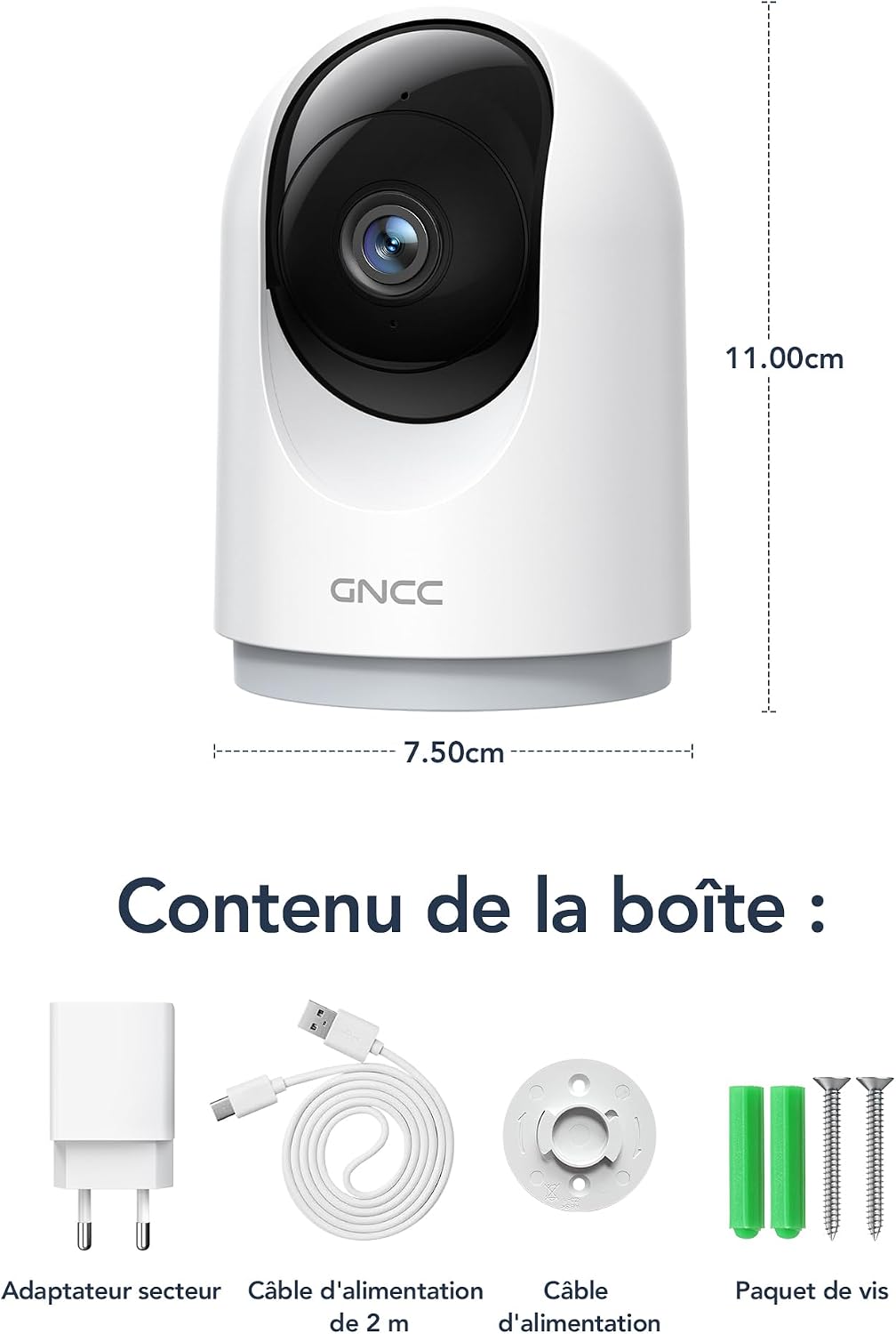
Figure 2.1: Package Contents and Camera Dimensions. The image displays the camera, power adapter, USB cable, mounting base, and screws. Dimensions are indicated as 7.50cm width and 11.00cm height.
2.2 Kamerafunktionen
- 2K 3MP Auflösung: Bietet klare und detaillierte Video-Footage.
- 360°-Abdeckung: Features 355° horizontal pan and 60° vertical tilt for comprehensive monitoring.
- 2.4-GHz-WLAN-Verbindung: Verbindet sich mit Ihrem Heimnetzwerk für den Fernzugriff.
- Infrarot Nachtsicht: Automatically activates in low light, providing clear visibility up to 15 meters.
- Zweiwege-Audio: Ermöglicht die Echtzeitkommunikation über die Kamera.
- KI-Bewegungserkennung und -verfolgung: Detects movement, human shapes, pets, and abnormal sounds, sending instant alerts to your phone.
- Multi-Gerät View: Monitor up to four cameras simultaneously on your mobile device.
- Smart Home Integration: Kompatibel mit Amazon Alexa und Google Assistant zur Sprachsteuerung.
- Datenschutzmodus: Remotely disable recording and live view über die App.
- Flexible Lagerung: Supports Cloud storage (subscription required) and local storage via MicroSD card (up to 128GB, not included).

Figure 2.2: Key Features of the GNCC P5W Camera.
3. Einrichtungsanweisungen
3.1 Einschalten der Kamera
- Connect the 2-meter power cable to the camera's power input port.
- Stecken Sie das Netzteil in eine normale Steckdose.
- Die Kamera schaltet sich ein und ihre Kontrollleuchte beginnt zu blinken, was anzeigt, dass sie zur Einrichtung bereit ist.
3.2 App-Installation und Kontoerstellung
- Laden Sie die offizielle GNCC-App aus dem App Store Ihres Smartphones herunter (iOS App Store oder Google Play Store).
- Öffnen Sie die App und folgen Sie den Anweisungen auf dem Bildschirm, um ein neues Konto zu erstellen oder sich anzumelden, falls Sie bereits eines besitzen.
3.3 Die Kamera mit WLAN verbinden
Stellen Sie sicher, dass Ihr Smartphone mit einem 2.4-GHz-WLAN-Netzwerk verbunden ist. Die Kamera unterstützt kein 5-GHz-WLAN.
- Tippen Sie in der GNCC-App auf das "+"-Symbol, um ein neues Gerät hinzuzufügen.
- Select your camera model (P5W) from the list of devices.
- Follow the app's prompts to connect the camera to your 2.4GHz Wi-Fi network. This typically involves scanning a QR code displayed on your phone with the camera lens.
- Sobald die Verbindung hergestellt ist, leuchtet die Kontrollleuchte der Kamera dauerhaft und Sie hören einen Bestätigungston.
3.4 Montage der Kamera
The camera can be placed on a flat surface or mounted to a wall/ceiling using the provided mounting base and screws.
- Tischmontage: Place the camera on a stable, flat surface. Ensure it has a clear view des Bereichs, den Sie überwachen möchten.
- Screw-in Installation:
- Wählen Sie einen geeigneten Montageort.
- Use the mounting base as a template to mark the screw positions on the wall or ceiling.
- Bohren Sie gegebenenfalls Vorbohrungen und setzen Sie die Wandanker ein.
- Secure the mounting base with the provided screws.
- Attach the camera to the mounting base by twisting it until it locks securely.
4. Bedienungsanleitung
4.1 Live View und Schwenk-/Neigesteuerung
Open the GNCC app and select your camera to access the live view. Use the on-screen controls to pan (355° horizontal) and tilt (60° vertical) the camera lens to adjust the viewing-Winkel.

Figure 4.1: 360° Coverage of the GNCC P5W Camera.
4.2 Zwei-Wege-Audio
Aus dem Leben view screen, tap the microphone icon to enable two-way audio. You can speak into your phone, and your voice will be transmitted through the camera's speaker. Similarly, you can hear audio from the camera's environment.
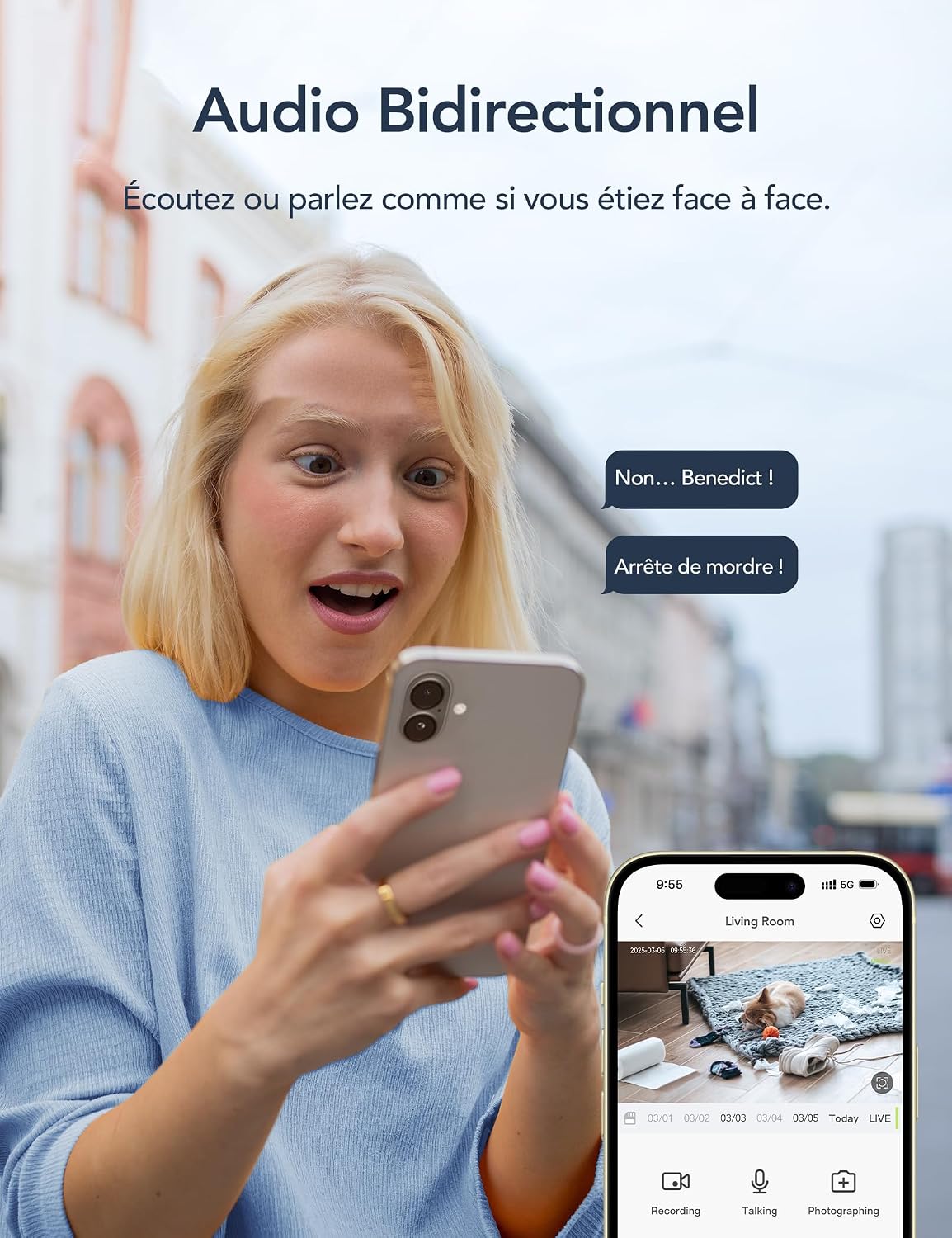
Abbildung 4.2: Zwei-Wege-Audiofunktionalität.
4.3 Bewegungserkennung und Benachrichtigungen
The camera is equipped with AI-powered motion detection, human shape detection, pet detection, and abnormal sound detection. When an event is detected, the camera will automatically record and send an instant notification to your smartphone.
- Enabling/Disabling Alerts: Navigate to the camera settings in the app to customize alert preferences, including sensitivity levels and detection zones.
- Bewegungsverfolgung: Wenn eine Bewegung erkannt wird, kann die Kamera das sich bewegende Objekt innerhalb ihres Sichtfelds automatisch verfolgen. view.

Figure 4.3: Motion Detection and Instant Notifications.
4.4 Nachtsicht
The camera automatically switches to infrared night vision mode in low-light conditions, providing clear black-and-white video up to 15 meters. No manual intervention is required.

Figure 4.4: Night Vision in operation, showing a baby in a crib.
4.5 Speichermöglichkeiten
- MicroSD-Kartenspeicher: Insert a MicroSD card (up to 128GB, not included) into the camera's designated slot for local recording. The camera will continuously record or record upon motion detection, depending on your settings.
- Cloud-Speicher: Optional cloud storage is available via subscription, offering 24/7 unlimited recording and access to past footage. A 14-day free trial for smart AI detection features may be available.

Figure 4.5: Cloud and Local Storage Options.
4.6 Smart Home Integration (Alexa & Google Assistant)
The GNCC P5W camera can be integrated with Amazon Alexa and Google Assistant for convenient voice control. Follow the instructions in your Alexa or Google Home app to link your GNCC account and devices.
- Example Voice Command: "Alexa, zeig mir die Wohnzimmerkamera."

Figure 4.6: Smart Home Integration and Advanced Features.
4.7 Datenschutzmodus
To ensure privacy, you can remotely disable the camera's recording and live view functions through the GNCC app. This feature allows you to turn off surveillance when not needed.
5. Wartung
- Reinigung: Reinigen Sie Objektiv und Gehäuse der Kamera mit einem weichen, trockenen Tuch. Vermeiden Sie die Verwendung von scharfen Chemikalien oder Scheuermitteln.
- Firmware-Updates: Regularly check the GNCC app for available firmware updates. Keeping your camera's firmware up-to-date ensures optimal performance and security.
- Aus- und Wiedereinschalten: Falls die Kamera Probleme bereitet, versuchen Sie, sie für 10 Sekunden vom Stromnetz zu trennen und sie dann wieder anzuschließen.
- MicroSD-Kartenverwaltung: If using a MicroSD card, periodically check its status in the app and format it if necessary to maintain recording quality and prevent errors.
6. Fehlerbehebung
| Problem | Mögliche Ursache | Lösung |
|---|---|---|
| Die Kamera kann keine Verbindung zum WLAN herstellen. | Incorrect Wi-Fi password; Camera too far from router; 5GHz Wi-Fi network used; Router firewall settings. |
|
| Kein Leben view oder Offline-Status. | No internet connection; Camera powered off; Weak Wi-Fi signal. |
|
| Bewegungserkennungsalarme werden nicht empfangen. | Alerts disabled in app; Incorrect detection zone/sensitivity; App notifications blocked by phone settings. |
|
| Zwei-Wege-Audio funktioniert nicht. | Microphone/speaker muted in app; Phone volume too low; Network latency. |
|
7. Spezifikationen
| Besonderheit | Detail |
|---|---|
| Modellname | P5W |
| Auflösung | 2K (1296 Pixels effective capture, 1440p screen capture resolution) |
| Schwenk-/Neigebereich | Horizontal 355°, Vertikal 60° |
| Konnektivität | 2.4-GHz-WLAN (drahtlos) |
| Nachtsichtbereich | Bis zu 15 Meter |
| Audio | Zwei-Wege-Audio |
| Bewegungserkennung | AI Motion, Human, Pet, Abnormal Sound Detection |
| Speicheroptionen | MicroSD-Karte (bis zu 128 GB), Cloud-Speicher (Abonnement) |
| Stromquelle | Wired Electric Cable (5 Volts, 3 Watts) |
| Abmessungen (L x B x H) | 7.5 x 7.5 x 14.9 cm |
| Gewicht | 330 Gramm |
| Betriebsumgebung | Nur zur Verwendung im Innenbereich |
| Kompatible Geräte | Smartphone (iOS/Android), Amazon Alexa, Google Assistant |
| GTIN / UPC | 850070296489 |
8. Garantie und Support
8.1 Garantieinformationen
GNCC products are designed and manufactured to the highest quality standards. For specific warranty details, please refer to the warranty card included in your product packaging or visit the official GNCC webBewahren Sie Ihren Kaufbeleg als Kaufnachweis für Garantieansprüche auf.
The product has a return policy duration of 30 days for refund/replacement, as per Amazon's policy.
8.2 Kundendienst
If you encounter any issues or have questions regarding your GNCC P5W camera, please contact GNCC customer support through the following channels:
- Offiziell WebWebsite: Visit the GNCC official webWebsite mit FAQs, Hilfeartikeln und Kontaktinformationen.
- In-App-Support: The GNCC app may offer a support section or direct contact options.
- E-Mail-Support: Siehe Produktverpackung oder offizielle Hinweise. webWebsite für die E-Mail-Adresse des Kundensupports.
When contacting support, please have your product model (P5W) and purchase information ready.