
PAXA Clipbuds 7
PAXA Clipbuds7 Open-Ear-Ohrhörer – Benutzerhandbuch
Model: Clipbuds 7
1. Einleitung
Thank you for choosing the PAXA Clipbuds7 Open Ear Earbuds. This manual provides essential information for setting up, operating, and maintaining your new earbuds. Please read it thoroughly before use to ensure optimal performance and longevity of your device.

Image 1: PAXA Clipbuds7 Open Ear Earbuds and their charging case. The earbuds are purple and feature a unique clip-on design. The charging case has an LED display showing battery levels.
2. Packungsinhalt
Überprüfen Sie, ob alle Artikel in Ihrem Paket vorhanden sind:
- PAXA Clipbuds7 Open Ear Earbuds (1 pair)
- Kabelloses Ladecase (1)
- Ladekabel (1)
- Benutzerhandbuch (1)
3. Einrichtung
3.1 Erstaufladung
Before first use, fully charge the earbuds and charging case. Connect the provided charging cable to the Type-C port on the charging case and a power source. The LED display on the case will indicate the charging status.
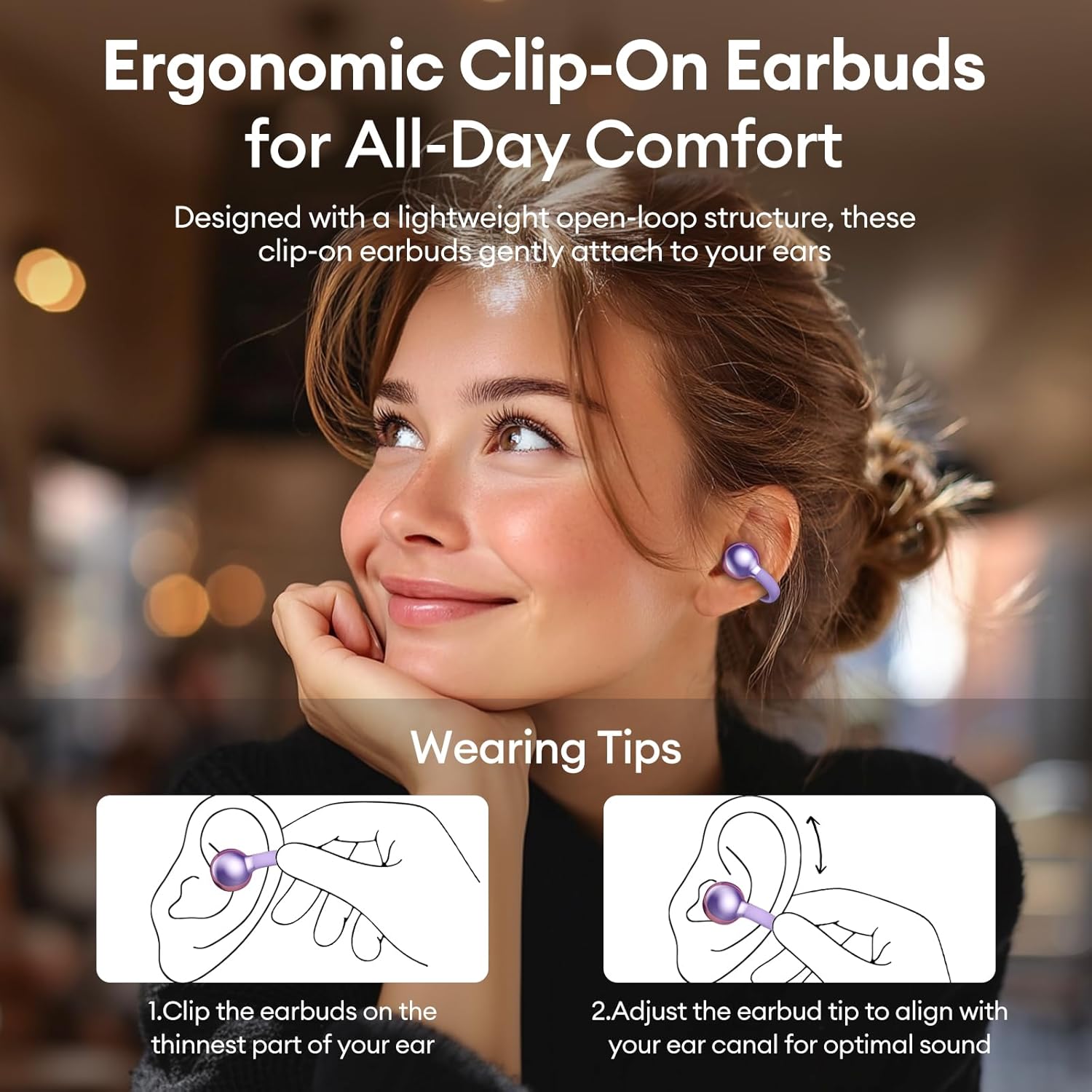
Image 2: The PAXA Clipbuds7 charging case connected to a charging cable, displaying the battery percentage on its LED screen.
3.2 Tragen der Ohrhörer
The Clipbuds7 are designed for open-ear comfort. Follow these steps for proper fit:
- Befestigen Sie die Ohrhörer an der dünnsten Stelle Ihres Ohrs.
- Passen Sie die Ohrstöpselspitze an Ihren Gehörgang an, um eine optimale Klangübertragung zu gewährleisten.
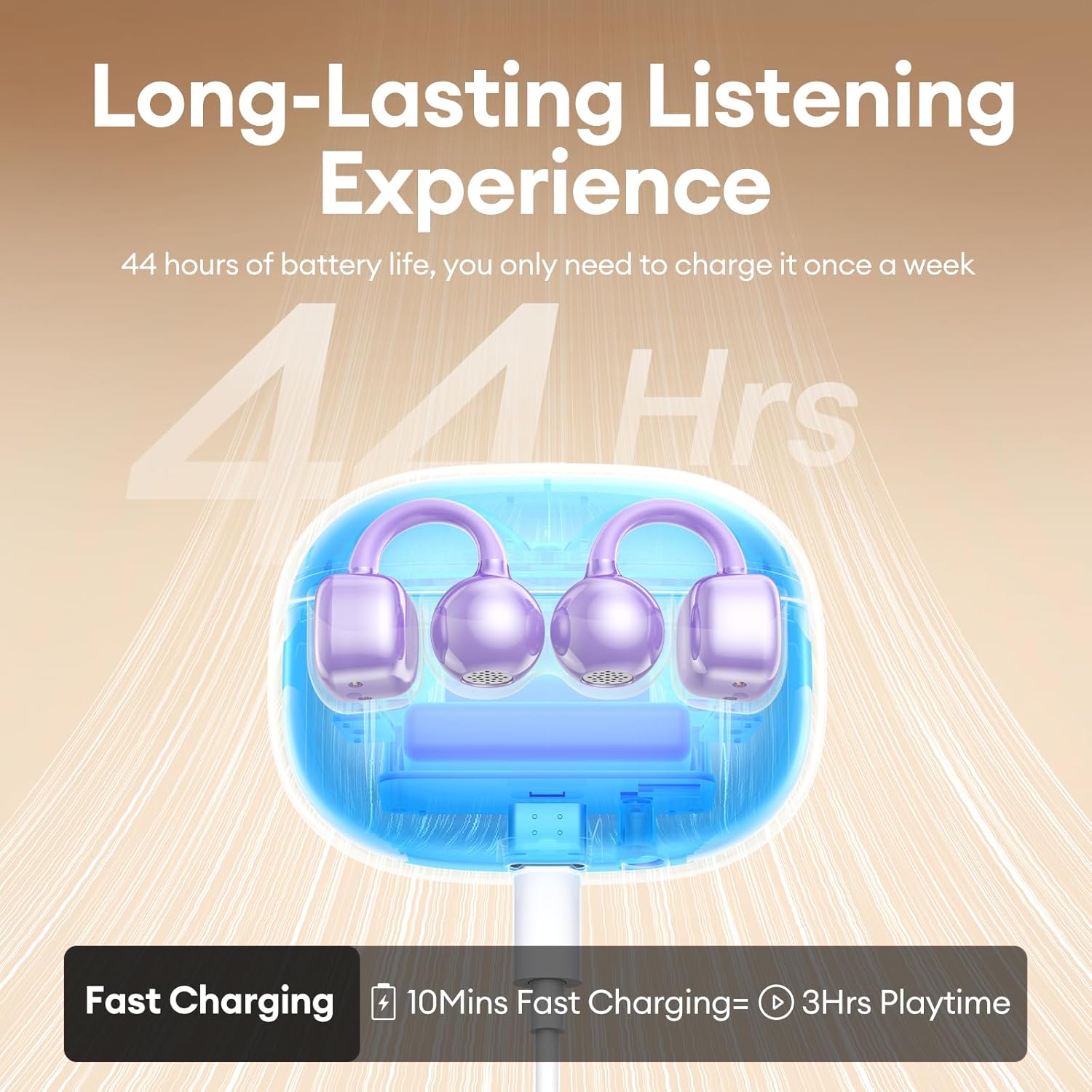
Image 3: A visual guide demonstrating the correct method for clipping the earbuds onto the ear and adjusting them for the best fit.
Video 1: This video demonstrates the unboxing and proper wearing technique for the PAXA Clipbuds7 earbuds, highlighting their comfortable and secure fit.
3.3 Bluetooth-Kopplung
The earbuds utilize Bluetooth 5.4 for stable connections.
- Öffnen Sie das Ladeetui. Die Ohrhörer wechseln automatisch in den Kopplungsmodus.
- On your device (smartphone, tablet, laptop), enable Bluetooth and search for "PAXA Clipbuds7".
- Select "PAXA Clipbuds7" to connect. A voice prompt will confirm successful pairing.
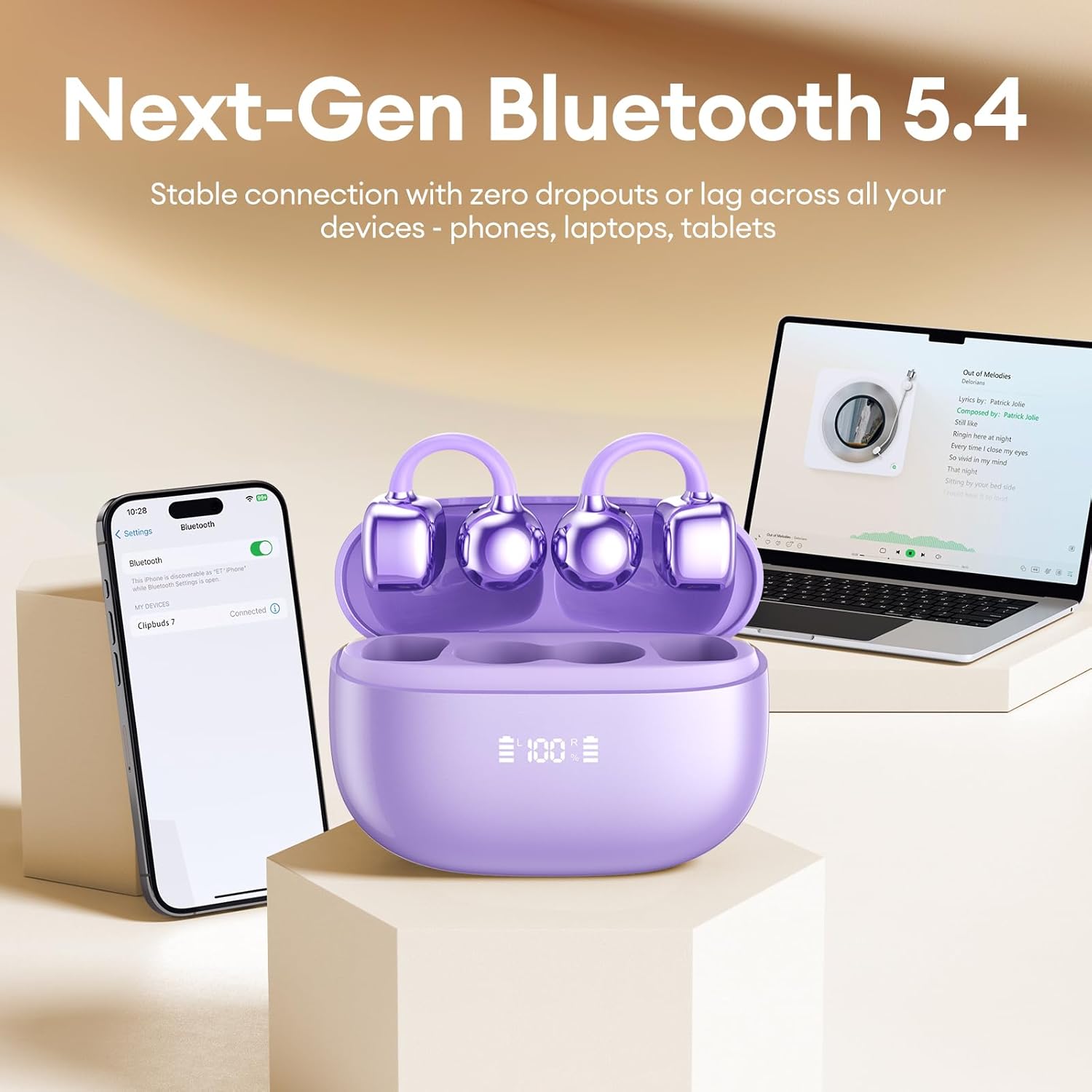
Image 4: A smartphone screen showing the PAXA Clipbuds7 successfully connected via Bluetooth, alongside the earbuds in their charging case.
4. Bedienungsanleitung
4.1 Berührungssteuerung
The PAXA Clipbuds7 feature intuitive touch controls:
| Aktion | Funktion |
|---|---|
| Doppelklicken Sie auf einen der Ohrhörer. | Anruf annehmen/beenden, Musik abspielen/pausieren |
| Halten Sie einen der Ohrhörer 2 Sekunden lang gedrückt | Anruf ablehnen |
| Drücken Sie dreimal auf den linken (L) Ohrhörer. | Previous song, Volume - |
| Drücken Sie dreimal auf den rechten (R) Ohrhörer. | Next song, Volume + |
| Hold both earbuds | Sprachassistent aktivieren (Siri, Google Assistant usw.) |

Image 5: A detailed graphic illustrating the various touch control functions for the PAXA Clipbuds7 earbuds, including call management and music playback.
4.2 Ein-/Ausschalten
- Einschalten: Öffnen Sie das Ladeetui und die Ohrhörer schalten sich automatisch ein.
- Ausschalten: Legen Sie die Ohrhörer zurück in das Ladecase und schließen Sie den Deckel. Sie schalten sich automatisch aus und beginnen mit dem Ladevorgang.
4.3 Anrufmanagement
The earbuds feature ENC noise cancellation for clear calls. Use the touch controls as described above to manage calls.
4.4 Audiofunktionen
Experience immersive stereo sound with directional audio technology, minimizing sound leakage while maintaining environmental awareness.
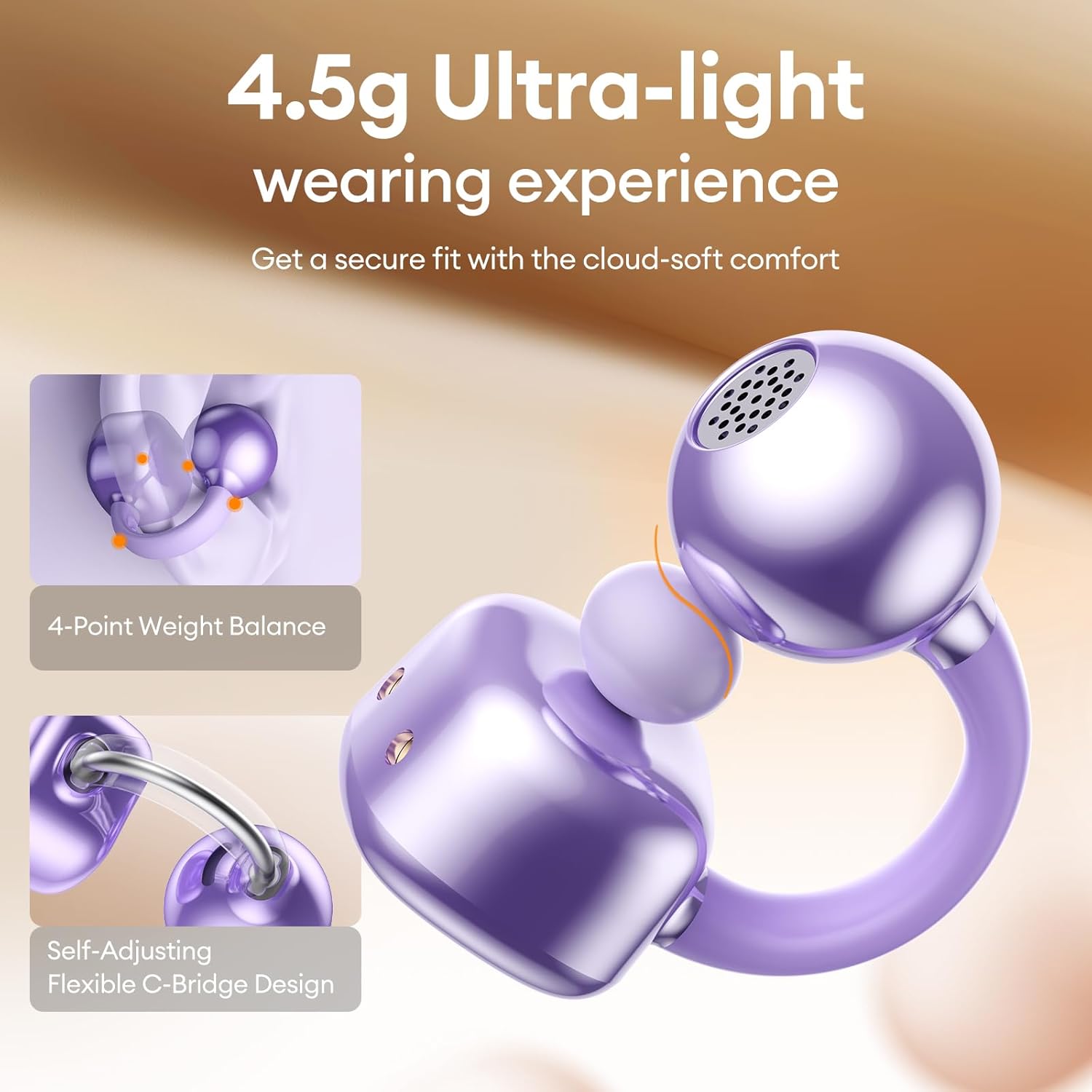
Image 6: A visual representation of the directional audio technology, showing how sound is delivered to the ear while minimizing leakage to the surroundings.
5. Wartung
5.1 Reinigung
Regularly clean your earbuds and charging case with a soft, dry cloth. Avoid using abrasive materials or harsh chemicals. Ensure charging contacts are free of dust and debris.
5.2 Speicherung
Bewahren Sie die Ohrhörer bei Nichtgebrauch im Ladecase auf, um sie zu schützen und die Akkulaufzeit zu erhalten. Lagern Sie sie an einem kühlen, trockenen Ort, geschützt vor direkter Sonneneinstrahlung und extremen Temperaturen.
5.3 Wasser- und Staubbeständigkeit
The earbuds are IP45 rated for dust and water resistance, meaning they can withstand splashes of water and sweat. They are not designed for submersion in water.
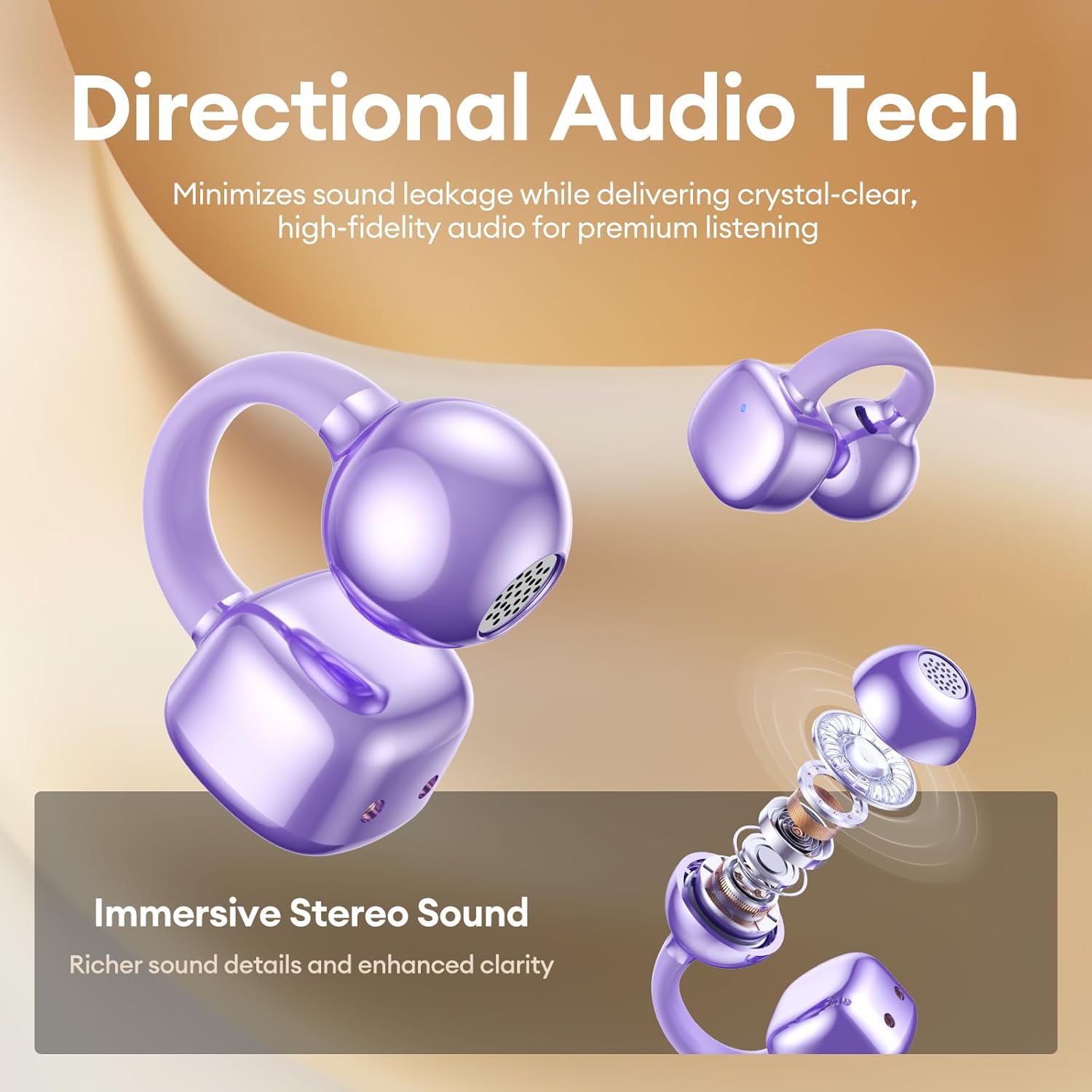
Image 7: A person wearing the PAXA Clipbuds7 earbuds while being exposed to light rain, demonstrating their IP45 water and dust resistance.
6. Fehlerbehebung
| Problem | Mögliche Lösung |
|---|---|
| Ohrhörer lassen sich nicht koppeln | Stellen Sie sicher, dass die Ohrhörer geladen sind. Legen Sie sie zurück in das Ladecase, schließen Sie es und öffnen Sie es anschließend wieder, um den Kopplungsmodus erneut zu aktivieren. Überprüfen Sie die Bluetooth-Einstellungen Ihres Geräts und versuchen Sie, die Verbindung erneut herzustellen. |
| Kein Ton von einem Ohrhörer | Prüfen Sie den Akkustand beider Ohrhörer. Versuchen Sie, die Ohrhörer zurückzusetzen (siehe Herstelleranleitung). website for specific reset instructions if not in manual). Re-pair with your device. |
| Ladeetui lädt nicht | Verify the charging cable and power adapter are working. Ensure the Type-C cable is securely connected to both the case and the power source. |
| Schlechte Tonqualität | Ensure earbuds are properly seated in your ears. Check for debris blocking the speaker grilles. Move closer to your connected device to avoid interference. |
7. Spezifikationen
| Besonderheit | Detail |
|---|---|
| Modellname | Clipbuds 7 |
| Bluetooth-Version | 5.4 |
| Ohrhörergewicht | 4.5 g (jeweils) |
| Akkulaufzeit (eine Ladung) | Bis zu 8 Stunden |
| Gesamte Akkulaufzeit (mit Hülle) | Bis zu 44 Stunden |
| Ladeanschluss | Typ C |
| Wasserbeständigkeit | IP45 |
| Lärmschutz | Hybride Geräuschunterdrückung (ENC für Anrufe) |
| Steuerungstyp | Touch-Steuerung |
| Material | Silikonkautschuk + Kunststoff |
8. Garantie und Support
PAXA products come with a standard manufacturer's warranty. For detailed warranty information, product support, or to contact customer service, please visit the official PAXA webSiehe die Website oder die in Ihrer Verpackung enthaltene Garantiekarte.
Online-Hilfe: Besuchen Sie den PAXA Store auf Amazon
Ask a question about this manual
Ask about setup, troubleshooting, compatibility, parts, safety, or missing instructions. Manuals+ will review the question and use this page’s manual context to help answer it.