
1. Einleitung
This manual provides detailed instructions for the assembly, operation, and maintenance of your FLEXISPOT Q5 Standing Desk with Drawer. Please read this manual thoroughly before assembly and use to ensure proper function and safety.
2. Sicherheitshinweise
Wichtige Sicherheitshinweise:
- Always assemble the desk on a stable, level surface.
- Keep the desk away from heat sources and avoid placing heavy objects on the edges to prevent tipping.
- Seien Sie beim Verstellen der Schreibtischhöhe vorsichtig, um Verletzungen zu vermeiden.
- Always follow the assembly instructions carefully and use appropriate tools.
- Achten Sie darauf, dass alle Kabel ordnungsgemäß verlegt sind, um ein Verheddern bei Höhenverstellungen zu verhindern.
- Kinder dürfen den Schreibtisch nicht ohne Aufsicht von Erwachsenen bedienen.
3. Packungsinhalt
Verify that all components are present before beginning assembly. The FLEXISPOT Q5 Standing Desk typically ships in two separate packages. If any parts are missing or damaged, please contact customer support.
- Whole-piece desktop (55.1"x23.6")
- Desk frame (alloy steel)
- Motor and control panel
- Two wooden drawers
- Assembly hardware and tools (some tools may not be included, refer to instructions)
- Netzteil und Kabel
4. Montageanleitung
Assembly is required for the FLEXISPOT Q5 Standing Desk. It is recommended to have two people for assembly due to the size and weight of the components. Follow the step-by-step instructions provided in the separate assembly guide included with your product. Ensure all connections are secure before use.
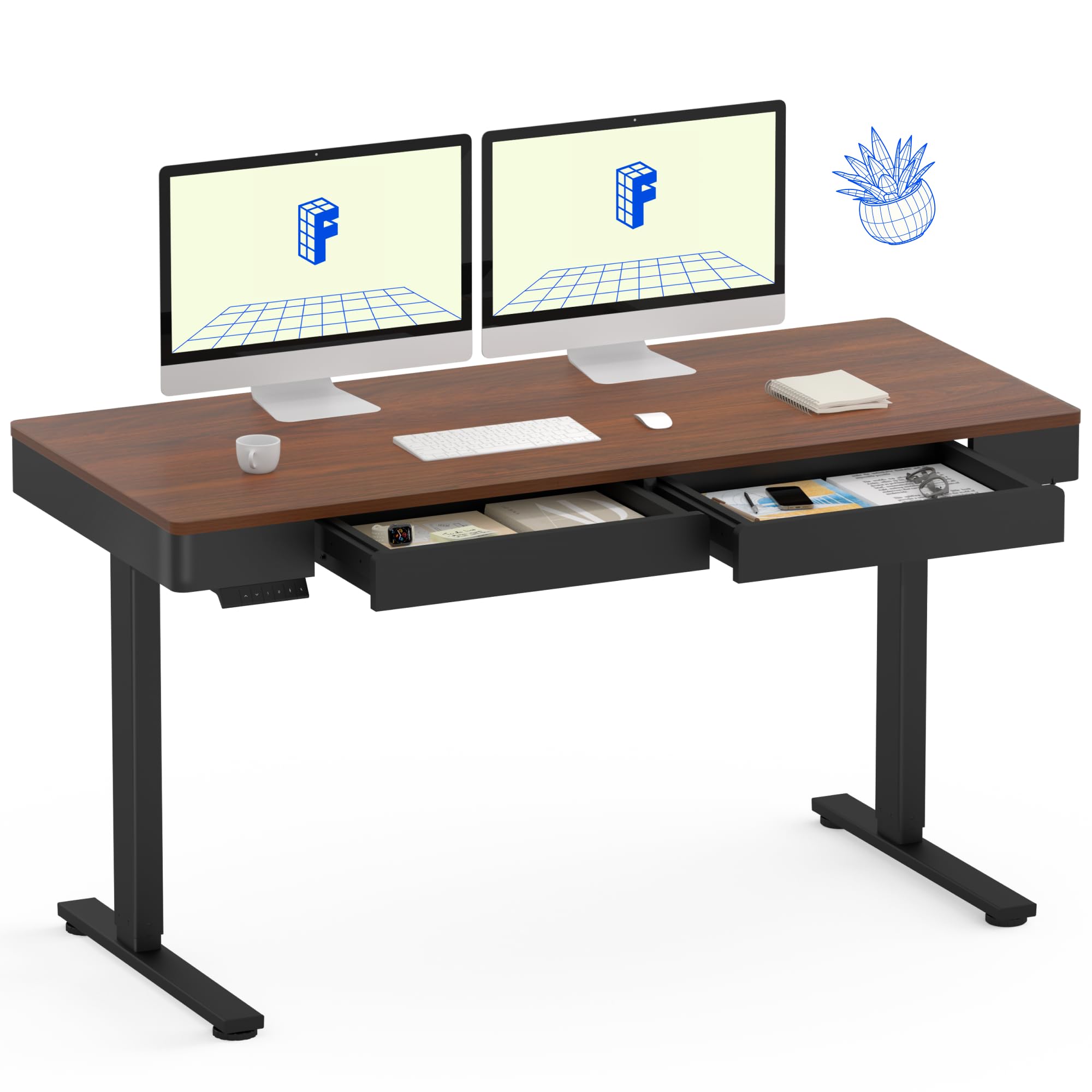
Image: The FLEXISPOT Q5 Standing Desk in Dark Walnut, featuring a spacious desktop, two open storage drawers, and a control panel on the left side. Two computer monitors are placed on the desk.
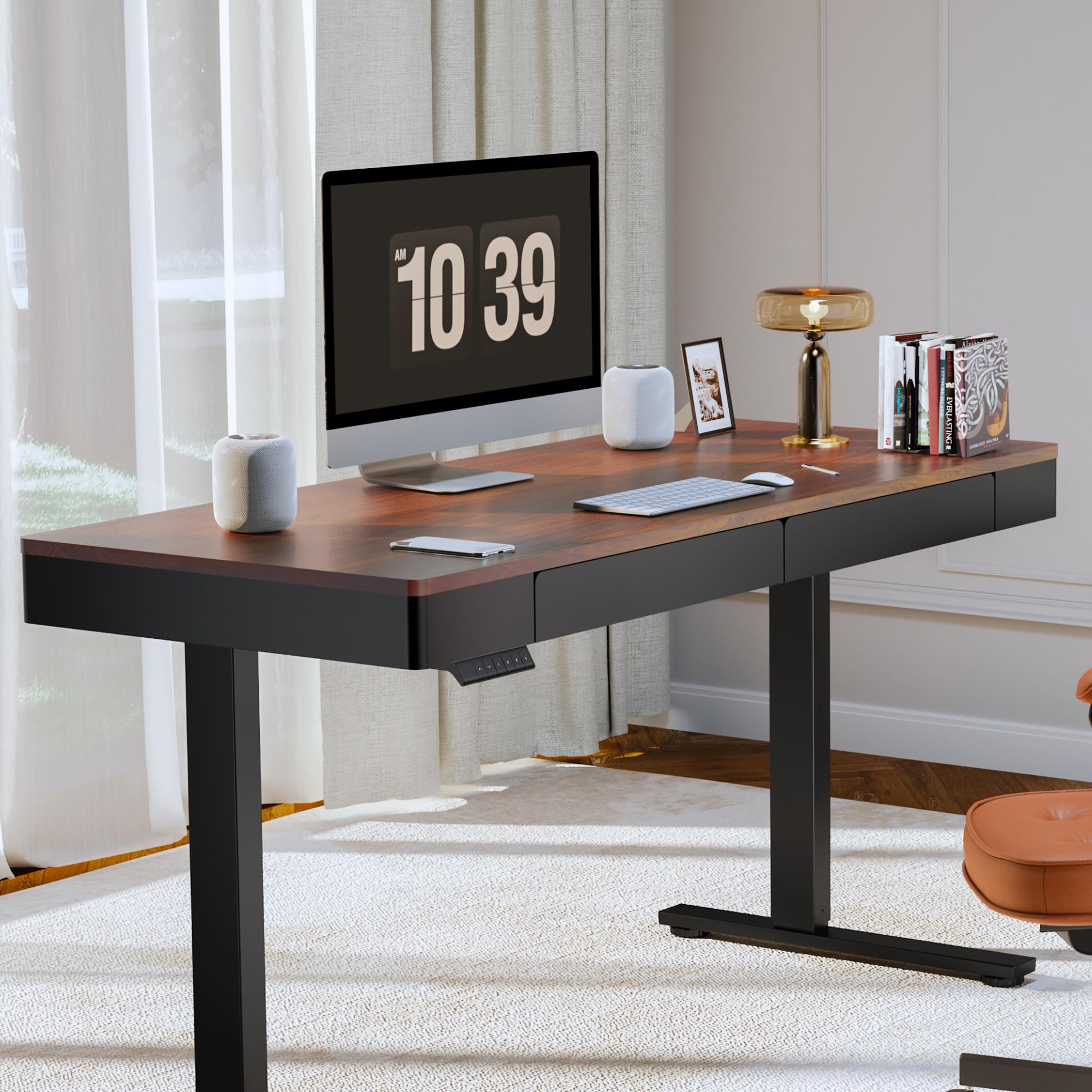
Image: The FLEXISPOT Q5 Standing Desk in a modern home office environment, showcasing its sleek design with a computer monitor, lamp, and books on the desktop.
5. Bedienungsanleitung
5.1. Einschalten
Connect the power cable to the desk's control box and then to a standard electrical outlet. The control panel should illuminate, indicating the desk is ready for operation.
5.2. Höhe einstellen

Image: Close-up of the smart control panel, highlighting the up/down movement buttons and the four height memory preset buttons (1, 2, F, 4).
- Auf-/Abwärtsbewegung: Verwenden Sie die Nach oben (^) Und Unten (v) arrow buttons on the control panel to manually adjust the desk height. The desk will move smoothly between 28.9 inches (minimum) and 46.5 inches (maximum).
- Voreinstellungen für den Höhenspeicher: The control panel features four memory buttons (1, 2, F, 4) to save your preferred sitting and standing heights.
- Stellen Sie den Schreibtisch mithilfe der Auf-/Ab-Tasten auf die gewünschte Höhe ein.
- Press and hold one of the memory buttons (1, 2, F, or 4) until you hear a beep or see the display flash, indicating the height has been saved.
- Um eine gespeicherte Höhe abzurufen, drücken Sie einfach die entsprechende Speichertaste. Der Schreibtisch fährt automatisch in diese Position.
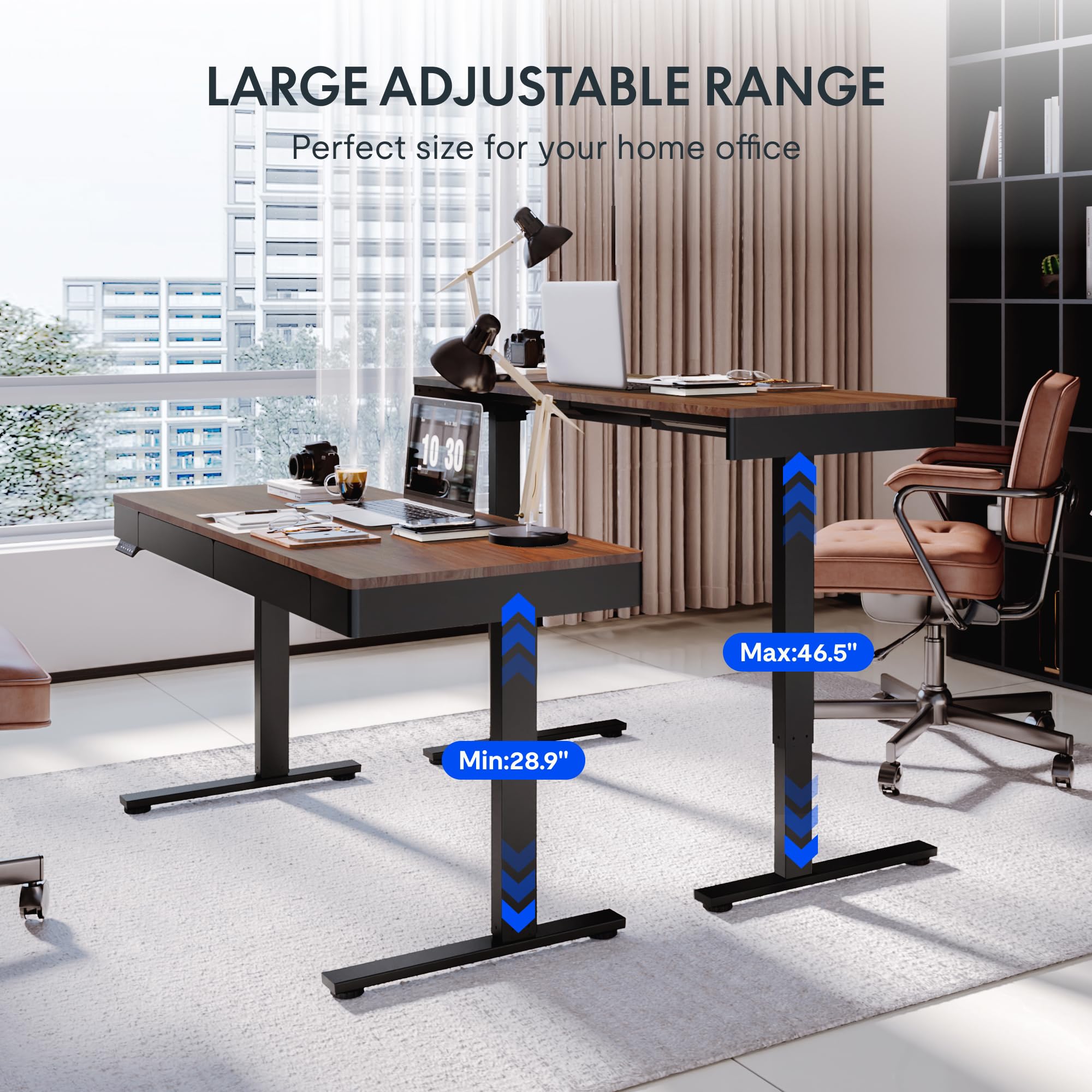
Image: Two FLEXISPOT Q5 desks side-by-side, illustrating the large adjustable height range from a minimum of 28.9 inches to a maximum of 46.5 inches.
5.3. Benutzung der Schubladen
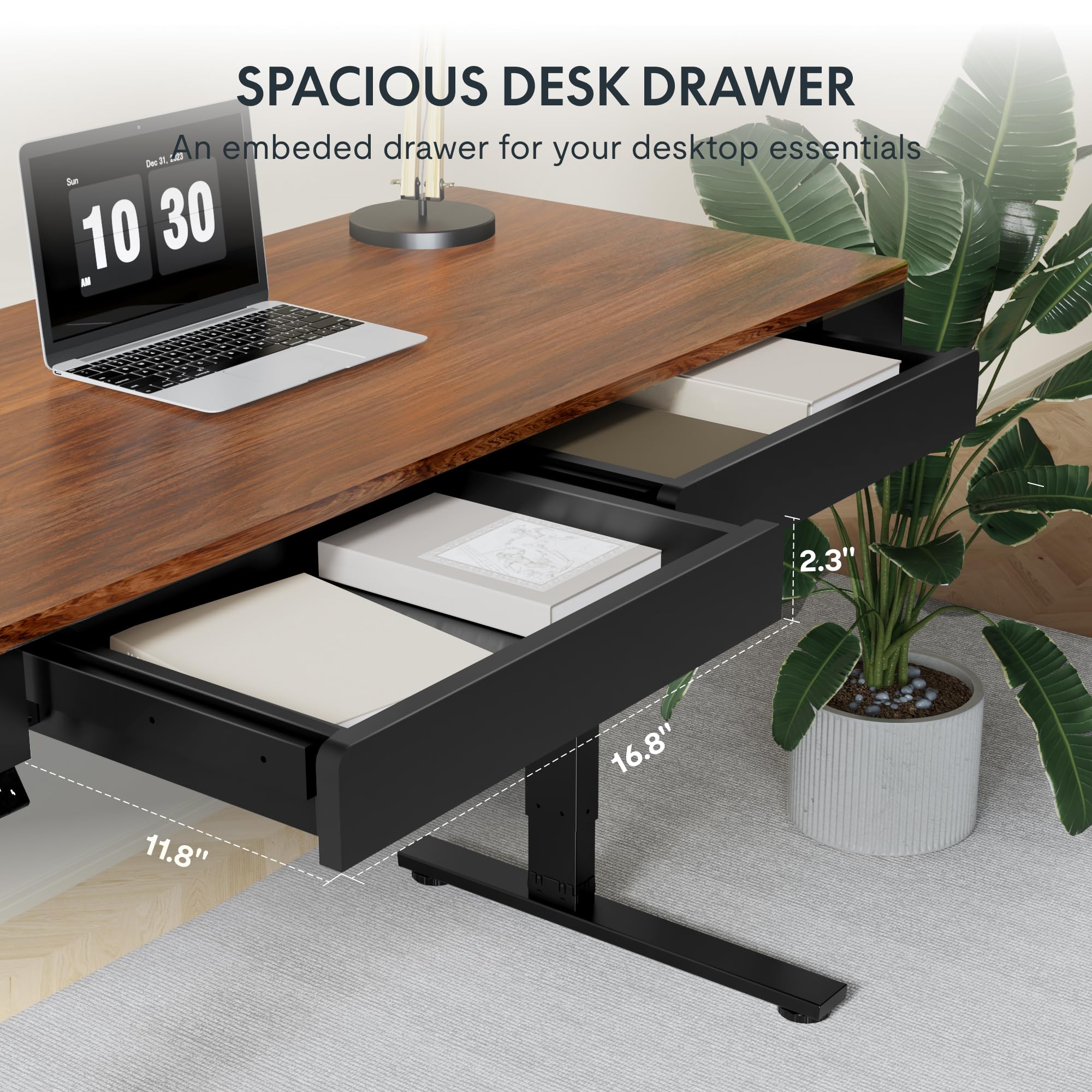
Bild: Eine Nahaufnahme view of one of the spacious desk drawers, showing its internal dimensions of 16.8 inches in width, 11.8 inches in depth, and 2.3 inches in height.
The desk is equipped with two spacious wooden drawers for storage. Gently pull the drawer handles to open and push to close. Avoid overloading the drawers to ensure smooth operation of the sliding rails.
6. Wartung
- Reinigung: Wischen Sie die Tischplatte und den Rahmen mit einem weichen, fusselfreien Tuch ab.amp Tuch. Vermeiden Sie Scheuermittel oder aggressive Chemikalien, die die Oberfläche beschädigen könnten.
- Kabelmanagement: Periodically check and organize cables to prevent them from getting pinched or tangled during height adjustments.
- Befestigungsmaterial: Überprüfen Sie gelegentlich alle Schrauben und Bolzen auf festen Sitz. Ziehen Sie sie gegebenenfalls nach.
- Gewichtskapazität: Die maximale Tragfähigkeit von 110 lbs (50 kg) auf dem Schreibtisch darf nicht überschritten werden.
7. Fehlerbehebung
If you encounter issues with your FLEXISPOT Q5 Standing Desk, refer to the following common troubleshooting steps:
- Schreibtisch bewegt sich nicht:
- Prüfen Sie, ob das Netzkabel sowohl am Schreibtisch als auch an der Wandsteckdose fest angeschlossen ist.
- Prüfen Sie die Funktionsfähigkeit der Wandsteckdose, indem Sie ein anderes Gerät anschließen.
- If the control panel display shows an error code, consult the full troubleshooting guide available on the FLEXISPOT webWebsite oder wenden Sie sich an den Kundendienst.
- Ungleichmäßige Höheneinstellung:
- Perform a reset procedure (refer to the detailed assembly guide for specific steps, usually involves holding down certain buttons).
- Ensure no obstructions are preventing one leg from moving freely.
- Ungewöhnliche Geräusche:
- The motor operates quietly (under 50 dB). If loud or grinding noises occur, discontinue use and contact customer support.
- Check for loose components or obstructions under the desk.
8. Spezifikationen
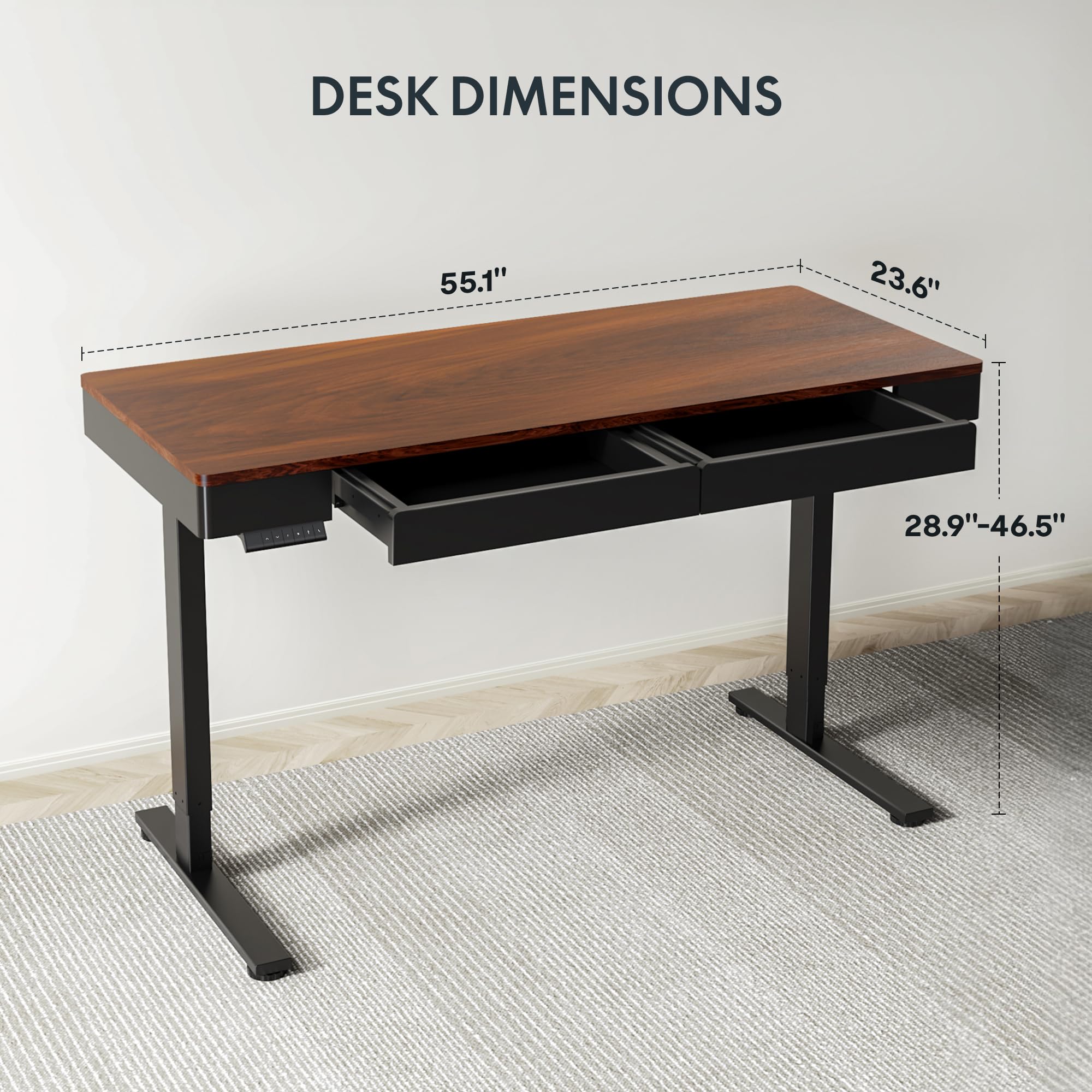
Image: Diagram illustrating the key dimensions of the FLEXISPOT Q5 Standing Desk: 55.1 inches in length, 23.6 inches in width, and an adjustable height range from 28.9 to 46.5 inches.
| Besonderheit | Detail |
|---|---|
| Modell | Q5 |
| Desktop-Abmessungen | 55.1 Zoll (B) x 23.6 Zoll (T) |
| Höhenverstellbereich | 28.9" - 46.5" |
| Maximale Gewichtskapazität | 110 kg |
| Geräuschpegel | Unter 50 dB |
| Desktop-Material | Holz (ganzes Stück) |
| Rahmenmaterial | Legierter Stahl |
| Drawer Inner Space | 16.8 Zoll (B) x 11.8 Zoll (T) x 2.3 Zoll (H) |
| Farbe | Dunkles Walnussholz |
| UPC | 840460476911 |
9. Garantie und Support
FLEXISPOT provides the following warranty coverage for the Q5 Standing Desk:
- 5 Jahre Garantie: Applies to the desk frame and motor.
- 2 Jahre Schutz: Applies to the control panel and electronics.
For warranty claims, technical support, or missing parts, please contact FLEXISPOT customer service. Refer to the contact information provided in your product packaging or on the official FLEXISPOT webWebsite.


