
Einführung
This manual provides detailed instructions for the installation, operation, and maintenance of your Mcezdy Ebike LCD Display, model M5C-2(BLE)-6-Pin. This display is designed to enhance your electric bike experience by providing essential riding data and smart connectivity features. Please read this manual thoroughly before use to ensure proper functionality and safety.
Wichtiger Hinweis zur Kompatibilität: This ebike display operates exclusively with the UART No. 2 protocol. Ensure your ebike controller also uses the UART No. 2 protocol for proper functionality. Incompatibility with other UART protocols will prevent the display from working correctly.
Aufstellen
1. Packungsinhalt
Vor der Installation prüfen Sie bitte, ob alle Komponenten vorhanden sind:
- Mcezdy Ebike LCD Display (M5C-2(BLE)-6-Pin)
- Benutzerhandbuch
- Fehlercode Beschreibung
2. Montage des Displays
The display is designed for handlebar mounting. It features an adjustable mount compatible with handlebar diameters of 22.2mm, 25.4mm, 28.6mm, and 31.8mm, ensuring a secure fit for most bicycles.
- Lösen Sie die Schrauben an der Montagehalterung des Displays.
- Position the display on your ebike's handlebar at a comfortable viewing-Winkel.
- Tighten the screws to secure the display firmly in place.
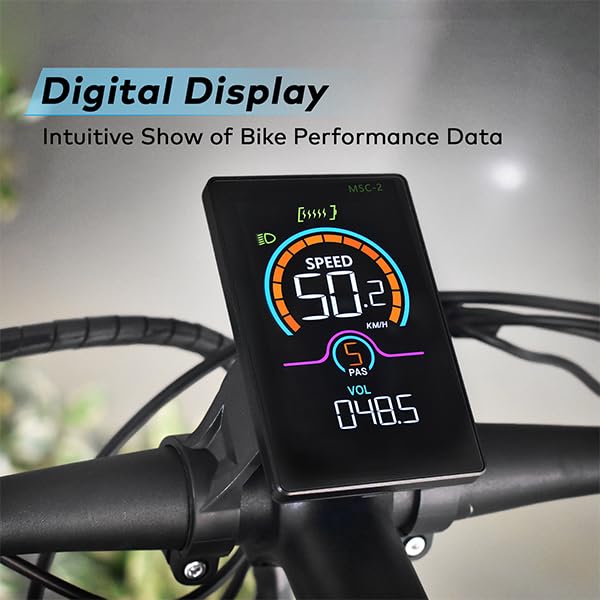
Image: The Mcezdy Ebike LCD Display mounted on a bicycle handlebar, showing its position and visibility.

Image: The Mcezdy Ebike LCD Display with an illustration highlighting its compatibility with various handlebar diameters (22.2mm, 25.4mm, 28.6mm, 31.8mm).
3. Anschließen der Kabel
The display comes with a 150mm waterproof cable. Ensure your ebike's connector type matches the display's connector (5-pin or 6-pin) before connecting.

Image: The Mcezdy Ebike LCD Display showing a warning about UART No. 2 protocol compatibility and illustrating the difference between 5-pin and 6-pin connectors. Please confirm your e-bike's connector type before purchase.

Bild: Eine detaillierte view of the Mcezdy Ebike LCD Display, highlighting the waterproof 5-pin and 6-pin connector types and the external keyboard for easy adjustment of display settings.
Carefully align the connectors and push them together until they click into place. Ensure the connection is secure and waterproof.
Bedienungsanleitung
1. Ein-/Ausschalten
Press and hold the power button on the display or the external control panel to turn the display on or off.
2. Anzeigefunktionen
The vibrant color screen provides real-time information about your ride:
- Geschwindigkeit: Aktuelle Fahrgeschwindigkeit (km/h).
- PAS-Stufe: Pedalunterstützungssystem-Ebene.
- Bandtage (VOL): Echtzeit-Akku-Voltage.
- ODO: Total mileage.
- Ausflug: Single trip mileage.
- Laufzeit: Dauer der aktuellen Fahrt.
- WASTAGE: Leistungsabgabe.
- Batteriestand: Grafische Darstellung des verbleibenden Akkuladestands.
- Scheinwerfer-Blinker: Indicates if the ebike's headlight is on.
- Fehlerwarnung: Displays fault codes if an issue is detected. Refer to the "Fault Code Description" document for details.

Image: The Mcezdy Ebike LCD Display illustrating its various functions, including Cruise, ODO, PAS, Trip, Speed, Fault Warning, Headlight, Battery Level, Voltage, Wattage, Running Time, and Walking Assist.
3. Spezielle Modi und Funktionen
- Geh-Assistenz-Modus: Provides assistance when pushing the ebike.
- Tempomat: Hält eine vorgegebene Geschwindigkeit ohne kontinuierliche Drosselklappenbetätigung aufrecht.
- Parameteränderung: Access settings to customize parameters such as wheel diameter and speed limits. Refer to the detailed user manual for navigation through these settings.
4. Smart Connectivity (Bluetooth APP)
The display supports Bluetooth connectivity, allowing you to sync with cycling applications. This enables recording of routes, statistics, and other ride data.
- Scan the QR code provided in the product packaging or on the display's screen to download the "LINGHUI" app from your device's app store.
- Follow the in-app instructions to connect your display via Bluetooth.
- Once connected, you can monitor and record your cycling data.

Image: The Mcezdy Ebike LCD Display demonstrating LINGHUI APP support. A smartphone screen shows the app interface, and a QR code is provided for downloading the "LINGHUI" app to record cycling data.
5. Typ-C-Ladeanschluss
The display includes a built-in Type-C charging port, allowing you to charge compatible devices, such as your smartphone, during your rides. This ensures you stay connected and can navigate safely without worrying about phone battery depletion.
Wartung
- Reinigung: Wischen Sie den Bildschirm und das Gehäuse mit einem weichen, fusselfreien Tuch ab.amp cloth. Avoid using abrasive cleaners or solvents that could damage the screen or housing.
- Wasserbeständigkeit: The display has an IPX65 waterproof rating, providing protection against water splashes and rain. However, avoid submerging the device in water.
- Lagerung: Bei längerer Nichtbenutzung sollte das Display an einem trockenen, kühlen Ort und vor direkter Sonneneinstrahlung geschützt aufbewahrt werden.
- Kabelinspektion: Überprüfen Sie regelmäßig alle Kabel und Anschlüsse auf Anzeichen von Verschleiß, Beschädigungen oder lockere Verbindungen.
Fehlerbehebung
If you encounter issues with your Mcezdy Ebike LCD Display, consider the following:
- Bildschirm schaltet sich nicht ein:
- Stellen Sie sicher, dass der Akku des E-Bikes geladen und ordnungsgemäß angeschlossen ist.
- Check all cable connections between the display and the controller for looseness or damage.
- Incorrect Readings or No Data:
- Verify that the display's protocol (UART No. 2) matches your ebike controller's protocol.
- Überprüfen Sie, ob die Kabelverbindungen sicher sind.
- Ensure wheel diameter settings are correctly configured in the display's parameters.
- Angezeigte Fehlercodes:
If a fault code appears on the screen, refer to the "Fault Code Description" document included with your product for an explanation of the code and recommended actions.
- Probleme mit der Bluetooth-Konnektivität:
- Stellen Sie sicher, dass Bluetooth auf Ihrem Smartphone aktiviert ist.
- Starten Sie sowohl das Display als auch Ihr Smartphone neu.
- Ensure the "LINGHUI" app is updated to the latest version.
If problems persist, contact Mcezdy customer support or your retailer for further assistance.
Technische Daten
| Besonderheit | Spezifikation |
|---|---|
| Marke | Mcezdy |
| Modellnummer | M5C-2(BLE)-6-Pin |
| Anzeigetyp | LCD (Farbbildschirm) |
| Konnektivitätstechnologie | Bluetooth |
| Protokoll | UART No. 2 |
| Arbeitsvolumentage | Gleichstrom 24 V, 36 V, 48 V, 60 V |
| Cable Length (Exposed) | 150mm (Waterproof 5-pin/6-pin) |
| Wasserdichtigkeit | IPX65 |
| Gehäusematerial | ABS + PC |
| Bildschirmmaterial | Gehärtetes Glas |
| Montagetyp | Handlebar Mount (22.2mm, 25.4mm, 28.6mm, 31.8mm compatible) |
| Artikelgewicht | 222 g |
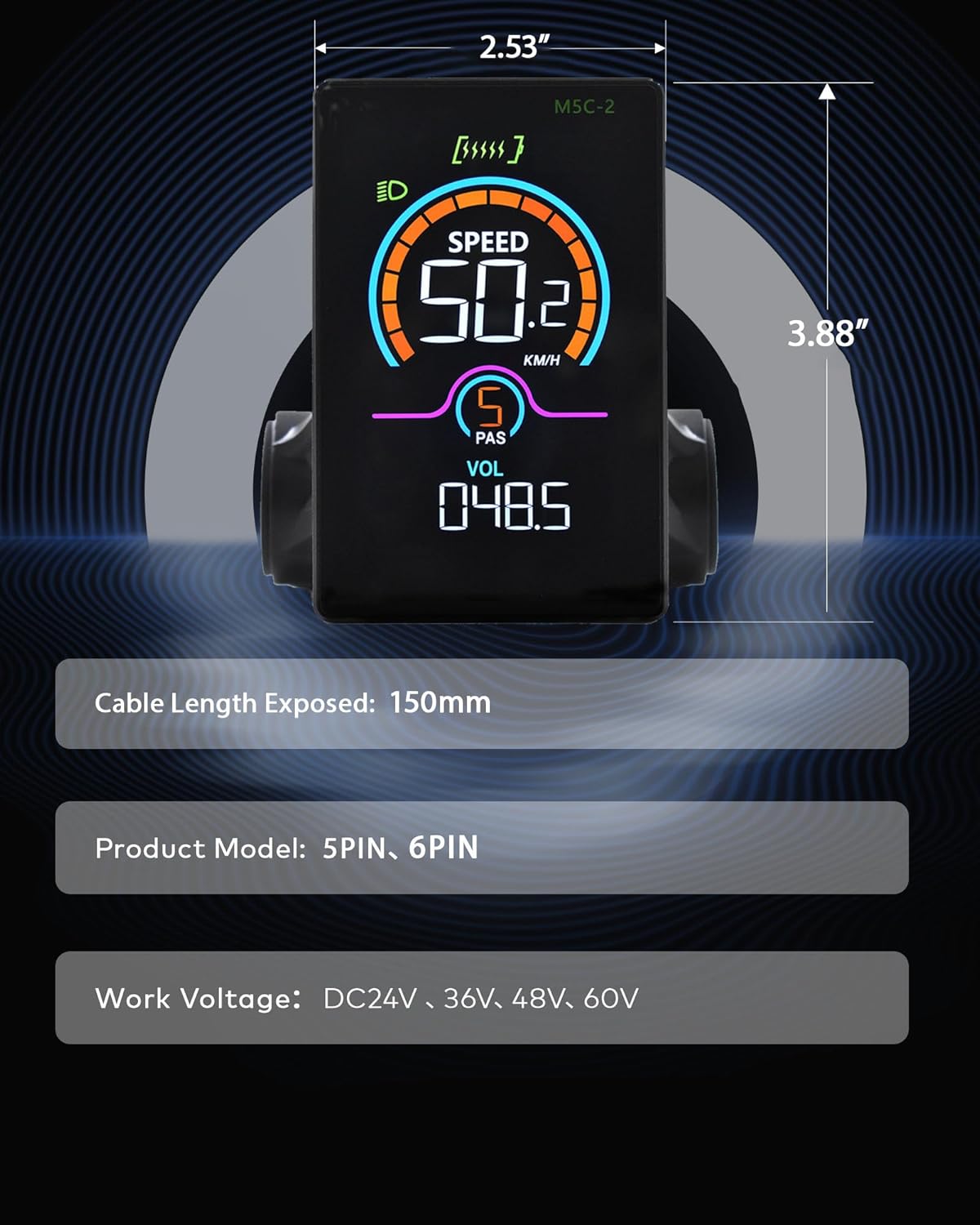
Image: The Mcezdy Ebike LCD Display showing its approximate dimensions (2.53" width, 3.88" height), exposed cable length (150mm), product model (5PIN, 6PIN), and work voltage compatibility (DC24V, 36V, 48V, 60V).
Garantie und Support
Garantieinformationen
Specific warranty details for the Mcezdy Ebike LCD Display are typically provided at the point of purchase or within the product packaging. Please retain your proof of purchase for warranty claims. For detailed warranty terms and conditions, refer to the documentation provided by your retailer or contact Mcezdy customer service.
Kundenservice
Sollten Sie weitere Hilfe benötigen, Fragen haben, die in diesem Handbuch nicht beantwortet werden, oder technischen Support benötigen, wenden Sie sich bitte an:
- Your product retailer.
- Mcezdy customer service (contact information may be available on the official Mcezdy webStandort oder Produktverpackung).
Ensure you have your product model number (M5C-2(BLE)-6-Pin) and proof of purchase ready when contacting support.