
Einführung
This manual provides detailed instructions for the Mcezdy H6C-2(BLE)-5-Pin Ebike LCD Display. This cycling computer offers a vibrant color gradient screen, app connectivity, and essential riding data. It is designed to enhance your electric biking experience by providing clear control and comprehensive information. Please ensure your e-bike controller uses the UART No. 2 protocol for proper functionality.
Sicherheitshinweise
Before installation and use, carefully read all instructions. Pay close attention to the compatibility requirements. This display is exclusively compatible with controllers utilizing the UART No. 2 protocol. Using it with other UART protocols may lead to malfunction or damage. Always ensure secure mounting and connections to prevent accidents during your ride.

Bild: Important notice regarding UART No. 2 protocol compatibility and connector types (5-Pin and 6-Pin options shown).
Packungsinhalt
- LCD Anzeige
- Benutzerhandbuch
- Fehlercode Beschreibung
Setup und Installation
Follow these steps to correctly install your Mcezdy Ebike LCD Display:
- Montage des Displays: Securely attach the display to your e-bike's handlebar using the provided nylon bracket. The adjustable mount fits handlebar diameters of 22.2mm, 25.4mm, 28.6mm, and 31.8mm.
- Anschlusskabel: Connect the display's cable to your e-bike's main harness. Ensure the connector type (5-Pin or 6-Pin) matches your e-bike's system.
- Installation des Bedienfelds: Install the separate control panel (keyboard) on the handlebar in an easily accessible position.
Video: A demonstration of the installation process for the Electric Bicycle Display H6C-2, showing how to mount it on the handlebar and connect the cables.
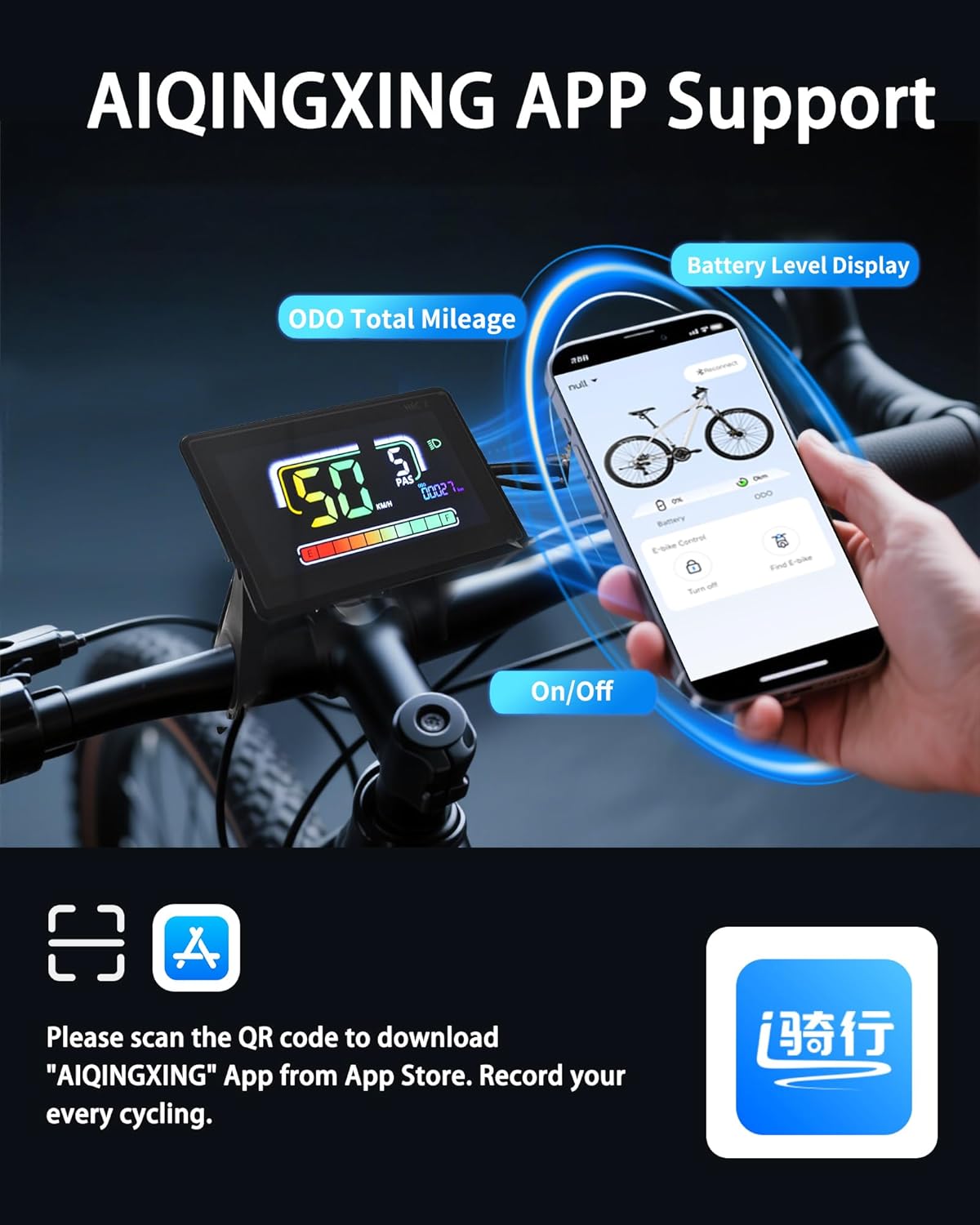
Bild: The display mounted on a handlebar, illustrating its compatibility with various handlebar diameters.

Bild: Close-up of the 5-Pin and 6-Pin waterproof connectors, highlighting the importance of matching your e-bike's system.
Bedienungsanleitung
The H6C-2 display provides comprehensive data and control for your e-bike. Use the integrated keyboard for easy adjustments.
Hauptfunktionen:
- Ein-/Ausschalten: Press and hold the power button on the control panel to turn the display on or off.
- PAS-Niveauanpassung: Use the '+' and '-' buttons to adjust the Pedal Assist System (PAS) levels.
- Informationsanzeige: Cycle through various data displays such as real-time speed, trip distance, total mileage (ODO), voltage, und wastage.
- Geh-Assistenz-Modus: Activate walk-assist for easy maneuvering when not riding.
- Tempomat: Aktivieren Sie den Tempomat für eine konstante Geschwindigkeit auf ebener Strecke.
- Direction Turn Signals: Utilize integrated turn signals for enhanced safety.
- Scheinwerfersteuerung: Press and hold the '+' button to turn on the bike lights.
- Parameteränderung: Access settings to modify key bike parameters like wheel diameter and speed limits.
Video: A demonstration of the display's various functions and how to navigate through settings and modes.
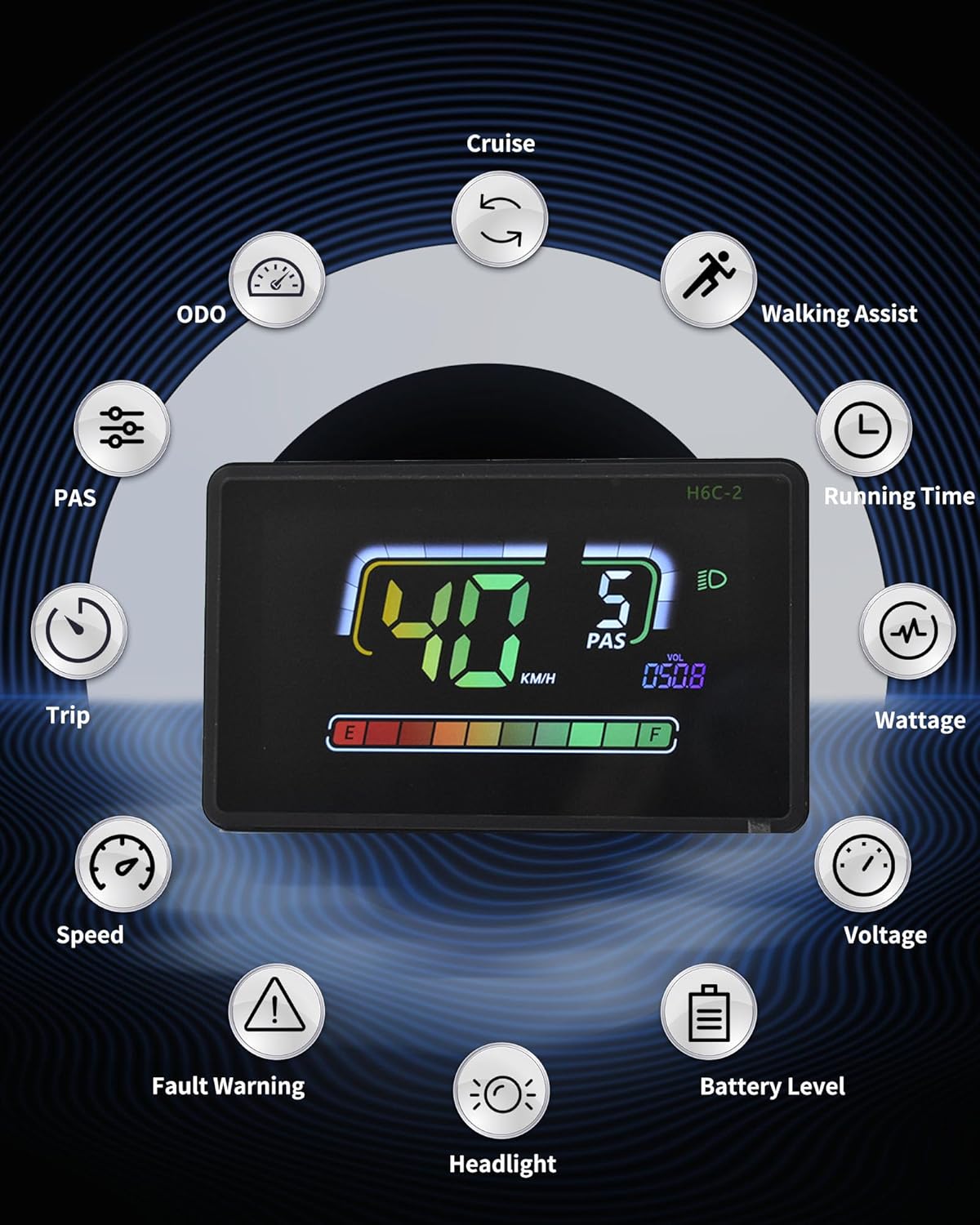
Bild: Ein Überview of the display's features, including ODO, Cruise, Walking Assist, Running Time, Wattage, Bdtage, Battery Level, Headlight, Speed, Trip, and PAS.
App-Verbindung
The H6C-2 display supports connection with cycling applications via Bluetooth, allowing you to record routes and statistics.
- Lade App herunter: Scan the QR code provided in the product packaging or search for the "AIQINGXING" app on your mobile phone's app store.
- Anmeldung Registrieren: Follow the in-app instructions to log in or create an account.
- Display anschließen: Enable Bluetooth on your phone and within the app, search for and connect to your H6C-2 display.
- Record Cycling Data: Once connected, the app will record your cycling data, including total mileage and battery level.
Video: A demonstration of connecting the Electric Bicycle Display H6C-2 to a mobile application via Bluetooth.

Bild: Visual guide for downloading and connecting to the AIQINGXING app to record cycling data.
Funktionen überview
- Wasserdichtigkeitsklasse IPX65: Engineered with a rugged ABS and PC housing and tempered glass screen, the display is built to withstand tough terrains and various weather conditions, ensuring durability and performance.
- Eingebauter USB-Ladeanschluss: Features a 5V/500mA Type-C USB port, allowing you to charge your devices on the go during rides.
- Automatische Hintergrundbeleuchtung: The anti-glare LCD screen provides clear visibility in both day and night conditions, automatically adjusting for optimal readability even in indirect sunlight.
- Nahtlose Kompatibilität: Integrates with 24V, 36V, 48V, or 60V batteries, offering full control and access to essential information for an optimized riding experience.

Bild: The display submerged in water, demonstrating its strong water resistance for use in rainy conditions.

Bild: Illustrates the automatic backlight feature, showing clear visibility during both day and night riding.

Bild: The display with a Type-C cable connected, demonstrating its built-in charging port for external devices.
Technische Daten
| Besonderheit | Detail |
|---|---|
| Marke | Mcezdy |
| Modellname | H6C-2(BLE)-5-Pin |
| Farbe | Schwarz |
| Anzeigetyp | LCD |
| Sensortyp | Speed Sensor, Voltage Sensor, Accelerometer, Gyroscope |
| Konnektivitätstechnologie | Bluetooth, USB |
| Montagetyp | Lenkerhalterung |
| Eingabe der menschlichen Schnittstelle | Touch-Screen |
| Material | Plastik |
| Artikelgewicht | 0.27 Kilogramm |
| Arbeitsvolumentage | Gleichstrom 24 V, 36 V, 48 V, 60 V |
| Cable Length Exposed | 150 mm |
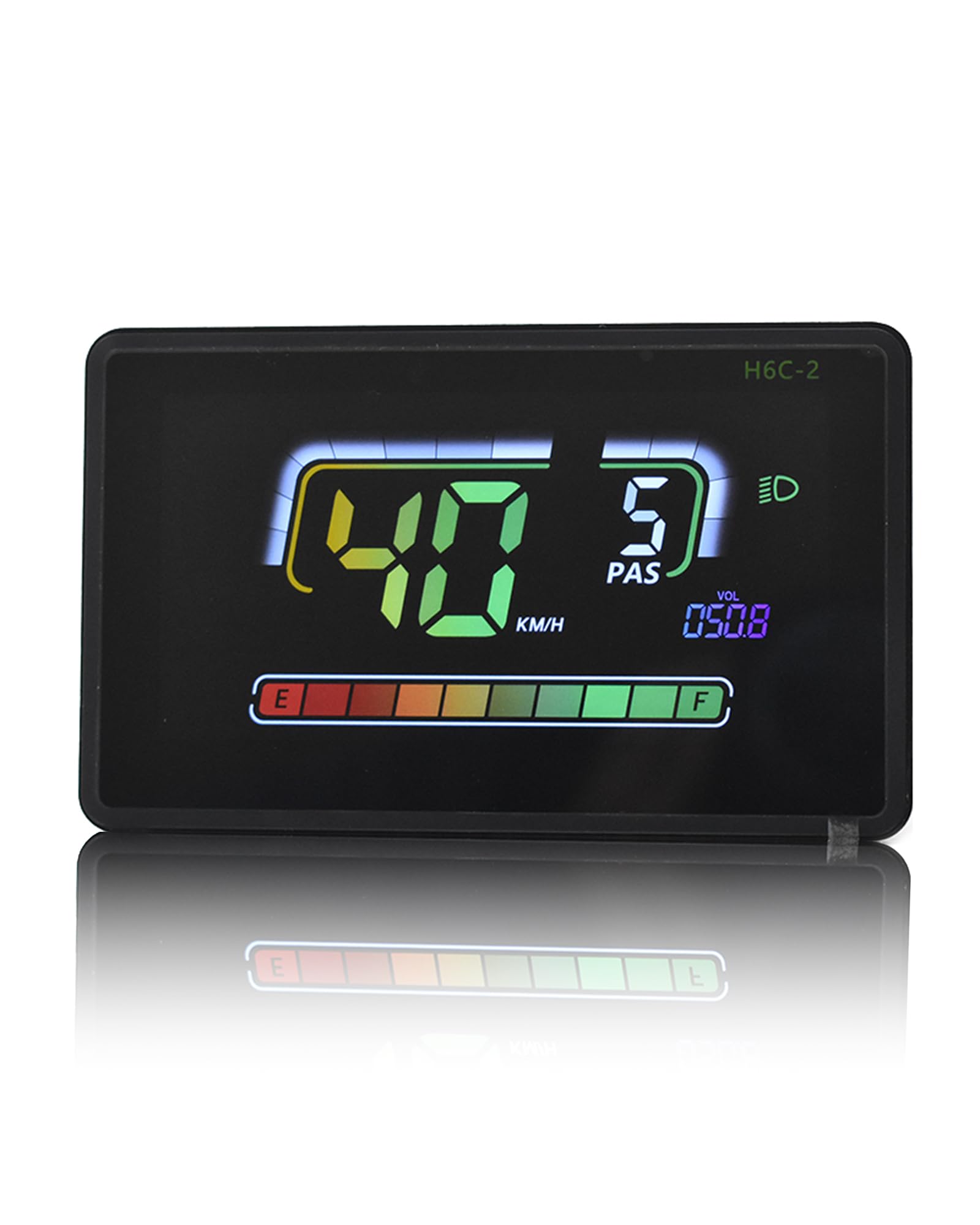
Bild: Diagram showing the display dimensions (4.57" x 2.88"), exposed cable length (150mm), product model (5PIN, 6PIN), and compatible work voltages (DC24V, 36V, 48V, 60V).
Wartung
To ensure the longevity and optimal performance of your Mcezdy Ebike LCD Display, follow these maintenance guidelines:
- Reinigung: Regularly wipe the display screen and housing with a soft, damp Mit einem Tuch abwischen. Vermeiden Sie die Verwendung von Scheuermitteln oder Lösungsmitteln, die den Bildschirm oder den Kunststoff beschädigen könnten.
- Lagerung: When not in use for extended periods, store the e-bike and display in a cool, dry place away from direct sunlight and extreme temperatures.
- Kabelinspektion: Periodically check all cables and connectors for any signs of wear, damage, or loose connections. Ensure they are securely fastened.
- Wassereinwirkung: While the display is IPX65 waterproof, avoid prolonged submersion or high-pressure water jets directly on the unit.
Fehlerbehebung
If you encounter issues with your Mcezdy Ebike LCD Display, refer to the following common troubleshooting steps:
- Bildschirm schaltet sich nicht ein:
- Prüfen Sie, ob der Akku des E-Bikes geladen und ordnungsgemäß angeschlossen ist.
- Ensure all display cables are securely plugged into the e-bike's system.
- Verify the power button on the control panel is functioning correctly.
- Falsche Geschwindigkeits-/Kilometerstandsanzeigen:
- Confirm that the wheel diameter setting in the display's parameters matches your e-bike's wheel size.
- Check the speed sensor for any obstructions or damage.
- Probleme mit der App-Verbindung:
- Ensure Bluetooth is enabled on both your phone and the display.
- Restart the app and the display.
- Überprüfen Sie, ob die App auf die neueste Version aktualisiert ist.
- Display Showing Error Codes:
- Refer to the included "Fault Code Description" document for specific error code meanings and recommended actions.
Sollten die Probleme nach Durchführung dieser Schritte weiterhin bestehen, wenden Sie sich bitte an den Kundendienst.
Garantieinformationen
The Mcezdy Ebike LCD Display comes with a 1 Jahr Herstellergarantie. This warranty covers defects in materials and workmanship under normal use. Please retain your proof of purchase for warranty claims. The warranty does not cover damage caused by misuse, accidents, unauthorized modifications, or improper installation.
Unterstützung
For further assistance, technical support, or warranty inquiries, please contact Mcezdy customer service through the retailer where you purchased the product or visit the official Mcezdy webWebsite für Kontaktinformationen.