
Einführung
This manual provides detailed instructions for the setup, operation, and maintenance of your Donerton GPS Smart Watch P131. Please read this manual thoroughly before using the device to ensure proper function and to maximize your user experience.

Image: The Donerton GPS Smart Watch P131, showcasing its main display with time, date, battery, and activity tracking, alongside a smaller view of its fitness tracking interface.
Lieferumfang
Upon opening your Donerton GPS Smart Watch P131 package, you should find the following items:
- Donerton GPS Smart Watch (P131)
- Uhrenarmband
- Ladekabel
- Bedienungsanleitung
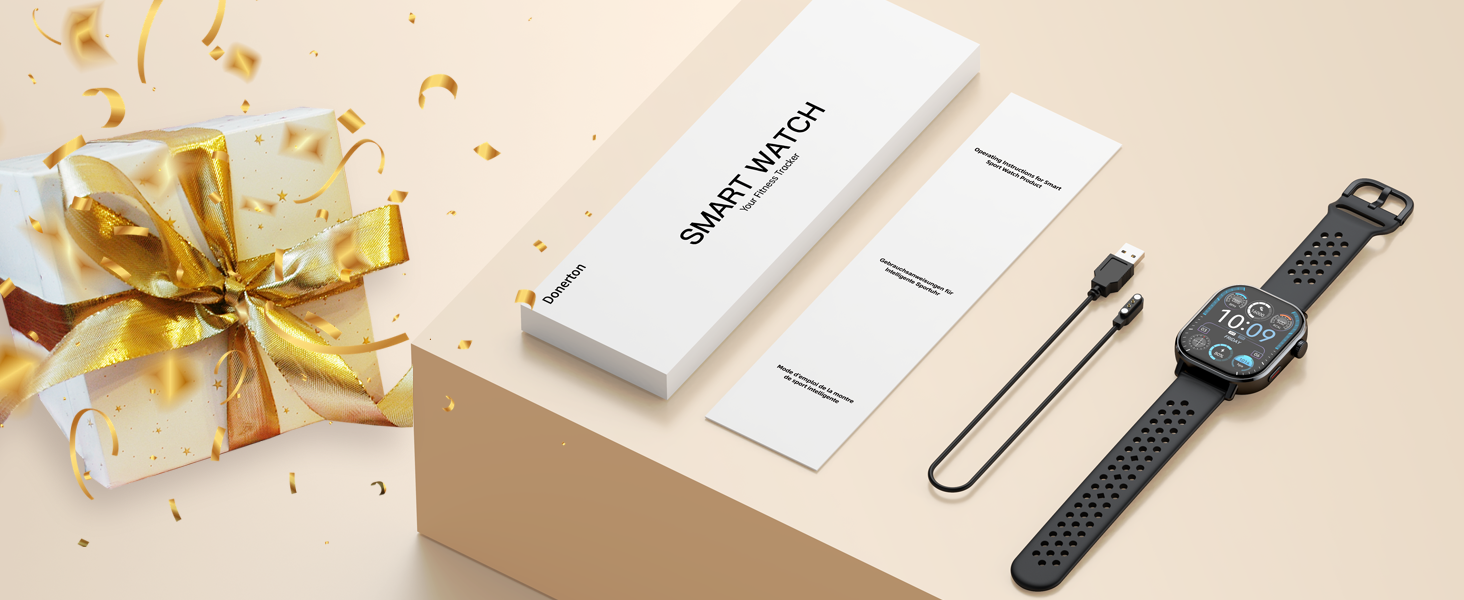
Image: The Donerton Smart Watch P131 packaging, displaying the watch, charging cable, and user manual, with a gift box in the background.
Installationsanweisungen
1. App-Installation und Gerätekopplung
To utilize all features of your Donerton GPS Smart Watch P131, you must first download and install the companion application, GloryFit, auf Ihrem Smartphone.
- Bluetooth aktivieren: Schalten Sie die Bluetooth-Funktion auf Ihrem Smartphone ein.
- GloryFit-App herunterladen: Open the Google Play Store (for Android) or Apple App Store (for iOS) on your phone. Suchen nach "GloryFit" und laden Sie die Anwendung herunter.
- App öffnen und verbinden: Launch the GloryFit app. Follow the on-screen prompts to add a new device. Select "P131" from the list of available devices to pair. Confirm the pairing request on both your phone and the watch.
2. Enabling Answer/Call Function
After initial pairing, follow these steps to enable the Bluetooth call feature:
- Kopplung bestätigen: After selecting "P131" in the GloryFit app, accept the pairing request on your mobile phone's system pop-up.
- Bluetooth-Anruf aktivieren: On your smart watch, navigate to the settings and turn on the call Bluetooth switch. This allows the watch to make calls and play media audio.
- Berechtigungen erteilen: In your phone's Bluetooth settings, locate the paired "P131" device and ensure all necessary permissions are granted for calls and audio.
- Bereit für Anrufe: Once connected, you can use your watch to answer or make calls.
Notiz: If you do not intend to use the call function, you can turn off the answer/call function to conserve battery life.
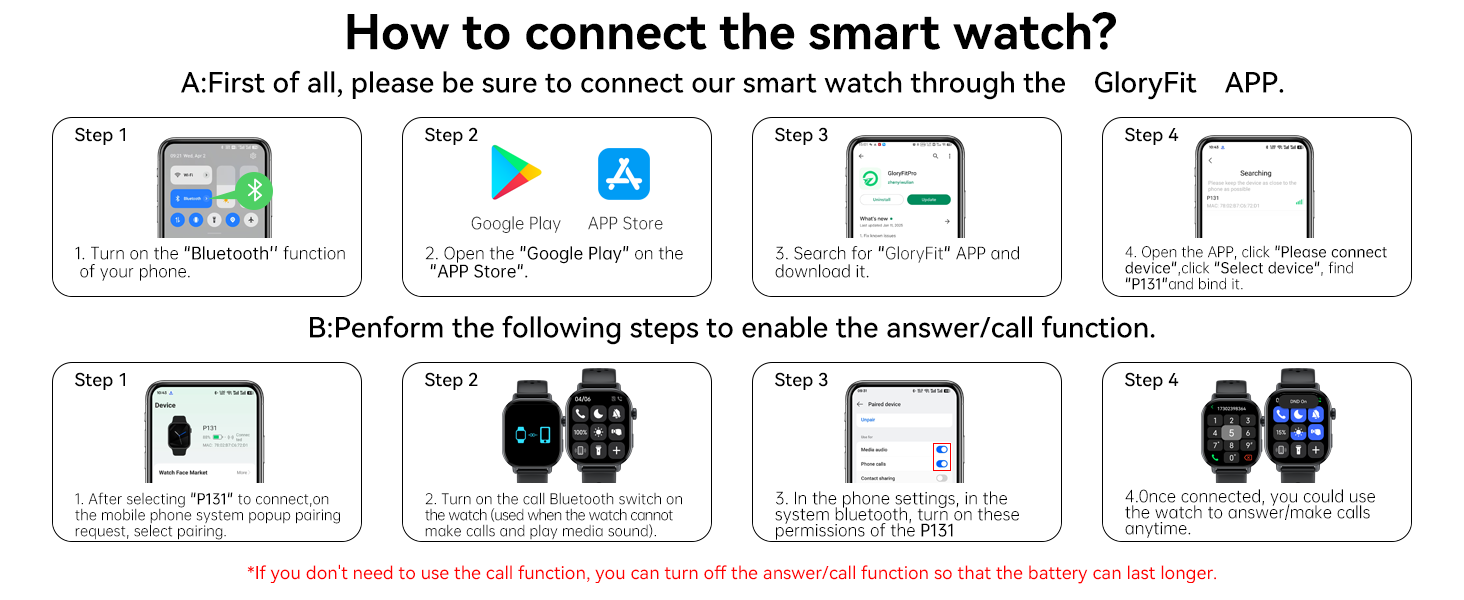
Image: A visual guide demonstrating the steps to connect the Donerton Smart Watch P131 via the GloryFit app and enable its call function.
Bedienungsanleitung
Grundlegende Navigation
- Touch-Screen: Wischen Sie nach links, rechts, oben oder unten, um durch Menüs und Funktionen zu navigieren. Tippen Sie zum Auswählen.
- Encoder/Button: Rotate the crown to scroll through lists or adjust settings. Press the crown to return to the main menu or confirm selections.
- Seitentaste: Press the side button to quickly switch modes or return to the main menu.

Image: An illustration highlighting the Encoder/Button and Side Button on the Donerton Smart Watch P131, along with their primary functions.
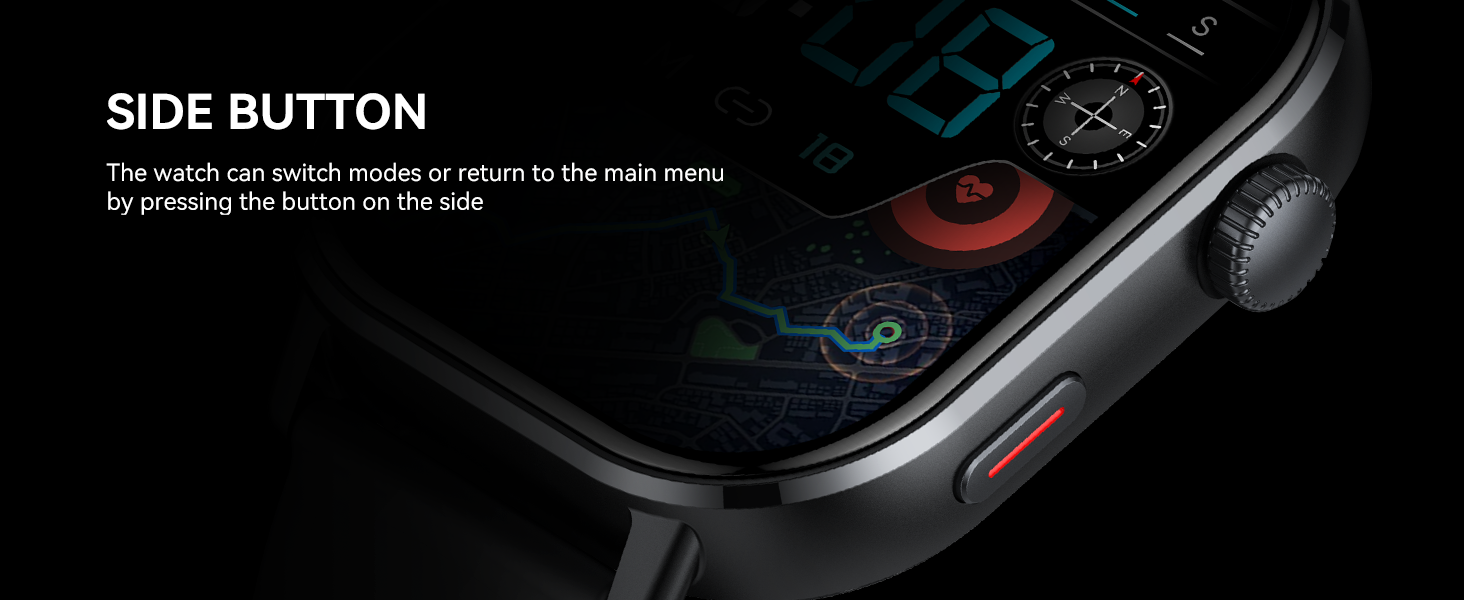
Bild: Eine Nahaufnahme view of the Donerton Smart Watch P131's side button, explaining its function to switch modes or return to the main menu.
Display und Zifferblätter
- 2.06'' AMOLED HD Screen: The watch features a 410*502 pixel AMOLED touchscreen for clear visuals.
- Immer angezeigt: The "Always-On Display" mode ensures the time is visible at all times.
- Anpassbare Zifferblätter: Personalize your watch with over 200 watch faces available through the app, or upload your own image.

Image: A visual representation of the Donerton Smart Watch P131's 2.06-inch AMOLED screen, highlighting its color accuracy and wide viewing angle against a mountain backdrop.

Image: The Donerton Smart Watch P131 displaying its 2.06-inch AMOLED Ultra Touch Screen, emphasizing its vibrant display and brightness.
Gesundheitsüberwachung
The Donerton GPS Smart Watch P131 offers comprehensive health tracking features:
- Herzfrequenz-Überwachung: Erfasst kontinuierlich Ihre Herzfrequenz den ganzen Tag über.
- SpO2-Überwachung: Misst Ihren Blutsauerstoffsättigungsgrad.
- Stresslevel-Überwachung: Liefert Einblicke in Ihren Stresspegel.
- Schlaf-Tracking: Monitors your sleep patterns, including deep sleep, light sleep, and REM stages.
- Menstruationszyklus-Tracking: For women, track your period and predict ovulation.

Image: The Donerton Smart Watch P131 displaying sleep tracking data, with a person sleeping in the background, illustrating 24/7 health monitoring.

Image: A person checking their heart rate on the Donerton Smart Watch P131, showing the watch's interface for current heart rate, resting heart rate, and blood oxygen levels.
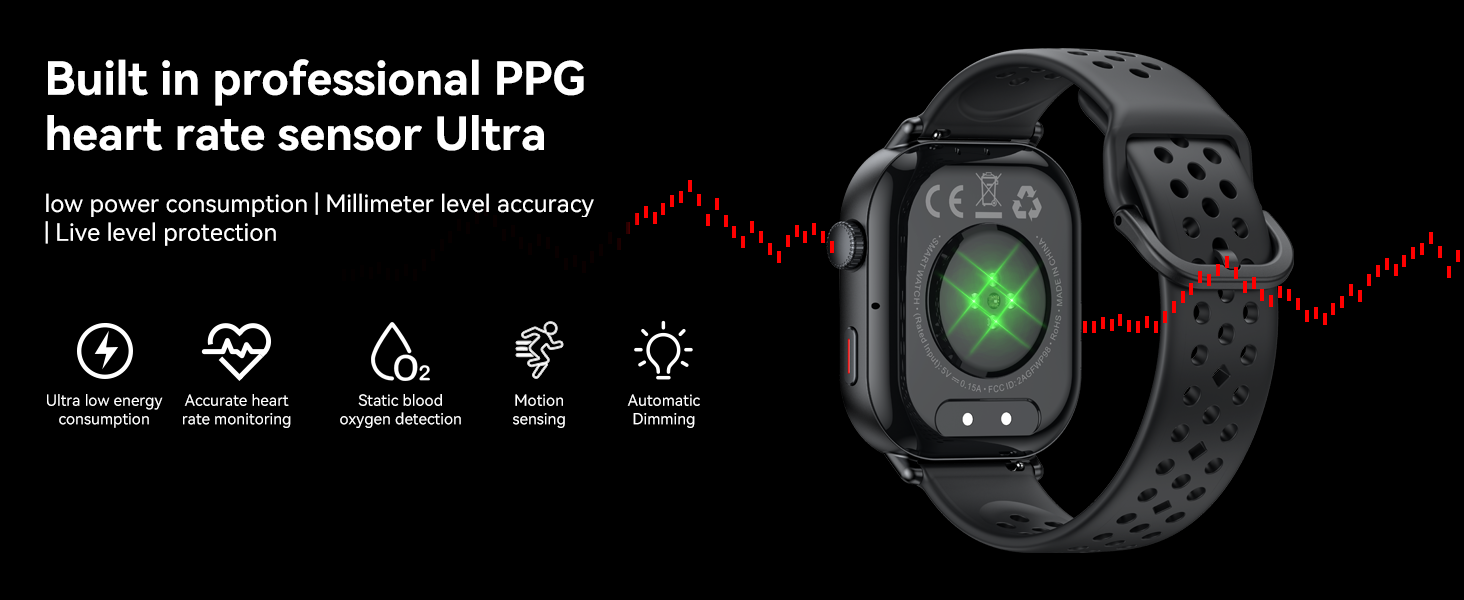
Image: A close-up of the Donerton Smart Watch P131's rear, highlighting the built-in professional PPG heart rate sensor and its features like ultra-low energy consumption and accurate monitoring.
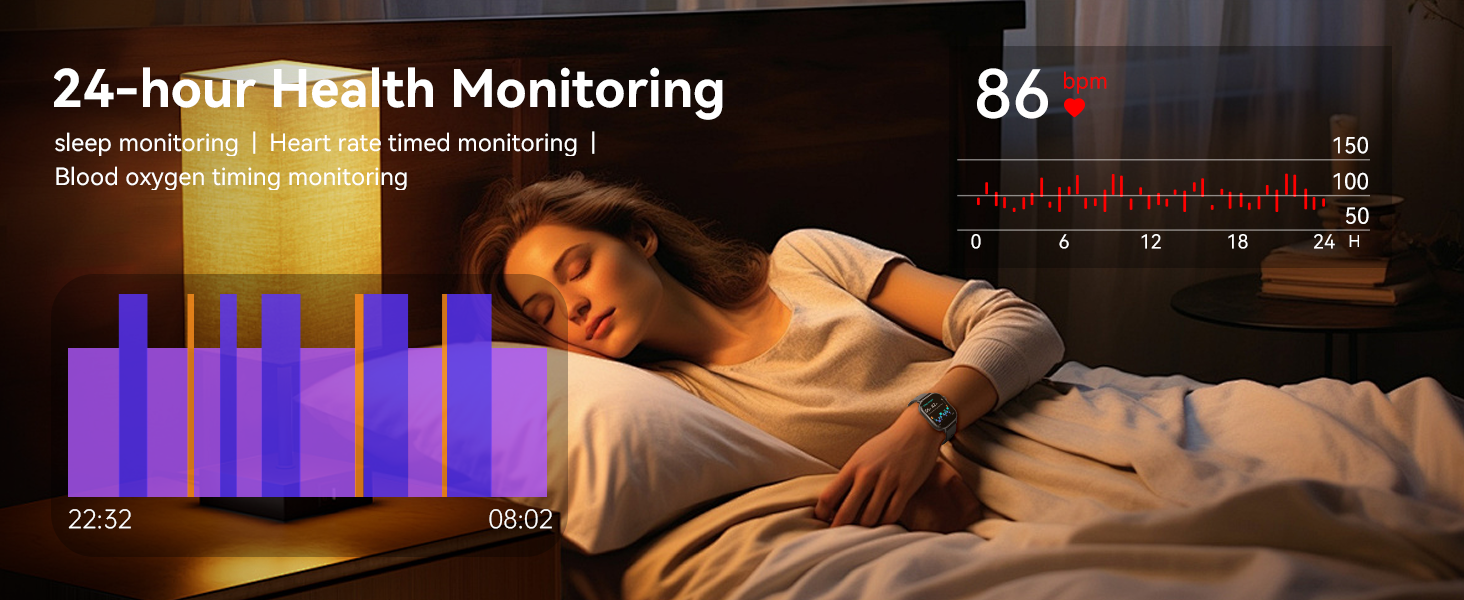
Image: A person sleeping with the Donerton Smart Watch P131, illustrating the watch's 24-hour health monitoring capabilities, including sleep and heart rate tracking.
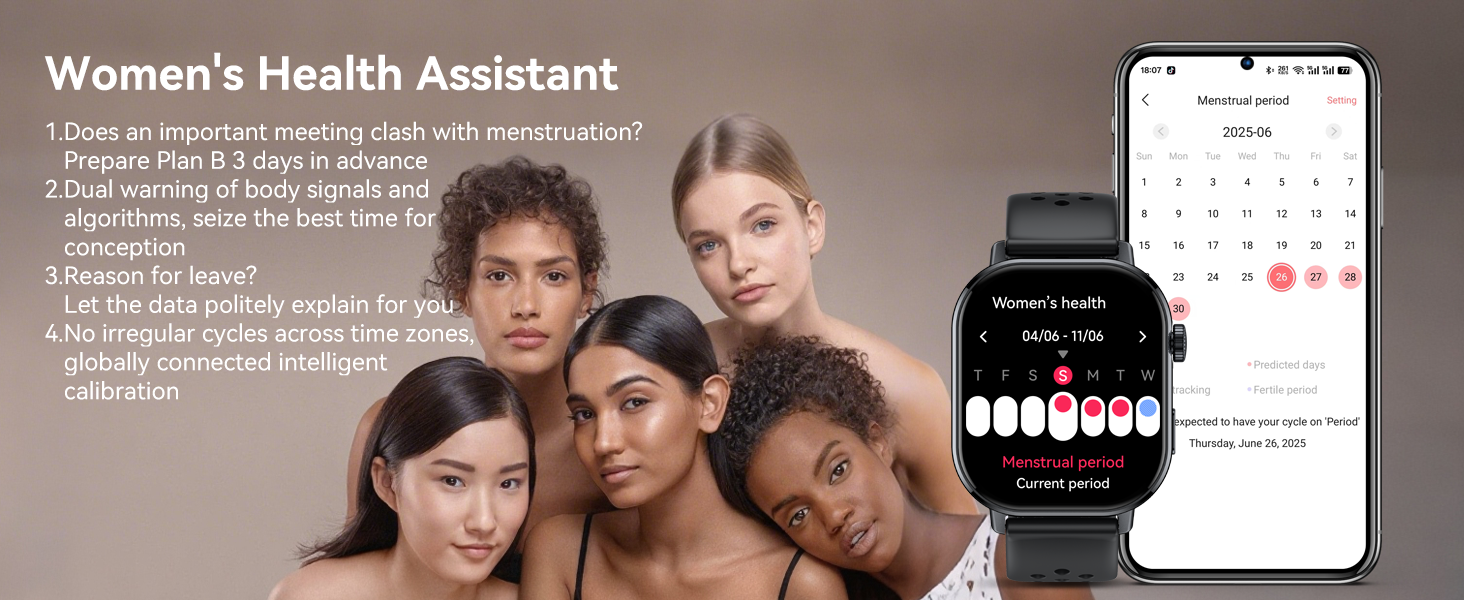
Image: The Donerton Smart Watch P131 displaying the Women's Health Assistant feature, showing menstrual cycle tracking and prediction, with a group of women in the background.
Sportmodi und GPS
The Donerton GPS Smart Watch P131 is equipped with advanced features for outdoor activities and fitness tracking:
- Eingebautes GPS: Supports GPS, GLONASS, Beidou, Galileo, NAVIC, and QZSS for accurate route tracking during outdoor activities.
- Über 178 Sportmodi: Choose from a wide variety of sports, including Running, Hiking, Fitness, Yoga, and more.
- Outdoor Activity Data: Records real-time data such as steps, calories burned, and distance.
- Integrierte Sensoren: Includes a compass, altimeter, and air pressure sensor for comprehensive outdoor data.
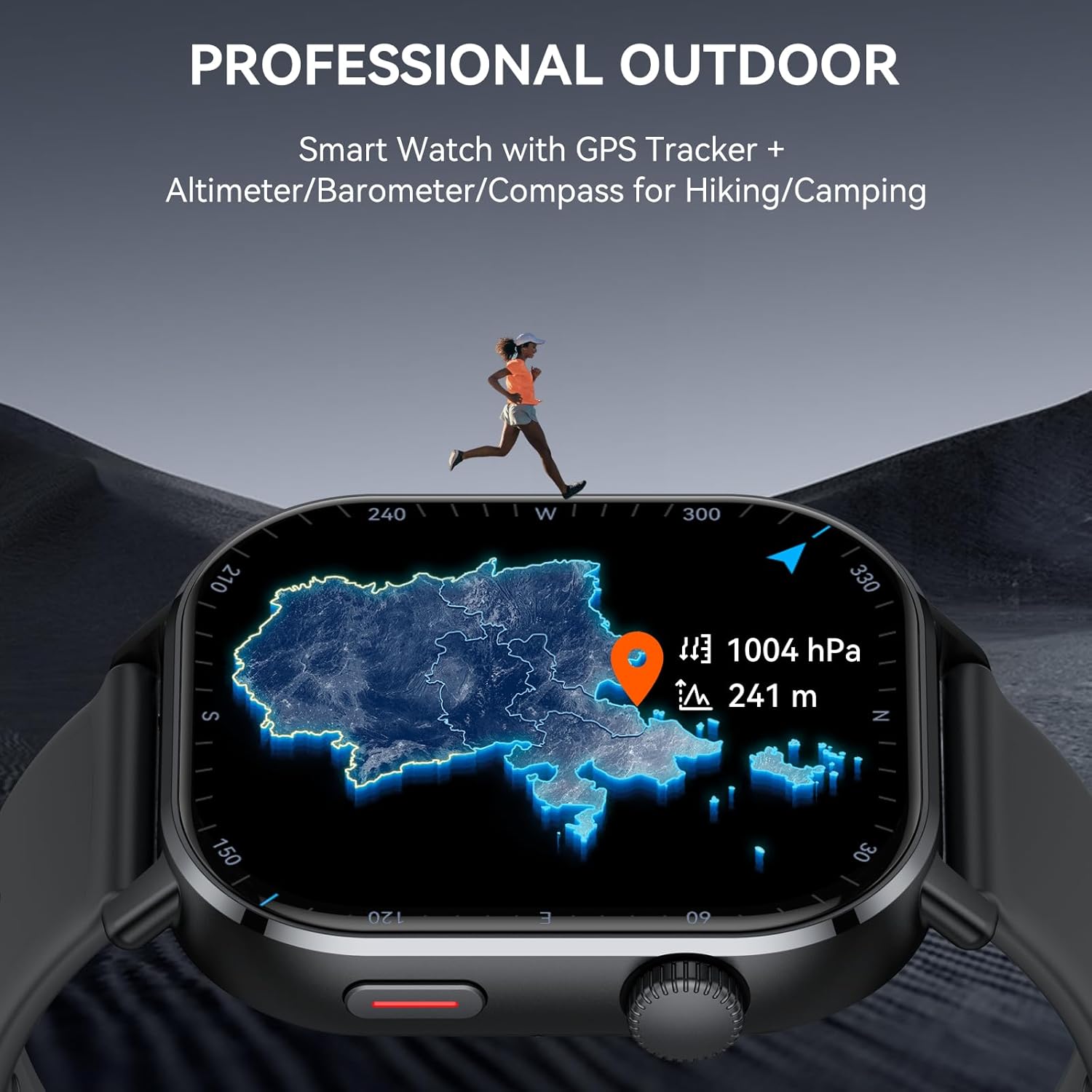
Image: The Donerton Smart Watch P131 displaying a map and atmospheric data, emphasizing its professional outdoor features like GPS, altimeter, barometer, and compass, with a runner in a mountainous landscape.

Image: The Donerton Smart Watch P131 showing a list of suggested workouts and an outdoor run interface, illustrating its support for over 178 sports modes.
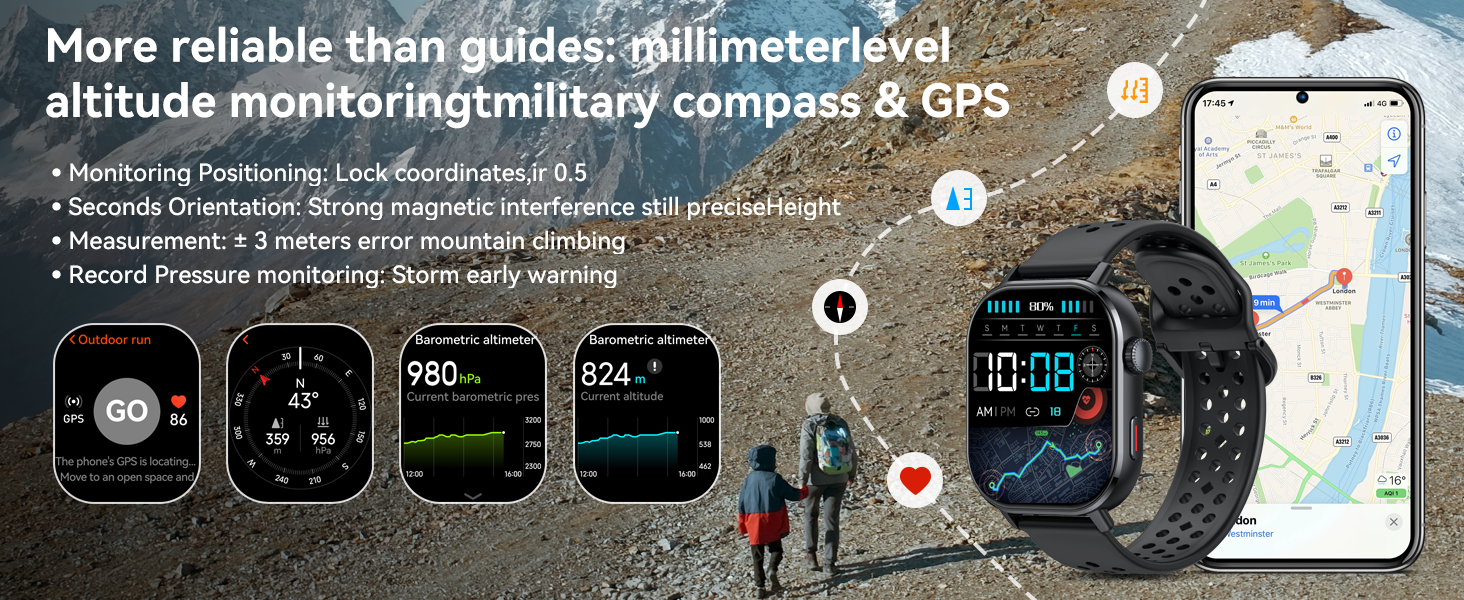
Image: The Donerton Smart Watch P131 displaying various outdoor metrics like barometric altimeter, current altitude, and compass, with hikers in a mountain setting.

Image: The Donerton Smart Watch P131 showing GPS route tracking and activity data, with a cyclist on a road, emphasizing precise control over routes and achievements.
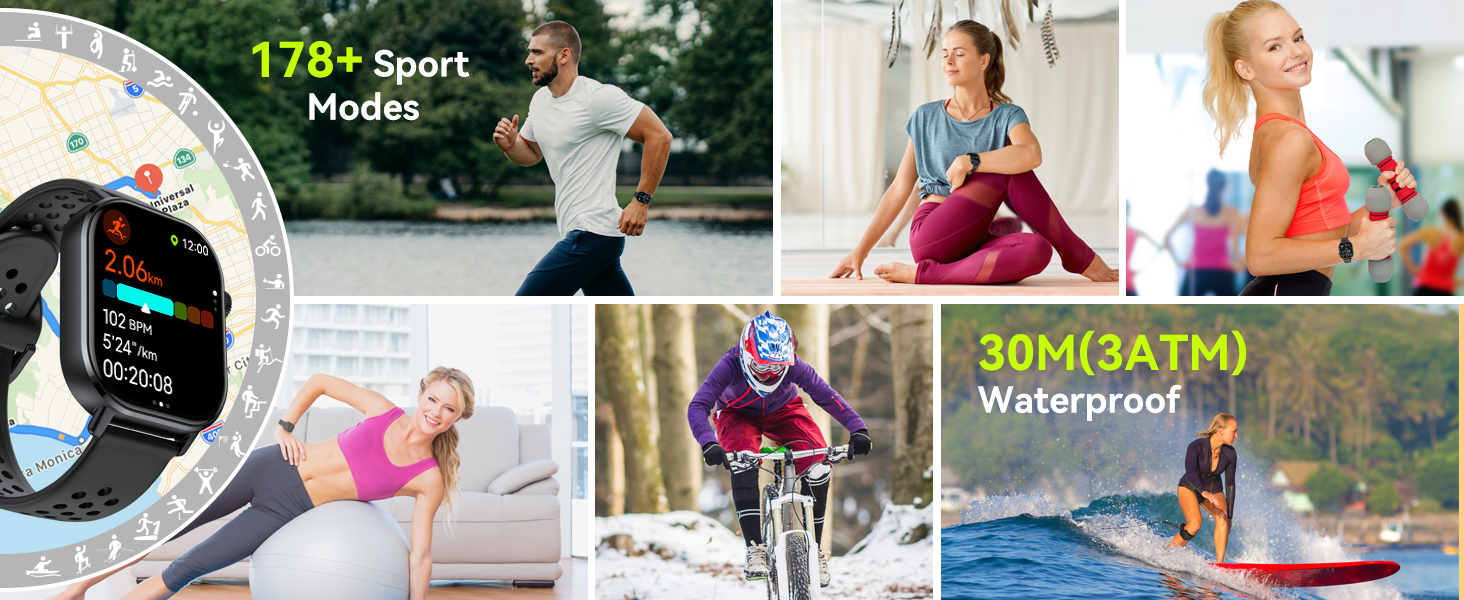
Bild: Eine Collage zeigtasing various sports activities like running, yoga, cycling, and surfing, highlighting the Donerton Smart Watch P131's 178+ sport modes and 3ATM waterproof rating.
Bluetooth-Anrufe und Benachrichtigungen
Stay connected with the advanced Bluetooth 5.4 features:
- Bluetooth 5.4 Call: Tätigen und empfangen Sie Anrufe direkt von Ihrem Handgelenk aus.
- Informationshinweise: Receive notifications from various social media apps (WhatsApp, Facebook, Message, Instagram, Twitter, WeChat usw.).
- Sprachassistent: Use voice commands to set alarms, check weather, and control music.
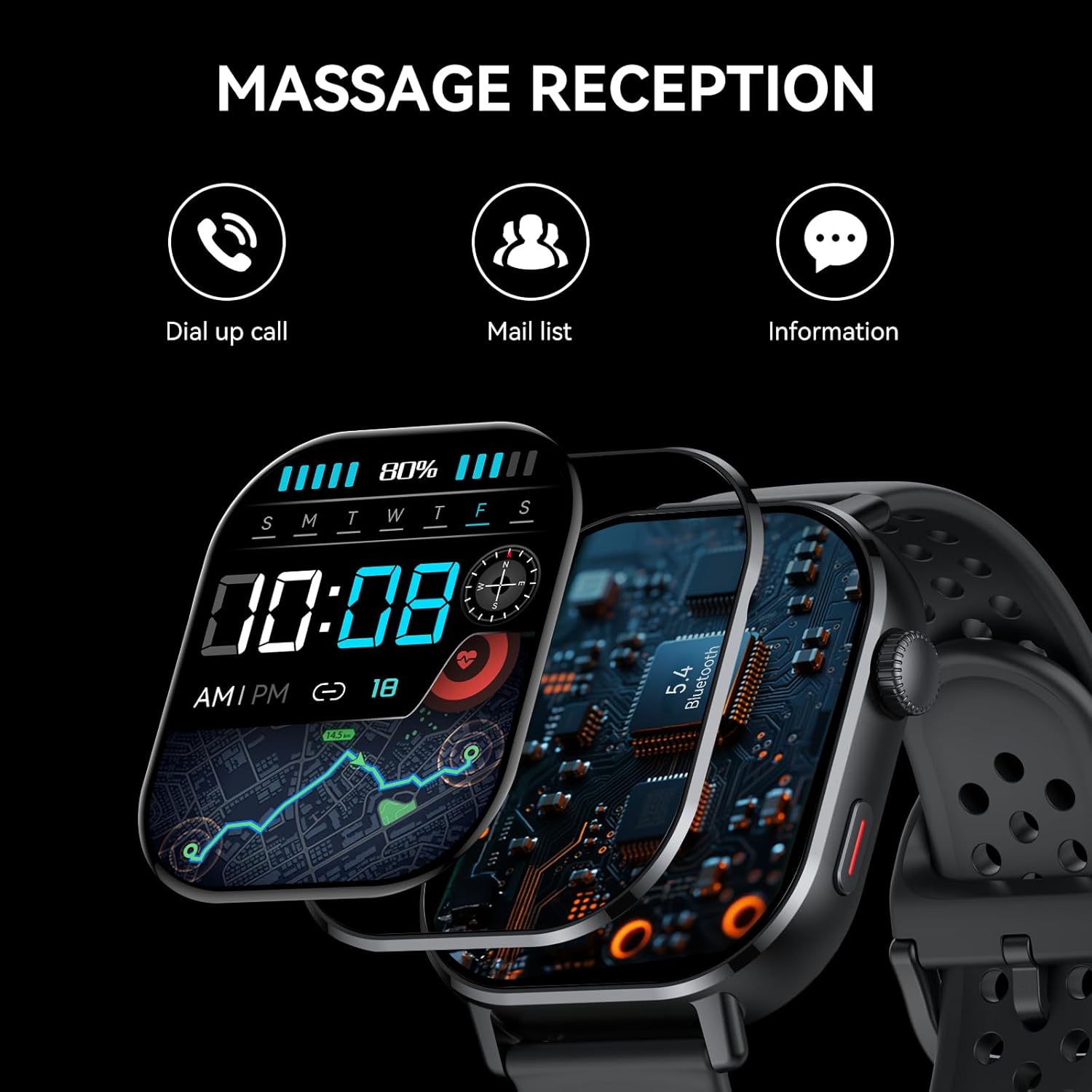
Image: The Donerton Smart Watch P131 displaying message reception, with icons for dial-up calls, mail list, and general information, illustrating its communication features.

Image: A person in a swimming pool wearing the Donerton Smart Watch P131, which displays an incoming call, highlighting its 5.4 Bluetooth call and smart notification features, along with its 5 ATM waterproof rating.
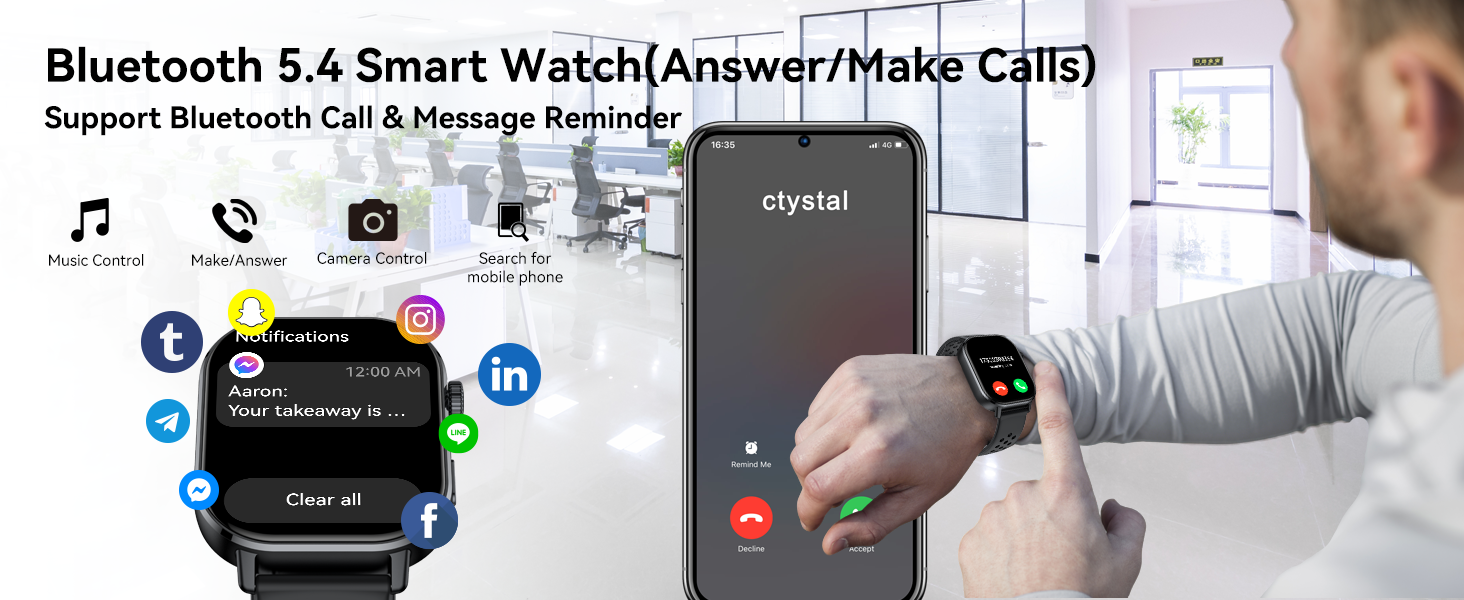
Image: The Donerton Smart Watch P131 showing an incoming call and various app notifications, demonstrating its Bluetooth 5.4 call and message reminder capabilities.
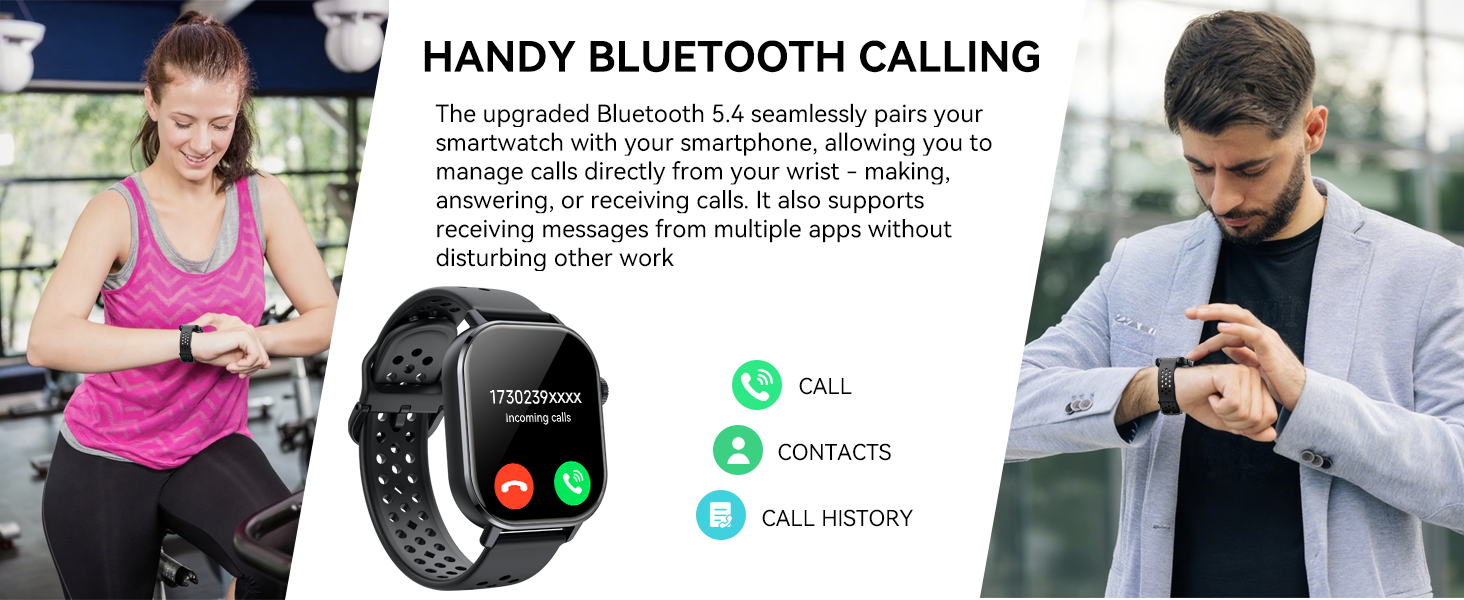
Image: Two individuals using the Donerton Smart Watch P131 for calls, illustrating the convenience of its Bluetooth calling feature for managing calls directly from the wrist.
Multifunktionale Funktionen
The Donerton GPS Smart Watch P131 includes a variety of practical functions to enhance your daily life:
- Wecker
- Wettervorhersage
- Stoppuhr
- Sleep Mode Clock
- Timer
- Taschenlampe
- Kalkulator
- Kalender
- Musiksteuerung
- Kamerasteuerung
- Atemtraining
- Sitzende Erinnerung
- Find Watch/Find Phone
- Anpassung der Bildschirmhelligkeit

Image: A grid displaying various multifunctional features of the Donerton Smart Watch P131, including breathing exercise, alarm clock, find phone, sedentary reminder, music control, remote photography, weather display, and women's health tracking.

Image: A collage illustrating additional practical functions of the Donerton Smart Watch P131, such as music control, long battery life, camera control, sedentary reminder, calculator, find phone, weather, alarm, stopwatch, calendar, flashlight, and breathing training.

Image: The Donerton Smart Watch P131 displaying a screen full of app icons, representing its function as a universal command center on the wrist for various tasks and notifications.

Image: A person working at a desk, with the Donerton Smart Watch P131 displaying icons for sedentary reminder and calendar, illustrating its health and matter reminder functions.
Akkulaufzeit und Aufladen
The Donerton GPS Smart Watch P131 is equipped with a 350mAh battery:
- Ladezeit: Ungefähr 2.5 Stunden für eine vollständige Aufladung.
- Täglicher Gebrauch: Bis zu 7 Tage bei typischer Nutzung.
- Standby-Zeit: Ungefähr 25 Tage.
Notiz: Continuous use of GPS will consume more power and reduce battery life.
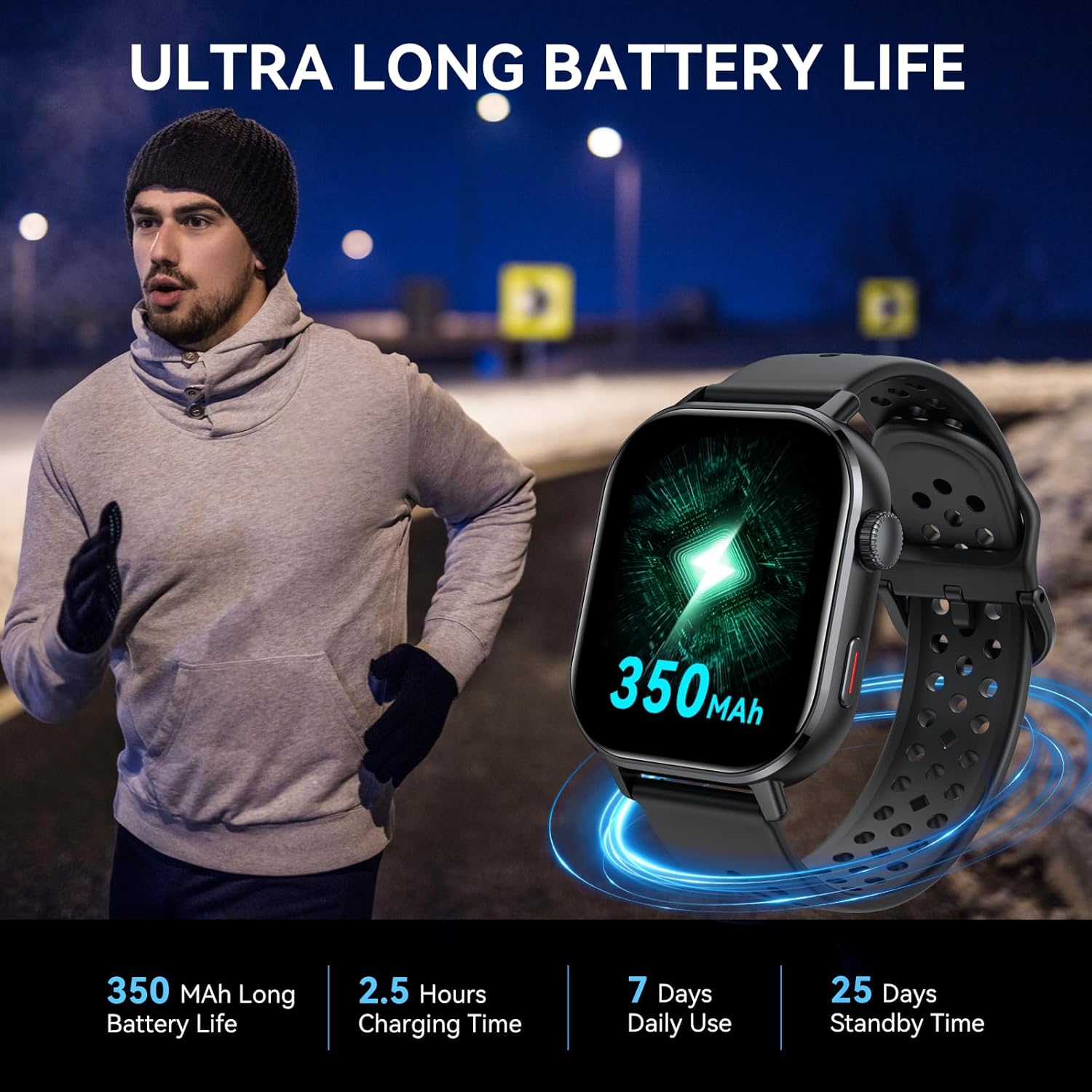
Image: The Donerton Smart Watch P131 displaying its 350mAh battery capacity, with a person running in the background, highlighting its ultra-long battery life.
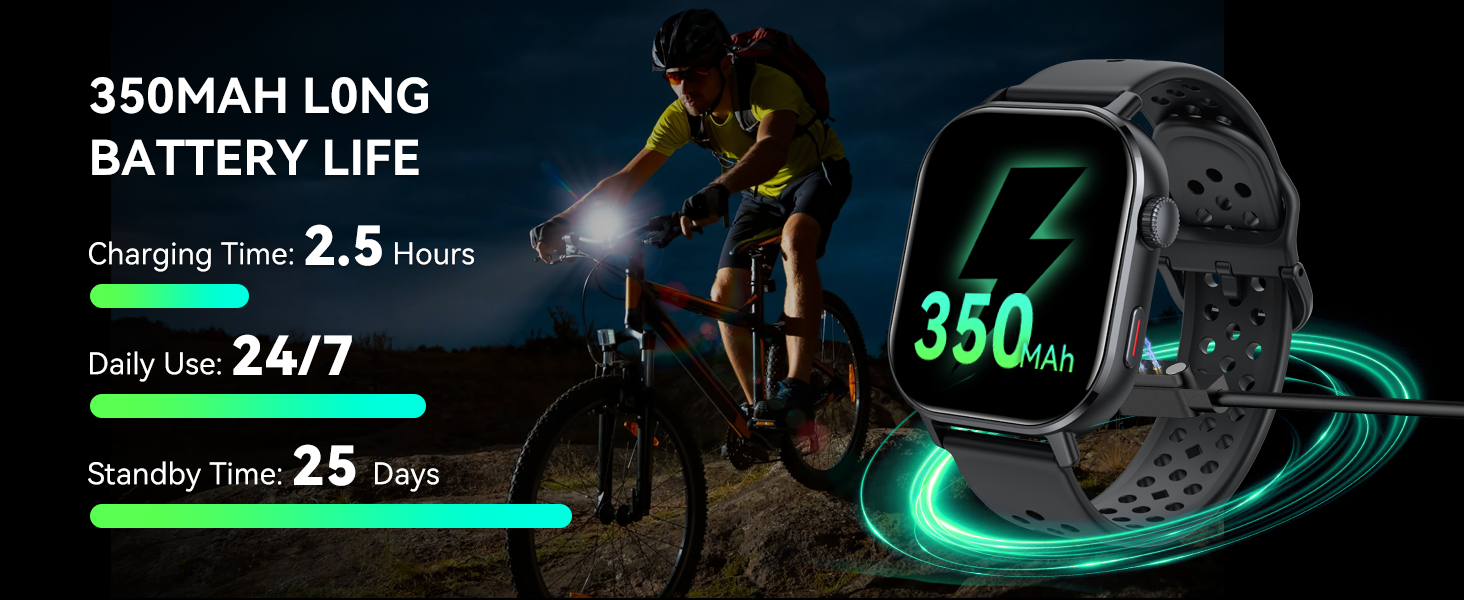
Image: The Donerton Smart Watch P131 being charged, with a cyclist in the background, illustrating its 350mAh long battery life, charging time, daily use, and standby time.
Wasserdichte Informationen
The Donerton GPS Smart Watch P131 is 3ATM wasserdicht. This means it is resistant to:
- Regentage
- Händewaschen
- Schwimmen (Flachwasser)
- Schweiß
Vorsicht: Do not use the watch in hot water, saunas, or during diving activities. Avoid prolonged exposure to water pressure.
Wartung
To ensure the longevity and optimal performance of your Donerton GPS Smart Watch P131, follow these maintenance guidelines:
- Reinigung: Reinigen Sie das Uhrendisplay und das Armband regelmäßig mit einem weichen, trockenen Tuch. Verwenden Sie bei Bedarf ein leicht öliges Tuch.amp Das Tuch für den Riemen anschließend gründlich trocknen lassen.
- Vermeiden Sie Chemikalien: Verwenden Sie keine aggressiven Chemikalien, Reinigungsmittel oder starke Waschmittel, da diese die Oberfläche der Uhr und die internen Komponenten beschädigen können.
- Laden: Verwenden Sie ausschließlich das mitgelieferte Ladekabel. Stellen Sie vor dem Laden sicher, dass die Ladekontakte an der Uhr und am Kabel sauber und trocken sind.
- Lagerung: Bewahren Sie die Uhr bei Nichtgebrauch an einem kühlen, trockenen Ort auf. Vermeiden Sie extreme Temperaturen.
- Riemenpflege: If the strap becomes wet, dry it completely to prevent skin irritation and prolong its life.
Fehlerbehebung
If you encounter issues with your Donerton GPS Smart Watch P131, refer to the following common solutions:
| Problem | Mögliche Lösung |
|---|---|
| Die Uhr lässt sich nicht einschalten | Stellen Sie sicher, dass die Uhr vollständig aufgeladen ist. Schließen Sie sie für mindestens 30 Minuten an das Ladekabel und eine Stromquelle an. |
| Kopplung mit dem Telefon nicht möglich | 1. Stellen Sie sicher, dass Bluetooth auf Ihrem Telefon und Ihrer Uhr aktiviert ist. 2. Make sure the GloryFit app is installed and running. 3. Starten Sie sowohl Ihr Telefon als auch die Uhr neu. 4. Entfernen Sie das Gerät aus den Bluetooth-Einstellungen Ihres Telefons und versuchen Sie es erneut mit der Kopplung. |
| Anruffunktion funktioniert nicht | 1. Verify that the call Bluetooth is enabled on the watch (refer to Setup Instructions). 2. Check phone's Bluetooth settings to ensure call audio permissions are granted for the watch. 3. Stellen Sie sicher, dass sich die Uhr in Bluetooth-Reichweite Ihres Telefons befindet. |
| Ungenaue Gesundheitsdaten | 1. Achten Sie darauf, dass die Uhr eng am Handgelenk anliegt, nicht zu eng und nicht zu locker. 2. Reinigen Sie den Sensor auf der Rückseite der Uhr. 3. Vermeiden Sie übermäßige Bewegungen während der Messungen. |
| GPS verfolgt nicht genau | 1. Ensure you are in an open outdoor area with a clear view des Himmels. 2. Allow the watch sufficient time to acquire a GPS signal. 3. Check for any obstructions that might interfere with the signal. |
| Nicht erhaltene Benachrichtigungen | 1. Stellen Sie sicher, dass die Uhr über Bluetooth mit Ihrem Telefon verbunden ist. 2. Überprüfen Sie die Benachrichtigungseinstellungen in der GloryFit-App, um sicherzustellen, dass die gewünschten Apps aktiviert sind. 3. Verify that your phone's notification permissions are granted to the GloryFit app. |
Technische Daten
- Modellnummer: P131
- Bildschirmgröße: 2.06 Zoll AMOLED
- Betriebssystem: Android Wear 2.9 (kompatibel mit Android/iOS)
- Konnektivität: Bluetooth 5.4
- Geographisches Positionierungs System: Eingebautes GPS (unterstützt GLONASS, Beidou, Galileo, NAVIC, QZSS)
- Wasserdichtigkeit: 3ATM
- Batterie: 350 mAh Lithium-Polymer-Akku (im Lieferumfang enthalten)
- Artikelgewicht: 5.6 Unzen
- Paketabmessungen: 6.61 x 3.31 x 1.14 Zoll
- Hersteller: Donerton
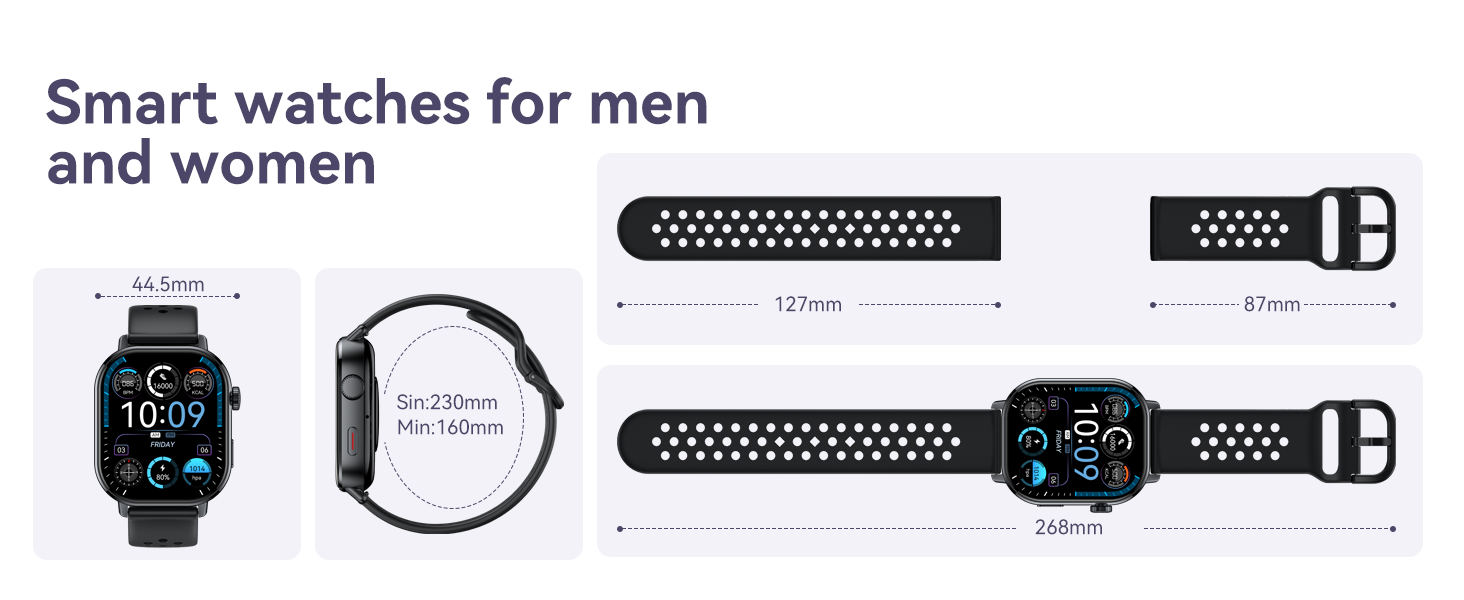
Image: A diagram illustrating the dimensions of the Donerton Smart Watch P131 and its watch band, showing measurements in millimeters.
Garantie und Support
For warranty information and customer support, please refer to the documentation included with your product or visit the official Donerton webBewahren Sie Ihren Kaufbeleg als Kaufnachweis für eventuelle Garantieansprüche auf.