1. Produktüberschreitungview
The ORICO 6-in-1 USB C Docking Station (Model: PW11-6PR) is a versatile multiport adapter designed to expand the connectivity of your USB-C enabled devices. It provides essential ports for display output, high-speed data transfer, network connectivity, and power delivery, enhancing productivity and convenience for users of Windows, Mac, and other compatible systems.

Figure 1: ORICO 6-in-1 USB C Hub Overview
2. Packungsinhalt
- ORICO 6-in-1 USB C Docking Station (Model: PW11-6PR)
- Bedienungsanleitung
3. Gerätelayout
The docking station features a compact design with clearly labeled ports for easy identification and connection.

Figure 2: Port Layout of the Docking Station
- USB-C-Eingangskabel: Connects to your host device (laptop, tablet, smartphone).
- 3 x USB-A 3.0-Anschlüsse: For connecting USB peripherals such as keyboards, mice, external hard drives, or USB flash drives. Supports data transfer speeds up to 5 Gbps.
- HDMI-Anschluss: For connecting to an external display (monitor, TV, projector). Supports resolutions up to 4K@30Hz.
- Ethernet-Anschluss (RJ45): Provides stable wired network connectivity with speeds up to 1 Gbps.
- USB-C PD (Power Delivery)-Anschluss: For connecting a power adapter to charge your host device and power the docking station. Supports up to 100W power input.
4. Funktionen
- 6-in-1 Multiport Hub: Expands a single USB-C port into 6 functional ports: 4K@30Hz HDMI, 3 USB-A 3.0, 1G Ethernet, and 100W PD.
- 4K@30Hz HDMI-Ausgang: Supports high-resolution video output to external displays, backward compatible with 1080P@60Hz and 720P@60Hz.
- Datenübertragung mit 5 Gbit/s: Three USB-A 3.0 ports enable rapid data transfer, allowing a 1GB video file to be transferred in seconds.
- 100 W Stromversorgung: The PD port allows simultaneous charging of your laptop while using other connected USB accessories, eliminating the need to choose between charging and connectivity.
- 1G High-Speed Ethernet: Provides a stable and fast wired internet connection (10 Mbps–1 Gbps), ideal for streaming, video calls, and large file downloads. A Cat 5e cable is recommended for optimal performance.
- Breite Kompatibilität: Compatible with Windows 11/10/8/7, Mac OS X, and Linux. Supports laptops, tablets, and smartphones with a compatible USB-C port.
- Kompaktes und tragbares Design: Features a sleek, lightweight aluminum alloy build, making it easy to carry for business trips, mobile work, or meetings.
5. Einrichtungsanweisungen
- Verbindung zum Hostgerät herstellen: Plug the integrated USB-C cable of the docking station into a compatible USB-C port on your laptop, tablet, or smartphone. Ensure your device's USB-C port supports DisplayPort Alternate Mode for video output.
- Stromanschluss (optional, aber empfohlen): For stable operation and to charge your host device, connect your original USB-C power adapter to the USB-C PD port on the docking station.
- Peripheriegeräte anschließen:
- HDMI-Anzeige: Connect an HDMI cable from your monitor/TV to the HDMI port on the docking station.
- Ethernet-Netzwerk: Connect an Ethernet cable (Cat 5e or higher recommended) from your router/modem to the RJ45 Ethernet port on the docking station.
- USB-Geräte: Plug your USB-A peripherals (e.g., mouse, keyboard, USB drive) into the USB-A 3.0 ports.
- Treiberinstallation: The docking station is plug-and-play for most operating systems and typically does not require additional drivers. If prompted, follow on-screen instructions.

Figure 3: Broad Compatibility of the Docking Station
6. Bedienungsanleitung
6.1. Videoausgabe über HDMI
Connect an HDMI-enabled display to the docking station's HDMI port. Your host device should automatically detect the external display. You can configure display settings (e.g., mirror, extend) through your operating system's display settings.

Figure 4: 4K@30Hz HDMI Display Connection
6.2. Data Transfer via USB-A 3.0 Ports
Plug your USB devices into the three USB-A 3.0 ports. These ports support data transfer speeds up to 5 Gbps, allowing for quick synchronization and file Überweisungen.

Abbildung 5: Hochgeschwindigkeits-Datenübertragung
6.3. Wired Network Connection via Ethernet
Connect an Ethernet cable to the RJ45 port for a stable and fast wired internet connection. This is particularly useful in environments with unreliable Wi-Fi or for tasks requiring high bandwidth.
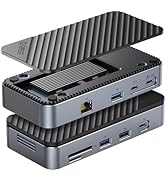
Figure 6: 1Gbps Ethernet Connection
6.4. Power Delivery (PD) Laden
Connect your laptop's USB-C power adapter to the docking station's USB-C PD port. The docking station will pass through up to 85W of power to charge your laptop while simultaneously powering the hub and connected devices.

Abbildung 7: Leistungsabgabe bei 100 W
7. Kompatibilität
The ORICO 6-in-1 USB C Docking Station is designed for broad compatibility. Please ensure your host device's USB-C port supports the necessary functions for optimal performance.
- Kompatibilität mit Host-Geräten: Devices with a full-featured USB-C port (supporting data, power delivery, and DisplayPort Alternate Mode). This includes many modern laptops (e.g., MacBook Pro/Air, Dell XPS, Surface Pro, ThinkPad/Yoga), tablets (e.g., iPad Pro/Air), and some smartphones.
- Systemkompatibilität: Windows 11/10/8/7, macOS X, Linux, Android.
- Important Note on USB-C Ports: Not all USB-C ports are created equal. Please confirm your laptop's USB-C port supports DisplayPort Alternate Mode for video output.

Figure 8: Understanding USB-C Port Functionality
8. Fehlerbehebung
- Keine Videoausgabe:
- Stellen Sie sicher, dass der USB-C-Anschluss Ihres Host-Geräts den DisplayPort-Alternativmodus unterstützt.
- Überprüfen Sie die HDMI-Kabelverbindung zwischen der Dockingstation und dem Display.
- Verify the display input source is set correctly.
- Versuchen Sie, Ihr Hostgerät neu zu starten.
- USB-Geräte werden nicht erkannt:
- Stellen Sie sicher, dass die Dockingstation ordnungsgemäß mit Ihrem Hostgerät verbunden ist.
- Versuchen Sie, das USB-Gerät direkt an Ihr Host-Gerät anzuschließen, um zu bestätigen, dass es unabhängig funktioniert.
- If using high-power USB devices, ensure the docking station is connected to an external power source via its PD port.
- Keine Ethernet-Verbindung:
- Überprüfen Sie die Ethernet-Kabelverbindung sowohl zur Dockingstation als auch zu Ihrem Router/Modem.
- Überprüfen Sie die Netzwerkeinstellungen auf Ihrem Hostgerät.
- Stellen Sie sicher, dass Ihr Router/Modem ordnungsgemäß funktioniert.
- Ladeprobleme:
- Ensure your USB-C power adapter is connected to the PD port and is capable of providing sufficient power (e.g., 100W).
- Prüfen Sie, ob Ihr Hostgerät USB-C Power Delivery unterstützt.
9. Spezifikationen
| Besonderheit | Spezifikation |
|---|---|
| Technische Daten | 3.74 x 1.75 x 0.67 Zoll |
| Artikelgewicht | 3.52 Unzen |
| Modellnummer | PW11-6PR |
| Marke | ORICO |
| Farbe | Grau |
| Hardware-Schnittstelle | Ethernet, HDMI, USB 3.0 Type A, USB-C PD |
| Besonderheit | Powered, Plug and Play |
| HDMI-Ausgang | 4K@30Hz (backward compatible with 1080P@60Hz, 720P@60Hz) |
| USB-A 3.0 Data Transfer Speed | Bis zu 5 Gbit/s |
| Ethernet-Geschwindigkeit | 10 Mbps / 100 Mbps / 1 Gbps |
| USB-C PD-Aufladung | Bis zu 100 W Eingangsleistung (85 W Ausgangsleistung zum Host) |
10. Wartung
- Halten Sie das Gerät sauber und staubfrei. Verwenden Sie zum Reinigen ein weiches, trockenes Tuch.
- Avoid exposing the docking station to extreme temperatures, humidity, or direct sunlight.
- Versuchen Sie nicht, das Gerät selbst zu zerlegen oder zu reparieren. Wenden Sie sich an den Kundendienst, um Hilfe zu erhalten.
- Trennen Sie das Gerät vom Stromnetz, wenn es längere Zeit nicht benutzt wird.
11. Sicherheitshinweise
- Dieses Gerät ist nur für den Gebrauch in Innenräumen vorgesehen.
- Setzen Sie das Gerät weder Wasser noch anderen Flüssigkeiten aus.
- Lassen Sie das Gerät nicht fallen und setzen Sie es keinen starken Stößen aus.
- Außerhalb der Reichweite von Kindern aufbewahren.
- Verwenden Sie ausschließlich kompatible Netzteile und Kabel.
12. Offizielles Produktvideo
Video: ORICO 6-in-1 USB C Docking Station with 1G Ethernet. This video demonstrates the features and connectivity of the ORICO 6-in-1 USB C Docking Station, including its HDMI, Ethernet, USB-A, and PD charging capabilities.
13. Garantie und Support
ORICO products come with a standard manufacturer's warranty. For detailed warranty information, technical support, or customer service inquiries, please refer to the official ORICO webBesuchen Sie unsere Website oder kontaktieren Sie Ihren Händler. Bitte bewahren Sie Ihren Kaufbeleg für Garantieansprüche auf.