
1. Einleitung
This manual provides essential information for the proper setup, operation, and maintenance of your Kalobee H9 Smart Watch. Please read these instructions carefully before using your device to ensure optimal performance and longevity.
The Kalobee H9 Smart Watch features a 49mm clear case design with an orange and black band, offering a blend of style and functionality. It includes a digital display with chronograph-style complications and wireless charging capability.
2. Packungsinhalt
Überprüfen Sie, ob alle Artikel im Paket vorhanden sind:
- Kalobee H9 Smart Watch Unit
- Ladekabel
- Benutzerhandbuch (dieses Dokument)
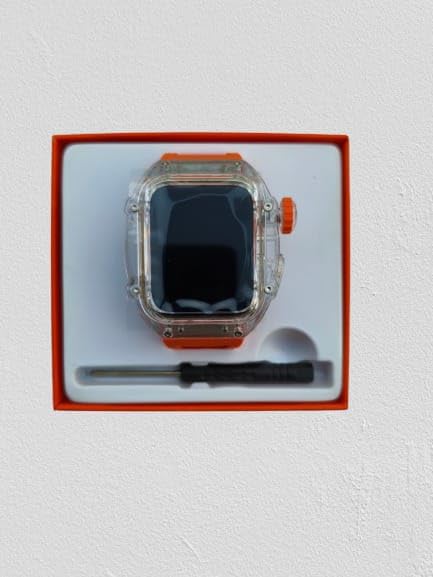
Image: The Kalobee H9 Smart Watch, charging cable, and a small tool are neatly arranged within its retail packaging.
3. Produktüberschreitungview
Familiarize yourself with the components of your Kalobee H9 Smart Watch:

Image: An exploded diagram illustrating the main components of the Kalobee H9 Smart Watch, including the face cover, non-slip crown, function key, middle frame, rear cover, and liquid silicone strap.
- Face Cover: The transparent protective layer over the display.
- Non-slip Crown: A rotating and pressable button for navigation and selection.
- Funktionstaste: An additional button for specific functions.
- Middle Frame: The central housing of the watch.
- Hintere Abdeckung: The back panel of the watch, typically housing sensors and charging contacts.
- Armband aus Flüssigsilikon: The comfortable and durable watch band.
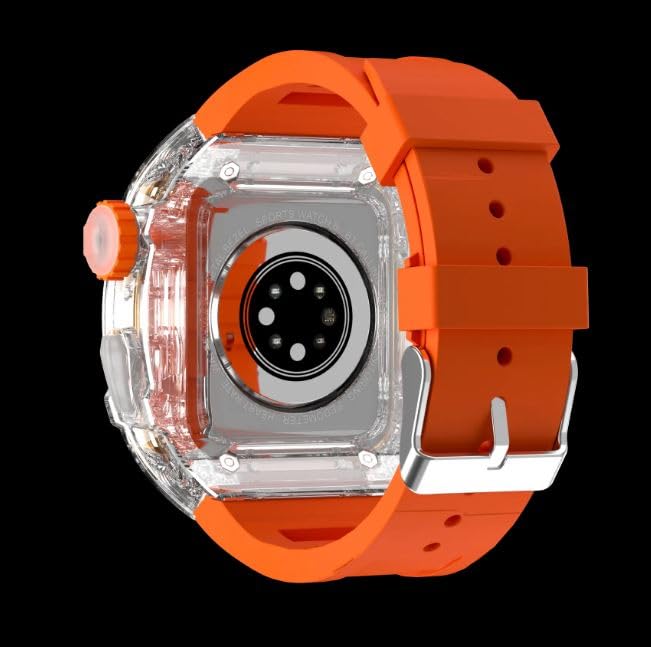
Abbildung: Die Rückseite view of the Kalobee H9 Smart Watch, highlighting the sensor array and wireless charging area on the back panel.
4. Einrichtung
4.1 Aufladen der Smartwatch
The Kalobee H9 Smart Watch supports wireless charging. Before initial use, fully charge the device.
- Connect the provided charging cable to a compatible USB power adapter (not included).
- Place the rear cover of the watch onto the wireless charging pad. Ensure the watch is centered on the pad for proper contact.
- The watch display will indicate charging status. Allow sufficient time for a full charge.
4.2 Ein-/Ausschalten
- So schalten Sie das Gerät ein: Press and hold the Non-slip Crown until the Kalobee logo appears on the screen.
- So schalten Sie das Gerät aus: Press and hold the Non-slip Crown, then select the 'Power Off' option on the screen.
4.3 Kopplung mit einem Smartphone
To access all smart features, pair your H9 Smart Watch with a compatible smartphone via Bluetooth.
- Stellen Sie sicher, dass Bluetooth auf Ihrem Smartphone aktiviert ist.
- On your H9 Smart Watch, navigate to the Bluetooth settings (refer to Section 5.1 for navigation).
- On your smartphone, open the dedicated Kalobee companion app (if available) or go to Bluetooth settings to search for devices.
- Select 'Kalobee H9' from the list of available devices on your smartphone.
- Bestätigen Sie die Kopplungsanfrage sowohl auf Ihrer Smartwatch als auch auf Ihrem Smartphone.
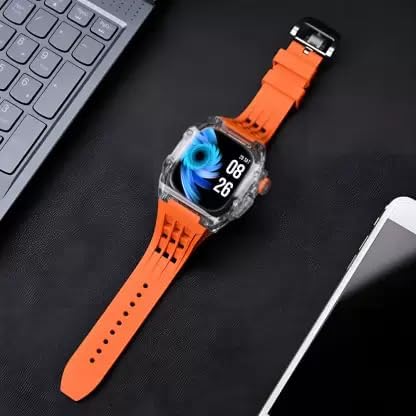
Image: The Kalobee H9 Smart Watch displayed on a desk alongside a smartphone and laptop, illustrating its connectivity with other devices.
5. Bedienungsanleitung
5.1 Grundlegende Navigation
The H9 Smart Watch features both touchscreen and physical button controls:
- Touch-Screen: Wischen Sie nach links, rechts, oben oder unten, um durch Menüs und Bildschirme zu navigieren. Tippen Sie, um Elemente auszuwählen.
- Non-slip Crown: Drehen Sie das Gerät, um durch Listen zu scrollen oder Einstellungen anzupassen. Drücken Sie, um zum Startbildschirm zurückzukehren oder Ihre Auswahl zu bestätigen.
- Funktionstaste: Typically used for quick access to a specific feature or as a back button. Refer to the on-screen prompts for its exact function in different contexts.
5.2 Hauptmerkmale
The Kalobee H9 Smart Watch offers several features to enhance your daily activities:
- Aktivitätstracker: Erfasst Schritte, zurückgelegte Strecke und verbrannte Kalorien.
- Wecker: Stellen Sie Alarme direkt über Ihre Uhr ein.
- Täglicher Trainingsspeicher: Records and stores your workout data.
- Digitaler Bildschirm: Provides clear time, date, and other information.
- Benachrichtigungen: Erhalten Sie Benachrichtigungen für Anrufe, Nachrichten und App-Benachrichtigungen von Ihrem gekoppelten Smartphone.
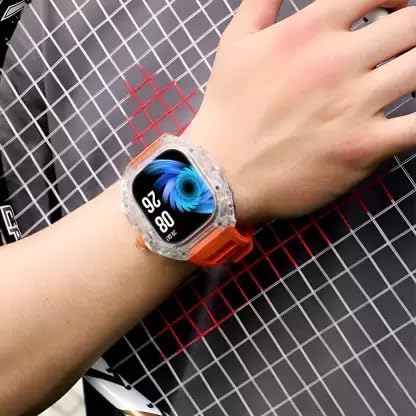
Image: The Kalobee H9 Smart Watch worn on a wrist, displaying the current time and date on its digital interface.
6. Wartung
To ensure the longevity and proper functioning of your Kalobee H9 Smart Watch, follow these maintenance guidelines:
- Reinigung: Reinigen Sie Uhr und Armband regelmäßig mit einem weichen, trockenen Tuch. Bei hartnäckigem Schmutz verwenden Sie ein leicht fusselfreies Tuch.amp Mit einem Tuch und milder Seife abwischen und anschließend gründlich trocknen. Scharfe Chemikalien oder scheuernde Materialien vermeiden.
- Wasserbeständigkeit: While the watch features a robust construction, avoid prolonged submersion in water or exposure to high-pressure water jets. Dry the watch thoroughly if it gets wet.
- Laden: Verwenden Sie ausschließlich das mitgelieferte Ladekabel. Vermeiden Sie, dass die Ladekontakte Feuchtigkeit oder ätzenden Substanzen ausgesetzt werden.
- Temperatur: Do not expose the watch to extreme temperatures (hot or cold) or direct sunlight for extended periods.
- Lagerung: Wenn die Uhr längere Zeit nicht getragen wird, bewahren Sie sie an einem kühlen, trockenen Ort auf.
7. Fehlerbehebung
If you encounter issues with your Kalobee H9 Smart Watch, refer to the following common problems and solutions:
| Problem | Mögliche Ursache | Lösung |
|---|---|---|
| Die Uhr lässt sich nicht einschalten | Niedriger Batteriestand; Gerätefehlfunktion | Charge the watch fully. If the issue persists, contact customer support. |
| Kopplung mit Smartphone nicht möglich | Bluetooth off; watch not in pairing mode; interference | Ensure Bluetooth is enabled on both devices. Restart both devices. Try pairing again. |
| Nicht erhaltene Benachrichtigungen | Not paired; app permissions; notification settings | Verify successful pairing. Check notification permissions in your smartphone's settings for the companion app. Ensure notifications are enabled on the watch. |
| Ungenaue Aktivitätsverfolgung | Unsachgemäßer Verschleiß; Softwarefehler | Achten Sie darauf, dass die Uhr eng am Handgelenk sitzt. Starten Sie die Uhr neu. |
8. Spezifikationen
Detailed technical specifications for the Kalobee H9 Smart Watch:
- Marke: Generic (Manufactured by Kalobee)
- Modell: H9
- Artikelmodellnummer: H9
- Paketabmessungen: 15 x 8 x 3.5 cm
- Artikelgewicht: 85 g
- Speicherkapazität: 32 MB
- Betriebssystem: Proprietäres Betriebssystem
- Kompatible Geräte: Smartphone
- Besondere Merkmale: Activity Tracker, Alarm Clock, Daily Workout Memory, Digital Display, Notifications
- Montagezubehör: Charging Cable, Smart Watch, User Manual
- Größe der Standbildschirmanzeige: 49 Millimeter
- Anzeigetyp: Digitales
- Batteriekapazität: 10000 Amp Std
- Kabelloser Typ: Bluetooth
- Steckertyp: Bluetooth, kabellos
- Geräteschnittstelle – Primär: Tasten, Touchscreen
- Ursprungsland: China
9. Garantie und Support
Informationen zu Garantie und Kundendienst finden Sie in den Unterlagen, die Sie beim Kauf erhalten haben, oder wenden Sie sich an Ihren Händler. Bewahren Sie Ihren Kaufbeleg für eventuelle Garantieansprüche auf.
Für weitere Unterstützung können Sie auch die offizielle Website des Herstellers besuchen. webWebsite oder wenden Sie sich an die Kundendienstabteilung.