
OnePlus OnePlus Watch 3
OnePlus Watch 3 43mm Silver Steel User Manual
Ausführlicher Leitfaden für Ihre Smartwatch
1. Einleitung
This user manual provides essential information for the safe and efficient operation of your OnePlus Watch 3 43mm Silver Steel. Please read this manual thoroughly before using the device to ensure proper functionality and to prevent damage. Keep this manual for future reference.
2. Lieferumfang
Überprüfen Sie, ob alle Artikel im Paket vorhanden sind:
- OnePlus Watch 3 (43mm Silver Steel)
- Uhrenarmbänder
- Ladekabel
- Kurzanleitung

Image: OnePlus Watch 3 43mm Silver Steel, front view with strap.
3. Produktüberschreitungview
3.1 Konstruktion und Komponenten
The OnePlus Watch 3 features a 43mm round display encased in polished stainless steel. The crown and side button provide tactile control, complementing the touchscreen interface. The device is designed for comfortable wear with a fluoroelastomer band.
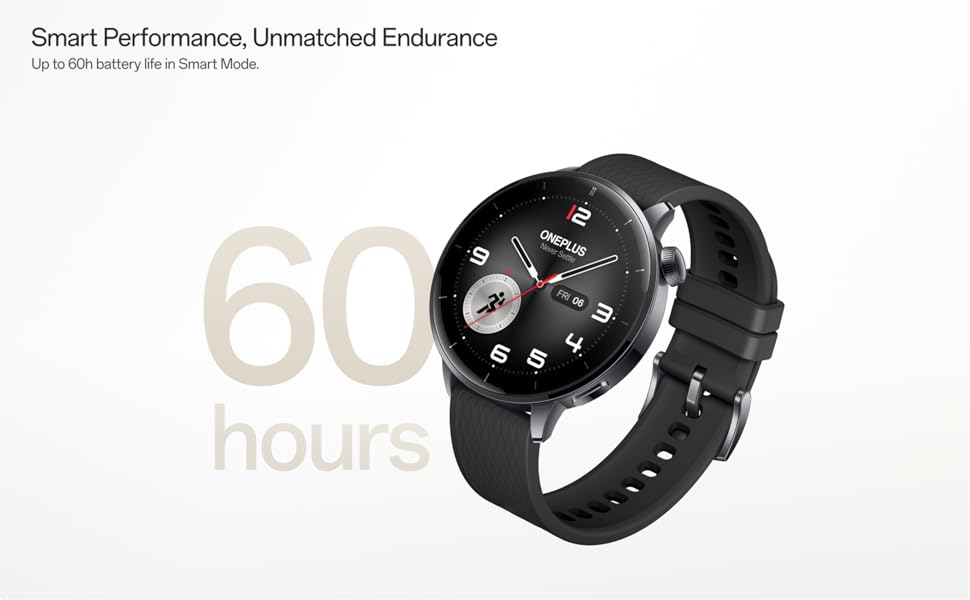
Image: OnePlus Watch 3 43mm Silver Steel, highlighting its refined design and polished stainless steel case.
3.2 Hauptmerkmale
- Anzeige: 1.32-inch round AMOLED touchscreen.
- Betriebssystem: WearOS.
- Lagerung: 32 GB interner Speicher.
- Konnektivität: Bluetooth, Multi-GNSS (Beidou, GPS, Galileo, GLONASS, QZSS).
- Wasserbeständigkeit: Schutzart IP68.
- Batterie: 345mAh Lithium-Ion, offering up to 60 hours in Smart Mode.
4. Einrichtung
4.1 Erstaufladung
Before first use, fully charge your OnePlus Watch 3. Connect the charging cable to the watch's charging port and a compatible USB power adapter. The watch display will indicate charging status.
4.2 Ein-/Ausschalten
- Einschalten: Press and hold the side button (crown) until the OnePlus logo appears.
- Ausschalten: Halten Sie die seitliche Taste gedrückt und wählen Sie dann auf dem Bildschirm die Option „Ausschalten“ aus.
4.3 Koppeln mit Ihrem Smartphone
- Ensure your smartphone has Bluetooth enabled and is connected to the internet.
- Download and install the Wear OS by Google app from your phone's app store.
- Open the Wear OS app and follow the on-screen instructions to pair your OnePlus Watch 3.
- Accept all necessary permissions for full functionality.
5. Bedienung der Uhr
5.1 Navigation
- Touch-Screen: Wischen Sie nach oben, unten, links oder rechts, um durch Menüs und Benachrichtigungen zu navigieren. Tippen Sie, um Elemente auszuwählen.
- Krone: Drehen Sie die Krone, um durch Listen zu scrollen oder Einstellungen anzupassen. Drücken Sie die Krone, um zum Zifferblatt zurückzukehren oder die App-Übersicht zu öffnen.
- Seitentaste: Customizable for quick access to a specific app or function.
5.2 Anpassen von Zifferblättern
To change your watch face, long-press on the current watch face and swipe left or right to browse available options. Tap to select. Additional watch faces can be downloaded via the Wear OS app or Google Play Store on your watch.
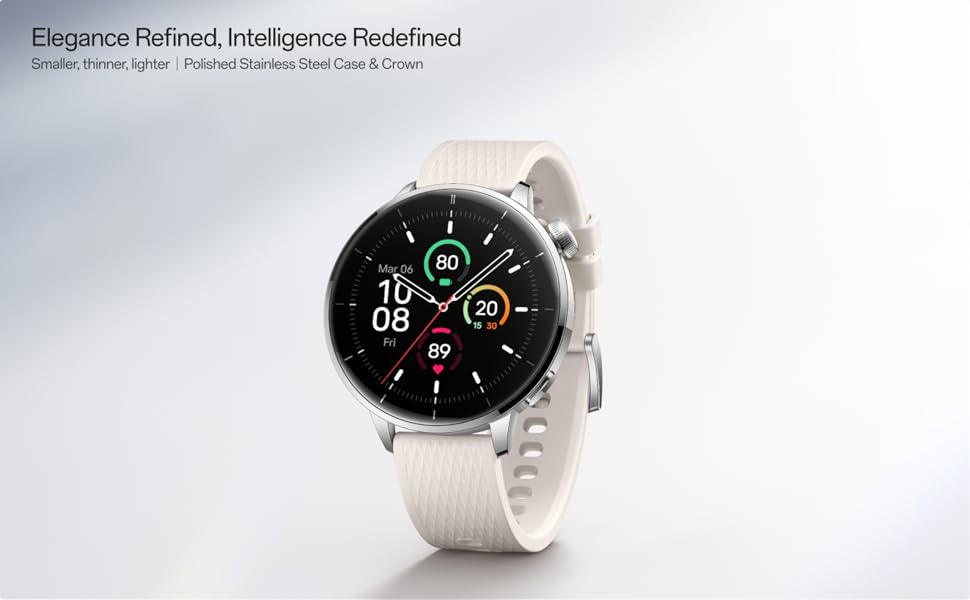
Image: Two OnePlus Watch 3 devices showing different watch faces, illustrating customization options.
6. Gesundheitsüberwachung
The OnePlus Watch 3 offers comprehensive health tracking features:
- Herzfrequenz-Überwachung: Kontinuierliche Überwachung Ihrer Herzfrequenz über den ganzen Tag.
- Blutsauerstoffmessung (SpO2): On-demand and continuous blood oxygen level monitoring.
- Schlaf-Tracking: Überwacht den Schlaftages, duration, and detects potential sleep breathing risks.
- Zyklusverfolgung: Zur Verfolgung des Menstruationszyklus.
- Stressüberwachung: Analyzes heart rate variability to estimate stress levels.

Image: The OnePlus Watch 3 and a smartphone screen showing various health metrics like daily activity, heart rate, and sleep data.
7. Fitness-Tracking
The watch supports 11 professional fitness modes and provides fat burning evaluation. Utilize the built-in Multi-GNSS for accurate outdoor activity tracking.
- Aktivitätsverfolgung: Erfasst Schritte, Distanz, Kalorienverbrauch und aktive Minuten.
- Trainingsmodi: Select from various modes like running, cycling, swimming, and more for tailored tracking.
- GPS-Verfolgung: Integrated GPS for precise route mapping during outdoor workouts.

Image: A person wearing the OnePlus Watch 3 during a cycling activity, demonstrating its use for fitness tracking.
8. Intelligente Funktionen
Running on WearOS, the OnePlus Watch 3 integrates seamlessly with your digital life:
- Benachrichtigungen: Receive calls, messages, and app alerts directly on your wrist.
- Google Play Apps: Greifen Sie auf eine breite Palette von Anwendungen aus dem Google Play Store zu.
- Google Wallet: Make contactless payments.
- Musiksteuerung: Steuern Sie die Musikwiedergabe auf Ihrem verbundenen Smartphone.
- Sprachassistent: Utilize Google Assistant for hands-free commands.

Image: The OnePlus Watch 3 screen showing multiple app icons, representing its WearOS ecosystem and access to Google Play apps.
9. Batteriemanagement
The OnePlus Watch 3 is equipped with a 345mAh battery, providing up to 60 hours of use in Smart Mode. Battery life can vary based on usage and settings.
- Laden: Use the provided charging cable. A full charge takes approximately 30 minutes.
- Batteriesparmodus: Enable this mode to extend battery life by limiting certain features.
- Tips for Extending Battery Life: Reduzieren Sie die Bildschirmhelligkeit, deaktivieren Sie das Always-on-Display, begrenzen Sie die Aktualisierung von Apps im Hintergrund und schalten Sie unnötige Benachrichtigungen ab.
Image: The OnePlus Watch 3 with a large '60 hours' text, emphasizing its extended battery life in Smart Mode.
10. Wartung
10.1 Reinigung
Reinigen Sie Ihre Uhr und Ihr Armband regelmäßig, um Hautirritationen vorzubeugen und die Funktionalität zu erhalten.
- Reinigen Sie den Bildschirm und das Gehäuse der Uhr mit einem weichen, fusselfreien Tuch.
- Für das Armband milde Seife und Wasser verwenden, anschließend gründlich abspülen und vollständig trocknen lassen, bevor es getragen wird.
- Vermeiden Sie die Verwendung aggressiver Chemikalien oder Scheuermittel.
10.2 Wasserbeständigkeit
The OnePlus Watch 3 has an IP68 water resistance rating. This means it is protected against dust and can withstand immersion in water up to 1.5 meters for 30 minutes. It is suitable for everyday use and activities like hand washing or light rain. Avoid using it for diving, high-pressure water activities, or in hot water/steam.
11. Fehlerbehebung
If you encounter issues with your OnePlus Watch 3, try the following steps:
- Uhr schaltet sich nicht ein: Stellen Sie sicher, dass die Uhr vollständig aufgeladen ist.
- Kopplungsprobleme: Check if Bluetooth is enabled on your phone and watch. Restart both devices and try pairing again.
- Ungenaue Messwerte: Achten Sie darauf, dass die Uhr eng am Handgelenk sitzt, weder zu eng noch zu locker. Reinigen Sie die Sensoren auf der Rückseite der Uhr.
- App-Abstürze/Langsame Leistung: Restart the watch. If the issue persists, consider resetting the watch to factory settings (this will erase all data).
- Batterie entlädt sich schnell: Review battery management tips in Section 9.
For further assistance, refer to the official OnePlus support webWebsite oder wenden Sie sich an den Kundendienst.
12. Spezifikationen
| Besonderheit | Spezifikation |
|---|---|
| Modellnummer | OnePlus Watch 3 |
| Anzeigegröße | 1.32 Zoll |
| Anzeigetyp | AMOLED |
| Betriebssystem | WearOS |
| Speicherkapazität | 32 GB |
| Konnektivität | Bluetooth |
| GPS | Beidou, GPS, Galileo, GLONASS, QZSS |
| Batteriekapazität | 345 mAh Lithium-Ionen |
| Wasserbeständigkeit | IP68 |
| Artikelgewicht | 9.9 Unzen (0.28 Kilogramm) |
| Verpackungsabmessungen | 4.72 x 4.69 x 2.56 Zoll |
13. Garantie und Support
For warranty information, please refer to the warranty card included with your product or visit the official OnePlus website. For technical support, software updates, and frequently asked questions, please visit the OnePlus support page:
Ask a question about this manual
Ask about setup, troubleshooting, compatibility, parts, safety, or missing instructions. Manuals+ will review the question and use this page’s manual context to help answer it.