
Strong SRT427
STRONG 4K UHD Box SRT 427 User Manual
Einführung
This manual provides comprehensive instructions for the installation, operation, and maintenance of your STRONG 4K UHD Box SRT 427. Please read this manual carefully before using the device to ensure proper functionality and to prevent damage. Keep this manual for future reference.
Packungsinhalt
Bevor Sie mit der Einrichtung fortfahren, überprüfen Sie bitte, ob alle Artikel im Paket vorhanden sind:
- STRONG 4K UHD Box SRT 427
- Fernbedienung (Batterien nicht im Lieferumfang enthalten)
- Netzteil
- HDMI-Kabel
- Kurzanleitung zur Installation
Aufstellen
Follow these steps to set up your STRONG 4K UHD Box SRT 427:
- Anschluss an den Fernseher: Connect one end of the HDMI cable to the HDMI OUT port on the SRT 427 and the other end to an available HDMI IN port on your television.
- An die Stromversorgung anschließen: Plug the power adapter into the DC IN port on the SRT 427, then plug the adapter into a wall outlet.
- Internetverbindung herstellen (optional): For internet-based features, connect an Ethernet cable to the LAN port on the SRT 427, or configure Wi-Fi settings after initial boot-up.
- Batterien in die Fernbedienung einlegen: Open the battery compartment on the remote control and insert 2x AAA batteries (not included), ensuring correct polarity.
- Einschalten: Turn on your TV and select the correct HDMI input source. The SRT 427 should power on automatically. If not, press the power button on the remote control.
- Assistent für die Ersteinrichtung: Folgen Sie den Anweisungen auf dem Bildschirm, um die Ersteinrichtung abzuschließen, einschließlich Sprachauswahl, Netzwerkkonfiguration und Kanalsuche.
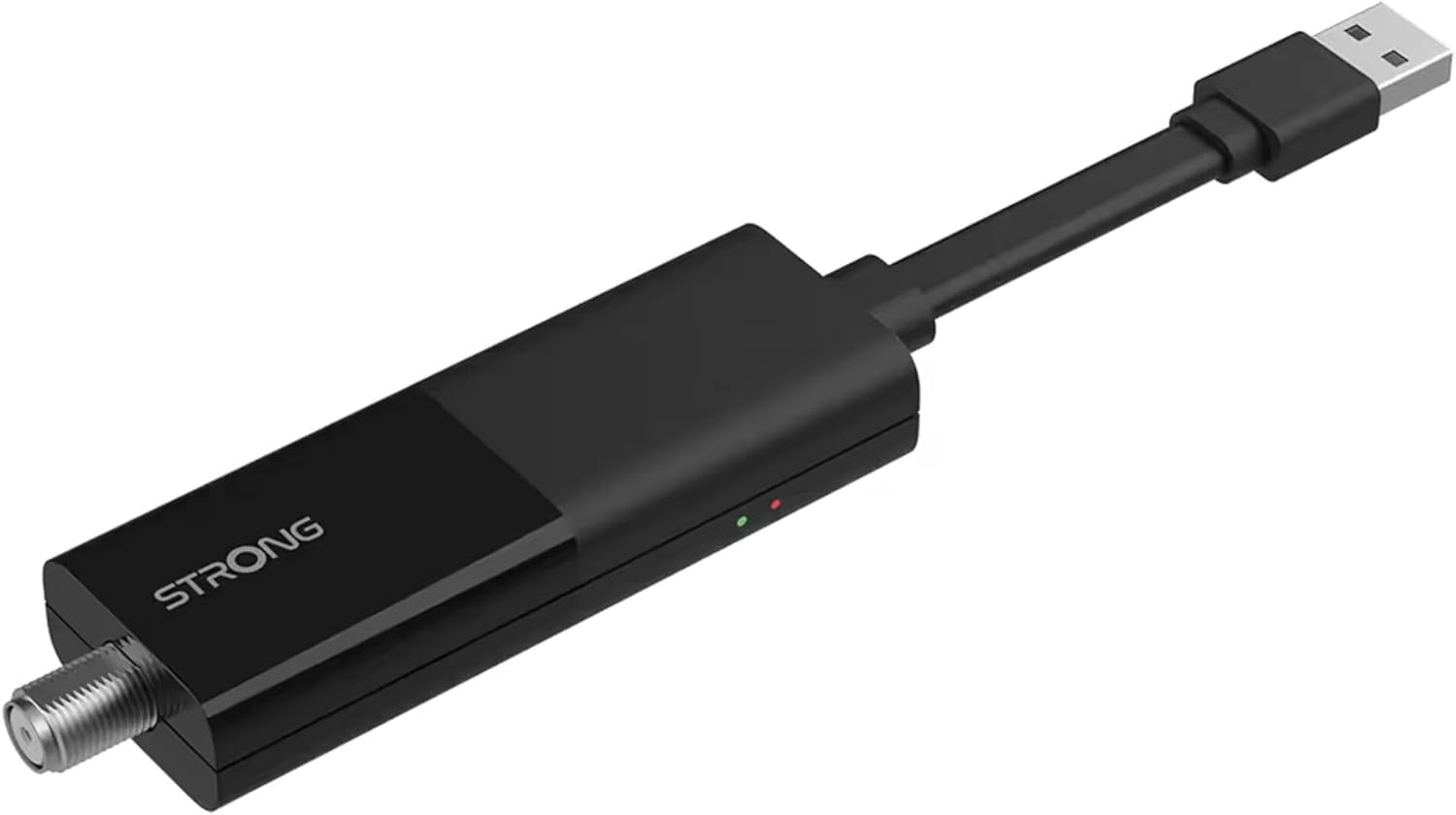
Image: The STRONG 4K UHD Box SRT 427, a compact black USB dongle-style device with a USB connector on one end and an F-type coaxial antenna input on the other, featuring the 'STRONG' logo and small indicator lights.
Bedienungsanleitung
Once the initial setup is complete, you can begin using your SRT 427. Use the remote control to navigate the user interface.
- Startbildschirm: Drücken Sie die HEIM button to access the main menu, where you can find applications, settings, and media options.
- Navigation: Benutze die Pfeiltasten (RAUF RUNTER LINKS RECHTS) to move through menus and options. Press OK um eine Auswahl zu bestätigen.
- Lautstärkeregelung: Verwenden Sie die Lautstärke+ Und vol- Tasten zur Einstellung der Lautstärke.
- Kanalauswahl: If connected to an antenna, use the CH+ Und CH- buttons to change channels, or enter channel numbers directly using the numeric keypad.
- Einstellungen: Access the settings menu to customize display, audio, network, and system preferences.
- Medienwiedergabe: Schließen Sie ein USB-Speichergerät an den USB-Anschluss an, um Medien abzuspielen. files (photos, videos, music) through the built-in media player.
Wartung
Proper maintenance ensures the longevity and optimal performance of your SRT 427.
- Reinigung: Trennen Sie das Gerät vor der Reinigung vom Stromnetz. Wischen Sie die Außenseite mit einem weichen, trockenen Tuch ab. Verwenden Sie keine flüssigen Reinigungsmittel oder Scheuermittel.
- Belüftung: Stellen Sie sicher, dass das Gerät in einem gut belüfteten Bereich aufgestellt wird. Blockieren Sie keine Lüftungsöffnungen.
- Temperatur: Setzen Sie das Gerät keinen extremen Temperaturen, direkter Sonneneinstrahlung oder hoher Luftfeuchtigkeit aus.
- Firmware-Updates: Periodically check for firmware updates through the system settings to ensure you have the latest features and bug fixes.
Fehlerbehebung
If you encounter issues with your SRT 427, refer to the following common problems and solutions:
| Problem | Lösung |
|---|---|
| Kein Strom | Check if the power adapter is securely connected to the device and the wall outlet. Ensure the outlet is functional. |
| Kein Bild im Fernsehen | Verify the HDMI cable is correctly connected to both the SRT 427 and the TV. Ensure the TV is set to the correct HDMI input source. |
| Kein Ton | Check the volume level on both the SRT 427 and your TV. Ensure audio settings in the SRT 427 menu are correct. |
| Fernbedienung funktioniert nicht | Check and replace the batteries. Ensure there are no obstructions between the remote and the device's IR sensor. |
| Keine Verbindung zum WLAN möglich | Ensure your Wi-Fi router is on and within range. Re-enter the Wi-Fi password in the network settings. Try restarting both the SRT 427 and your router. |
Technische Daten
Technical specifications for the STRONG 4K UHD Box SRT 427:
- Modellnummer: SRT427
- Produktabmessungen: 5.91 x 7.87 x 5.91 Zoll
- Artikelgewicht: 1.76 Pfund
- Batterien: 1 AAAA batteries required (for remote control, typically)
- Hersteller: Stark
- Language (Default): Italian (may vary by region, user configurable)
- ASIN: B0FDPX7PRQ
- Datum der Erstveröffentlichung: 21. August 2025
Garantie und Support
For warranty information and technical support, please refer to the warranty card included in your product packaging or visit the official Strong webBitte versuchen Sie nicht, das Gerät selbst zu reparieren, da dies zum Erlöschen der Garantie führen kann.
Offiziell WebWebsite: www.strong.tv
Ask a question about this manual
Ask about setup, troubleshooting, compatibility, parts, safety, or missing instructions. Manuals+ will review the question and use this page’s manual context to help answer it.