
Einführung
This manual provides detailed instructions for the ESR Flexible Keyboard Case, designed to enhance your iPad experience. It features a detachable magnetic keyboard, a large precision trackpad, and versatile viewing angles, offering comprehensive protection and functionality.
Bitte lesen Sie diese Bedienungsanleitung vor der Verwendung des Produkts sorgfältig durch, um eine ordnungsgemäße Funktion zu gewährleisten und alle Funktionen optimal nutzen zu können.
Kompatibilität
This keyboard case is compatible only with the following iPad models:
- iPad 11" (A16) 2025
- iPad 10th Generation 2022
Compatible model numbers include: A2696, A2757, A2777, A3354, A3355, A3162, A3356.
To verify your iPad model number, locate it on the back of your iPad.

Image: Compatibility chart for ESR Flexible Keyboard Case, highlighting supported iPad 11" (A16) 2025 and iPad 10th Gen 2022 models, and illustrating where to find the model number on the back of the iPad.
Aufstellen
- Tastatur aufladen: Before initial use, ensure the keyboard is fully charged. Connect the provided charging cable to the keyboard's charging port and a power source. The charging indicator will show the charging status.
- iPad an der Hülle befestigen: Carefully place your compatible iPad into the protective case. Ensure all corners and edges are securely fitted. The reinforced Air Guard corners provide enhanced protection.
- Tastatur anschließen: The keyboard attaches magnetically to the case. Align the keyboard with the magnetic strip at the bottom edge of the case until it snaps into place.
- Kopplung über Bluetooth:
- Schalten Sie die Tastatur ein, indem Sie den Netzschalter drücken.
- Gehen Sie auf Ihrem iPad zu Einstellungen > Bluetooth.
- Stellen Sie sicher, dass Bluetooth aktiviert ist.
- Select the "ESR Keyboard" (or similar name) from the list of available devices.
- Befolgen Sie die Anweisungen auf dem Bildschirm, um den Kopplungsvorgang abzuschließen.
- Once paired, the keyboard will automatically connect to your iPad when turned on and within range (up to 32.8 ft).
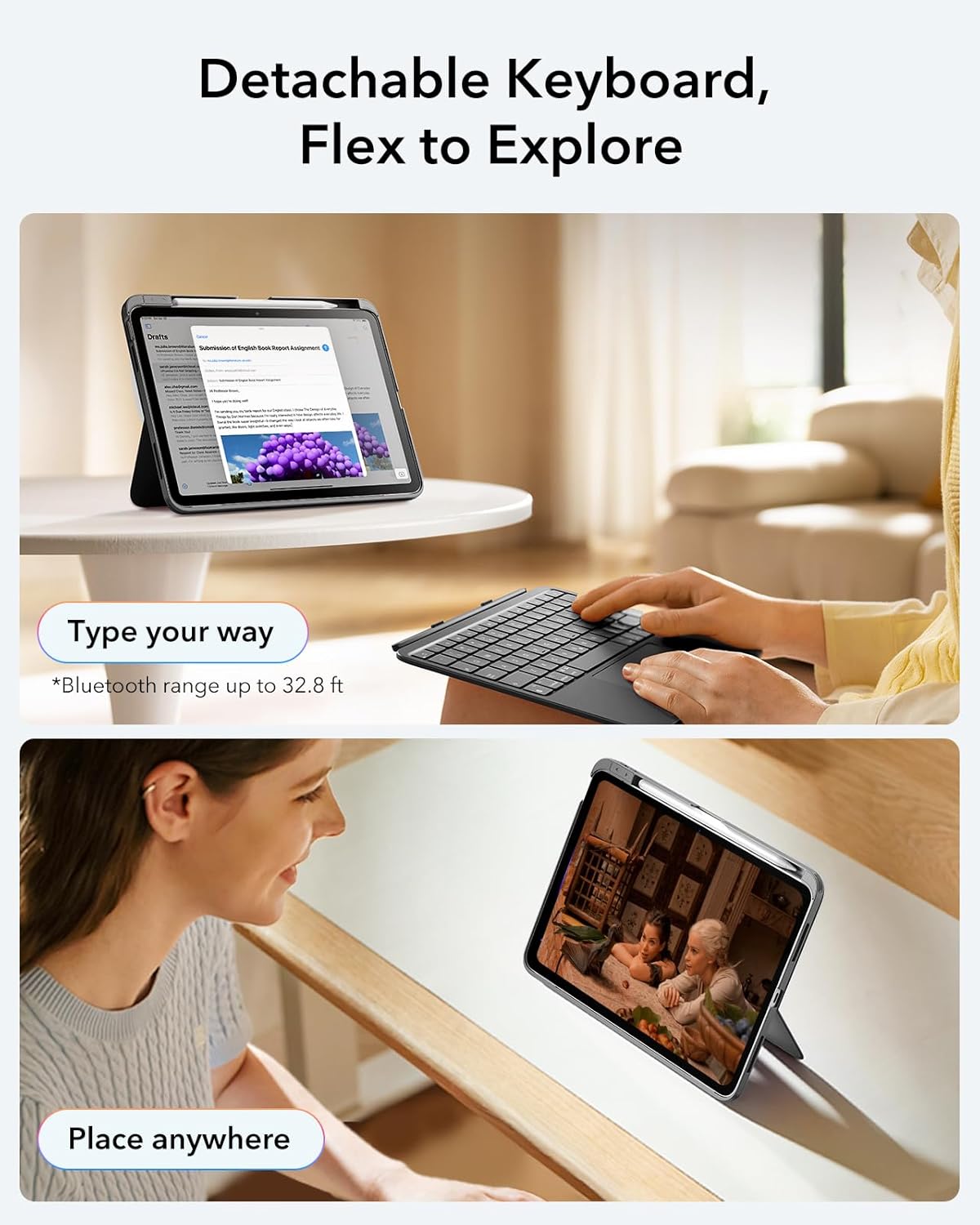
Image: The ESR Flexible Keyboard Case with the detachable keyboard in use, demonstrating its magnetic attachment and portability.
Bedienungsanleitung
Abnehmbare magnetische Tastatur
The keyboard can be easily attached or removed from the case due to its strong magnetic connection. This allows for flexible usage, enabling you to switch between a laptop-like setup and a pure tablet mode for reading, watching videos, or sketching.
The keyboard features a QWERTZ layout, which is standard for German-speaking regions. Please be aware of this layout difference if you are accustomed to other keyboard layouts (e.g., QWERTY or AZERTY).
Einstellbar ViewWinkel
The case offers two stable viewing angles, supported by a triangular stand design to prevent wobbling:
- 65°-Winkel: Ideal for working, reading, or watching videos.
- 20°-Winkel: Suitable for writing or drawing.

Image: The ESR Flexible Keyboard Case demonstrating its two stable viewing angles: 20 degrees for drawing/writing and 65 degrees for viewing/typing.
Präzisions-Trackpad
The extra-large trackpad provides smooth and precise navigation. It supports intuitive multi-touch gestures for efficient operation:
- Klicken: Tippen mit einem Finger.
- Scrollen: Mit zwei Fingern nach oben oder unten wischen.
- Zoom: Mit zwei Fingern kneifen.
- Heim: Mit drei Fingern nach oben wischen.
For optimal trackpad performance, you can adjust the cursor speed on your iPad: Go to iPad Settings > Allgemein > Trackpad and adjust the cursor speed (10 levels available).
Note: This keyboard does not feature a backlight.

Image: A close-up of the large precision trackpad, illustrating various multi-touch gestures like click, scroll, zoom, and home.
Pencil Storage and Release
The case includes a quick-access pen slot for secure storage of your Apple Pencil. A one-handed release mechanism allows for easy retrieval.

Image: The ESR Flexible Keyboard Case featuring a dedicated slot for the Apple Pencil and a quick-release mechanism for easy access.
Wartung
- Reinigung: Verwenden Sie ein weiches, trockenes und fusselfreies Tuch, um Tastatur und Gehäuse zu reinigen. Bei hartnäckigem Schmutz leicht andrücken.ampBefeuchten Sie das Tuch mit Wasser. Vermeiden Sie die Verwendung von scharfen Chemikalien oder Scheuermitteln.
- Laden: Recharge the keyboard when the battery indicator shows low power. Regular charging helps maintain battery health.
- Lagerung: When not in use for extended periods, store the keyboard and case in a cool, dry place. Ensure the keyboard is turned off to conserve battery life.
- Schutz: The robust case with reinforced Air Guard corners is designed to protect your iPad from scratches, drops, and dust. While durable, avoid exposing the case to extreme temperatures or direct impact.
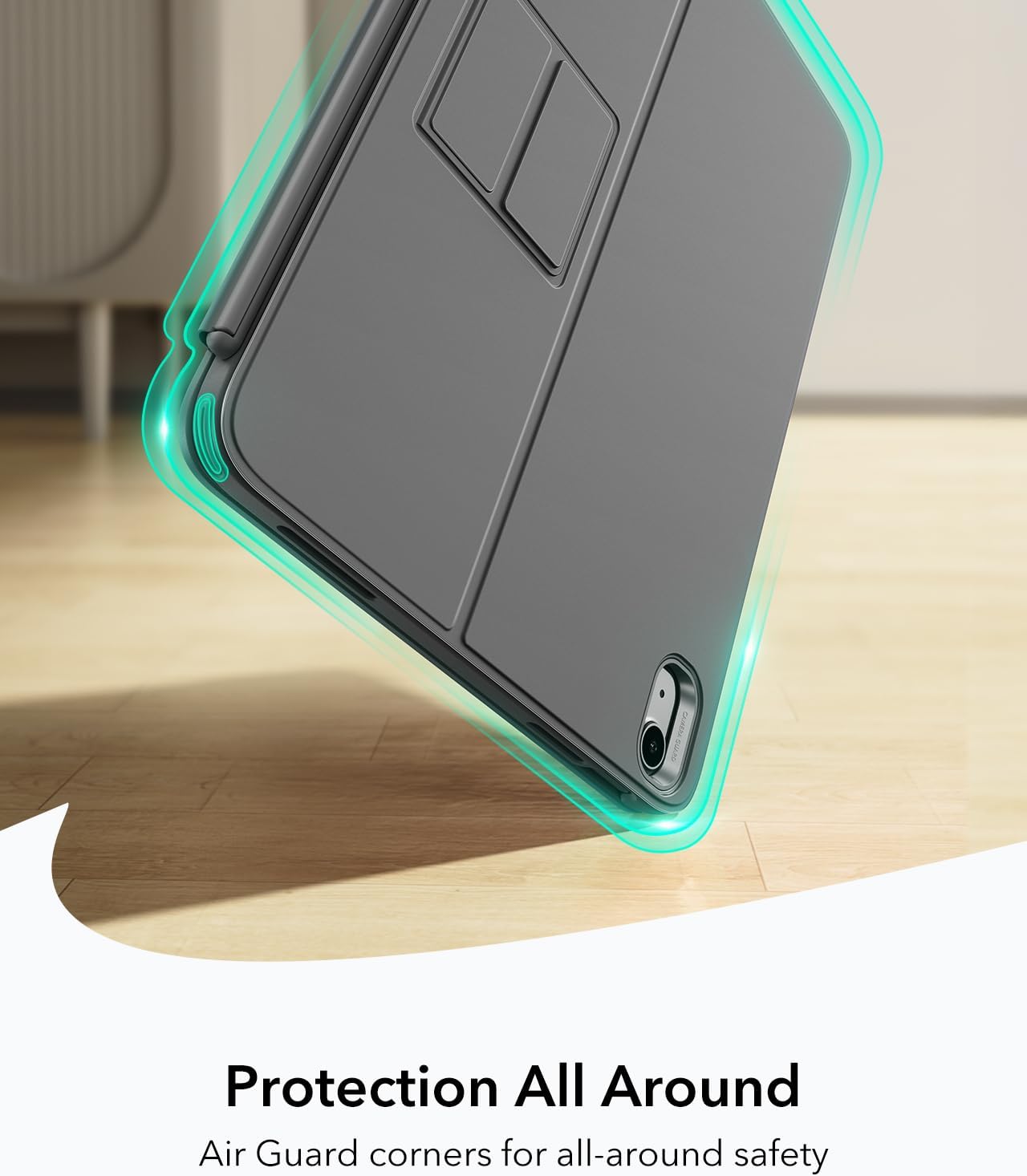
Image: The ESR Flexible Keyboard Case highlighting its Air Guard reinforced corners for all-around protection.
Fehlerbehebung
| Problem | Mögliche Ursache | Lösung |
|---|---|---|
| Die Tastatur verbindet sich nicht via Bluetooth. | Keyboard is off, low battery, Bluetooth off on iPad, or not paired. |
|
| Trackpad reagiert nicht. | Keyboard not connected, trackpad disabled (if applicable), or software glitch. |
|
| Die Tasten reagieren nicht. | Low battery, connection issue, or keyboard malfunction. |
|
| Incorrect key input (e.g., QWERTZ vs QWERTY). | Keyboard layout is QWERTZ. |
|
Technische Daten
- Marke: ESR
- Modell: Flexible Keyboard Case
- Kompatibilität: iPad 11" (A16) 2025, iPad 10th Gen 2022 (Models: A2696, A2757, A2777, A3354, A3355, A3162, A3356)
- Konnektivität: Bluetooth
- Tastaturbelegung: QWERTZ (German style)
- Anzahl Schlüssel: 78
- Trackpad: Extra-large precision trackpad with multi-touch gesture support
- Hintergrundbeleuchtung: Keine Hintergrundbeleuchtung
- Viewing-Winkel: 65° (working/viewing), 20° (writing/drawing)
- Energiequelle: Batteriebetrieben (wiederaufladbar)
- Material: Plastik
- Weight (Case & Keyboard): Ungefähr 530 g
- Dicke: Ungefähr 6.9 mm
- Bluetooth-Reichweite: Bis zu 32.8 Meter
- Besondere Merkmale: Detachable magnetic keyboard, reinforced Air Guard corners, quick-access pen slot.
- Betriebssystemkompatibilität: iPadOS

Image: The ESR Flexible Keyboard Case held in hand, emphasizing its lightweight design (530g) for portability.
Garantie und Support
For warranty information and customer support, please refer to the official ESR webSie können die Website nutzen oder sich direkt an den Kundendienst wenden. Einzelheiten zu Garantiezeiten und Supportverfahren finden Sie in der Regel in Ihren Kaufunterlagen oder auf der Website des Herstellers. webWebsite.
Bitte bewahren Sie Ihren Kaufbeleg für eventuelle Garantieansprüche auf.