
Einführung
This manual provides detailed instructions for the installation, setup, and operation of your SwitchBot WiFi Smart Garage Door Opener. This device allows you to control your garage door remotely, integrate with various smart home platforms, and receive real-time notifications.
Zu den Hauptmerkmalen gehören:
- Remote control and status check via the SwitchBot app.
- Voice control compatibility with Alexa, Google Home, Siri, IFTTT, and SmartThings.
- Matter certification for seamless smart home integration.
- Real-time alerts and customizable auto-close timers and schedules.
- Straightforward installation with minimal wiring.
- Family sharing functionality for multi-user access.
Packungsinhalt
Stellen Sie sicher, dass alle Teile vorhanden sind, bevor Sie mit der Installation beginnen:
- Garage Door Opener x1
- Adapter with Cable x1
- Door Sensor with Cable (7m) x1
- Schraubenpaket x1
- Signal Control Cable (Test Wire) x1
- 2 x 3M Klebeband
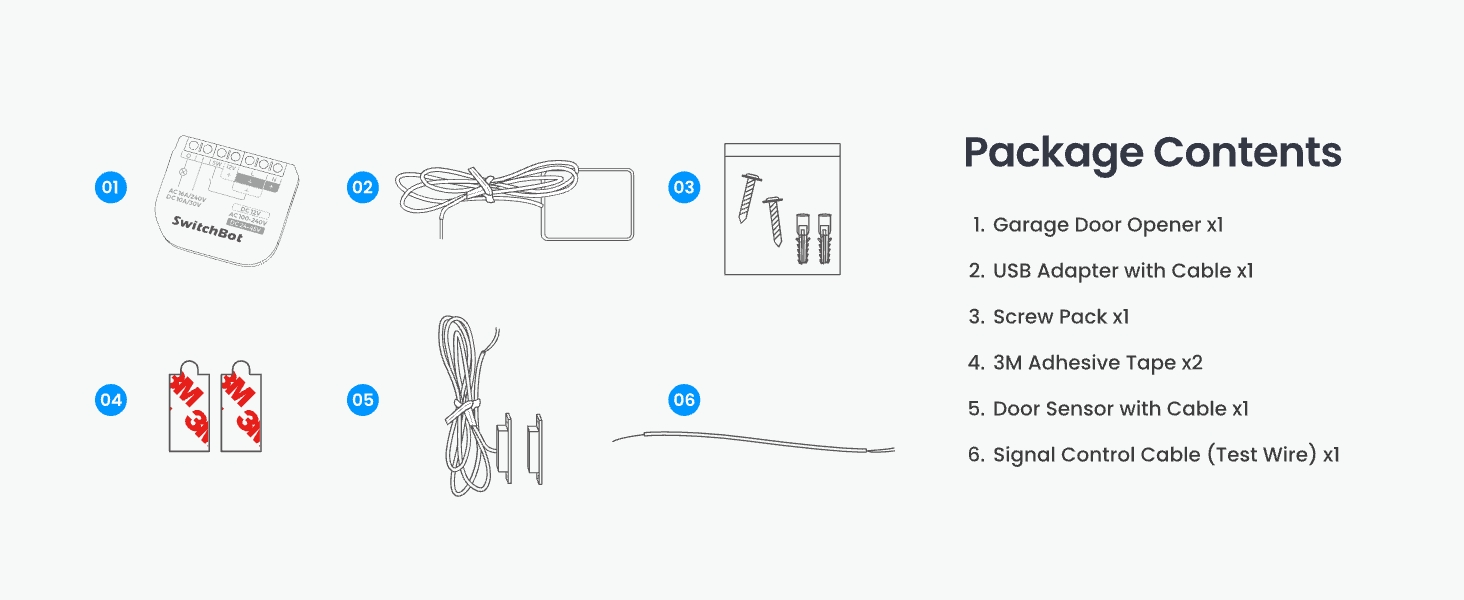
Abbildung 1: All components included in the SwitchBot WiFi Smart Garage Door Opener package.
Kompatibilitätsprüfung
Before installation, it is crucial to confirm compatibility with your existing garage door opener. The SwitchBot Garage Door Opener is compatible with over 200 brands and 1600+ garage door opener models, including older models from the 1990s.
Method 1: Check Learn Button Color
Locate the "Learn Button" on your garage door opener motor. Yellow and purple learn buttons may require additional accessories for full functionality. Please refer to the SwitchBot support team for specific accessory requirements if your opener has a yellow or purple learn button.
Method 2: Use the Test Wire
If you are unsure about compatibility, use the provided Signal Control Cable (test wire) to connect the two terminals on your existing garage door opener that are also connected to the wall button. If your garage door opens and closes, it is compatible. Otherwise, contact SwitchBot support for assistance.
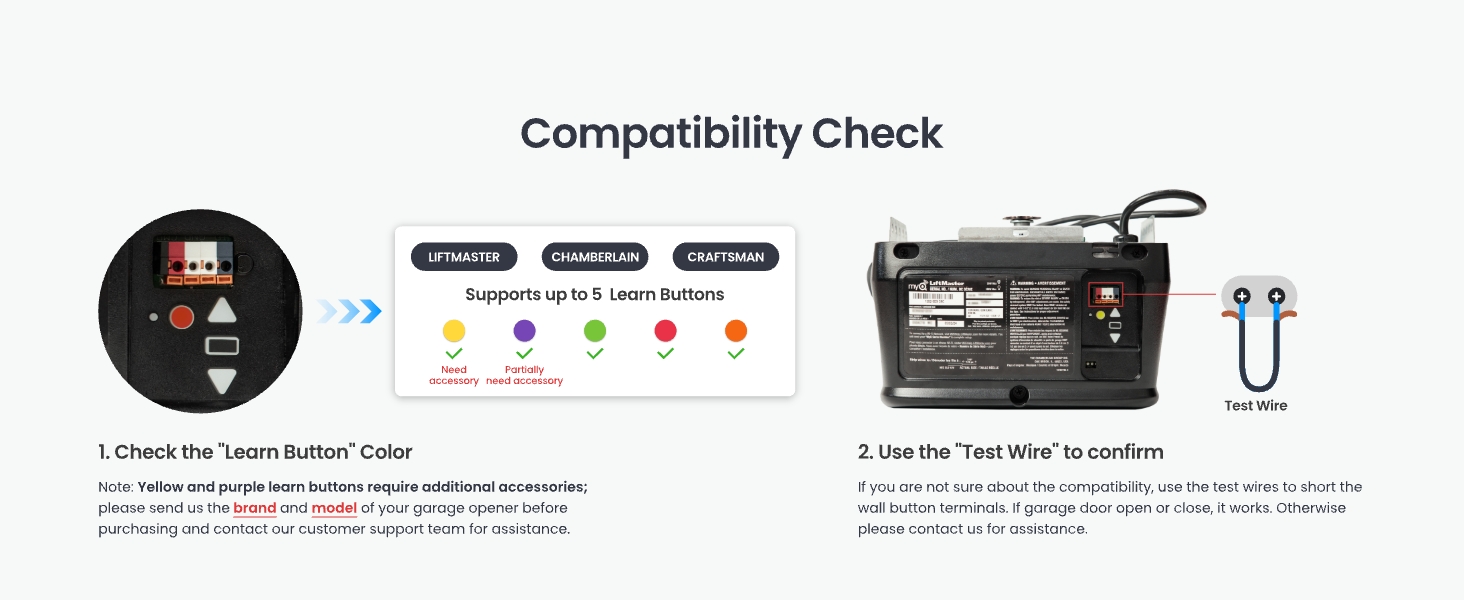
Abbildung 2: Compatibility check methods for your garage door opener.
Setup und Installation
Follow these steps to install your SwitchBot WiFi Smart Garage Door Opener:
Step 1: Power on the Device and Connect to the App
- Connect the provided adapter to the SwitchBot Garage Door Opener.
- Stecken Sie den Adapter in eine Steckdose.
- Laden Sie die SwitchBot-App aus dem App Store Ihres Geräts herunter.
- Open the app, register or log in, and tap "Add a Device".
- Select "Garage Door Opener" from the list and follow the on-screen instructions to connect it to your 2.4GHz Wi-Fi network.
Video 1: Detailed installation guide for the SwitchBot Garage Door Opener, covering all steps from unboxing to app setup.
Schritt 2: Türsensor installieren
The door sensor detects the open/closed status of your garage door. Mount the two parts of the sensor on the garage door frame and the moving door panel, ensuring they are aligned and the distance between them is less than 2.5 cm (1 inch) when the door is closed. Use the provided 3M adhesive tape or screws for secure attachment.
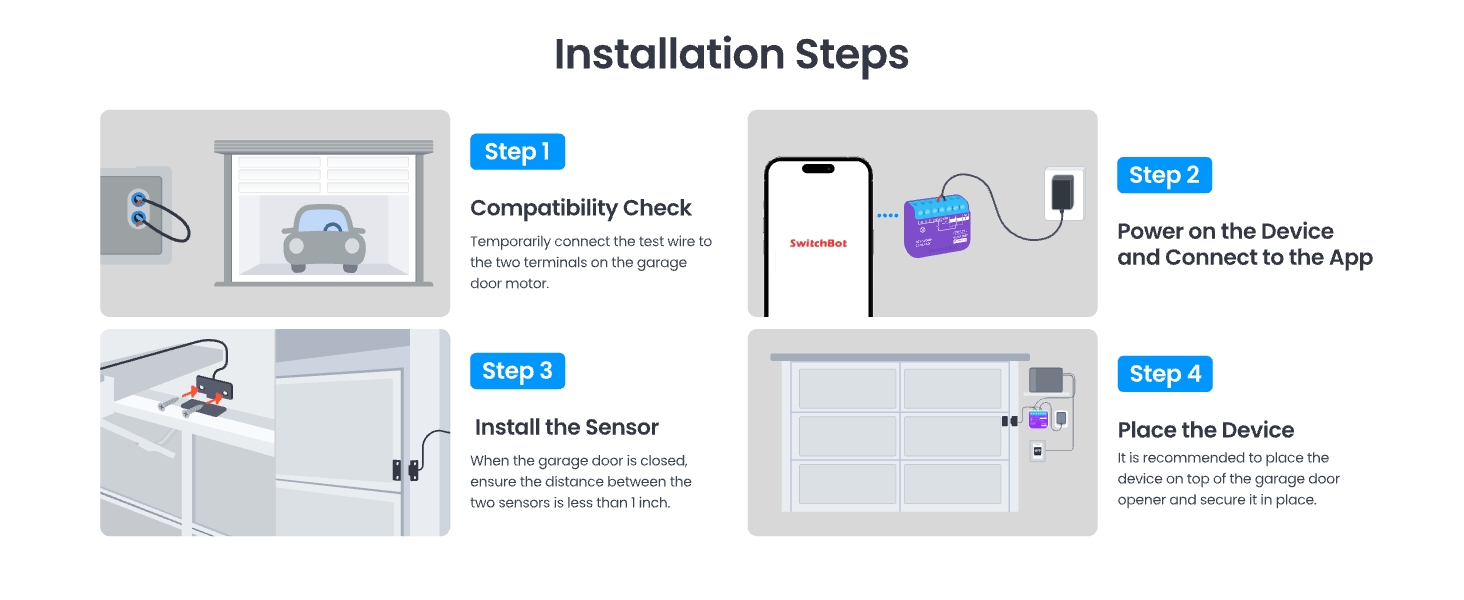
Abbildung 3: Überview of the installation steps, including sensor placement.
Step 3: Place the Garage Door Opener Device
Mount the main Garage Door Opener device on top of your garage door opener motor using the provided adhesive tape or screws. Ensure it is securely fastened and the wires are not obstructed.
Schaltplan
Connect the signal control cable from the SwitchBot device to the wall switch terminals on your garage door opener motor. The power adapter connects to the SwitchBot device and a standard power outlet.
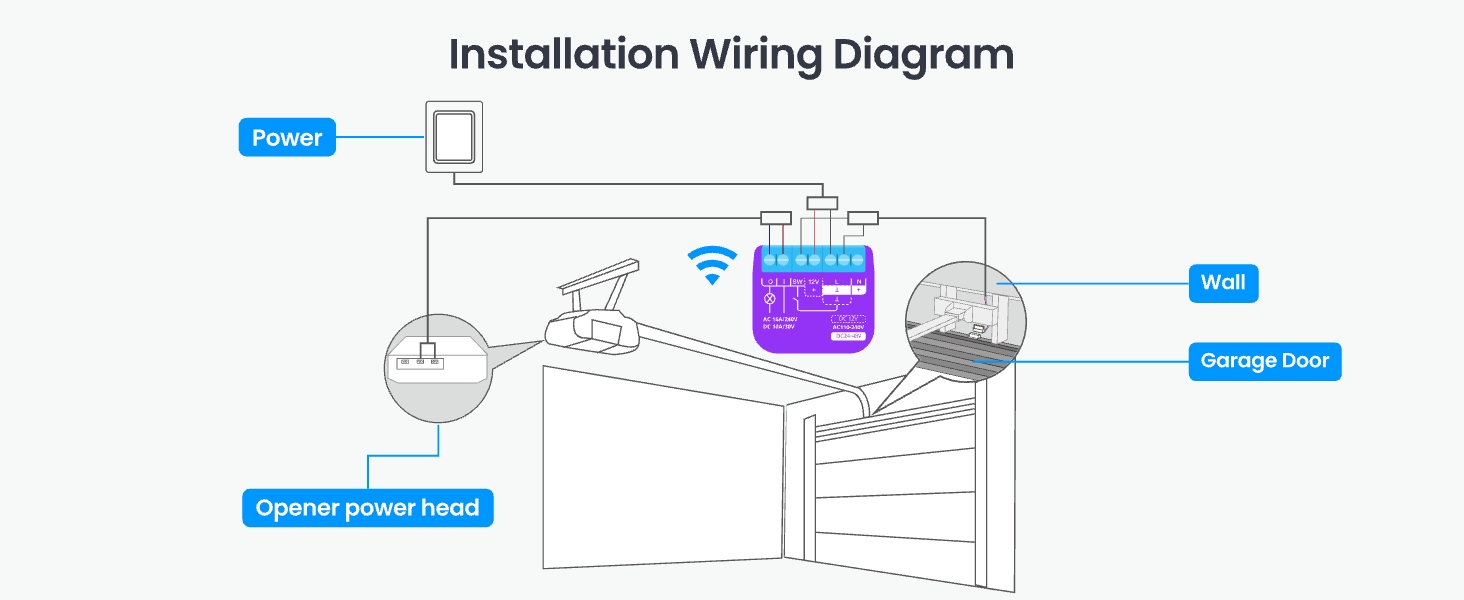
Abbildung 4: Installation wiring diagram for the SwitchBot Garage Door Opener.
Bedienungsanleitung
1. App-Steuerung
Control your garage door from anywhere using the SwitchBot app. You can open or close the door, check its status, and manage settings.
- Fernbedienung: Open or close your garage door from anywhere with an internet connection.
- Echtzeitbenachrichtigungen: Receive alerts if your garage door is left open or if there's any unusual activity.
- Auto-Close Timers & Schedules: Set custom schedules for the door to close automatically at specific times or after a set delay.
- Ereignisprotokoll: Track all garage door activity in real-time for security and peace of mind.
- Familienfreigabe: Grant access to multiple users, allowing family members to control the garage door via their own SwitchBot accounts.
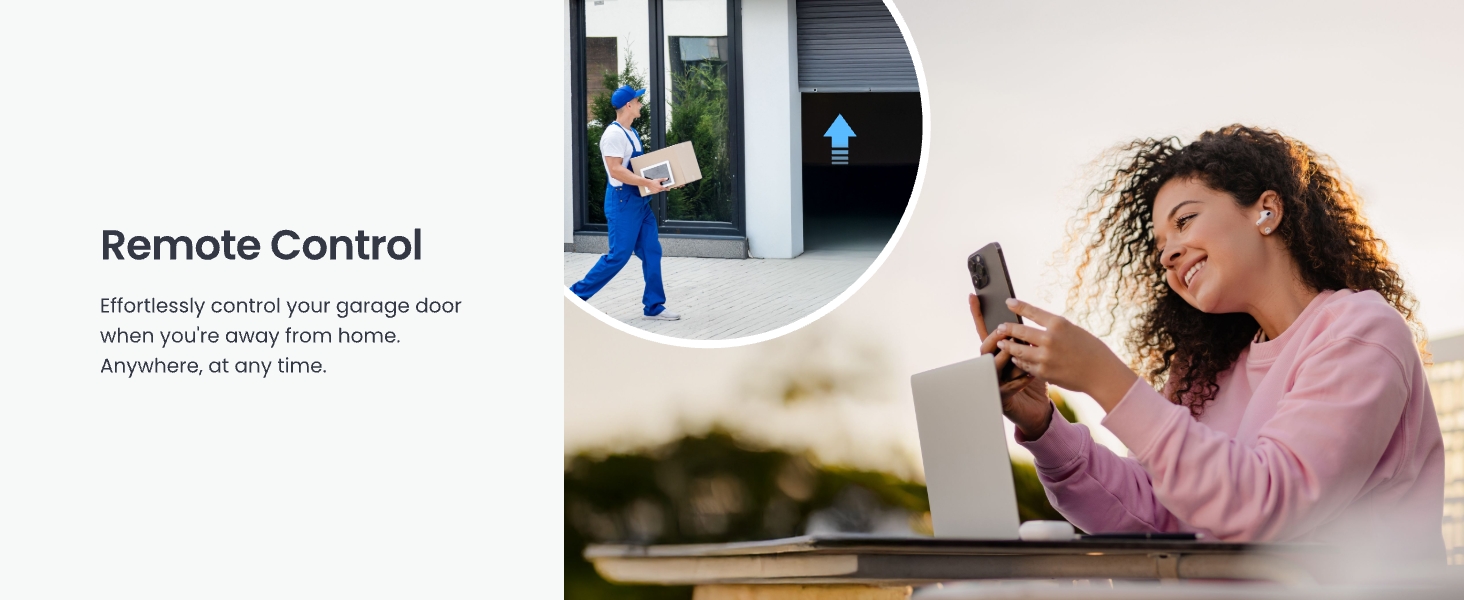
Abbildung 5: Remote control of the garage door via the SwitchBot app.
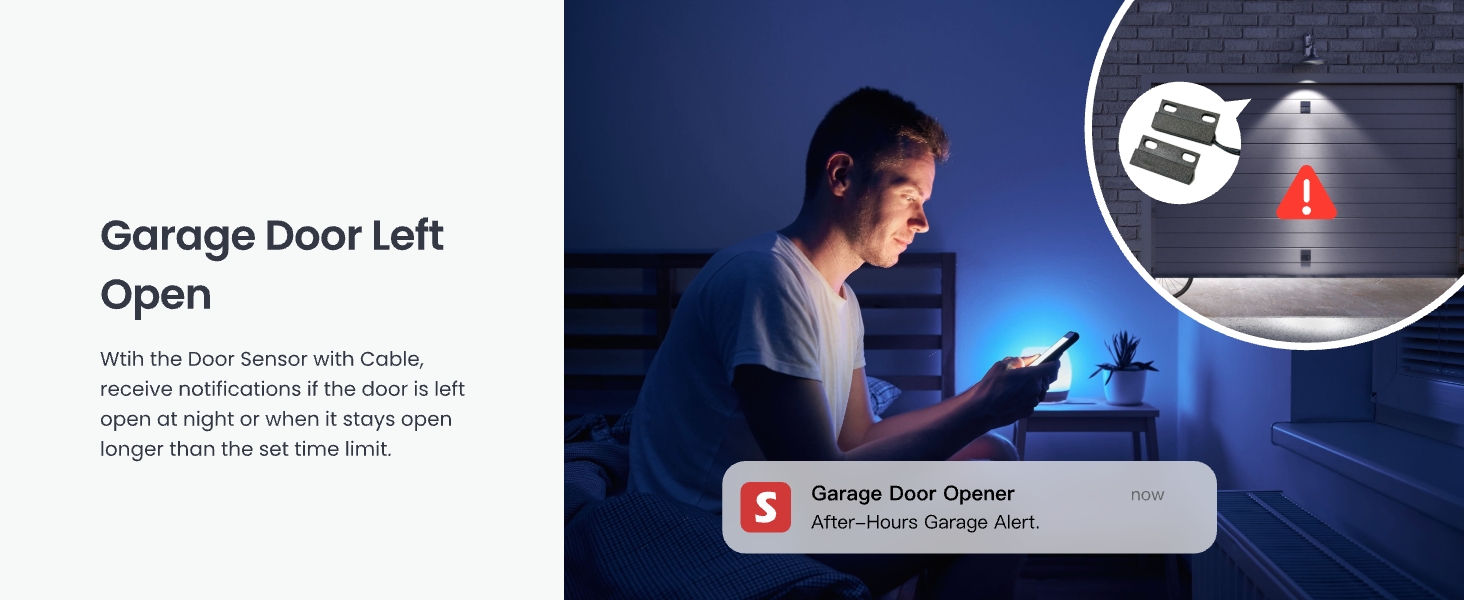
Abbildung 6: Real-time security notifications for an open garage door.
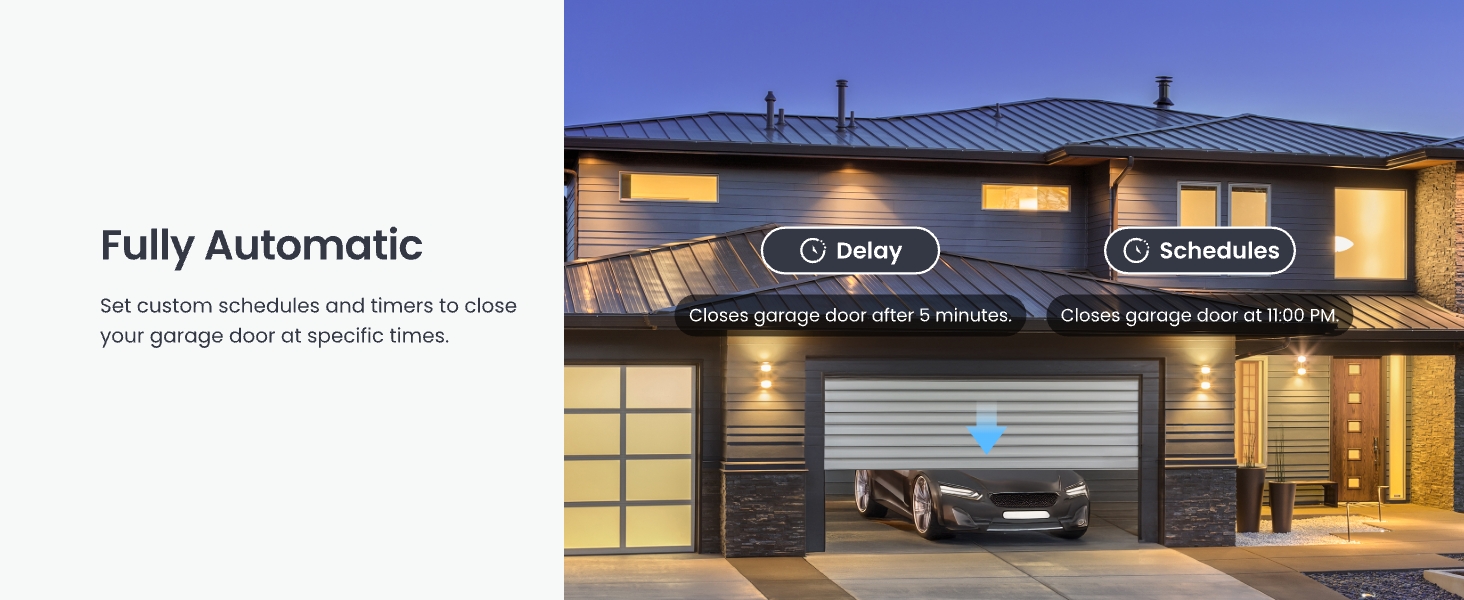
Abbildung 7: Setting automatic schedules for garage door operation.
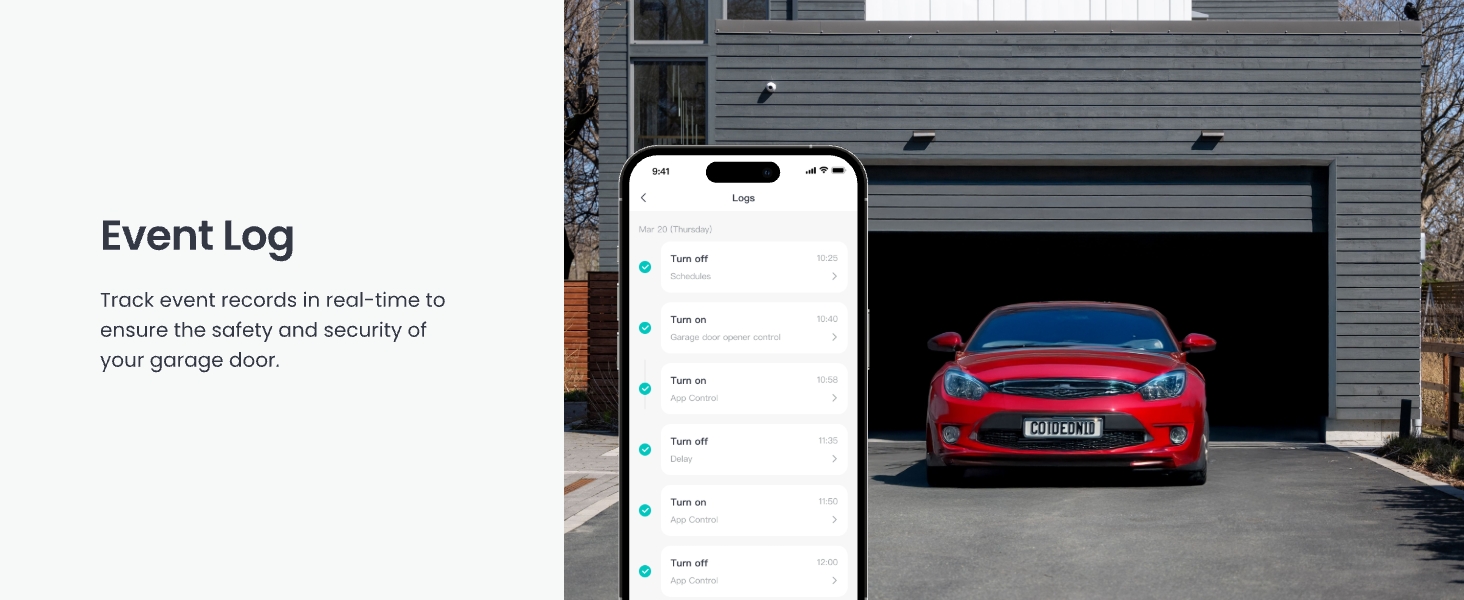
Abbildung 8: Event log for tracking garage door activity.
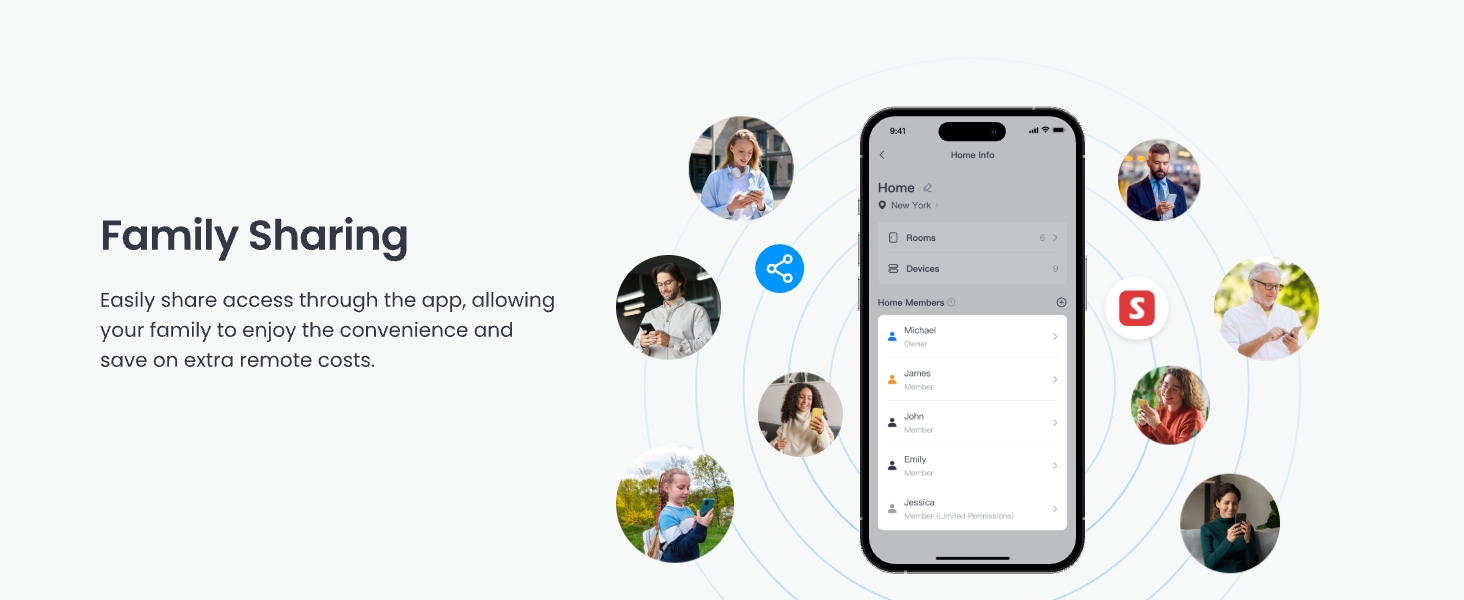
Abbildung 9: Family sharing feature in the SwitchBot app.
2. Voice Control & Smart Home Integration
The SwitchBot Garage Door Opener supports various voice assistants and smart home platforms:
- Sprachassistenten: Use simple voice commands with Amazon Alexa, Google Home, and Apple Siri to open or close your garage door.
- Matter-zertifiziert: Ensures seamless integration with other Matter-certified smart devices and platforms like Apple Home.
- Andere Plattformen: Compatible with IFTTT and SmartThings for advanced automation and scene creation.
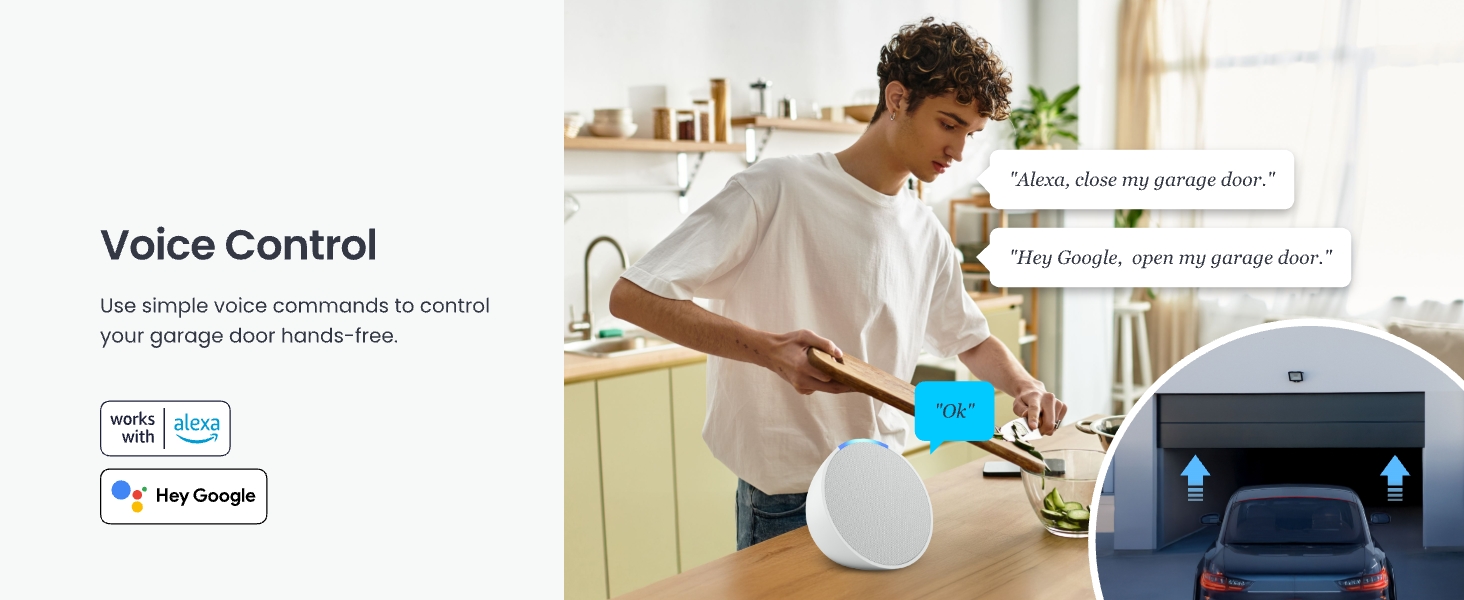
Abbildung 10: Sprachsteuerung mit Alexa und Google Home.
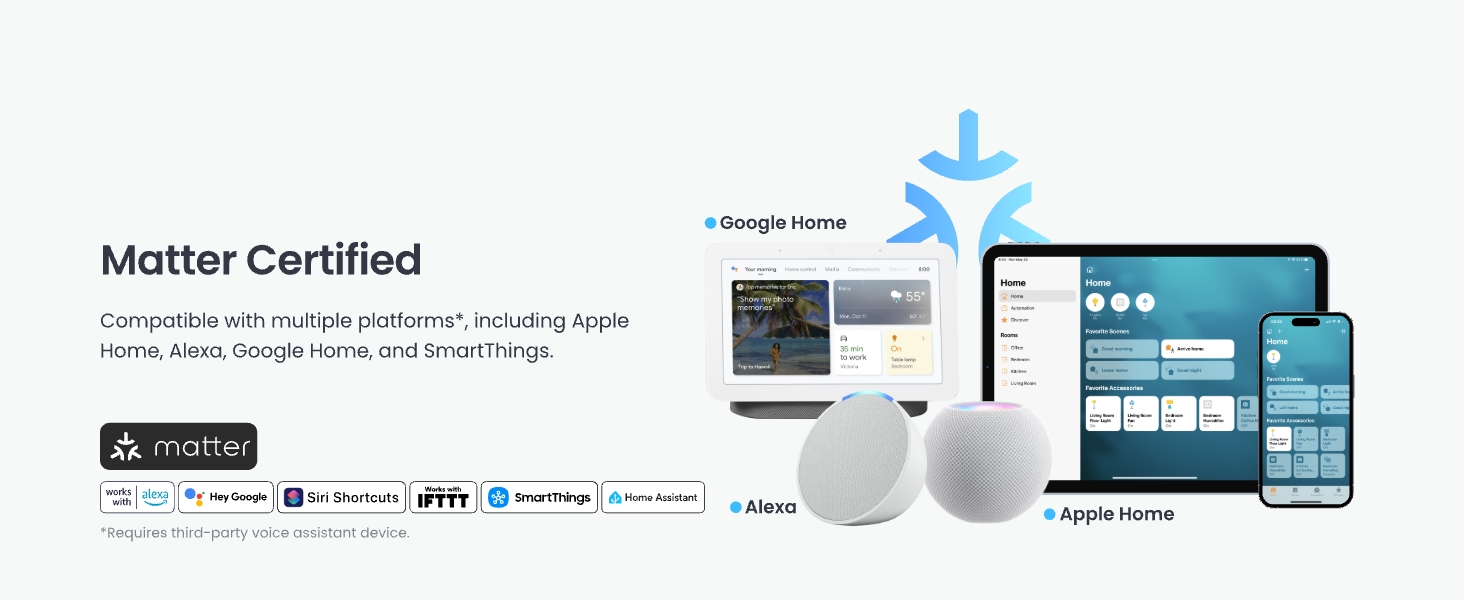
Abbildung 11: Matter certification and broad smart home compatibility.
3. CarPlay Integration
Open or close your garage door without picking up your phone by using voice commands through Apple CarPlay. Note that CarPlay Pop-up control is not supported.
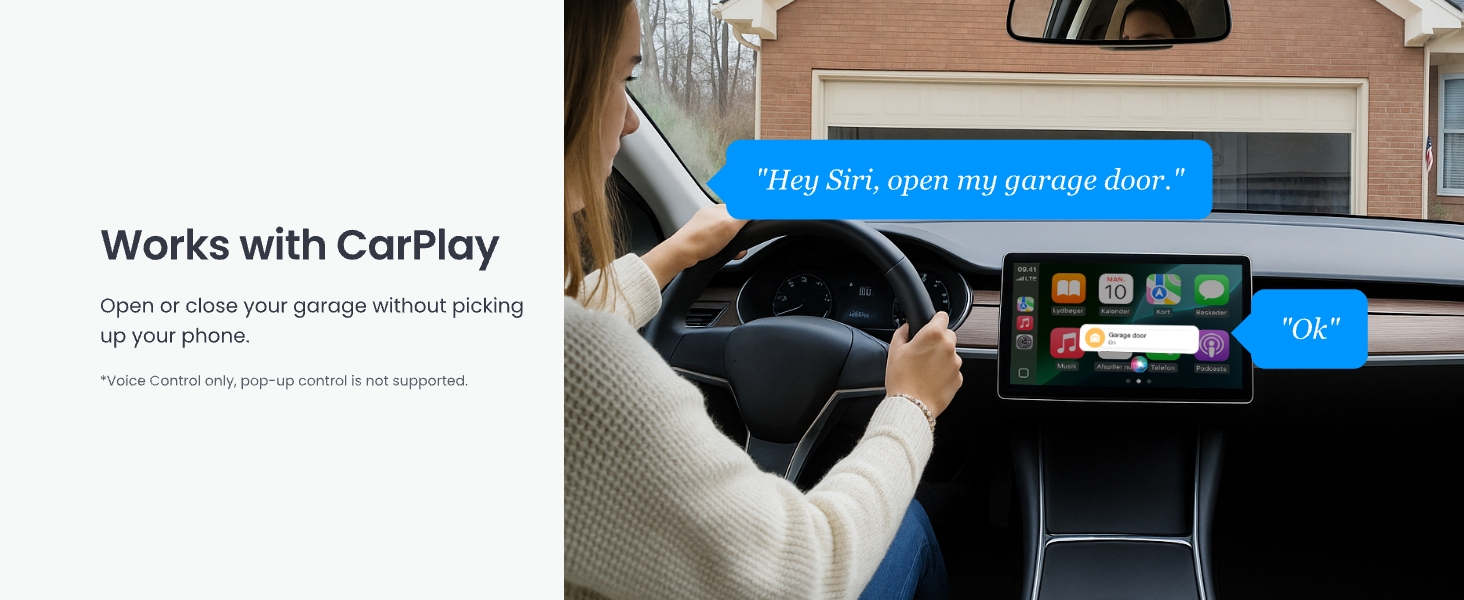
Abbildung 12: Garage door control via Apple CarPlay.
4. Bluetooth-Steuerung
Maintain control of your garage door via Bluetooth, even if your home Wi-Fi signal is unavailable or weak in the garage area. This ensures reliable operation in various conditions.
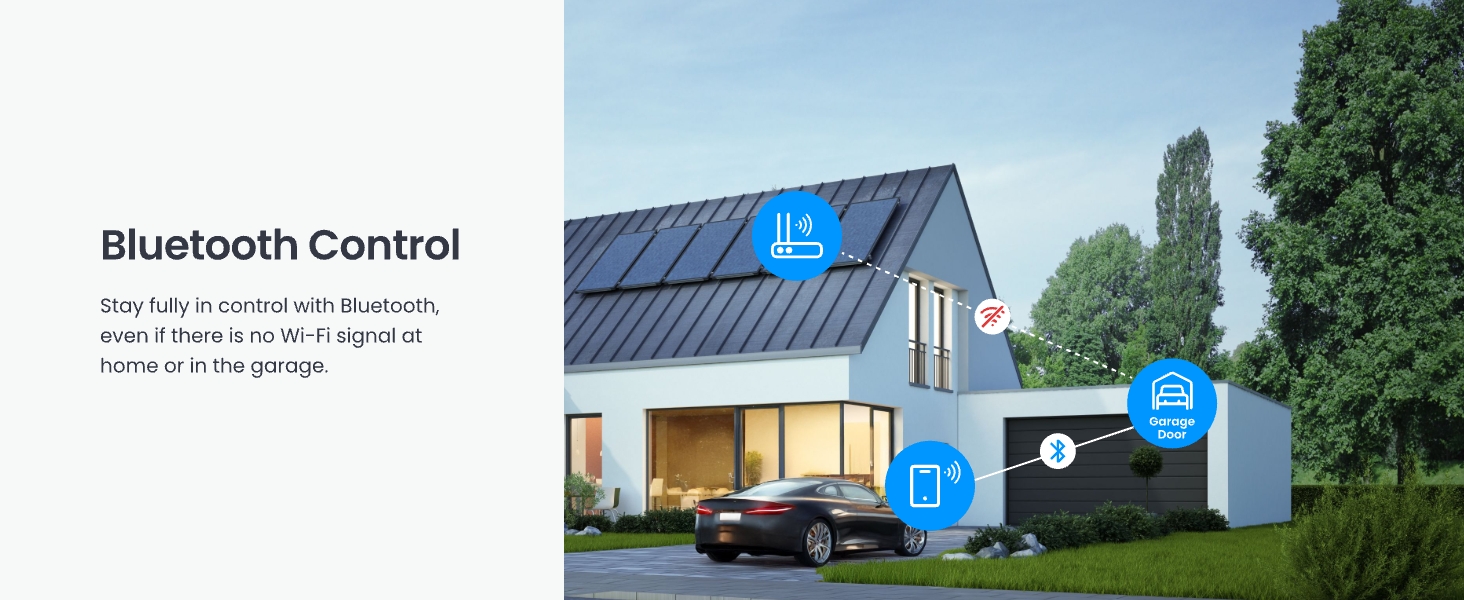
Abbildung 13: Bluetooth control functionality.
5. Integration with Other SwitchBot Devices
Enhance your smart garage experience by integrating the Garage Door Opener with other SwitchBot products:
- SwitchBot-Fernbedienung: Use a physical remote for one-click opening/closing of your garage door.
- SwitchBot Cameras: Monitor your garage in real-time and track deliveries to prevent damage.
- SwitchBot Meter Pro (CO2 Monitor): Monitor temperature, humidity, and CO2 levels in your garage for optimal ventilation and energy efficiency.
Wartung
The SwitchBot WiFi Smart Garage Door Opener requires minimal maintenance. Regularly check the following:
- Sensorausrichtung: Ensure the door sensor components remain aligned and within the effective distance (2.5 cm / 1 inch) when the door is closed.
- Kabelverbindungen: Verify that all wires are securely connected to the device and the garage door opener motor.
- Software-Updates: Keep the SwitchBot app and device firmware updated to ensure optimal performance and access to new features. Check the app regularly for available updates.
- Reinigung: Wipe the device and sensor with a dry, soft cloth as needed. Avoid using harsh chemicals or abrasive materials.
Fehlerbehebung
If you encounter issues with your SwitchBot WiFi Smart Garage Door Opener, refer to the following common solutions:
- Gerät stellt keine Verbindung zum WLAN her: Ensure your Wi-Fi network is 2.4GHz. Check that the device is within range of your Wi-Fi router. Restart your router and the SwitchBot device.
- Garagentor reagiert nicht: Verify that the signal control cable is correctly connected to the garage door opener's wall switch terminals. Perform the compatibility check again using the test wire. Ensure the garage door opener itself is powered and functional.
- Incorrect Door Status: Check the alignment and distance of the door sensor components. Ensure they are securely mounted and the cable is not damaged.
- Probleme mit der Sprachsteuerung: Confirm that your SwitchBot account is correctly linked to Alexa, Google Home, or Siri. Check your internet connection and the status of your voice assistant device.
- App Not Functioning: Ensure your SwitchBot app is updated to the latest version. Try force-closing and reopening the app, or reinstalling it if necessary.
For further assistance, please contact SwitchBot support.
Technische Daten
| Besonderheit | Detail |
|---|---|
| Modellnummer | W5502330 |
| Hersteller | Wonderlab |
| Artikelgewicht | 8.4 Unzen |
| Technische Daten | 3.8 x 1.8 x 4.7 Zoll |
| Farbe | Lila |
| Konnektivität | 2.4 GHz WLAN, Bluetooth |
| Smart Home Kompatibilität | Matter, Alexa, Google Home, Siri, IFTTT, SmartThings |
| Stromquelle | Adapter (No batteries required) |
Garantie und Support
SwitchBot products are designed for reliability and performance. For warranty information, product support, or technical assistance, please visit the official SwitchBot webWebsite oder wenden Sie sich an das Kundendienstteam.
Online-Hilfe: www.switch-bot.com/support
Rückgaberecht: This product typically comes with a 30-day return/replacement policy. Please refer to your purchase platform for specific details.