
1. Produktüberschreitungview
The RIENOK S4 Max is a powerful and versatile portable Bluetooth speaker designed for high-quality audio experiences in various environments. Featuring 40W stereo sound, dynamic LED lighting, and an IPX7 waterproof rating, it is suitable for both indoor and outdoor use. Its robust design, long battery life, and multiple connectivity options ensure your music is always with you.

Bild 1.1: The RIENOK S4 Max speaker's internal structure, illustrating its 40W high-power audio system with a 50x90mm mid-bass speaker and a 31mm tweeter for rich, balanced sound.
Hauptmerkmale:
- Leistungsstarker 40-Watt-Stereo-Sound: Equipped with a tweeter and woofer for clear and rich audio.
- Dynamische LED-Leuchten: Visual effects synchronize with music rhythm, enhancing the listening experience.
- Wasserdichtigkeitsklasse IPX7: Fully protected against water immersion and dust, ideal for outdoor and wet environments.
- Verlängerte Akkulaufzeit: Der 5200-mAh-Akku ermöglicht eine Wiedergabezeit von bis zu 30 Stunden bei 50 % Lautstärke.
- Bluetooth 5.3: Ensures a fast, stable, and reliable wireless connection.
- Drahtlose Stereo-Kopplung (TWS): Connect two S4 Max speakers for an immersive 360° stereo sound experience.
- Mehrere Wiedergabemodi: Unterstützt Bluetooth, AUX-Eingang und TF-Kartenwiedergabe.
- Eingebautes Mikrofon: Ermöglicht Freisprechanrufe.
- Anti-Roll-Design: Non-slip base prevents the speaker from rolling on surfaces.
2. Packungsinhalt
Bitte prüfen Sie das Paket auf folgende Artikel:
- 1 x RIENOK S4 Max Portable Bluetooth Speaker
- 1 x USB-C Ladekabel
- 1 x AUX Audiokabel
- 1 x Benutzerhandbuch
- 1 x Schlüsselband.

Bild 2.1: Contents of the RIENOK S4 Max package, including the speaker, cables, manual, and lanyard.
3. Produktlayout und Bedienelemente
Machen Sie sich mit den Tasten und Anschlüssen des Lautsprechers vertraut, um eine optimale Nutzung zu gewährleisten.
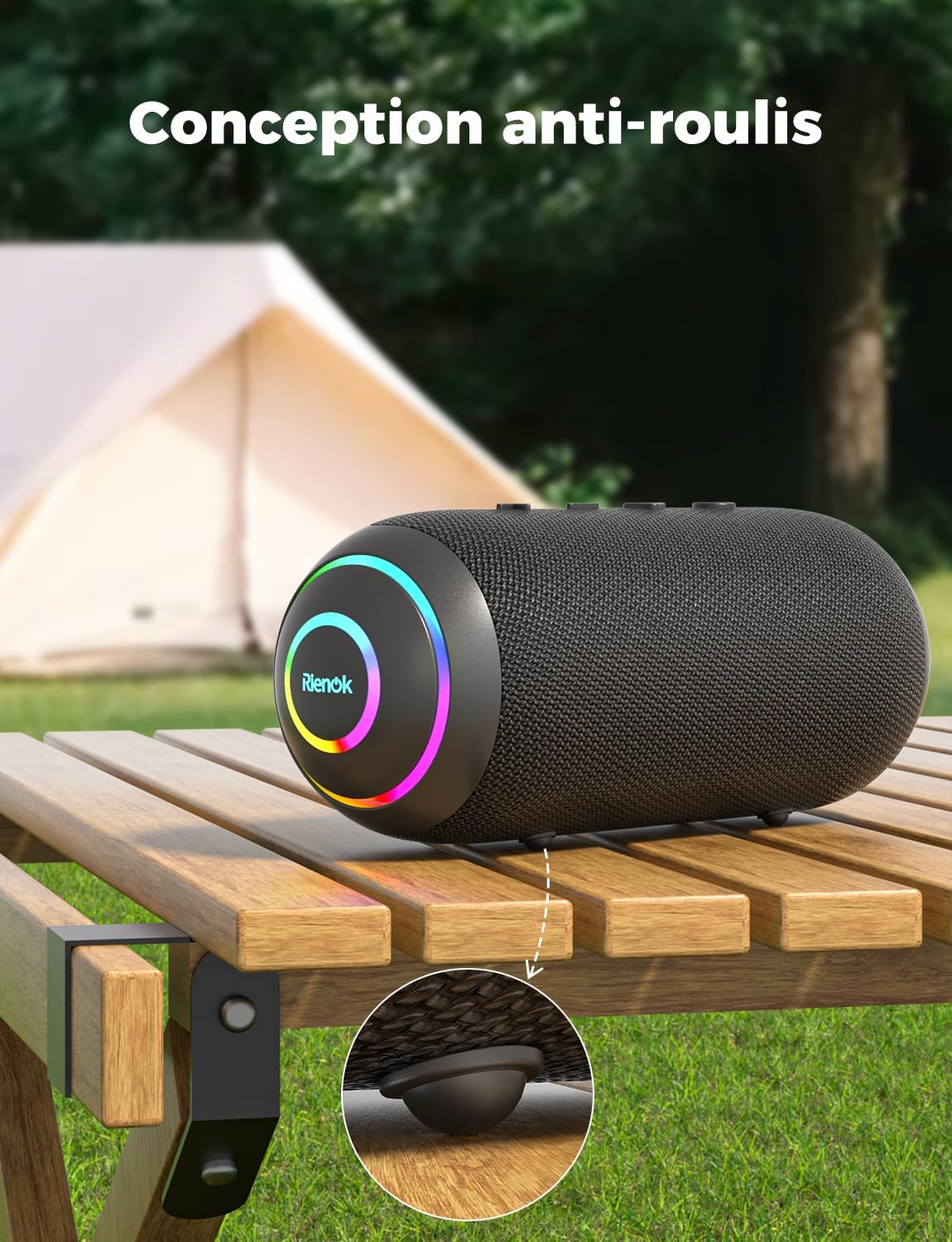
Bild 3.1: Top panel controls of the RIENOK S4 Max speaker.
Tastenfunktionen:
- Power-Taste (⏻):
- Zum Ein-/Ausschalten 2 Sekunden lang gedrückt halten.
- Short press to switch LED light modes.
- Lautstärke verringern / Vorheriger Titel (-):
- Kurz drücken, um die Lautstärke zu verringern.
- Press and hold for 2 seconds to play the previous track.
- Play / Pause / Call Button (▶):
- Kurzes Drücken zum Abspielen/Pausieren der Musik.
- Short press to Answer/End a call.
- Zum Ablehnen eines Anrufs 2 Sekunden lang gedrückt halten.
- Double press to activate voice assistant.
- Lautstärke erhöhen / Nächster Titel (+):
- Kurz drücken, um die Lautstärke zu erhöhen.
- Press and hold for 2 seconds to play the next track.
- Modus-Taste (M):
- Short press to switch between Bluetooth, AUX, and TF card modes.
- Press and hold for 2 seconds to disconnect Bluetooth.
- Double press to activate TWS pairing.

Bild 3.2: Connectivity ports located on the side of the RIENOK S4 Max speaker, protected by a waterproof cover.
Häfen:
- USB-C-Ladeanschluss: Zum Aufladen des Lautsprechers.
- AUX-Eingangsanschluss: Zum Anschluss externer Audiogeräte über ein 3.5-mm-Audiokabel.
- TF-Karten-Slot: For playing music directly from a MicroSD/TF card (supports up to 32GB, FAT/FAT32 format, MP3/WAV/WMA audio formats).
4. Einrichtung und Erstgebrauch
4.1 Aufladen des Lautsprechers
Before first use, fully charge the speaker. Connect the provided USB-C charging cable to the speaker's charging port and a compatible USB power adapter (not included). The LED indicator will show charging status and turn off when fully charged.

Bild 4.1: Charging the RIENOK S4 Max speaker using the USB-C cable.
4.2 Ein-/Ausschalten
- Zum Einschalten halten Sie die Netzschalter Warten Sie 2 Sekunden. Sie hören einen akustischen Hinweis.
- Halten Sie zum Ausschalten die Taste gedrückt Netzschalter Warten Sie 2 Sekunden. Sie hören einen akustischen Hinweis.
4.3 Bluetooth-Kopplung
- Power on the RIENOK S4 Max speaker. It will automatically enter Bluetooth pairing mode, indicated by a flashing LED light.
- Aktivieren Sie auf Ihrem Gerät (Smartphone, Tablet, Laptop) Bluetooth und suchen Sie nach verfügbaren Geräten.
- Select "RIENOK S4 Max" from the list of devices.
- Once connected, the speaker will emit an audible confirmation, and the LED light will remain solid or display a steady pattern.

Bild 4.2: Bluetooth 5.3 pairing process with a smartphone.
Notiz: Der Lautsprecher versucht beim Einschalten automatisch, die Verbindung zum zuletzt gekoppelten Gerät wiederherzustellen.
4.4 True Wireless Stereo (TWS) Kopplung
To achieve an immersive 360° stereo sound, you can pair two RIENOK S4 Max speakers together.
- Ensure both RIENOK S4 Max speakers are powered on and not connected to any Bluetooth device.
- On one of the speakers (this will be the primary speaker), double press the Modus-Taste (M). The speaker will enter TWS pairing mode, indicated by a specific LED flash pattern.
- Die beiden Lautsprecher verbinden sich automatisch miteinander. Nach erfolgreicher Verbindung hören Sie eine akustische Bestätigung.
- Verbinden Sie nun Ihr Gerät über Bluetooth mit dem Hauptlautsprecher, wie in Abschnitt 4.3 beschrieben. Der Ton wird über beide Lautsprecher in Stereo wiedergegeben.

Bild 4.3: Wireless stereo pairing (TWS) of two RIENOK S4 Max speakers.
Notiz: TWS pairing only works between two identical RIENOK S4 Max speakers.
5. Bedienungsanleitung
5.1 Musik abspielen
- Bluetooth-Modus: Nach erfolgreicher Bluetooth-Kopplung öffnen Sie Ihre Musik-App auf Ihrem Gerät und starten Sie die Wiedergabe.
- AUX-Modus: Insert the 3.5mm AUX audio cable into the speaker's AUX-in port and the other end into your audio device's headphone jack. The speaker will automatically switch to AUX mode. If not, short press the Modus-Taste (M) um den AUX-Modus auszuwählen.
- TF-Kartenmodus: Insert a TF card (with supported audio files) into the TF card slot. The speaker will automatically switch to TF card mode and begin playback. If not, short press the Modus-Taste (M) TF-Kartenmodus auswählen.
5.2 Lautstärke- und Titelsteuerung
- Lautstärke erhöhen: Drücken Sie kurz die + Taste.
- Lautstärke runter: Drücken Sie kurz die - Taste.
- Nächster Titel: Halten Sie die + Taste für 2 Sekunden.
- Vorheriges Lied: Halten Sie die - Taste für 2 Sekunden.
- Abspielen/Pause: Drücken Sie kurz die Wiedergabe-/Pause-Taste.
5.3 Freisprechfunktion
Bei Verbindung über Bluetooth mit einem Smartphone kann der Lautsprecher für Freisprechanrufe genutzt werden.
- Anruf annehmen/beenden: Drücken Sie kurz die Wiedergabe-/Pause-Taste.
- Anruf ablehnen: Halten Sie die Wiedergabe-/Pause-Taste für 2 Sekunden.

Bild 5.1: Using the integrated microphone for hands-free communication.
5.4 LED-Lichtsteuerung
The RIENOK S4 Max features dynamic LED lights that can be adjusted.
- Lichtmodus ändern: Drücken Sie kurz die Netzschalter to cycle through different LED light modes.
- Lichter ausschalten: Drücken Sie weiter die Netzschalter bis die Lichter ausgehen.

Bild 5.2: Dynamic RGB lighting effects of the RIENOK S4 Max speaker.
6. Wartung
6.1 Reinigung
- Wischen Sie den Lautsprecher mit einem weichen, damp Tuch.
- Verwenden Sie keine Scheuermittel, Alkohol oder chemische Lösungsmittel, da diese die Oberfläche beschädigen können.
- Stellen Sie sicher, dass der Ladeanschluss und alle anderen Öffnungen frei von Staub und Schmutz sind.
6.2 Waterproof Considerations (IPX7)
The RIENOK S4 Max is IPX7 waterproof, meaning it can be immersed in water up to 1 meter for 30 minutes. To maintain its waterproof integrity:
- Always ensure the rubber port cover on the side of the speaker is fest und vollständig abgedichtet before exposing it to water.
- Setzen Sie den Lautsprecher nicht über längere Zeit Salzwasser oder chloriertem Wasser aus. Spülen Sie ihn nach dem Kontakt mit solchen Flüssigkeiten mit Süßwasser ab.
- Do not charge the speaker if it or the charging port is wet. Ensure all ports are completely dry before charging.

Bild 6.1: The RIENOK S4 Max speaker's IPX7 waterproof capability, shown submerged in water. Always ensure the port cover is sealed.
6.3 Speicherung
- Bewahren Sie den Lautsprecher an einem kühlen, trockenen Ort fern von direkter Sonneneinstrahlung und extremen Temperaturen auf.
- Bei längerer Lagerung sollte der Akku alle paar Monate auf etwa 50 % aufgeladen werden, um die Lebensdauer des Akkus zu verlängern.
7. Fehlerbehebung
If you encounter issues with your RIENOK S4 Max speaker, please refer to the following common problems and solutions:
| Problem | Mögliche Ursache | Lösung |
|---|---|---|
| Der Lautsprecher lässt sich nicht einschalten. | Schwache Batterie. | Laden Sie den Lautsprecher vollständig auf. |
| Kopplung via Bluetooth nicht möglich. | Bluetooth not enabled on device; speaker not in pairing mode; too far from device; interference. |
|
| Kein Ton oder geringe Lautstärke. | Volume too low on speaker or device; incorrect input mode; paused playback. |
|
| TWS-Kopplung fehlgeschlagen. | Die Lautsprecher sind bereits mit einem anderen Gerät verbunden und befinden sich nicht im TWS-Kopplungsmodus. |
|
| Speaker not waterproof. | Port cover not properly sealed. | Always ensure the rubber port cover is firmly and completely sealed before exposing the speaker to water. |
8. Spezifikationen
| Besonderheit | Detail |
|---|---|
| Modellnummer | S4 max |
| Lautsprecherausgangsleistung | 40 Watt |
| Bluetooth-Version | 5.3 |
| Batteriekapazität | 5200 mAh |
| Wiedergabezeit | Bis zu 30 Stunden (bei 50 % Lautstärke) |
| Wasserdichtigkeit | IPX7 |
| Frequenzgang | 20 KHz |
| Audio-Kanäle | 2.0 (Stereo) |
| Kontrollmethode | Application, Touch |
| Konnektivität | Bluetooth, AUX, TF-Karte |
| Abmessungen (L x B x H) | 21 cm x 10 cm x 10 cm (ca.) |
| Kompatible Geräte | Smartphones, Laptops, Tablets |
9. Garantie und Support
9.1 Herstellergarantie
The RIENOK S4 Max Portable Bluetooth Speaker comes with a 2 Jahr Herstellergarantie Diese Garantie gilt ab Kaufdatum und deckt Herstellungs- und Verarbeitungsfehler bei normalem Gebrauch ab. Sie deckt keine Schäden ab, die durch Missbrauch, Unfälle, nicht autorisierte Änderungen oder normale Abnutzung verursacht wurden.
Bitte bewahren Sie Ihren Kaufbeleg für Garantieansprüche auf.
9.2 Kundendienst
For any questions, technical assistance, or warranty claims, please contact RIENOK customer support through the retailer where you purchased the product or visit the official RIENOK webWebsite für Kontaktinformationen.
WebWebsite: RIENOK Official Store (für allgemeine Markeninformationen)