
Einführung
The Keenetic Roamer 4G is a portable mobile hotspot designed to provide secure and fast internet access on the go. It supports 4G LTE connectivity and Wi-Fi 6, allowing up to 10 devices to connect simultaneously. This manual provides essential information for setting up, operating, and maintaining your device.
Lieferumfang
Upon unboxing your Keenetic Roamer 4G, please ensure all the following components are present:
- Roamer 4G Mobile Wi-Fi hotspot
- Herausnehmbarer Lithium-Ionen-Akku
- Kurzanleitung
- USB-A-zu-USB-Typ-C-Kabel
Note: A SIM card and internet subscription are not included and must be acquired separately.
Produkt überview

Abbildung 1: Front view of the Keenetic Roamer 4G, highlighting the color display that shows signal strength, data volume, battery status, and network information.
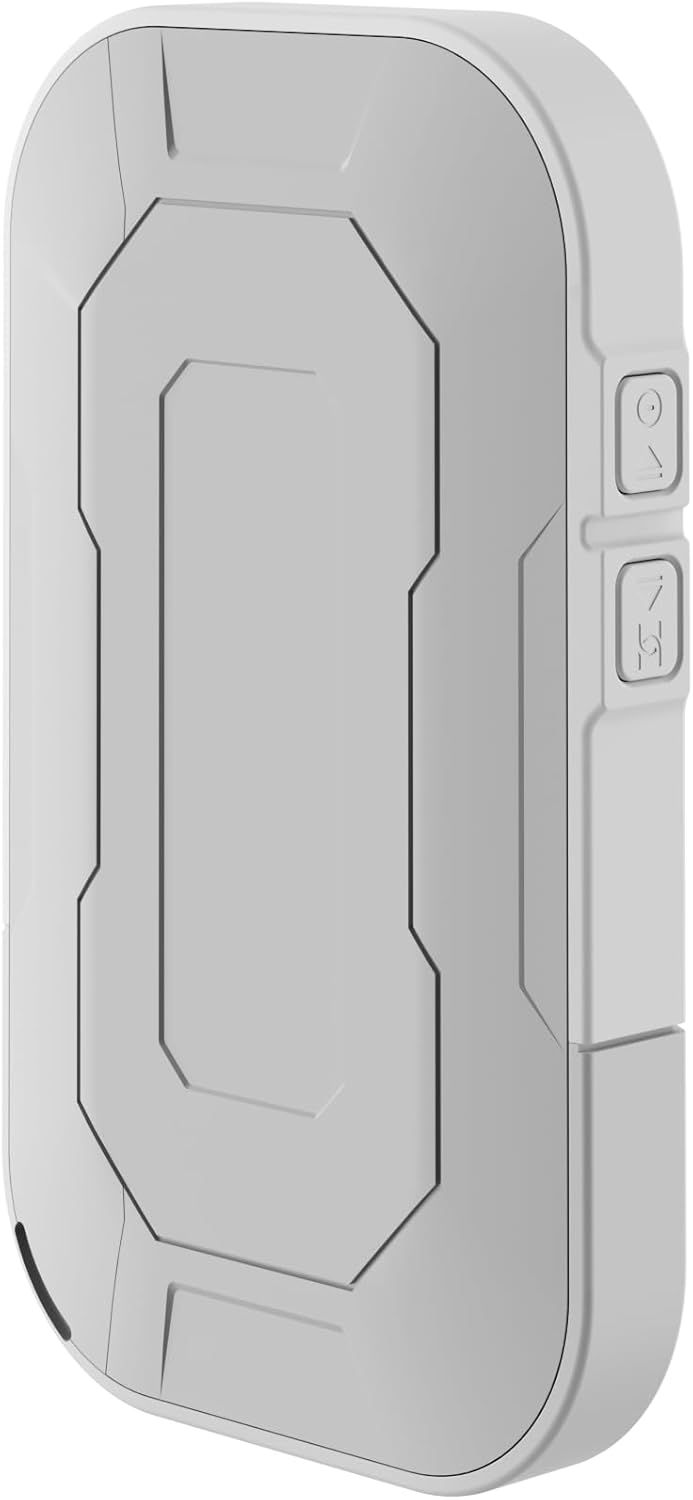
Abbildung 2: Hinteren view of the device, illustrating its compact and portable design.

Abbildung 3: Seite view displaying the USB Type-C port for charging and data transfer.

Abbildung 4: Seite view illustrating the physical buttons for power and navigation.
Aufstellen
1. Einlegen der SIM-Karte
- Locate the SIM card slot, typically found under the battery cover.
- Carefully remove the back cover and the battery.
- Insert your standard-sized SIM card into the designated slot with the gold contacts facing down, ensuring it clicks into place.
- Setzen Sie die Batterie wieder ein und bringen Sie die Rückseite wieder an.
2. Aufladen des Geräts
- Connect the provided USB-A to USB Type-C cable to the device's charging port.
- Stecken Sie das andere Ende in ein USB-Netzteil (nicht im Lieferumfang enthalten) oder in einen USB-Anschluss Ihres Computers.
- Die Akkuanzeige im Display zeigt den Ladestatus an. Laden Sie das Gerät vor dem ersten Gebrauch vollständig auf.
3. Ein-/Ausschalten
- To power on, press and hold the Power button (refer to Figure 4) until the display lights up.
- To power off, press and hold the Power button until the shutdown prompt appears on the screen, then confirm.
Bedienungsanleitung
Connecting Devices via Wi-Fi
- Ensure the Roamer 4G is powered on and has established a 4G connection (indicated on the display).
- Suchen Sie auf Ihrem WLAN-fähigen Gerät (Smartphone, Tablet, Laptop) nach verfügbaren WLAN-Netzwerken.
- Locate the network name (SSID) displayed on the Roamer 4G's screen.
- Enter the Wi-Fi password (Key) also shown on the Roamer 4G's screen. Alternatively, you can scan the QR code displayed on the device's screen for quick connection.
- Your device should now be connected to the internet via the Roamer 4G hotspot.
Die Anzeige verstehen
The color display provides real-time information about your hotspot's status:
- Signalstärke: Zeigt die Stärke des 4G-Mobilfunksignals an.
- Batteriestand: Zeigt die verbleibende Batterieladung an.
- Datennutzung: Displays current upload/download speeds and total data consumed.
- Netzwerkinformationen: Provides details like SSID, password, and connected devices count.
Wartung
Batteriepflege
- Um die Batterielebensdauer zu maximieren, vermeiden Sie es, das Gerät extremen Temperaturen auszusetzen.
- Laden Sie den Akku regelmäßig auf, vermeiden Sie es jedoch, ihn über längere Zeiträume vollständig entladen zu lassen.
- Wenn das Gerät längere Zeit nicht benutzt wird, laden Sie es vor der Lagerung auf etwa 50 % auf.
Reinigung
- Verwenden Sie ein weiches, trockenes, fusselfreies Tuch, um die Außenseite des Geräts zu reinigen.
- Verwenden Sie keine flüssigen Reiniger, Aerosole oder Lösungsmittel.
Fehlerbehebung
| Problem | Mögliche Ursache | Lösung |
|---|---|---|
| Keine Internetverbindung | No SIM card inserted, SIM card not activated, no signal, data plan exhausted. | Ensure SIM is correctly inserted and active. Check signal strength on display. Verify data plan with your mobile operator. Try restarting the device. |
| Verbindung zum WLAN nicht möglich | Incorrect password, device too far from hotspot, Wi-Fi disabled on hotspot. | Verify Wi-Fi password. Move closer to the hotspot. Ensure Wi-Fi is enabled on the Roamer 4G. |
| Gerät lässt sich nicht einschalten | Battery is depleted, battery not inserted correctly. | Charge the device for at least 30 minutes. Ensure the battery is properly seated. |
Technische Daten
| Besonderheit | Detail |
|---|---|
| Marke | Keenetic |
| Modell | KN-5110-01-EU |
| Maße | 12.1 x 8.2 x 4.7 cm |
| Gewicht | 200 Gramm |
| Akku-Typ | Lithium-Ionen-Akku (1 erforderlich, im Lieferumfang enthalten) |
| Kabelloser Typ | 802.11b (Wi-Fi 6 compatible) |
| Konnektivitätstechnologie | LTE |
| Kompatible Geräte | PC (and other Wi-Fi enabled devices) |
| Besondere Merkmale | LED Indicator, Color Display |
Garantieinformationen
For detailed warranty information, please refer to the warranty card included with your product or visit the official Keenetic webBewahren Sie Ihren Kaufbeleg für Garantieansprüche auf.
Kundenservice
If you encounter any issues not covered in this manual or require further assistance, please contact Keenetic customer support. Visit the official Keenetic webWebsite für Kontaktdaten und Support-Ressourcen.
Besuchen Sie auch die Keenetic Store on Amazon für weitere Informationen.